

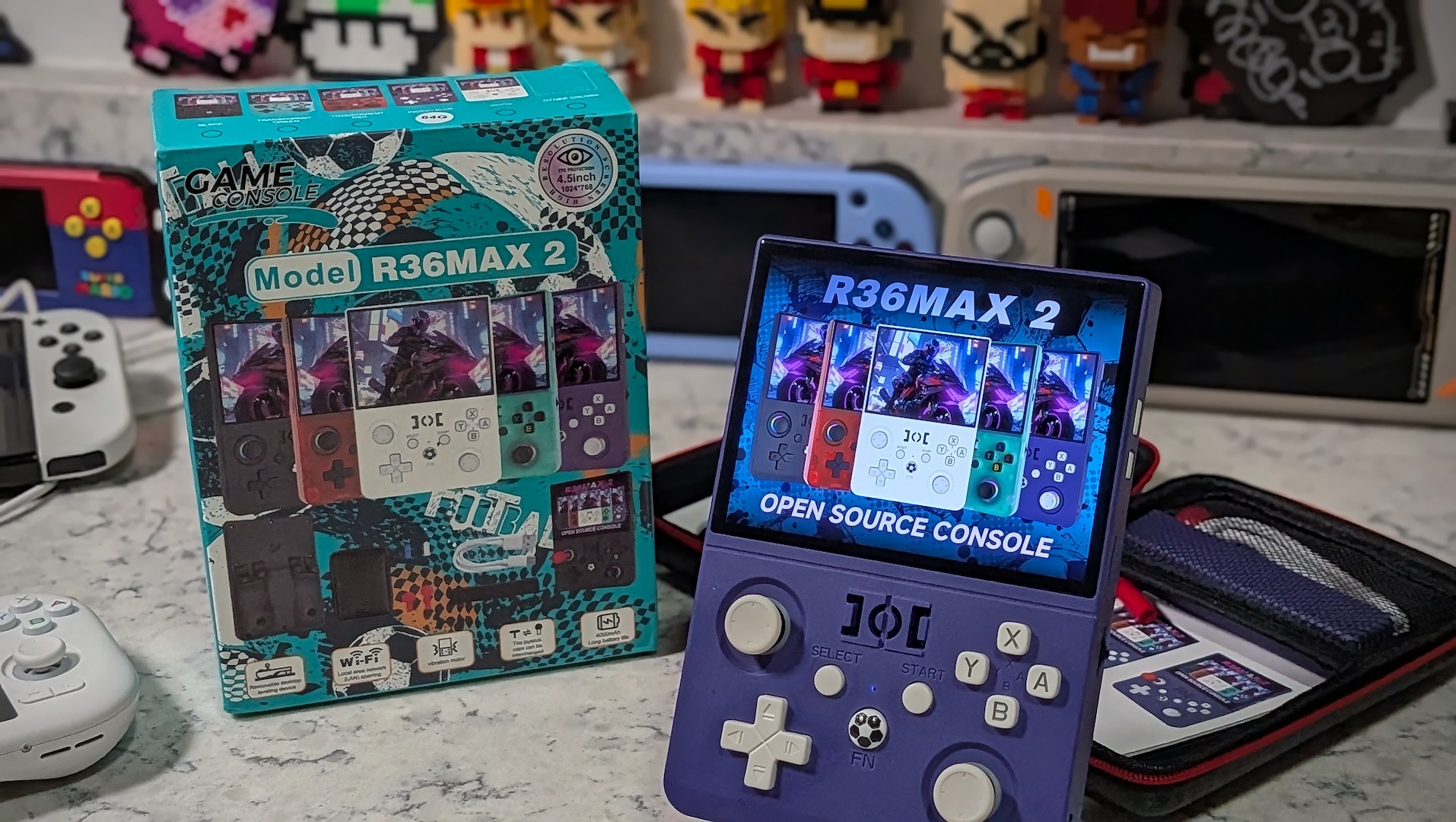
I try to approach every new handheld in this increasingly crowded space with an open mind. A console that’s a bit of a yawn in 2026 would have likely blown my mind in the height of the COVID era. The rapid acceleration of the handheld emulation market is nearly unprecedented, but can consoles like the R36MAX2 still find reasons to exist today?
When I reviewed the original R36MAX, I’d viewed it as a cheap “me-too” device that did things well enough, but its hokey soccer/football presentation didn’t help the device’s case by making it feel more like a toy than a device for enthusiasts.
The device reviewed was provided as a review sample by AISLPC. This had no bearing on the conclusion of the review, nor did AISLPC have the opportunity to make edits or changes to the review before publishing.
Affiliate links might be present where applicable, and we may earn a commission on product purchases using those links at no extra cost to you.
Since the time I wrote that article, the R36MAX has become one of the best-selling handhelds on the scene. Why? It’s cheap, widely available on major retailers like Amazon, and to be fair, it does a great job at exactly what it advertises.
The new Game Console R36MAX is a fairly unremarkable device. It’s another clone – this time with a tall 1:1 form factor and a curvaceous rear end. In an apparent attempt to stand out from the crowd, its designers have given the latest RK3326 on the block some boldly nonsensical design flairs in the form of a soccer ball, pitch, and heart buttons.
This brings us to the whole “what is e-waste” debate I brought up a little while back. The R36MAX2 and its predecessor could easily receive that label from jaded hobby enthusiasts who are just too close to the scene compared to your average consumer. But how can it be e-waste if it does a better job at its task than 90% of the crap sold on the shelves at Walmart or Target?
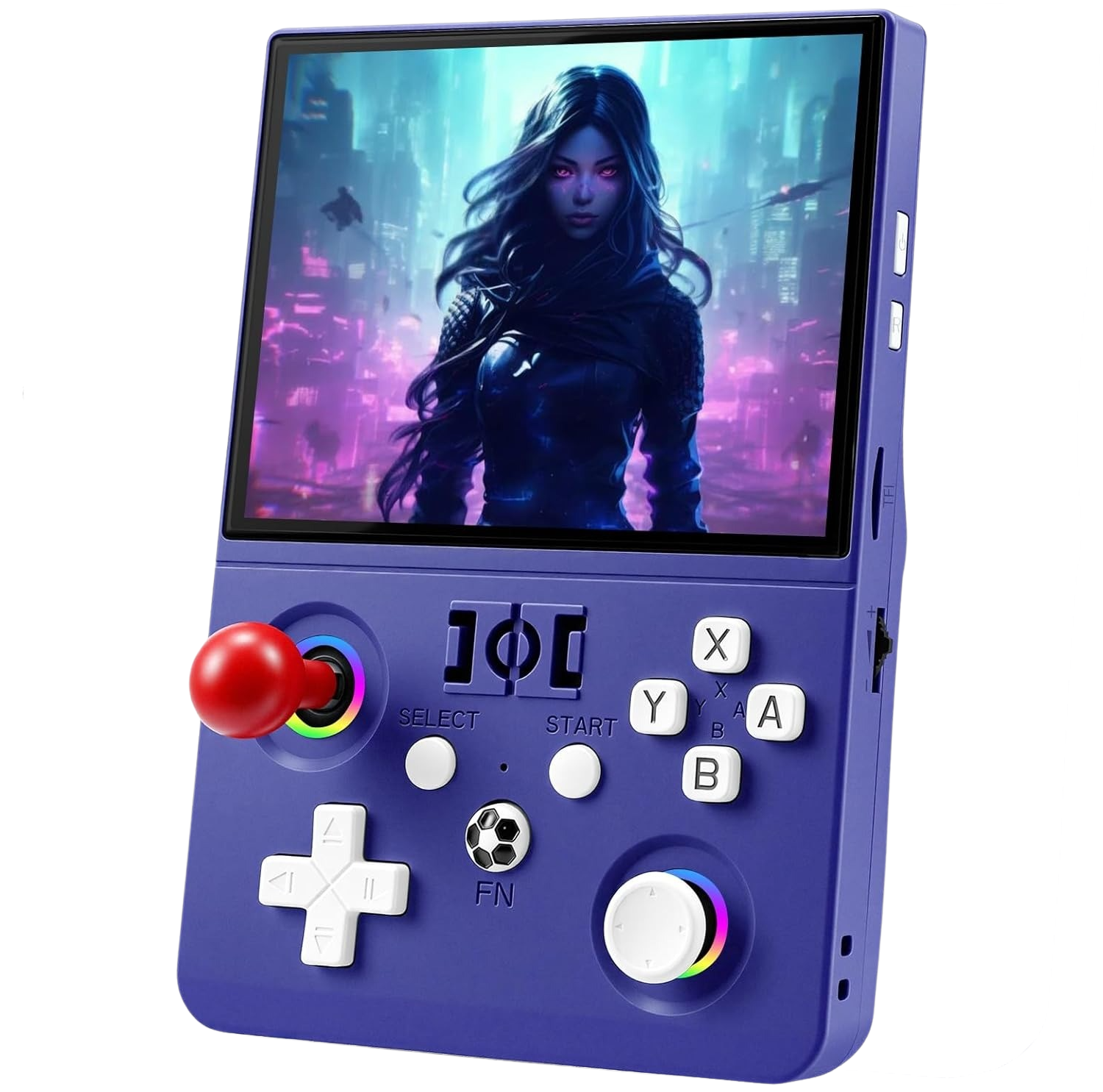
The R36MAX2 might look like an ungodly piece of design hell in marketing photos — where those red-capped joysticks will make you say, “What the hell were they thinking?” — but despite its childish outward appearance and my own initial misgivings, I’m kinda loving the R36MAX2.
R36MAX2 Specs
| Hardware | |
| CPU | RockChip RK3326 |
|---|---|
| GPU | Mali-G31 MP2 |
| RAM | 1GB |
| Display | |
| Screen Size | 4.5-inch |
| Resolution | 1024 x 768 |
| Aspect Ratio | 4:3 |
| PPI | 284.44 |
| Storage | |
| Internal Storage | 4GB |
| External Storage | microSD |
| Battery | |
| Battery Capacity | 4000mAh |
| Est. Battery Life | 5 hours |
| Additional Details | Li-Po 3.7V |
| Connectivity | |
| Wi-Fi | Wi-Fi |
| Ports | 2x USB-C |
| Additional Details | Wi-Fi 2.4G |
| Video Out | Yes |
| Controls | |
| Sticks | Analog |
| Triggers | Analog |
| Shoulder Layout | Shelf |
| D-Pad | Bottom Left |
| Audio | |
| Speakers | Mono |
| Speaker Location | Front-facing |
| Headphone Jack | Yes |
| Software | |
| Operating System | Linux (EmuELEC) |
Design & Shell
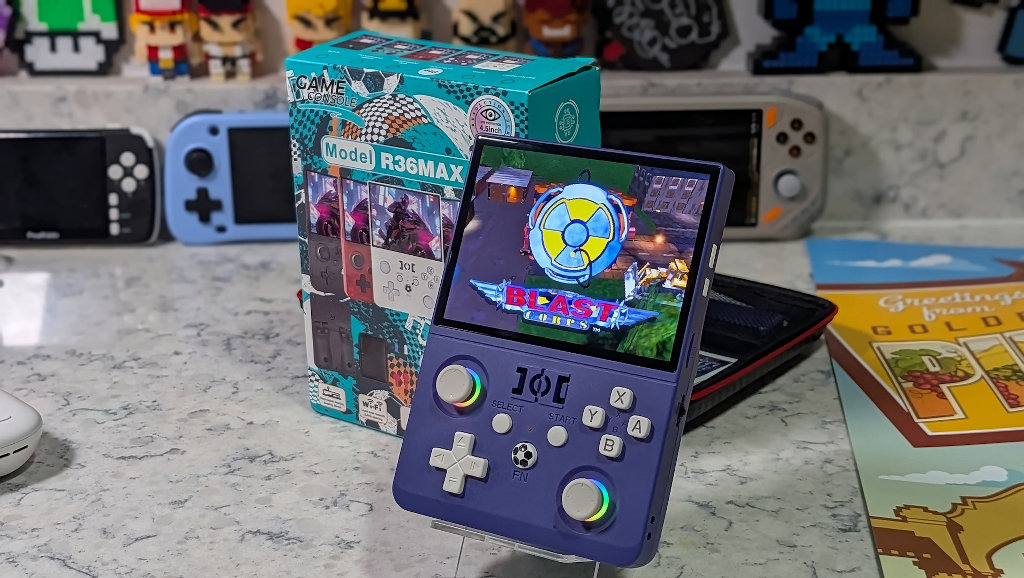
The first thing anyone looking at the R36MAX2 is going to think is the exact same thing I did: the red joystick gimmick is stupid, and why oh why did they stick with the silly soccer theming? Well, for one, I think that silly soccer theming sold extremely well the first go ’round, so if it ain’t broke?
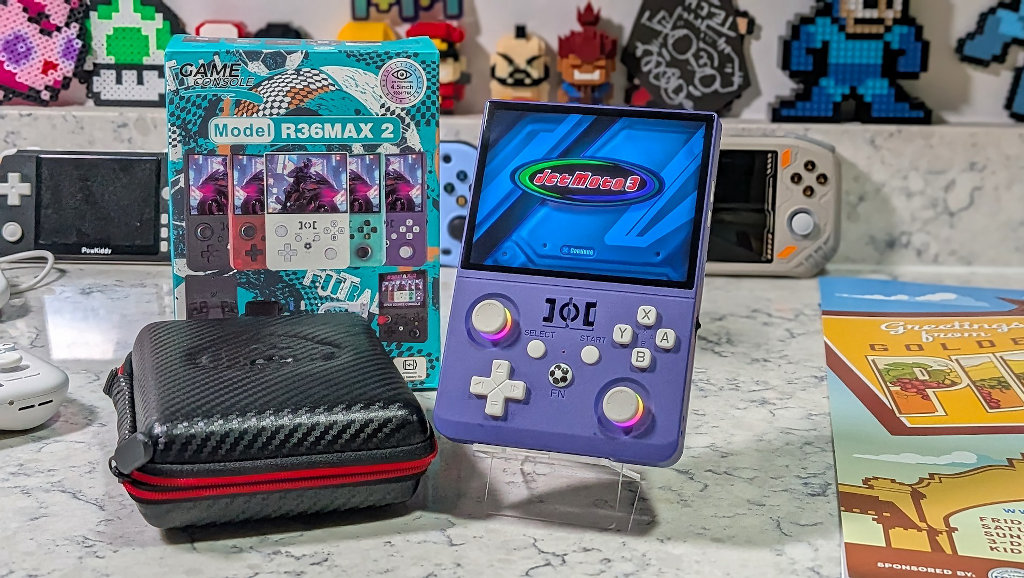
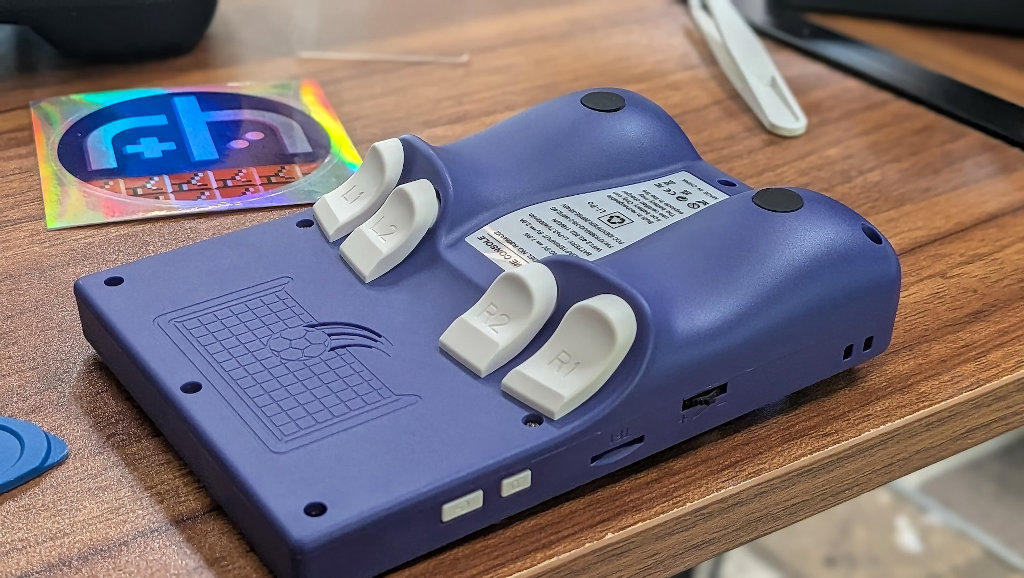
The contoured rear end of the R36MAX2 is one of the most comfortable versions of this type of layout that I’ve used. My knuckles often end up bashing together during gameplay on a lot of these curved vertical designs, but the 4.5″ screen and 4:3 aspect ratio on the R36MAX2 keep things spread out enough that ergonomics were never a concern.
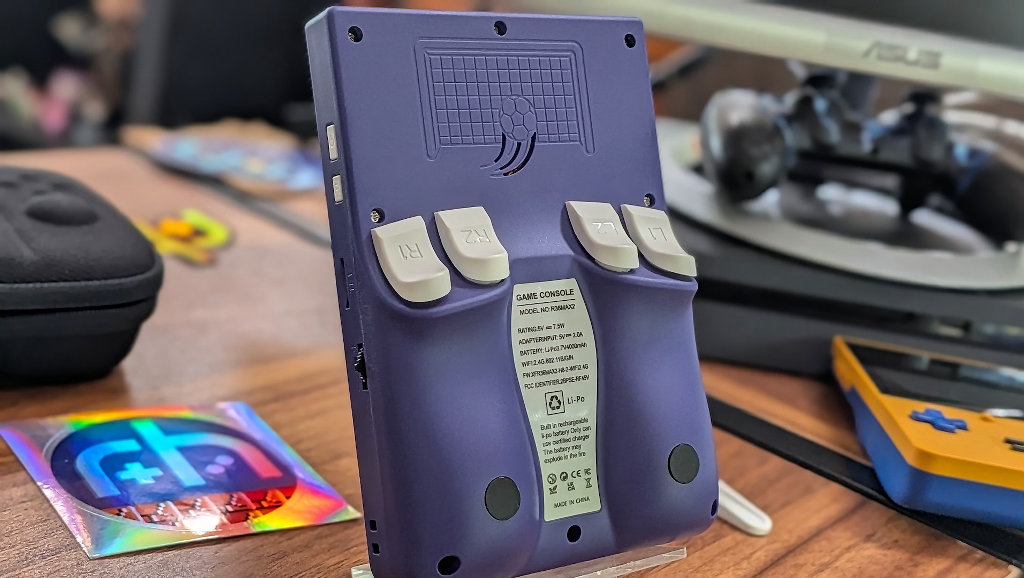
The plastic on the shell of the handheld is what I’d describe as “decent-cheap”. You know that this is a budget device when you hold it in your hands, but having said that, it still feels pretty solid. If this thing got knocked off the kitchen counter, I have faith that the plastic shell could survive without shattering. Plus, I think they really nailed the Gamecube shade of purple on the device I received, so bonus points for that.
Controls
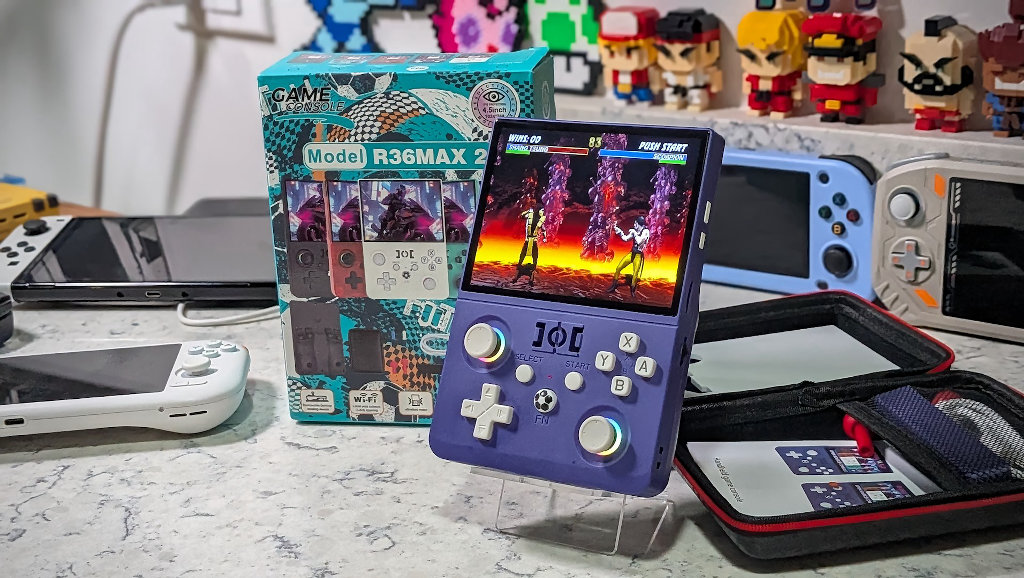
Now, if you looked at the R36MAX2 marketing pics and thought to yourself, “That red-domed arcade stick on a handheld sure is a stupid gimmick”, you’d be exactly right. Thankfully, for everyone who actually wants to play games like a normal person, the joystick is just a standard analog cap, and they are not installed out of the box.
It’s just a dumb gimmick to separate themselves from the clone pack in advertisements. I’m choosing to forget that they exist for the rest of this review, because they are silly and serve no real-world purpose — but that doesn’t mean the controls are otherwise a negative experience…
Buttons & Shoulders
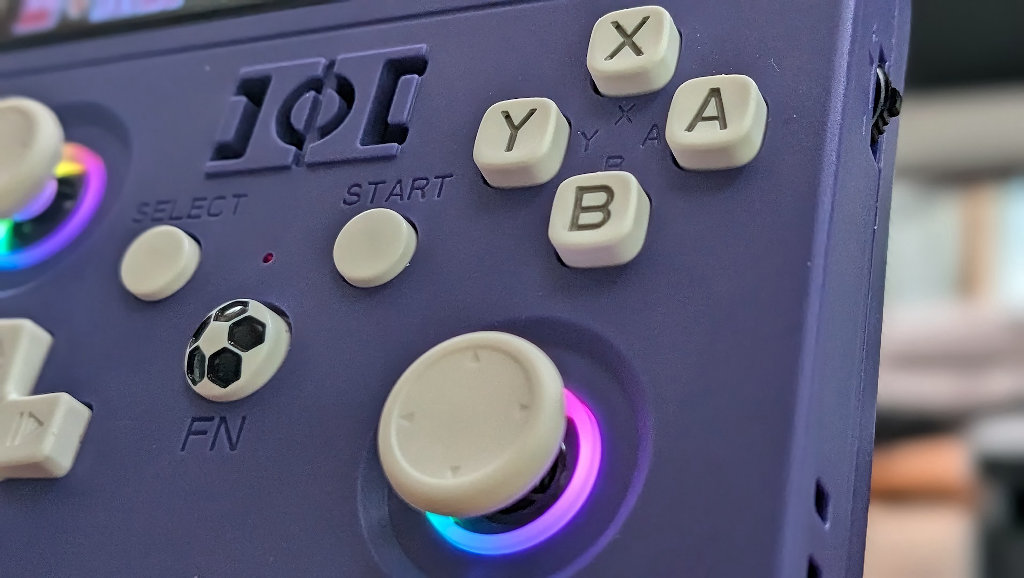
Face buttons on the R36MAX2 are standard fare for this type of clone system. They did make the choice to use the square-style buttons with rounded edges. I have no personal beefs with using these, but if you’re a skittle-buttoned die-hard, you might roll your eyes at the thought. They’re perfectly functional with a healthy feel and amount of travel when pressed.
Dearest Game Console manufacturers (whichever version I might be talking to right now): my kingdom for some softer shoulder buttons! I cannot get my head around how these device makers can do such a great job with these handhelds in so many respects, and still have these obnoxiously loud shoulders on every release. Pressing the L/R buttons highlights the overall cheapness of the handheld. Those buttons clack and reveal the hollow insides of the plastic shell.

And the worst part about all this is that it doesn’t have to be this way. Some very simple design mods could easily dampen the sound produced, but I suppose when every cent matters in this world of cutthroat handheld margins, it’s looked at as an acceptable flaw. It just drives me nuts that I’ve been writing about variations on the R36S for years now, and these are still the same annoying shoulder buttons as they’ve ever been.
Sticks
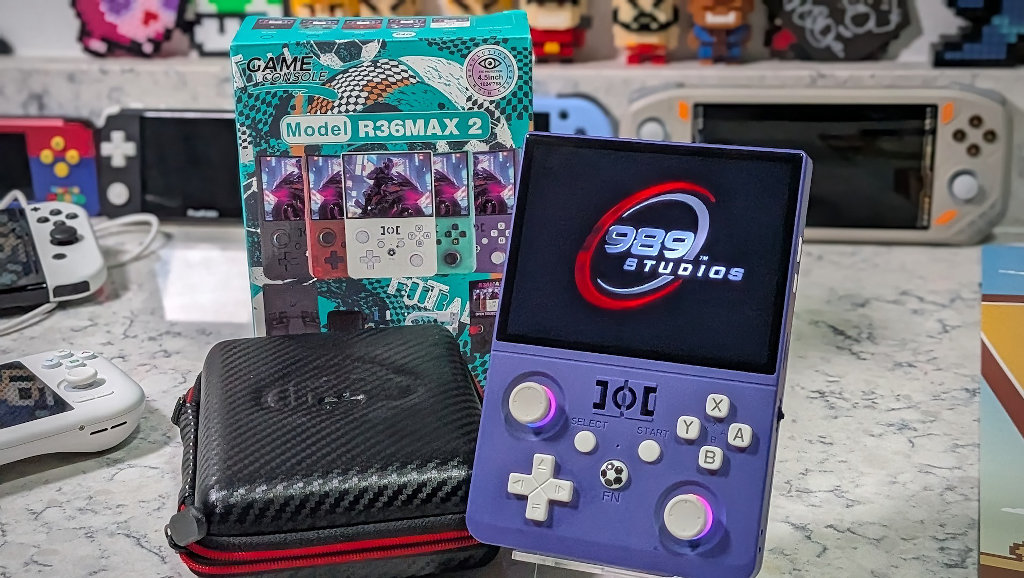
Forgetting all about the silly red joystick attachments for the device, the analog sticks on the R36MAX2 are actually a great step in the right direction for all clones. The handheld ships with a pair of attachable thumbsticks that sit up slightly higher than those of its clone counterparts.
It feels more akin to using the analog sticks on an actual controller vs some sort of cheap compromise for an emulation handheld. I can’t be sure that this will be everybody’s cup of tea, but I was pleasantly surprised at how much I enjoyed the experience of using these sticks.
D-pad
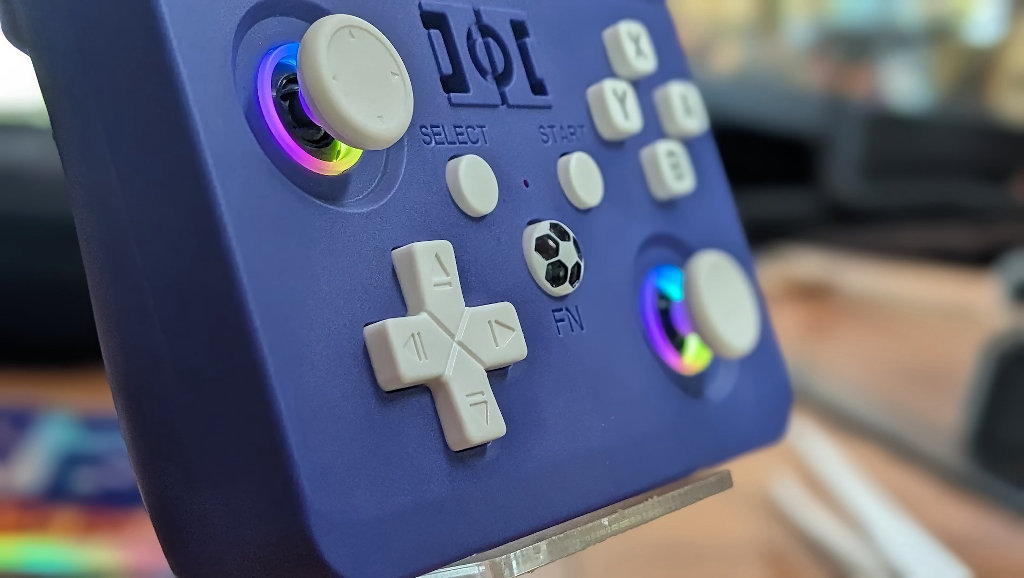
The D-pad on the R36MAX2 is the same as what was found on the R36XX. It’s a tight pad that can feel a little stiff right out of the box, but with some wear, it’s one of my favorite ways to play. Accidental inputs aren’t a concern, and everything feels pretty great under the thumb.
Clone systems often have a pad that’s a little too high and loose for my tastes, whereas this one is closer to something like the Retroid Pocket Classic’s efforts. It’s not just good for a budget system; it’s just a damn solid D-pad.
Additional Buttons
Everyone’s favorite function button is back on the R36MAX2, and this time it feels like a fidget spinner! The soccer-ball button on the R36MAX2 is as odd an inclusion as it ever was. Since Retroarch auto-maps the Select button as the default Hotkey initializer, the FN button on the R36MAX2 doesn’t even serve a purpose unless you map it yourself, but it does wiggle and spin on the hardware shell, so if you need a fidget toy during any minimal loading screens, the R36MAX2 has you (oddly) covered.
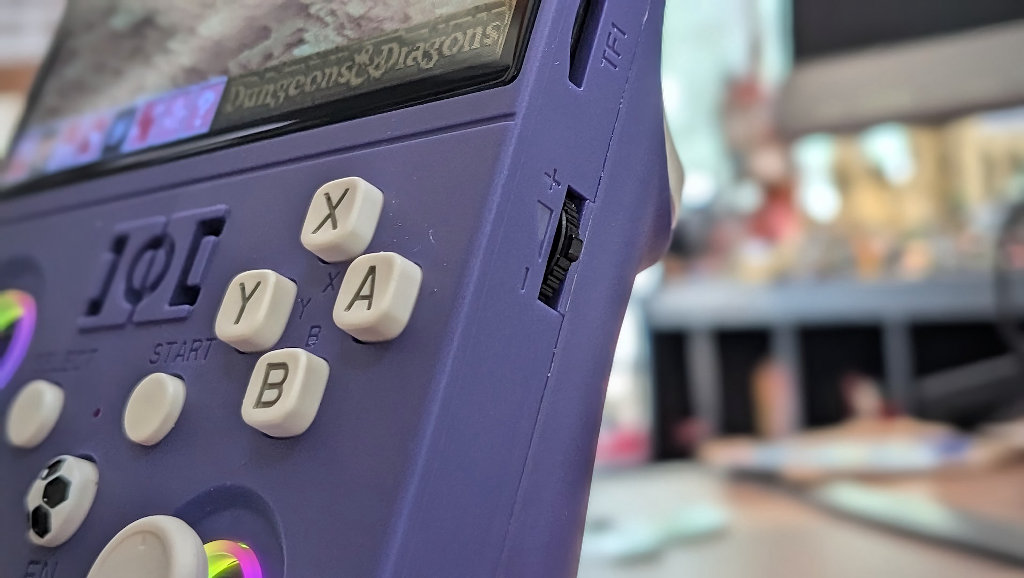
The power and reset buttons are home in their normal location on the R36MAX2, right to the right of the screen. Volume controls are a little different, with the kind of two-way jog wheel that we’ve seen on a couple of other budget devices. It certainly doesn’t lend a premium feel to the overall design, but I actually quite like using the control in practice.
Sound
Other than the amusing spec write-up calling the single front-firing speaker a “cavity horn”, there’s not much more to say. The sound on the R36MAX2 actually gets quite loud, but don’t expect much more than a serviceable experience. Audio junkies will want to make use of the thoughtfully included (ahem…nudge nudge…Anbernic) 3.5mm headphone jack.
Display
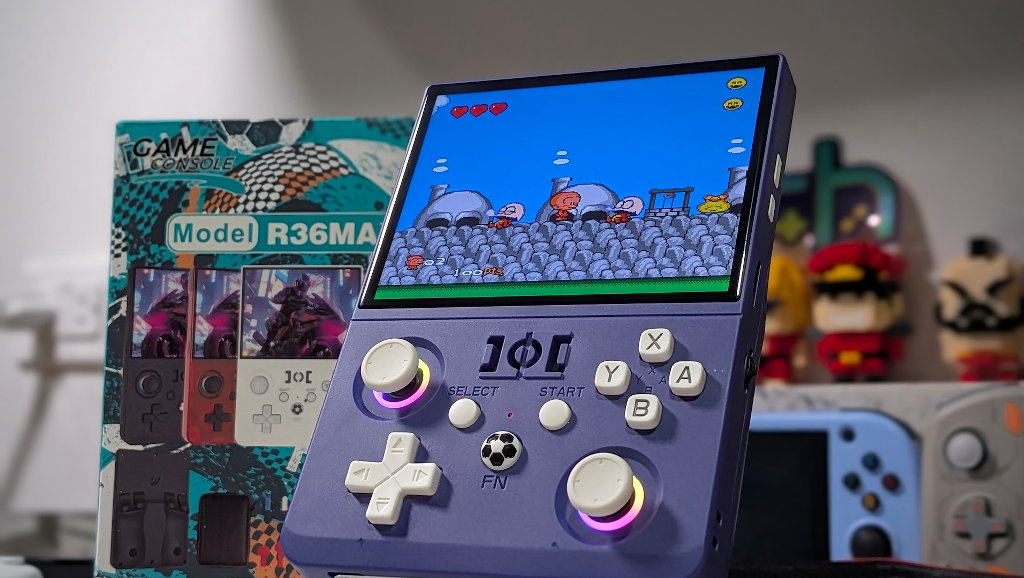
The screen on the R36MAX2 is what the device really has going for it. There have been so many various panels used in these clone systems at this point that I won’t even attempt to speculate which version they might be using here, but what is here looks wonderful.
The 4.5″ IPS screen is easily the biggest selling point on the R36MAX2. Gone is the 1:1 ratio’d device that came before it. This is a 4:3 machine now, and we’re all better off for it. As much as I’ve enjoyed a square screen ratio since the Powkiddy RGB30 first stepped on the scene, I don’t always love it in a vertical form factor. The sharp screen on the R36MAX2 takes up the majority of real estate on the upper half of the console, and it makes for a dramatic presentation on a cheap clone device.
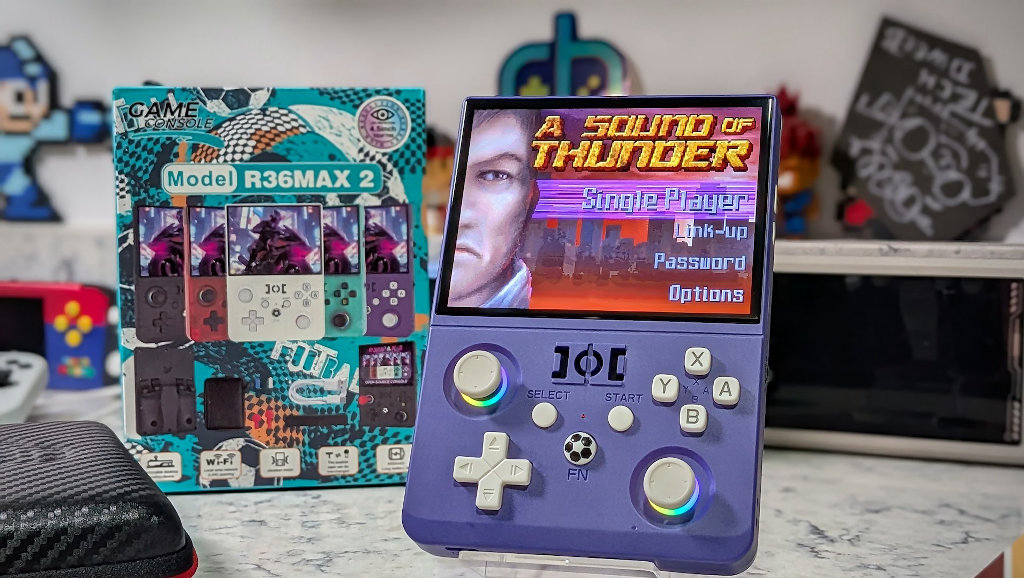
I’d challenge anyone to try out the R36MAX2 and tell me the display isn’t worth the price of entry. Is it the nicest thing on the market? Nah. Is it punching way above what I would expect for a budget handheld? Absolutely.
OS & Gameplay
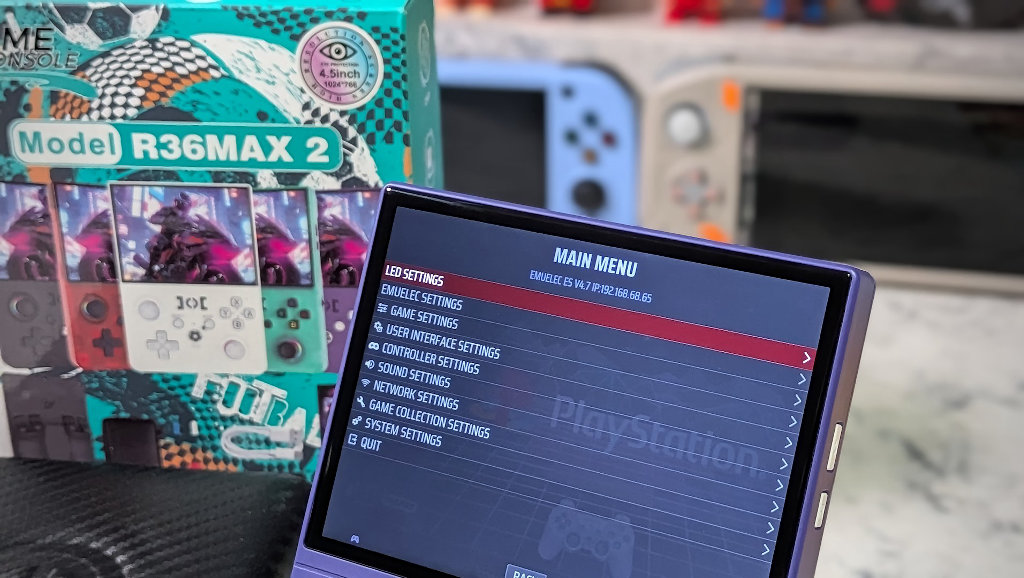
The R36MAX2 comes out of the box running Emulation Station via EmuELEC Linux. The default OS package is entirely serviceable and the type of setup that any casual gamer with nostalgic memories would do fine with. Given that the R36MAX2 is still sporting the tried-and-true RK3326, I’d expect that we’ll be seeing a bevy of CFW options just as soon as the device makes it into the hands of community developers.
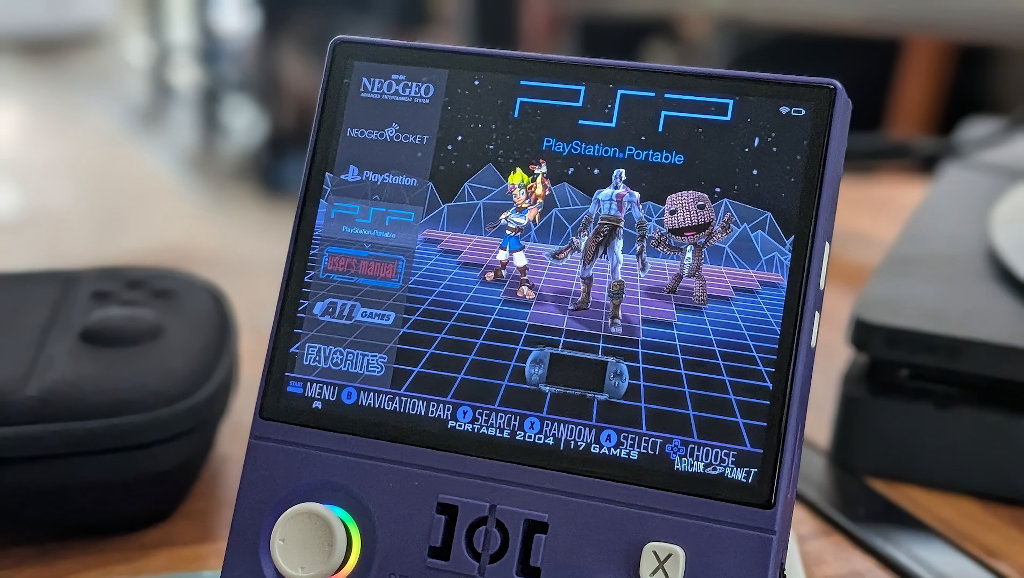
Gameplay performance on this chipset has been well covered and has its ceilings. You’ll get everything up to PSX playing like a dream, with some bonus PSP and Dreamcast ability thrown in for good measure. I have to say that I actually really enjoyed the PSP games that I played on the R36MAX2. As long as the game is within the RK3326‘s abilities, they really display nicely on the handheld’s 4.5″ 4:3 display.
TL/DR
In closing, yes, the R36MAX2 is yet another RK3326 clone emulator handheld, but it’s actually a pretty damn good one. I was ready to crap all over this thing when Stubb’s told me I had the latest in red-joystick’d e-waste headed my way, but this was one of those pleasant surprises.
I’d gladly stack the R36MAX2 right up against some of my favorites of the lineup, like the R36XX. Don’t let the cheesy aesthetic throw you off. I may have been too harsh in my assessment of the original R36MAX because of it, and that’s gone on to be one of the best-selling handhelds out there.

The current RAMpocalypse pricing of PC components means that we likely won’t be seeing a lot of heavy-hitter new releases any time soon, and given how we were already approaching end-game status in that regard anyway, I’m kind of OK with it. Now is the time to see what developers can do with less. Let’s take the known quantities and serve them to people in a new and novel way.
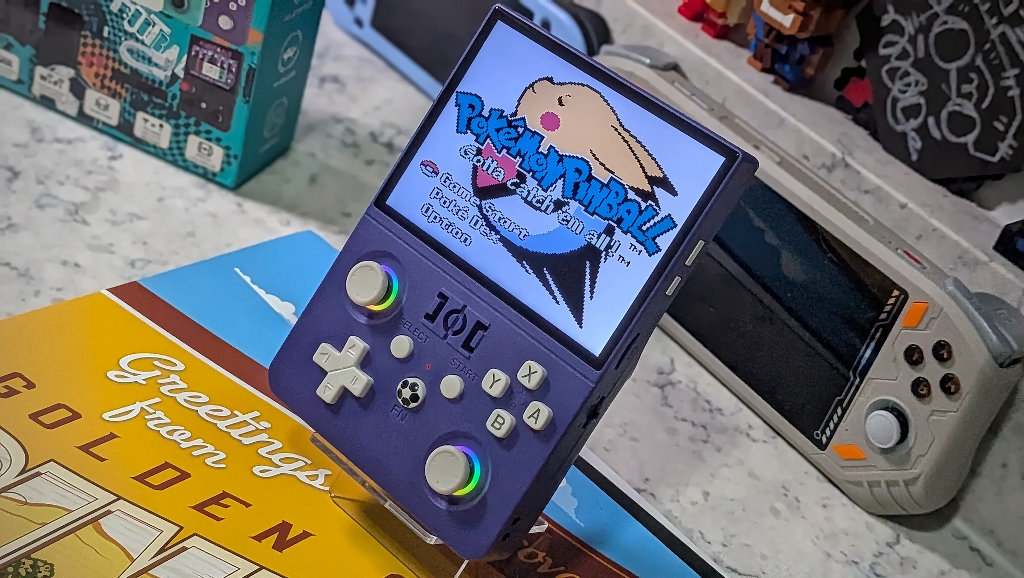
While there may not be any real features as striking as the red joystick attachments to differentiate the R36MAX2 from the pack, it does successfully build on the budget lineage laid down by the original R36S just a few years ago, and the budget gamer in each of us is better off for it.

2 Comments
Well?!?! What 989 game is it?!
This hanheld got my attention the minute I saw it had 4.5″ inches and a vibration motor, which you didn’t mention but it’s a great addition and also adds to the weight so the device feels less cheap. I’m gratefully surprised with the build quality and the software out of the box, it’s playable and it has tons of games. I’d like to see a CFW to enable syncthing on it and I’m actually keen to try some arcade / Atari 2600 games using the red stick, it seems silly but fun!