

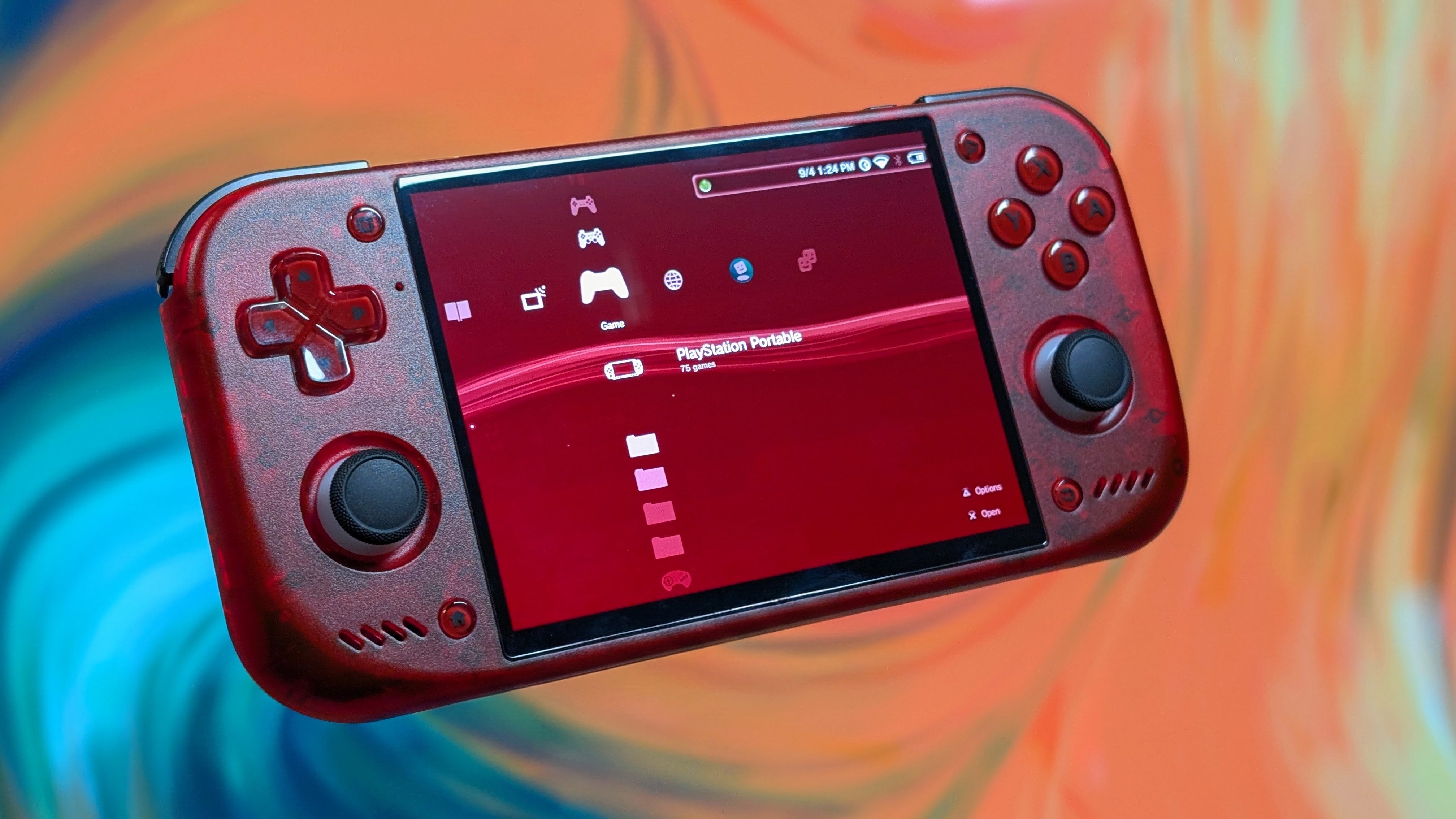
2026 has been a year for bringing back a lot more from our youths. Whether that’s been the absolute onslaught of 3:2 devices this year, or the constant need for Anbernic to try and replicated older devices even if it can’t play that system. There’s definitely been a lot, but that isn’t the main focus. The focus is on software, specifically in the frontend space.
While a lot are trying to emulate a Nintendo-focused system like iiSU or Cocoon, the Sony XMB hasn’t had as much love. Aside from RetroArch having it baked in, 2026 has seen little bits of XMB from places like GammaOS, and announcements from places like Play Field Portal, or the recently announced XORA project.
Today though, marks the V1.0 drop of Wave Launcher, an XMB focused front end that’s been built with a genuine affection for style, and it shows. After months of time, work, and testing for a number of users, it’s finally ready for release.
Before I get into what Wave Launcher is, I just want to note that, I’ve been in communication with Ruby, who is essentially the head of the project, and that’s where I’ve gotten the feature list from. If you want to support the project I highly recommend checking out their Patreon or their Discord where you can join in the discussion.
What is Wave Launcher?
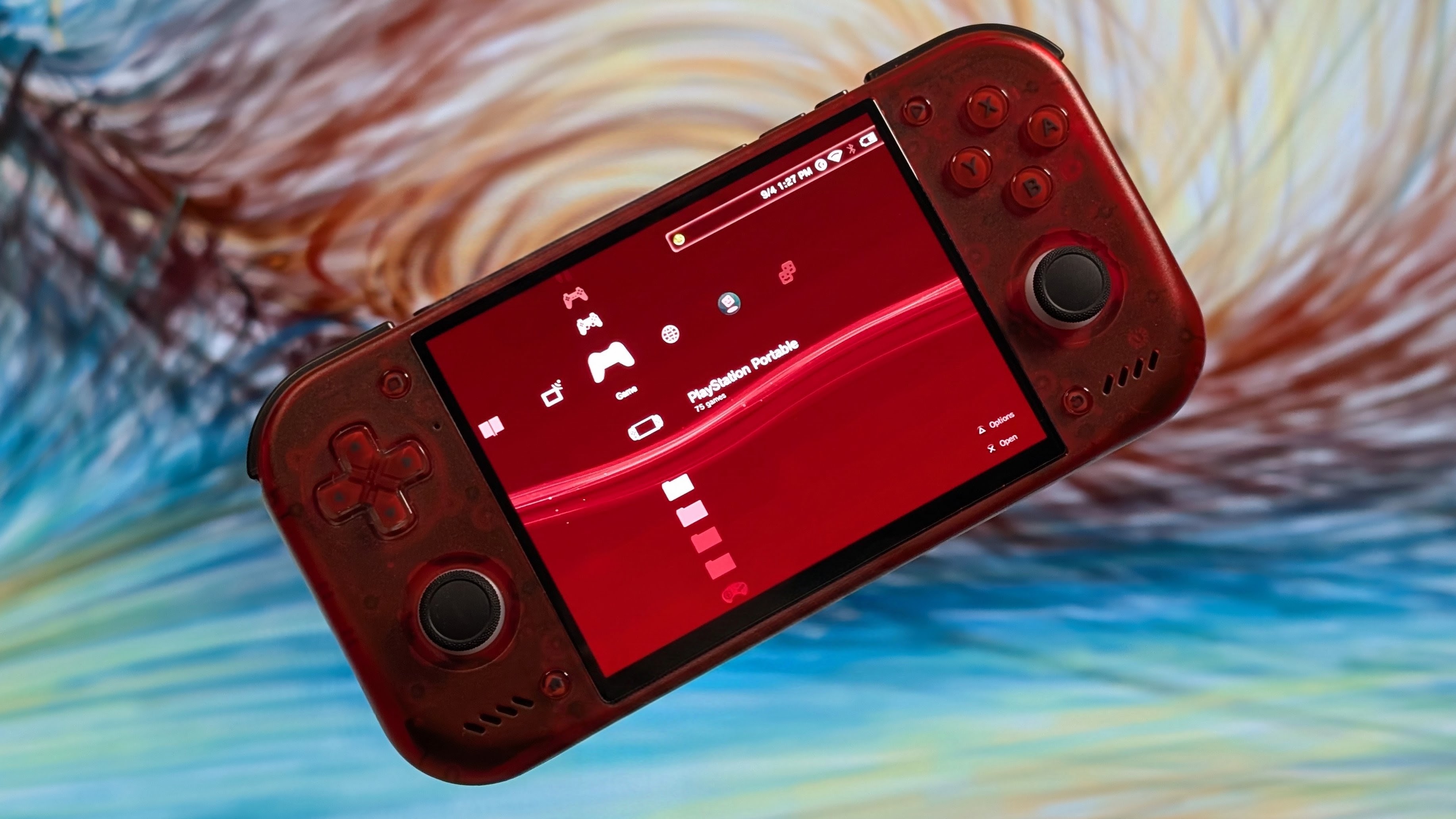
Since this isn’t just an update notification for a launcher, I wanted to ask what the launcher is really made up of. So Ruby provided a list of Features that they feel are important to Wave Launcher. It’s split up similarly how it was given to me, but I will highlight a few of the neat features along the way.
Controller & Input Features
- Full gamepad support throughout the entire interface for controller-friendly navigation
- Touch Support (Not fully finished)
- Support for Xbox, PlayStation, and Nintendo controllers with type-specific UI and Prompts
- Customizable button layouts including AB/XY swap options for personalization
- On-screen virtual controller for users without physical controllers or phone-based control
Game Management & Organization
- Comprehensive game organization with collections, recently played tracking, and favorites
- Automatic tracking of time spent in each game for playtime statistics
- Seamless switching between multiple storages and micro SD cards with hot swap support
- Automatic game filtering that shows or hides games based on current card with deduplication
- Storage icon/label display including autorun support for external storage management
- Fine-tuned emulator selection with per-platform and per-game override capabilities
Game Asset Scraping
- Multi-source scraping from SteamGridDB, ScreenScraper, RetroAchievements, Google Play, Web, and Hasheous
- Direct game asset scraping from real PSP, PS3, and PSP Minis sources
- Extended asset scraping for donors including NDS, 3DS, DSi, and DSiWare support
- Multi-language scraper support
- Independent app and scraper language settings, with unsupported scraper languages safely falling back to English
- Free sound scraping available for all platforms via direct game assets
- Download custom Cocoon jingles from GitHub as well, for more sources of sounds
- User avatar customization with RA/Discord One-Time Sync Button
- Image cropping tool for the Scraper
Media Features
- Full video player with complete controller support and audio/subtitle track selection (Modernized PS3 Style)
- Full music player with background music playback capabilities (Modernized PS3 Style)
- Built-in photo gallery viewer with slideshow support (Modernized PS3 Style)
- Custom sounds system including coldboot sounds and custom UI sound effects
- Individual Audio volume controls for all sound elements
User Interface & Customization
- Personalized color schemes for wave wallpaper customization
- Multiple wallpaper options and styles in the wallpaper system (Original, Classic, Custom, System)
- Adjustable wallpaper brightness with background brightness control
- Font customization throughout the entire UI
- Adjustable interface scaling for different screen sizes
- Independent text size adjustment for better readability
- Customizable status bar appearance and functionality
- Choose your preferred date/time format for statusbar
- PlayStation 3 Toast overlays (unused, will be used for realtime trophies someday)
- Boot logo customization with styles from PS3, Wave, GammaOS, Android, AYN, Retroid Pocket, and Anbernic
System & Connectivity
- Built-In FTP Support
- Web-based interface to modify wallpaper, colors, and manage scraped games via browser through Wave Portal (Experimental)
- Discord Rich Presence with custom Icon per game (Cover URL in Scraper)
- Automatic app updates with Obtainium JSON import support via built-in software updater
- Built-in importer for the Obtainium emulation pack
- Full support for dual-screen devices. You can choose secondary apps to launch with your apps, choose which screen your app opens in, swap screens, etcetera
- Per-screen orientation settings for flexible display control
- Automatic single-screen mode when docked with screen unswapping
Android Integration
- Reliable separation of Games, Emulators, and Apps in the Android Section
- Multi-language app support
- Cocoon, XOrA and ES-DE Migration (In development, future, after 1.0)
Achievement & Progress Systems
- Achievement tracking via RetroAchievements
- Dusklight (Twilitrealm) Achievements Support
Setup & Configuration
- Easy initial configuration process with quick first-run setup
- Configure custom paths with existing file detection support to let users choose to delete your files in the installation or to keep.
- Easy game library configuration with game directory setup
Over the past few months, I’ve been testing Wave Launcher across a number of different devices. Mentioning it in both news articles and reviews (like the KT-R2). I’ve been super happy with it as it’s been developing, and I think that if you’re looking for something that falls into the classic XMB style format, this will be one for you. As of now, I’ve enjoyed it most on my Retroid Pocket 6. But what about you? What are you going to put it on?


1 Comment
Выглядит отлично. Пробежался по настройкам, достаточно функциональная оболочка. Wave Launcher, для тех, кто хочет что то стильное, но не вычурное!