

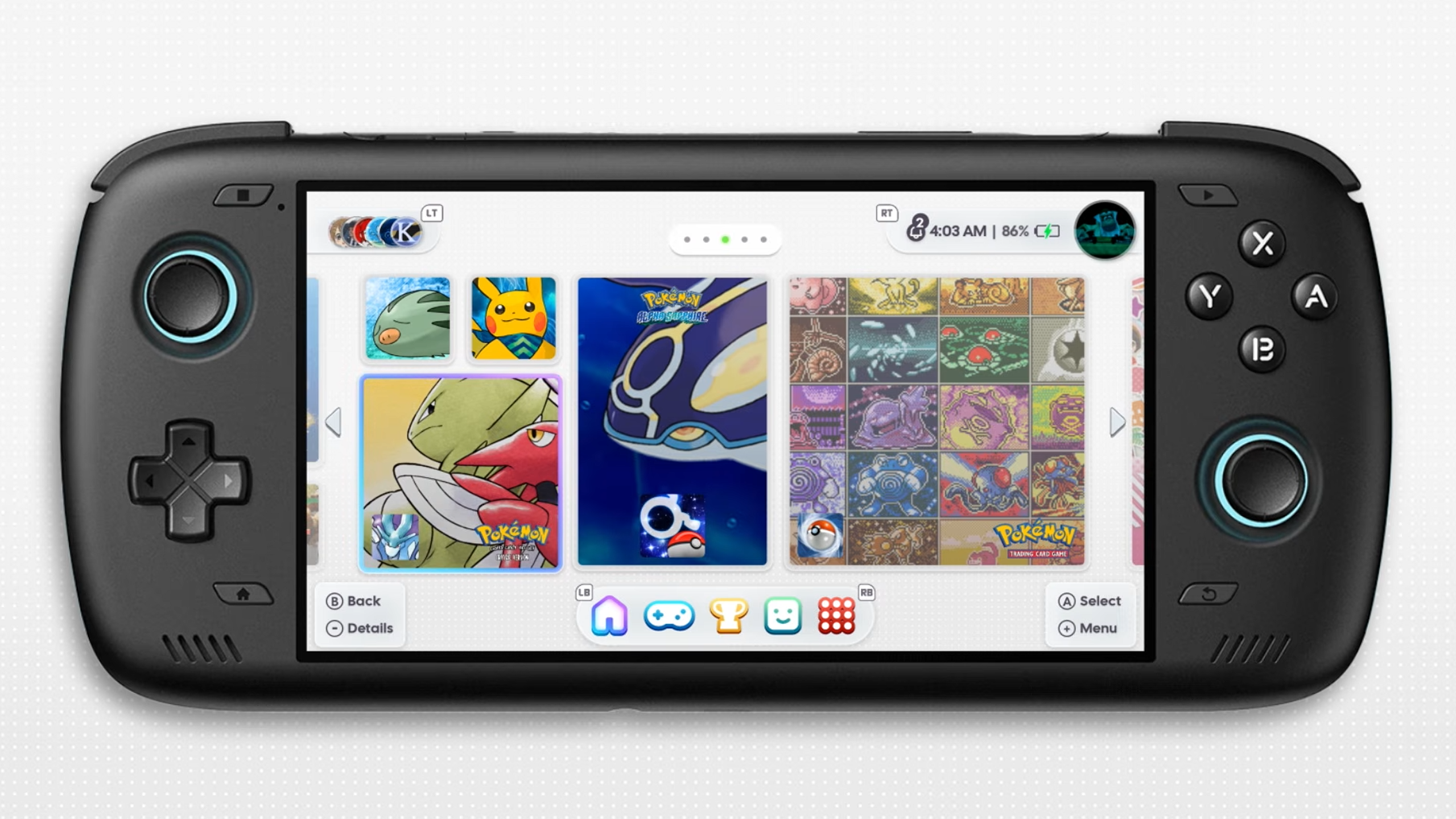
Last year, we saw the announcement of iiSU, a visuals-first frontend that promised to be that Nintendo-style frontend we were all hopeful for. Following a bit of drama and a lot of time, the team behind iiSU has continued to chug away, improving every last aspect of the front end since last October, and now it seems to be their biggest update yet, with Alpha 0.0.7.2 now available to the public.
You can check out the iiSU GitHub for more information in their changelog, but there were definitely a few changes worth highlighting. Which I’ve done thanks to the full list of updates below. And in their video that was put out just earlier today.
Updates in iiSU 0.0.7.2
Visuals:
- Added glass-style context menu buttons, surface primitives, and refined focus visuals
- Added more font options, and weighting
- Cal Sans is now the new default font
- Restyled notifications, task panels, Discord friends, and context menus around newer visual system
- Improved Domino-style Animations for entering/exiting consoles, and swapping screens on a dual screen device
- Added Title Swivel option
Home Menu Overhaul:
- Rebuilt Home around new renderer for smoother focus, lower recomposition, and stability
- Added WiiSU-style Home layout with horizontal pages, peeking neighbors, and page aware item placement
- Added Android Widget support
- Added Image/GIF Widget
- Added Achievements summary Widget
- Added Playtime Activity Widget
- Added “Been a While” Widget to randomly choose between the last 5-15 games the user has launched
- Added Web Widget to embed websites / html files inside of widgets, allowing for infinite customisation
- Added “recenter artwork” option for valid widgets
- Added the ability to resize ROMs/Apps in Home
- Reworked Reorder system, with undo button
- Added Home layout snapshots, persistent empty slots, fill gaps actions, unique top/bottom screen layouts
XMB and ROM Browsing:
- Moved ROM grids, XMB, detail panels, media loading, input, and layout behavior into new renderer
- Overhauled ROM browsing with reusable grid and XMB
- Added smoother XMB/grid movement with improved caching, title/hero priming, right stick navigation, repeat scrolling, and domino-style animation
- Added richer visual states including Trophy/RA indicators, ES-DE loading overlays, hidden/item hints, and custom artwork sizing
- Improved category navigation, viewport restoration, page-end scrolling, and large library loading behavior
Onboarding:
- Reworked onboarding into a clearer setup flow, with optional extras before initially booting iiSU
- Added onboarding coverage for WiiSU, theme, browsing style, asset storage, ROM folders, detected consoles, Retroachievements, scrapers, ES-DE, RomM, Discord, notifications, and appearance.
- Added first boot metadata/starter pack sync
- Improved onboarding task recovery for asset preparation, scraping, and RA hash generation
Media:
- Added multi scrape across IGDB, Screenscraper, SteamGridDB, and TheGamesDB with unified match sorting
- Added SteamGridDB Home icon scraping with previews and batch Home icon scraping
- Added media cache controls with stats, refresh, clear, regenerate, and cached image toggles
- Added media warmup/loading policies to reduce heavy image work during navigation
ES-DE, RomM and Library Sources:
- Added ES-DE metadata loading states, and card-level loading badges
- Improved ES-DE system/media matching across regional and family variants
- Added SAF permission recovery to RomM downloads
Collections:
- Reworked collection surfaces with detail navigation handoff
- Added RomM collection sync and RomM collection toggle management
- Improved collection media handoff, navigation, and detail routing
Discord:
- Expanded Discord chat with media previews, including Discord-hosted media and Tenor links
- Added chat message copy support
- Improved friends panel layout with cleaner friend tiles
- Improved Discord rich presence for browsing, game launch, restore, and pending launch sites
Retroachievements:
- Added deeper RA integration with ROM mapping by hash, title, cached details, and RomM IDs
- Added RA context panels, Home widgets, ROM detail entry points, cached previews, and native RA icons
- Added dual-display detail projection with Score, overview, and media
- Added softcore progress display with a toggle
- Added user controls for RA lookup cache and generated hash cache
- Improved artwork matching
Audio, Haptics, and Motion:
- Reworked theme music playback with bundled custom file support and cleaner looping
- Expanded soundbite support for apps, platforms, ROMs, and detail surfaces
- Replaced haptics toggle with feedback levels
- Improved navigation sound and haptic behavior so feedback follows real focus movement
- Added smoother page slides, browsing crossfades, transition locks, and motion tuning
Emulator and Platform Support:
- Expanded and improved emulator support, including aPS3e/PS3, Sega Model 3, Vita3K, melonDS variants, Azahar/Lime3DS, X1 Box, X360 Mobile, aX360e, NetherSX2 Turnip, and Pizza Boy variants.
- Added platform pack import from ZIPs with layered icon/title/background assets.
- Added platform pack listing, ordering, deletion, and priority-based asset lookup.
- Added PS Vita title ID mapping and .psvita file generation.
- Added manual import for emulator config files with validation and rollback.
Performance/Launch:
- New renderer for smooth navigation and less frame drops
- Optimized Home startup/render paths, grid loading, and cached media
- Improved direct launch, external URL launch, and display routing
- Improved external display restore, dual display focus recovery, bottom screen launch retention, and display swap behavior
- Improved title sanitization for clearer ROM names
- Added log exports (Please add these to bug reports!)
Misc Features:
- Added Global Search for ROMs, consoles, apps, collections, folders, and categories – brought up with L + R.
- Added configurable launcher shortcuts and right-stick quick-navigation
- Added low power mode
- Added app language settings and broad localized coverage for Spanish and Chinese
- Added an app drawer accessible with B on a top level page
- Added platform packs with ZIP import
- Added android games in main ROM/Category surfaces
- Added system detection for time format
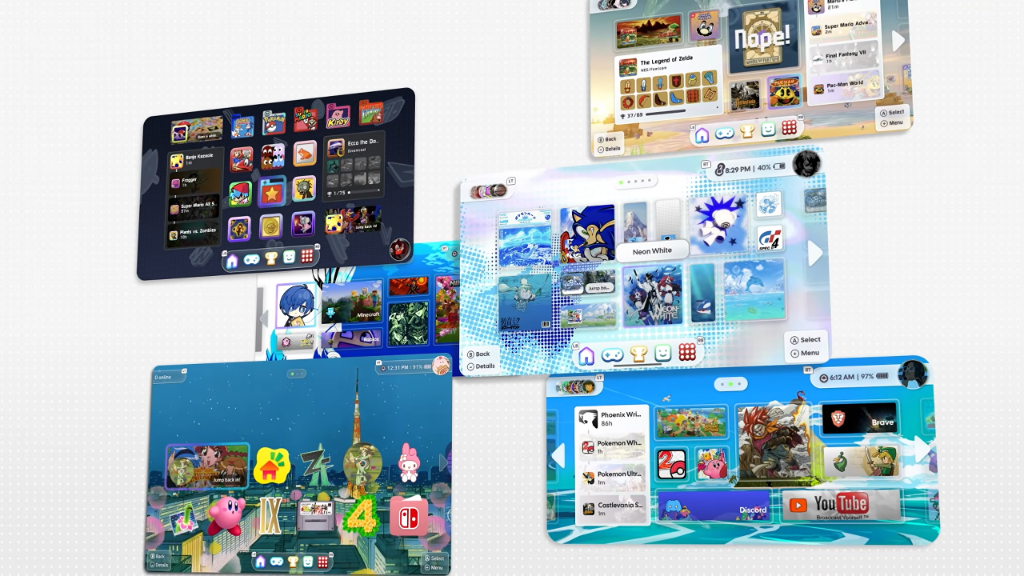
While I didn’t highlight all of them, one of the biggest changes in this iiSU update is the focus on performance updates. Whether that’s low power modes or updates to provide a smoother update in your experience, the team seems to have done a lot in terms of making this run better on lower-end devices, and I think that’s an admirable goal to have.
The whole team has done a lot of work since October, and I look forward to seeing what changes come in the future. I’ve been a proponent of the simplicity of a launcher like Beacon. But if you want something that looks visually appealing and has a mountain of features for you to use. iiSU may be the front end that keeps you from leaving it. And it’s worth checking out, and supporting the team if you can.
| App | Platform | Get it |
|---|---|---|
 | Android | Download |
