

Pinball is one of my favorite pastimes. I won’t claim to be any good at it, but I love the social aspect of getting out to a bar or arcade and participating in tournaments. In a time when third spaces are at a premium, it’s a nice cost-effective way to meet with other pin-flicted addicts every so often. The problem with the hobby is that outside of being an affordable form of passive entertainment, the second you want to get into it a little deeper, it can get very expensive very quickly.
New Stern machines start at $7,000 for Pro models and go up from there. The new Sonic the Hedgehog pin from Jersey Jack will start at $10,000. Shelling out that kind of money on a hobby is a big commitment, and once you pull the trigger, you’re only left with one game to play. You can, of course, sell or trade it for another down the line, but most people I know who made the jump just seem to acquire more tables and spend more money. As I said, it’s an addiction.
Disclosure:
The device reviewed was provided as a review sample by ACEMAGIC. This had no bearing on the conclusion of the review, nor did ACEMAGIC have the opportunity to make edits or changes to the review before publishing.
Affiliate links might be present where applicable, and we may earn a commission on product purchases using those links at no extra cost to you.
Some Background
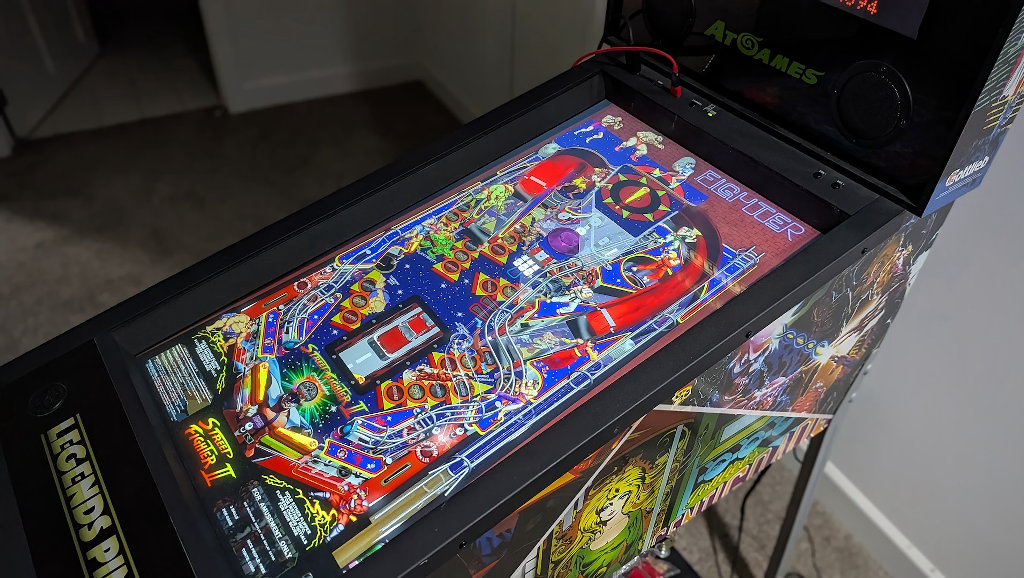
About 5-6 years ago now, I had the opportunity to jump on a deal at Sam’s Club, when one store had posted a clearance price for the AtGames Legends Pinball HD machine at just $300, and the rest of the stores were forced to match if you asked nicely. It worked, and I’ve had a virtual pinball setup ever since, and it was great, for a while…The original Legends Pinball machine was something of an under-powered experiment in the home pinball space. I applaud the team for achieving what they did, but the limited number of real-world tables meant that trying to learn games I was playing in the real world wasn’t going to happen.
The Gottlieb collection that came with the machine is certainly nice, but not the licensed tables you might have fond memories of playing 30 years ago. I wanted to play the orange DMD games of my 90s youth. The Terminator 2s. The Demolition Mans. The World Cups! These are the classics I wanted to recreate.
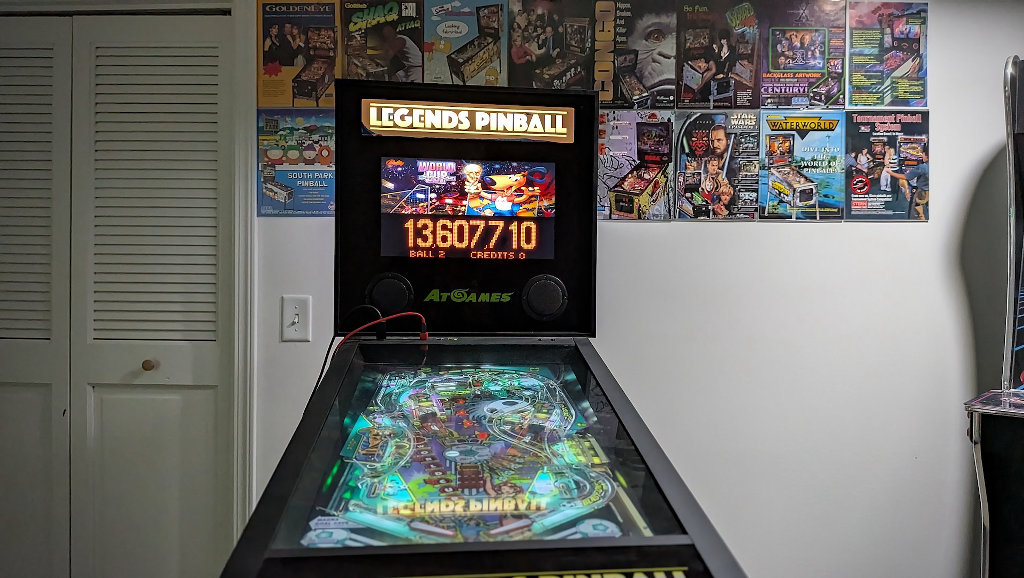
I found a solution a few years later when I’d discovered a Wagner’s Tech Talk series about OTG mode on the Legends Pinball. With an additional accessory board purchase, you could bring your own PC into the equation and run a more true pinball emulation experience. The tables ported to the Legends from AtGames were always something of a compromise.
I was ready for real physics and to feel the way real tables behaved. I was surprised to learn just how demanding that could be. While development has come a long way in just the last few years, running virtual pinball is a pretty power-hungry endeavor. I figured this was the sort of thing that would be light lifting for modern SoC solutions like the Raspberry Pi 5, but the reality is something much different.
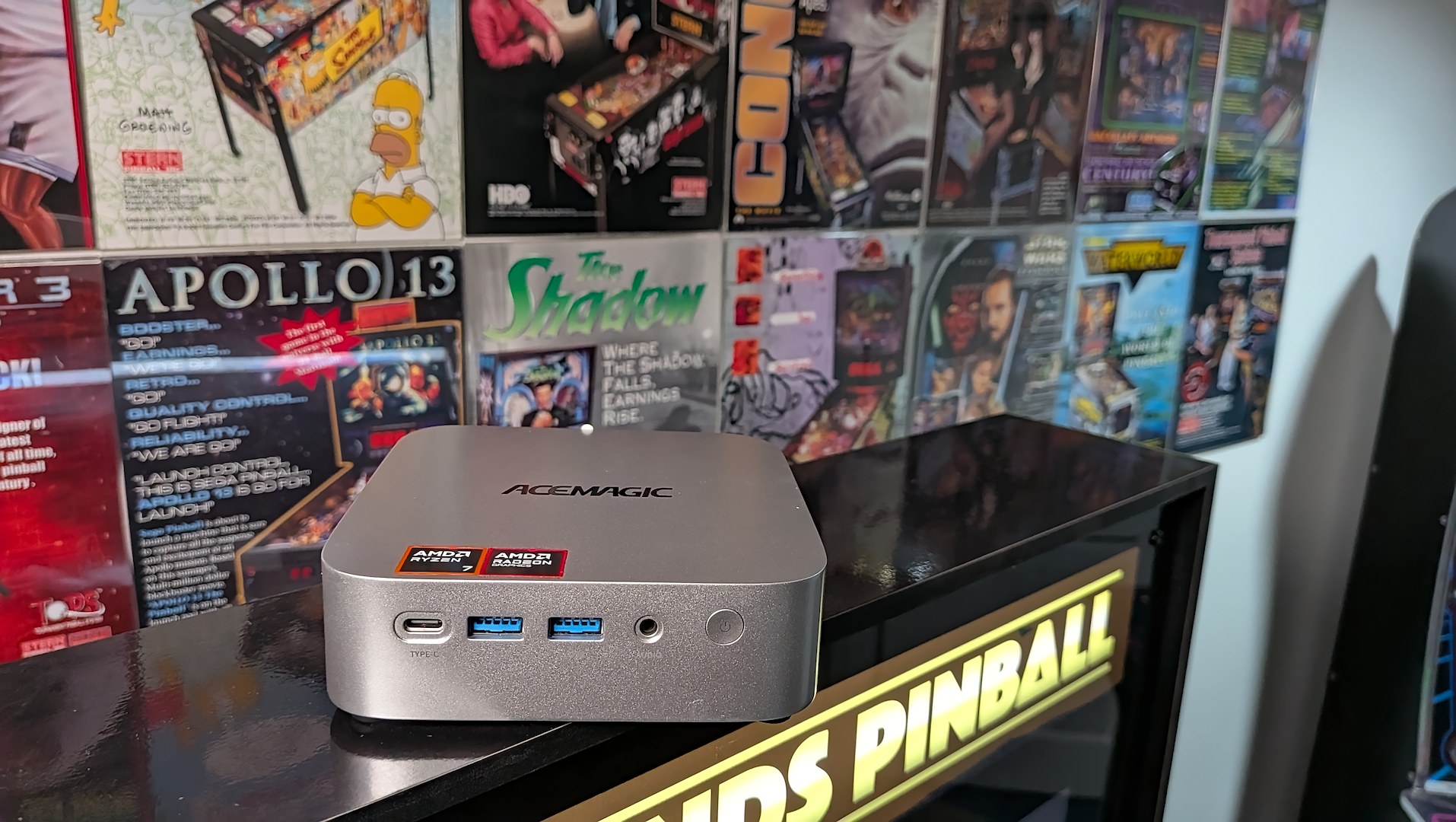
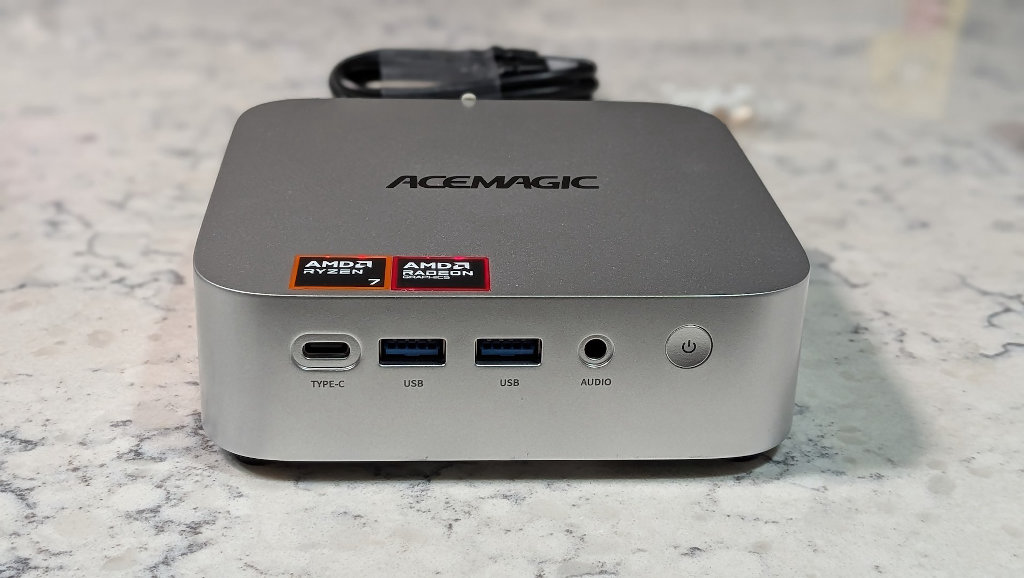
The amount of power required to drive three different displays (playfield, backglass, and scoreboard), while pushing realistic table physics, and graphics that support a silver ball reflecting everything it’s doing on the playfield in real time, takes more to run than you might expect. Up until the AceMagic W1 arrived at my door, I’d been running things on a mid-tower desktop rig with the tried and true GeForce GTX 1080 inside.
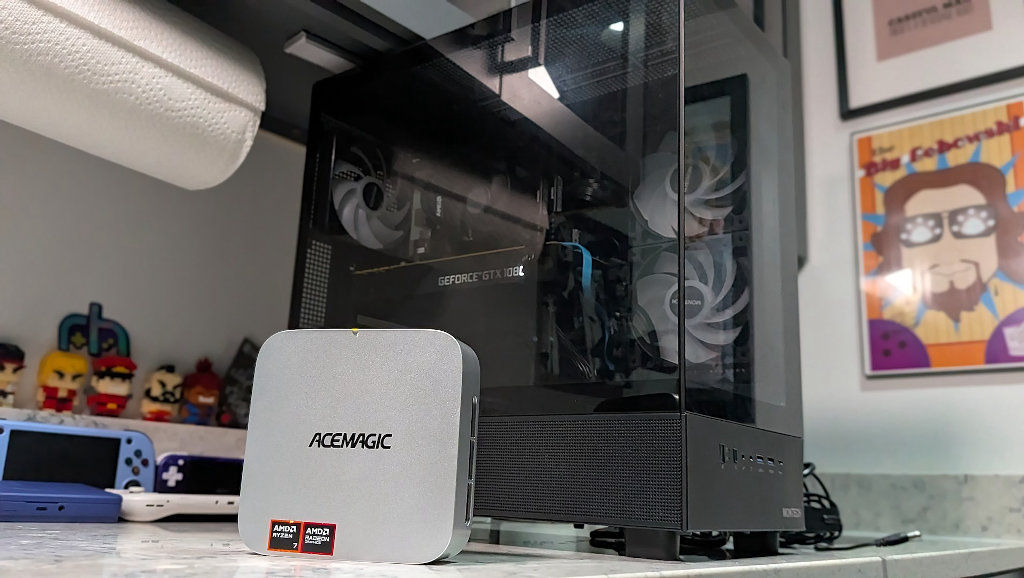
It worked, but it was certainly far from ideal to have to keep a dedicated desktop gaming PC sitting underneath what is an already large pinball machine footprint, not to mention the power required to run all of this. I knew that there had to be a simpler way to make the whole experience self-contained, and it looks like the AceMagic W1 was what I’d been hoping for.
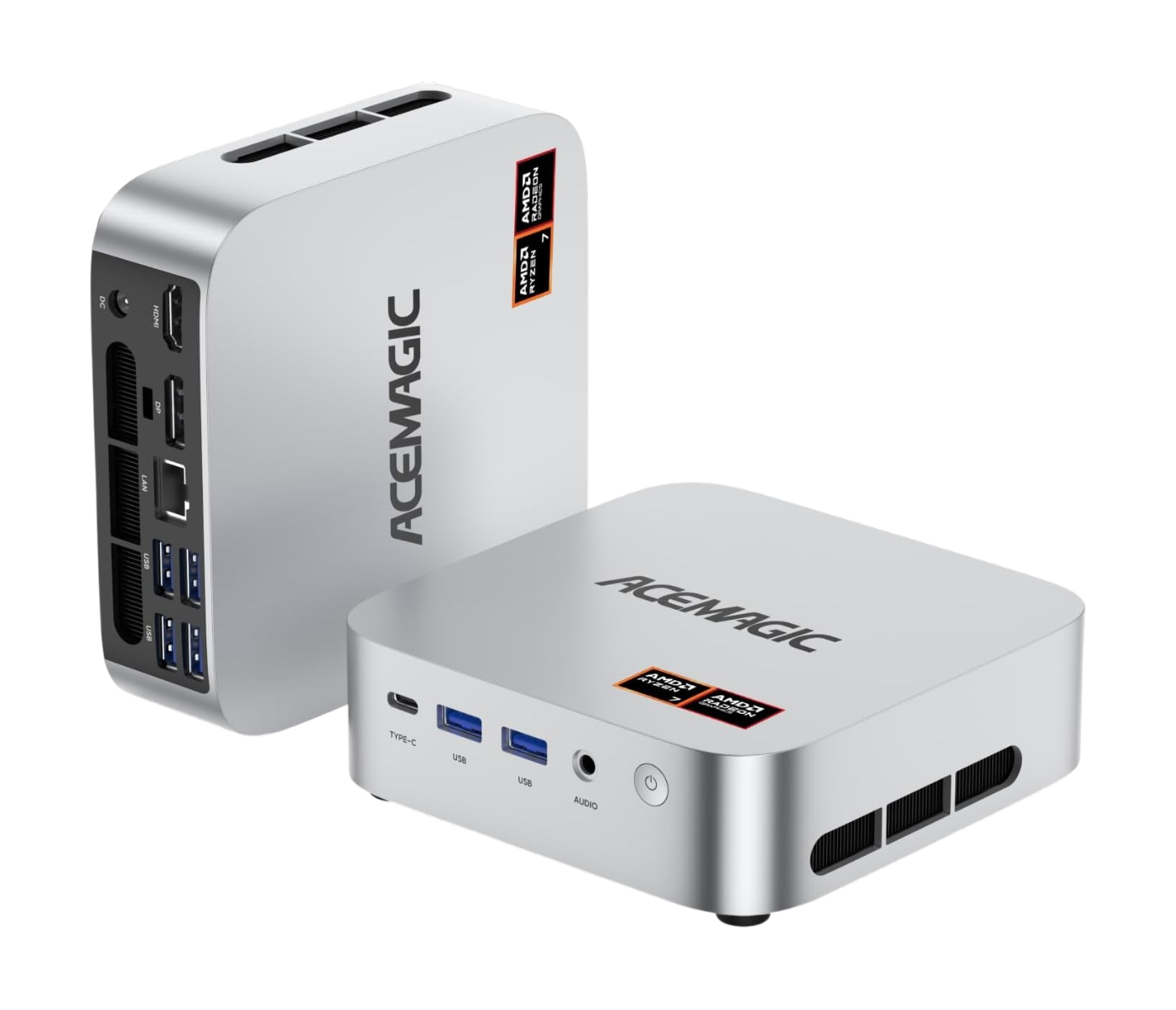
ACEMAGIC W1 Mini PC Specs
Author’s Note: I recently reviewed the AceMagic K1 7530U as a use case for a sort of Steam Machine-light. A way to drive all of your living room entertainment from a single source via Nobara Linux. This would probably be an even better fit for this W1, as we’re now entering into AAA compatibility with gaming.
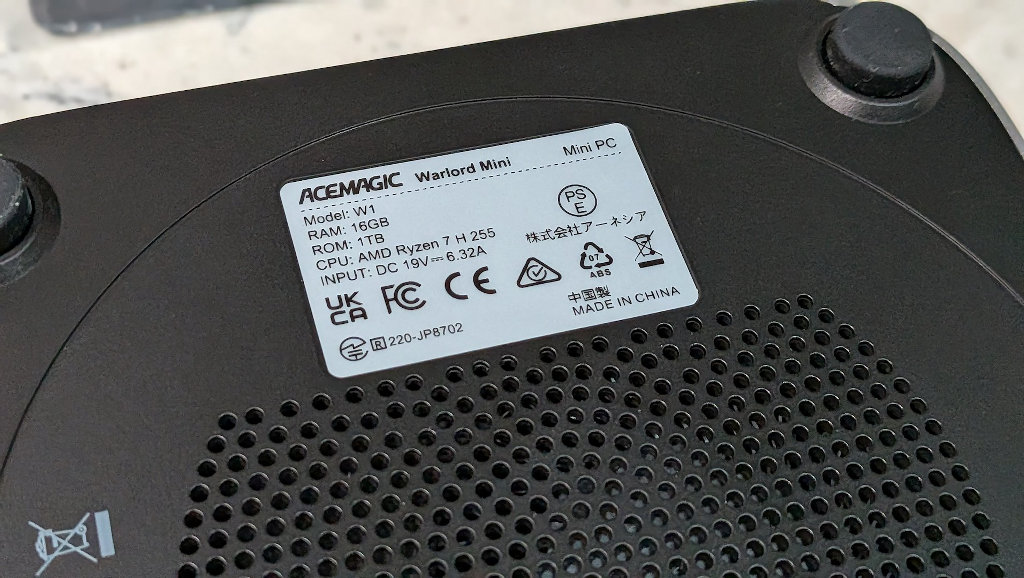
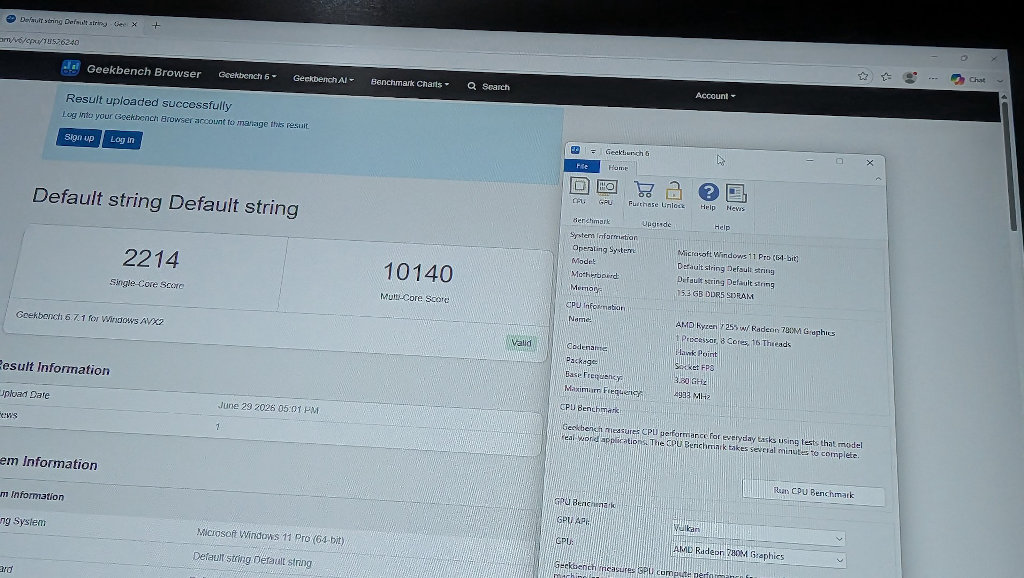
The Ryzen 7 8745HS on the W1, and more specifically the 780M iGPU are what make the unit a just right solution for my needs. I get to ditch all the power draw and thermal baggage of a full desktop 1080 system, while sacrificing none of the ability.
| AceMagic W1 | |
|---|---|
| Hardware | |
| CPU | AMD Ryzen™ 7 8745HS (8 Cores/16 Threads, 4.9 GHz boost) |
| GPU | AMD Radeon 780m (RDNA3 architecture, GPU clock speed: 2600MHz, GPU cores: 12) |
| RAM | 16GB DDR5 5600 MHz (DDR5 SO-DIMM Slot×2, up to 96GB, maximum supported memory frequency DDR5 5600MHz) |
| HDD | 1TB M.2 2280 NVMe PCIe 4.0 (2 * M.2 2280 Slots, 2 drive interfaces support M.2 NVMe PCIe 3.0/4.0 SSDs, does not support SATA SSDs, up to 4TB) |
| Audio | |
| Connection | 3.5mm Audio Jack *1 |
| Connectivity | |
| Power | DC 19V-6.3A,DC Header 5.5*2.1mm |
| Ethernet | 1x 10M/100M/1000M/2.5Gbps adaptive RJ45 Gigabit |
| Wireless | Bluetooth 5.2, Wifi 6 802.11ax |
| USB | USB3.2 Gen2 Type-A Port ×2 (10Gbps) USB3.2 Gen1 Type-A Port ×4 (5Gbps) USB4 Type-C ×1 |
| Video | HDMI 2.0 (4K@60Hz) ×1 USB4 Type-C (8K@60Hz) ×1 DP2.0×1 (8K@60Hz) |
| Display | |
| Output | Supports 7680×4320 @ 60Hz (8K@60Hz) |
| Software | |
| OS | Windows 11 Pro |
| Physical | |
| Dimensions | 128.2mm*128.2mm*41mm |
How It Works
So, in order to use my Legends Pinball with the W1 as the engine, we have to set up OTG mode on the cabinet. This mode was thoughtfully included by the folks over at AtGames for this very application. Interested enthusiasts will need to purchase the VIBS (Video Input Backglass Switchboard) board from AtGames in order to gain this functionality.
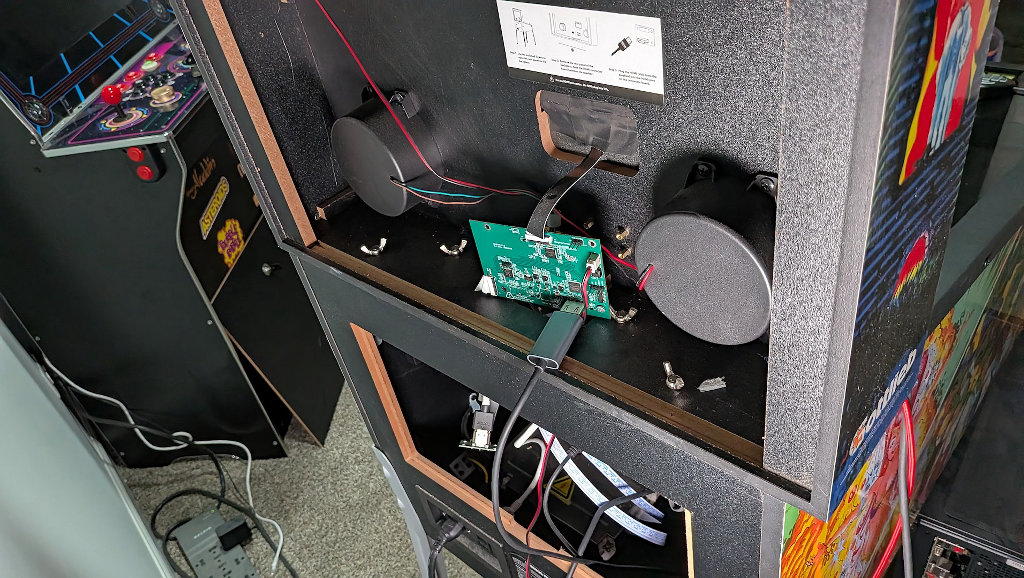
The W1 runs the VPX software and Pinup Popper launcher, while the cabinet provides the displays and physical controls. The backglass display that’s controlled via the VIBS board can be temperamental. I’ve had issues with signal handshakes for years. A lot of this can probably be attributed to having to use a DisplayPort -> HDMI adapter and something getting messed up along the way.
The W1’s included USB-C video output eliminated this problem immediately, and I haven’t seen any display hiccups since. If you’re considering this as a project, I’d advise you to grab a USB-C -> HDMI adapter and save yourself the head scratching I went through.
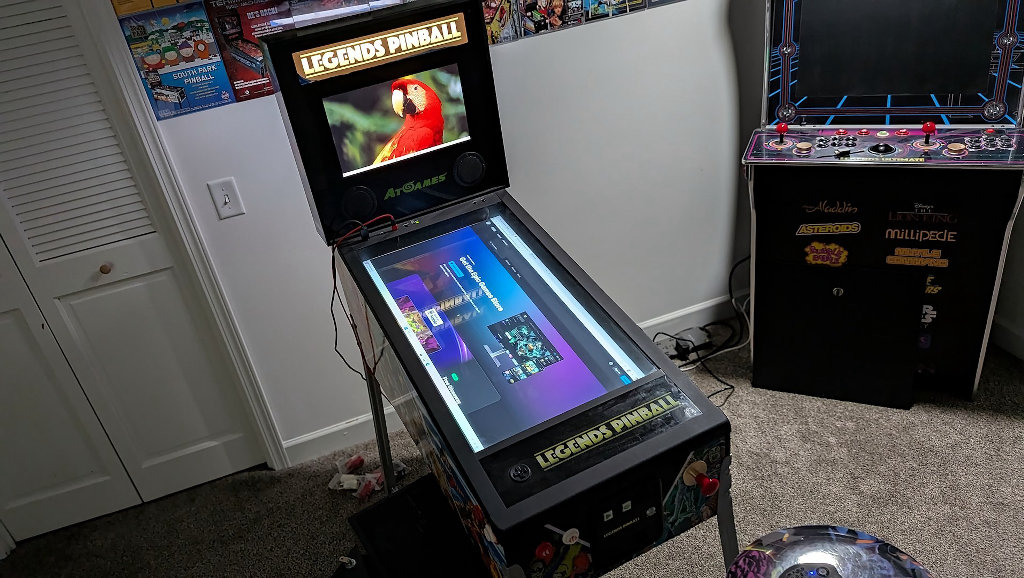
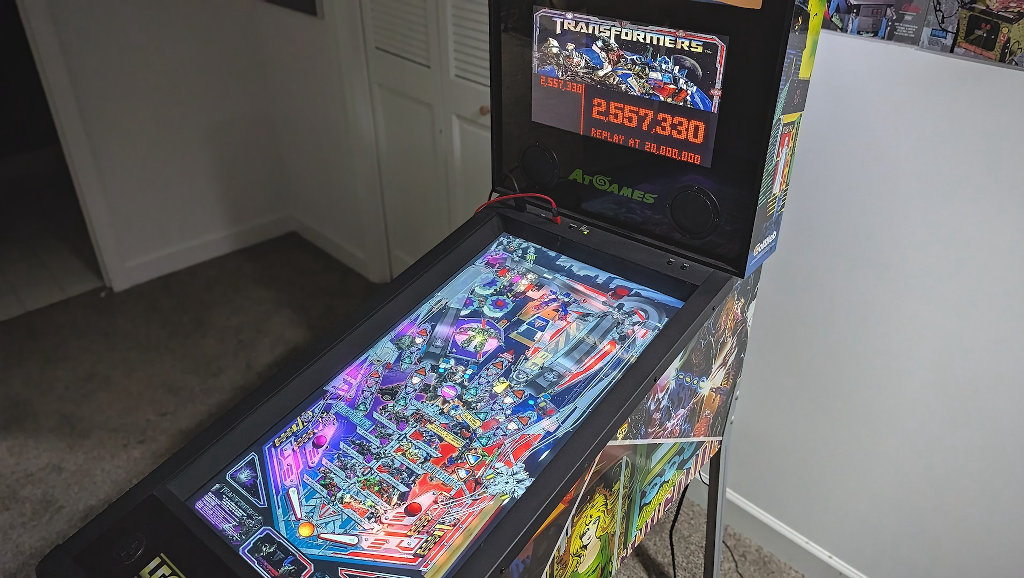
Even though I’ve left the AceMagic W1 running Windows 11 Pro (as it arrived), I’ve set the PC to boot directly into PinUp Popper on launch. This way, when I come downstairs, all I need to do is switch on the PC and the cabinet, and I’m launched directly into table selection. This minor shortcut really goes a long way in making the whole experience feel cohesive, versus a cabinet with a giant PC lodged in underneath.
Cleaning Up
It may seem like an odd thing to say for a guy with too many handhelds and boxes filling his basement, but I hate clutter. Sticking a mid-tower GTX 1080 setup under a pinball cabinet was never going to be an elegant solution. Between the fan noise, the physical footprint, and the power draw, it was always something of a sticks-and-glue solution for my problem.
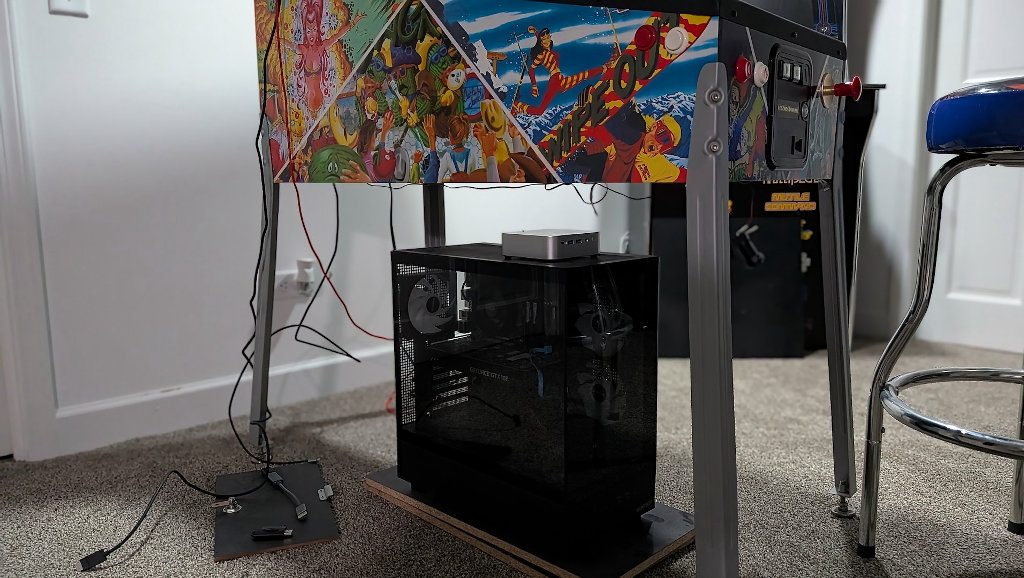
Removing the tower and replacing it with the W1 cleans things up considerably. While I can’t do anything about the cable connections running to the Legends, I now have a much smaller footprint to hide. I can mount the mini-PC underneath the cabinet, or just fit it inside. There’s plenty of room for the unit to breathe in the largely empty caverns of the cabinet interior. Plus, I don’t have to worry about a PC that sits on the floor and gathers every bit of dust and husky dog dander through its intake fans.
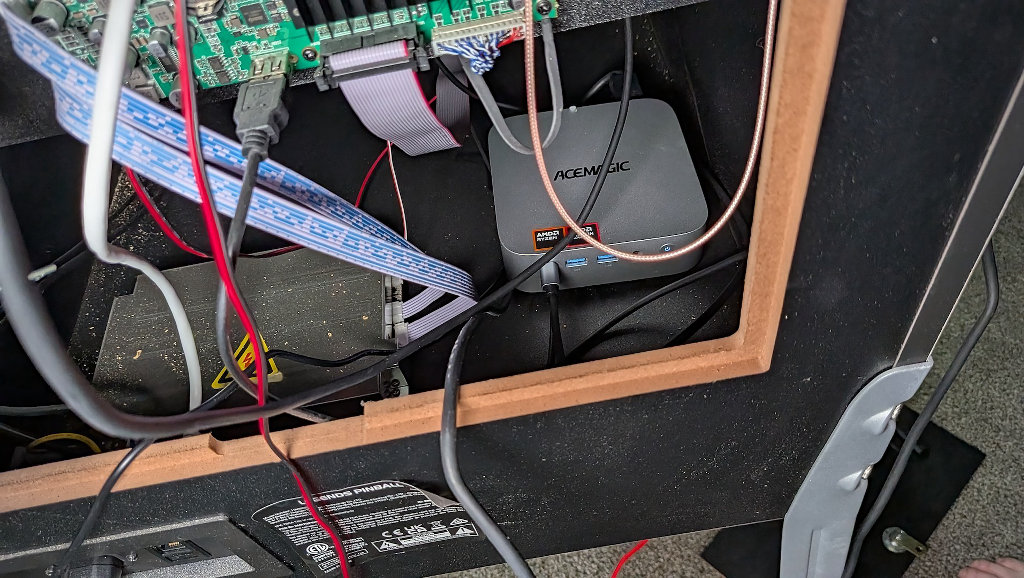
Since the Legends Pinball HD lacks physical solenoids, it depends on the internal cabinet speakers to deliver haptics to the player. This has always been a “I guess it sort of works” situation with the stock OS and tables, but the speakers deliver a much more competent approximation when running VPX via the W1. I’m not knowledgeable enough to point out where the difference is coming from, but safe to say the audio hardware driving the W1 is likely far superior to the built-in offering from the 2020 cabinet hardware.
Pinball Performance is Just Right
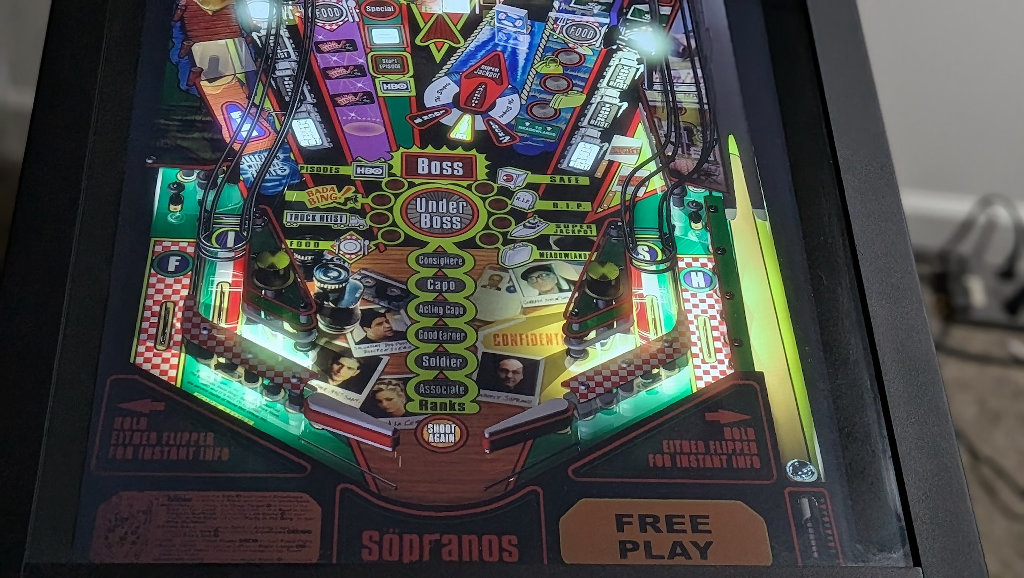
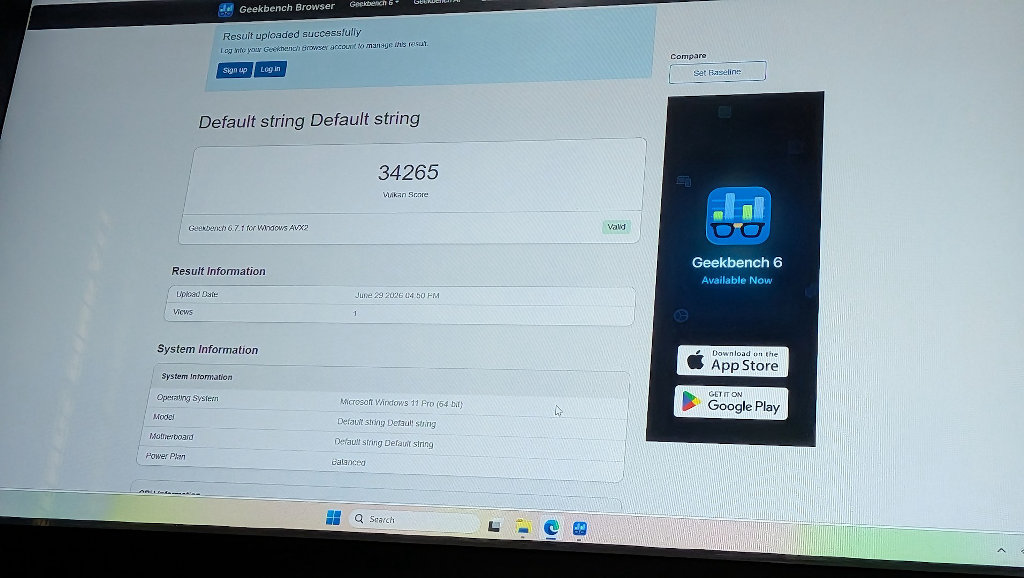
The W1’s integrated graphics via the Radeon 780M create a perfect performance level for my needs with this project. While it doesn’t have all the raw power (and power draw) of a full desktop with a dedicated GPU, it does an awesome job rendering complex lighting and reflections on my classic 90s DMD tables without the need for a 600W power supply.
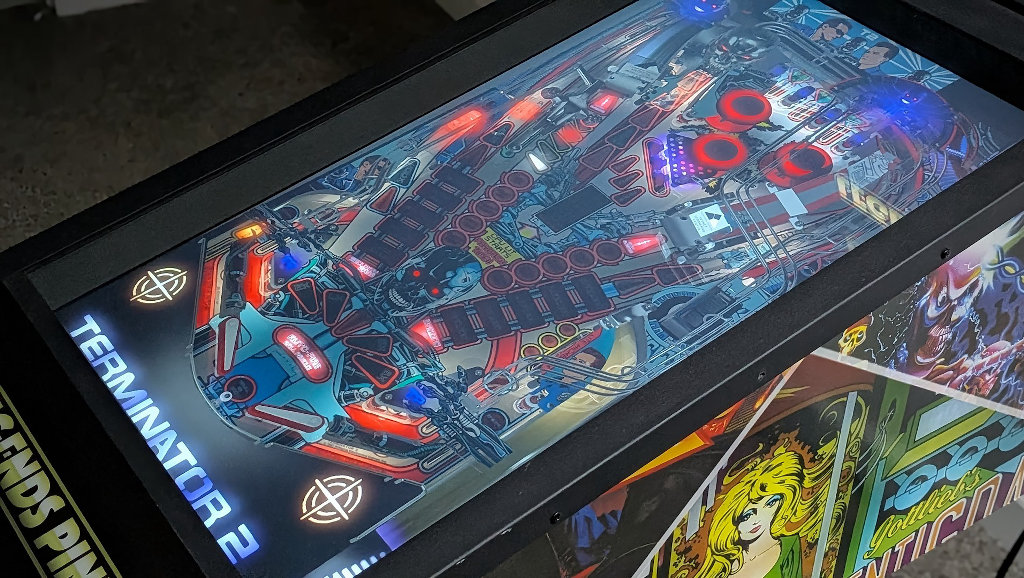
The thing with running a virtual pinball table is consistency. If you’re playing a single player FPS campaign, the occasional dropped frame might annoy power-users, but it isn’t going to ruin your experience at the end of the day. That’s not true with pinball. If the hardware stutters, I might miss the shot I’d been lining up, and the score I’ve just spent an hour chasing is down the drain (pun fully intended).
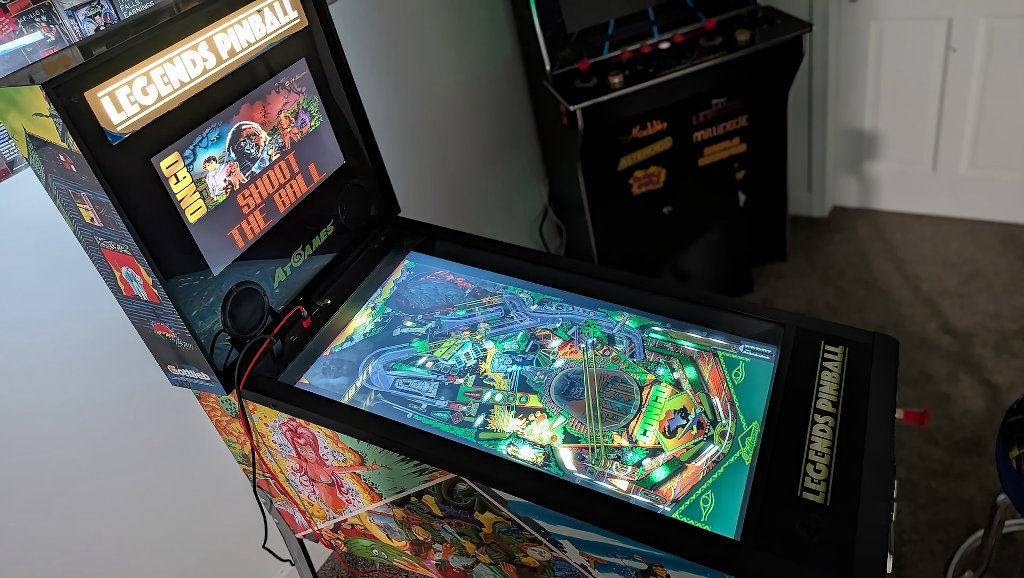
Should I ever decide to upgrade my AtGames Legends Pinball original cabinet to the newer AtGames Legends Pinball 4k, I should have no problems upscaling my VPX tables via AMD FSR or Lossless Scaling for the more capable displays without sacrificing gameplay.
Closing Thoughts
The AceMagic W1 takes what was a middling approximation of my favorite hobby and turned it into a fully fledged tournament trainer. I’ve been chasing scores and learning the rulesets on classic tables all week. Nothing feels better than shopping around the internet for tables (VPX are community-made and free) and finding another gem from my childhood that I haven’t had the chance to experience in years. It’s great.
I know that this is a niche use case that may not apply to a lot of users out there, but what I’ve hoped to do with this review series is offer users options for different mini-PC projects through AceMagic’s lineup instead of just showing you another benchmark. My previous article about an AIO living room PC would certainly be applicable for the W1.
Given its beefier hardware and speed, it would make a great candidate for a DIY Steam Machine. I’ve just been dreaming of a solution for my pinball problem for years, so there was no way I was letting this one get by me without at least trying. Luckily for me, the whole thing was as easy as I could have hoped for.
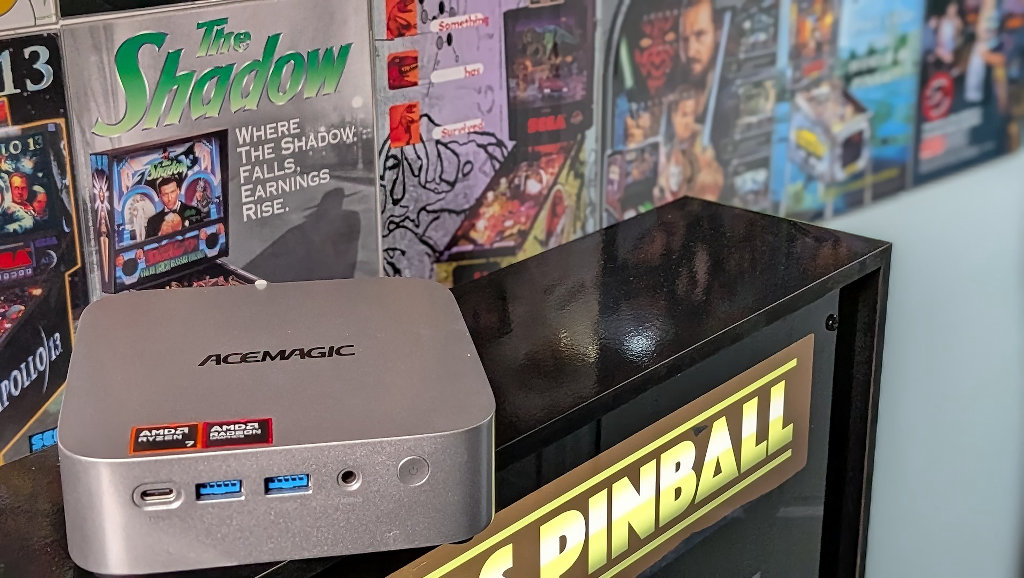
Whether you’re looking for a niche gaming use like me, or just as a capable gaming option with a minimal footprint, the W1 should serve you well. And if you’ve been looking for a new hobby or place to hang out that isn’t home or work, maybe look into your local pinball scene and try going to a tournament near you. The community is extremely welcoming to new players, and you never know, you might find yourself catching the bug and building your own VPX training rig.
