

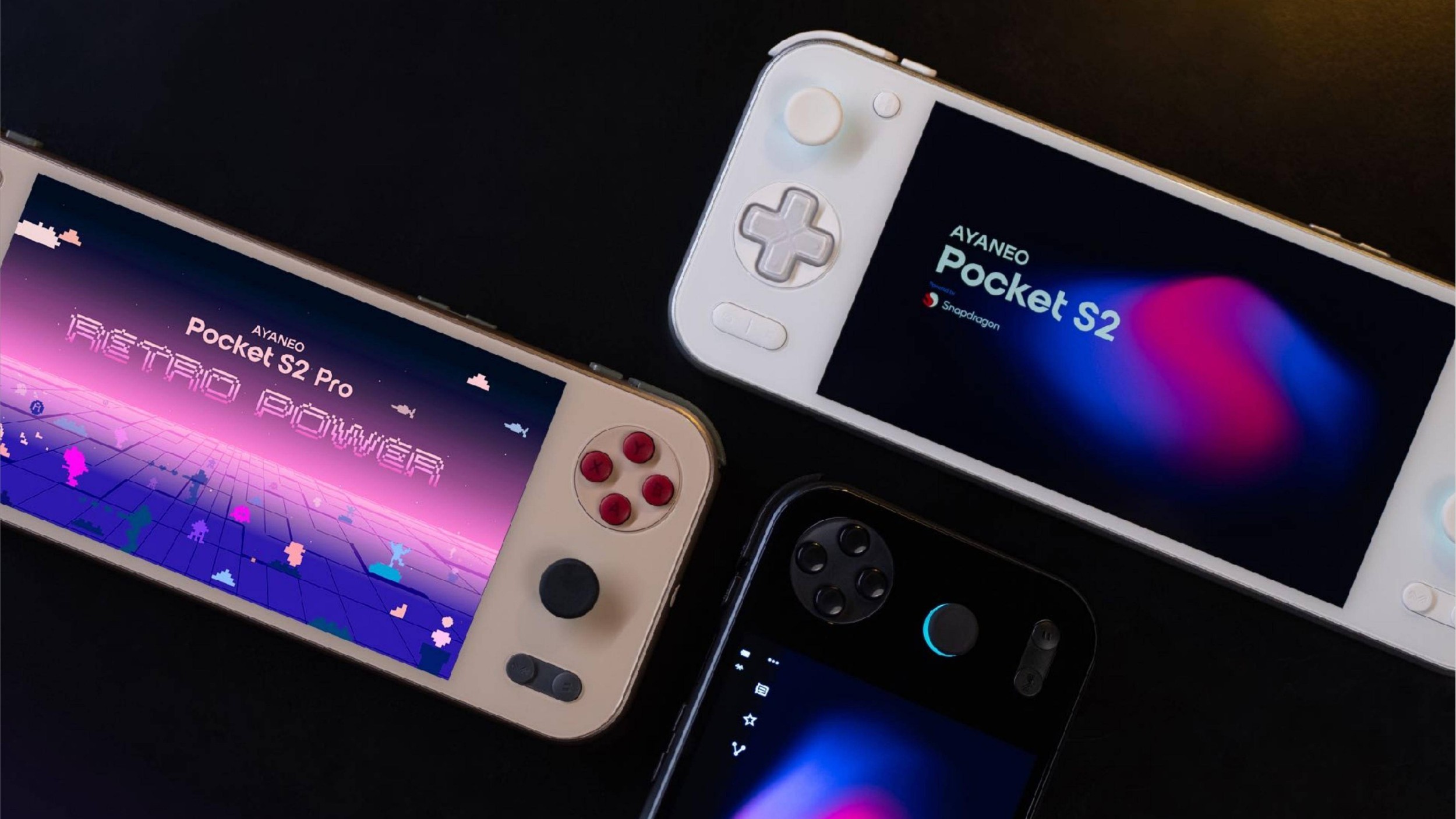
Lining up with the release of the Steam Frame, Valve made its ARM build of SteamOS available around the same time. Naturally, this prompted some in the community to jump on the train, offering SteamOS builds tweaked and tailored for a few of our favorite Android handhelds. One of which was simply named “SteamOS-ARM-SM8650,” which has already been updated twice over the past three days.
The first update added a rather unique feature, in that it brought the Google Play Store into SteamOS. Not only that, but you’re able to download and install Android apps from the Play Store without ever needing to jump into Desktop Mode or tinker with Wayland.
Another update for SteamOS-ARM-SM8650 was released earlier today, bringing with it a slight tweak to the name, with the project now being called “SteamOS ARM for Handhelds.” With v1.2, this build of SteamOS adds support for both the AYANEO Pocket S2 and Pocket S2 Pro, while also introducing a few ease-of-life features.
The headlining feature of this release is ARM-native Lossless Scaling frame gen thanks to LSFG 2.0, which is accessible from within the pre-installed Decky plugin. Beyond that, the developer is aiming to make the installation and update process much easier, starting with an “Easy UFS Installer” app.
This is available in Desktop Mode, and similar to Armada, lets you choose the amount of storage to dedicate to Android while partitioning the rest for SteamOS. As for future updates, there’s a new built-in SteamOS Update app, meaning that once you’ve installed v1.2, you shouldn’t find the need to re-flash the build in the future.
If you want to check out the entire changelog, you’ll find it below. And if you’re ready to take the leap and throw this on your handheld, head over to the GitHub Releases page to get started.
- Version
- 1.3.2
- Description
- Official SteamOS ARM (Steam Frame build) for the KONKR Pocket FIT / Snapdragon 8 Gen 3 handhelds
- Key features
- Game Mode, Desktop Mode, Steam store and downloads
- x86 games through FEX, plus ARM64 Proton
- Performance overlay
- Lossless Scaling frame gen via deck-lsfg-vk plugin
- GitHub
- GitHub
- Download
- Download
Frame Gen, native on ARM
- Lossless Scaling frame gen is on LSFG 2.0 now, with an ARM64 build for ARM64 games next to the plugin’s x86 one for games running through FEX.
- The Decky plugin comes preinstalled and its Install button actually works now. You still need to own Lossless Scaling on Steam.
- The ARM64 layer is lsfg-vk 2.0 by PancakeTAS, built from the official source with no code changes and shared under its CC BY-NC-ND 4.0 license.
Install to internal storage
- New Easy UFS Installer app in Desktop Mode. Pick how much space Android keeps and it does the rest. Android stays, and you pick which one to boot in the ABL menu.
- It backs up your partition table to the SD card first, so you can always go back.
No more reflashing
- New SteamOS Update app. Future versions install over your current system and keep your games, saves, accounts and Wi-Fi. If an update gets cut off halfway, it rolls back on the next boot.
- v1.1 doesn’t have the updater yet, so this is the last reflash.
AYANEO Pocket S2 and S2 Pro
- Initial support is in. Same chip and screen, so both run the same setup (on the Pro, pick AYANEO Pocket S2 as the device model in the ABL). I don’t have one, so if you do, please try it and tell me what works.
Controls
- Right stick no longer moves the triggers, and the menu buttons no longer act like a right-click.
- The controller service was quietly using a whole CPU core in the background. Fixed, so a bit more battery and a bit less heat.
Everything else
- Newer gamescope, so the Steam UI runs at 144Hz and touch feels snappier.
- Updated to the newest Steam Frame SteamOS base.
- Play Store sign-in no longer gets blocked.
- Switching to Desktop Mode takes about 3 seconds now, and Wi-Fi stays connected when you come back to Game Mode.
- Fixed fan speed no longer jumps between your setting and 100%.
- Speakers sound cleaner and don’t distort at max volume.
- Desktop Mode has the Steam splash again, and Discover installs apps properly.
- Hardware video decoding works.
- SSH is off by default now. To turn it on, set a password with
passwdin Konsole, then runsudo systemctl enable --now sshd.
