

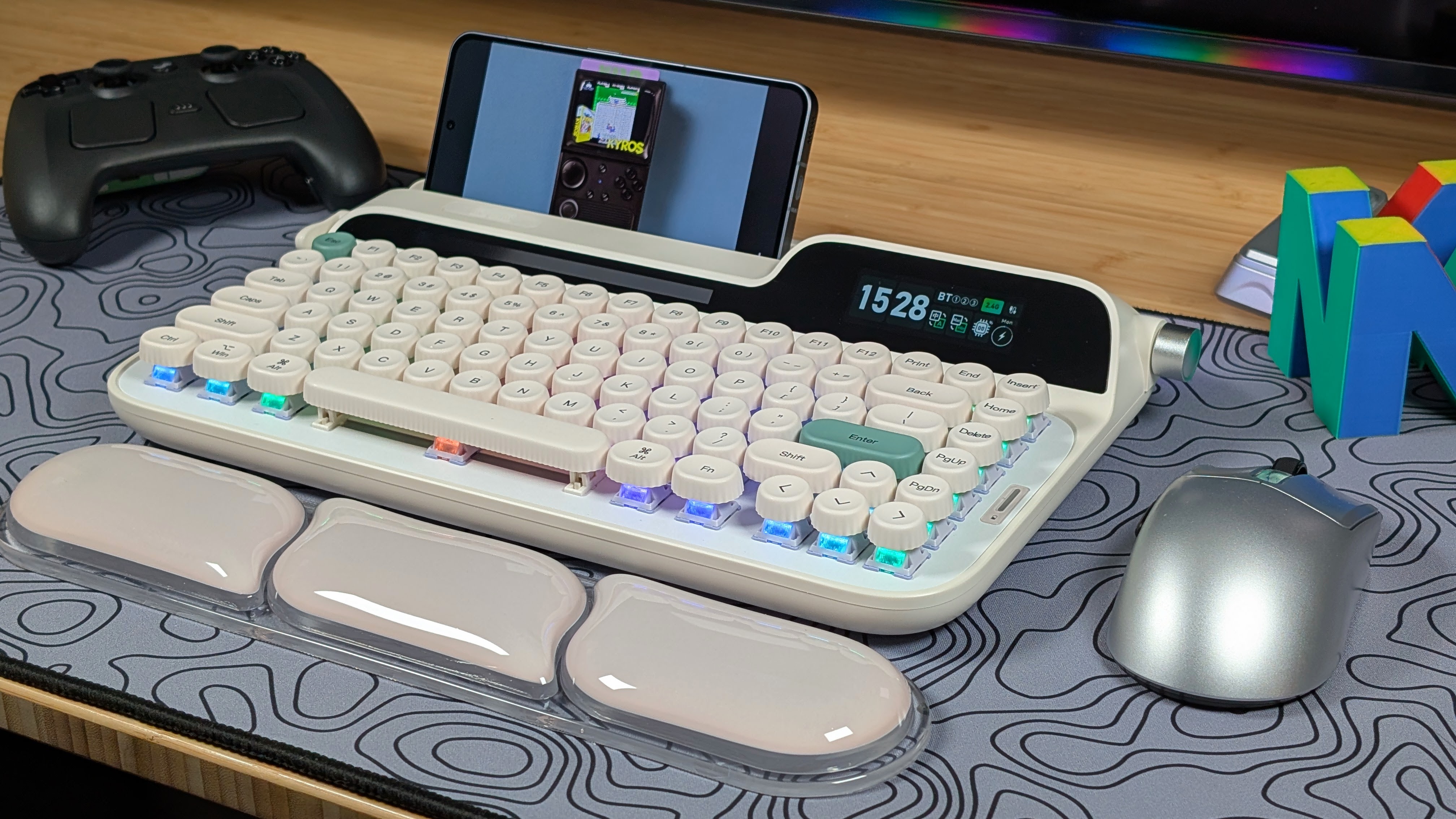
When it comes to the monthly Epomaker review, I’ve really enjoyed looking at keyboards that fall into one of two categories: “Weird” and “Retro”. Things like the Luma40 and Split70 were weird, while the RT82 and RT98 were retro. This time though, I’m combining the two into something that’s both weird while also staying super retro, and that’s the Epomaker Glyph. With help from Epomaker for sending this board over, I can take a look and see if this big bad retro board is worth the price tag.
Epomaker Glyph Specs
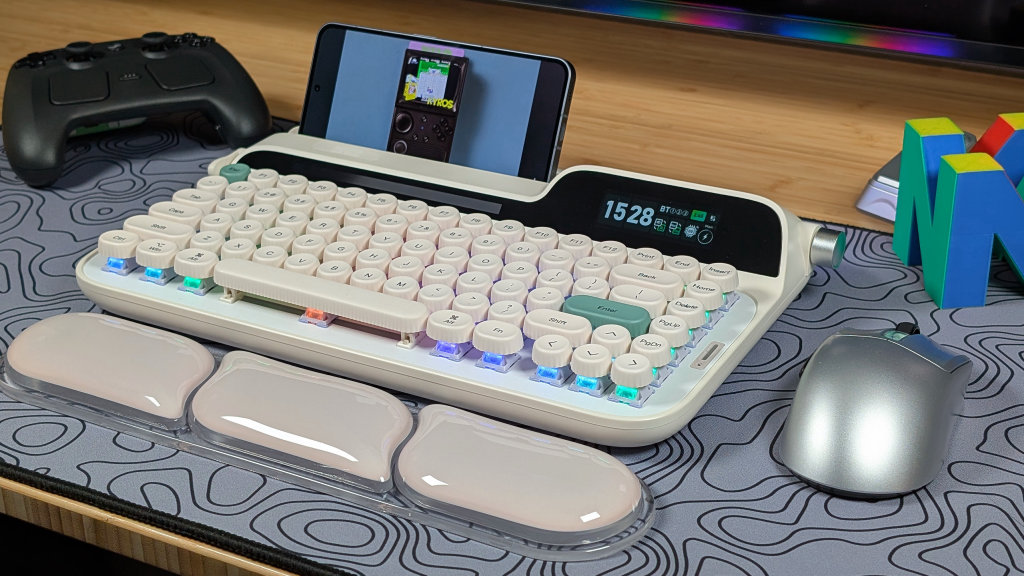
In the past, Epomaker’s boards have varied in price from the budget end up through some of the higher-end, pricier boards for the normal market. The Epomaker Glyph is one of the latter, landing at $139.99 on both Epomaker’s website and Amazon; this is definitely a pricier option. But with everything you’re getting on this board, it may be worth it. But only you can decide that.
| Spec | |
|---|---|
| Switches | Epomaker Wisteria Linear Switch V2 |
| Switch Specs | 45gf Bottom Out, 3.6mm Total Travel, Pre-Lubricated, 5-pin switches |
| Keycaps | Rounded Custom PLA |
| Case Material | ABS Plastic |
| Battery | 8000mAh |
| Layout | 75% |
| Connectivity | USB-C, Bluetooth 5.0, 2.4GHz |
| Compatibility | macOS, x86, Android, iOS |
| Additional Features | 3 and 5-Pin Hotswap, Included Wrist Rest, Volume Control Knob, Enter/Delete Flap, 2x Displays for Date and Keyboard Information, 2-Stage silicon Stand |
| Weight | 1180g |
| Dimensions | 347 x 207 x 57mm |
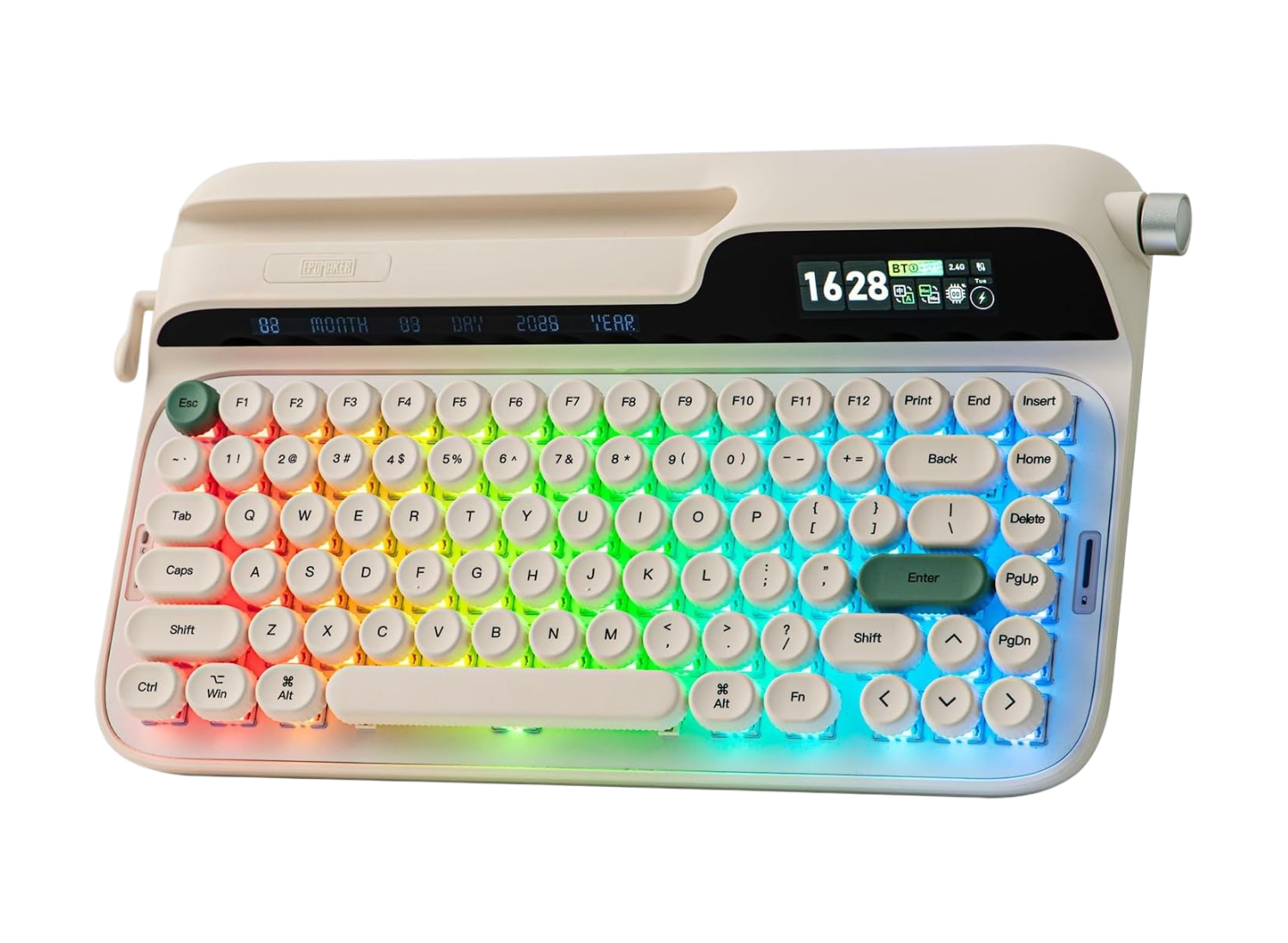
Build Quality and Layout
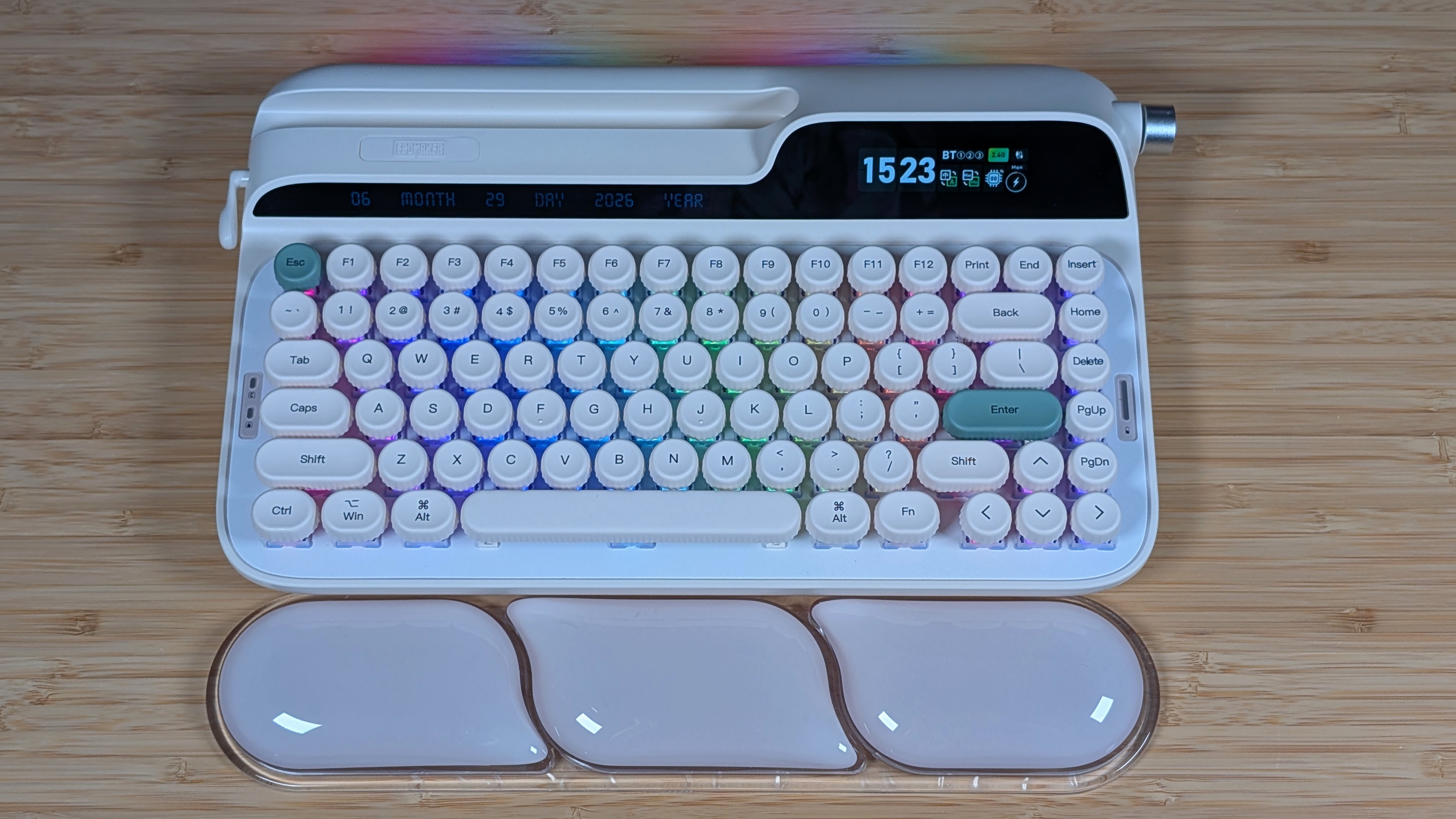
Starting off easy, the layout is pretty standard even if it doesn’t look like it. A 75% keyboard means you lack a numpad, and your function cluster to the left of it is squished against the main portion of your keyboard. Because of that, it ends up being a nice compact layout that, in my opinion, is my preferred keyboard layout due to my necessities regarding having the F row.
Aside from that comes the build quality of the keyboard, and to no surprise of anyone, Epomaker does it really well once again. It’s all ABS plastic on the outside, but man, this keyboard is hefty. Weighing over two pounds, this thing has some heft for a 75% board, and it uses it well. The plastics are solid, there’s no creaking or groaning, and as a whole I don’t feel like this thing is going to break if it slips off your desk.
Switches and Keycaps
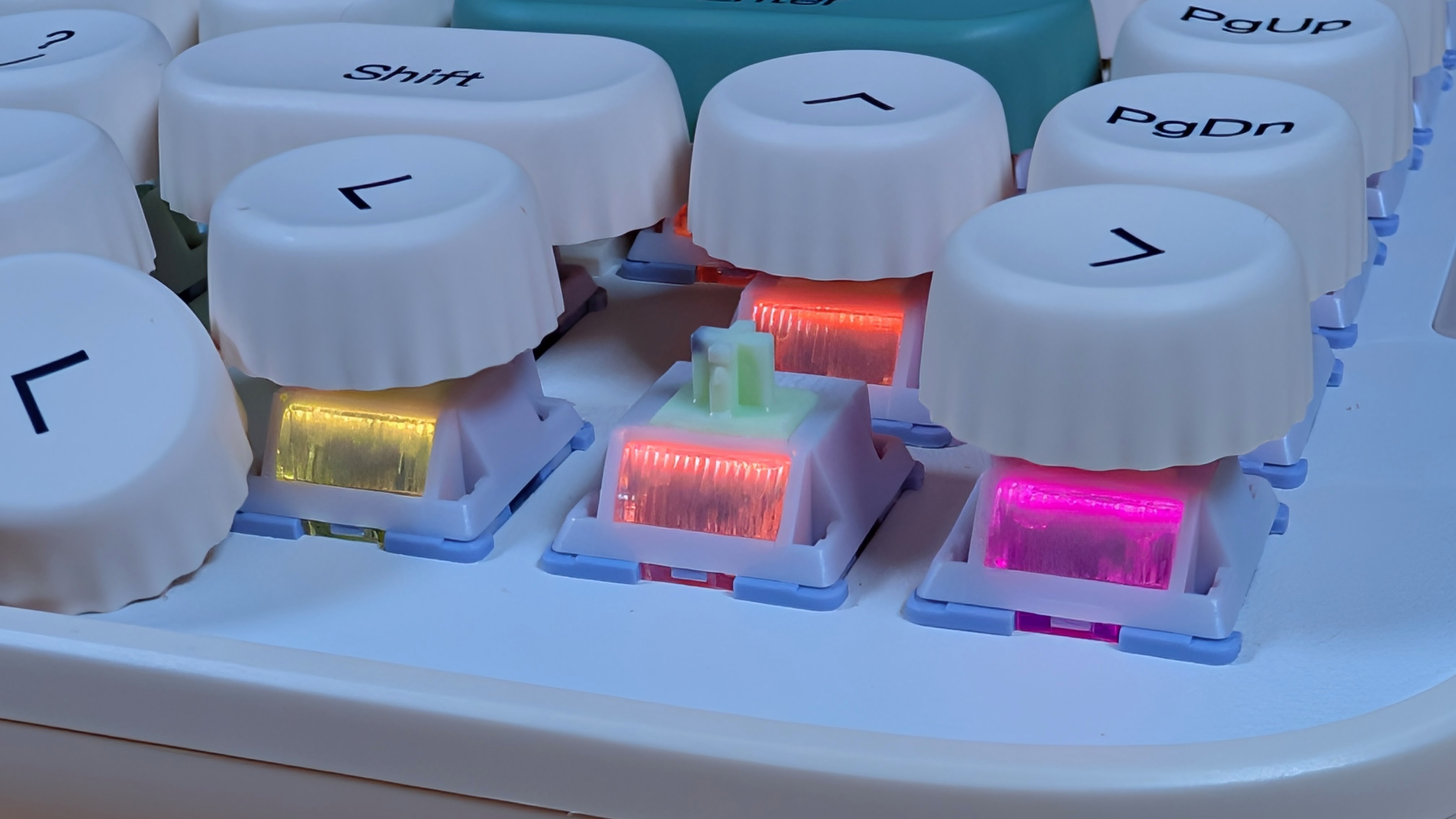
Epomaker is once again using my favorite switches they make: the Wisteria V2. These are pre-lubricated, linear switches. This just means that there’s no bump or click on the stem of these switches, and they go down incredibly smoothly. These Wisteria V2 switches are the lighter-weight 45-gram switches which go down a bit easier, but I don’t run into issues with accidental typing.
They have a nice clacky sound when I type on the board, especially since I pretty much bottom out every time I type on it. The switches are easily Epomaker’s best work, and I hope they continue with it. If they aren’t your vibe though, the hot-swappable switches mean you can make it your own more easily.
As for the keycaps, they’re a bit interesting. Despite my initial concerns regarding their rounded nature, I had fewer issues typing on them than I thought I would. In reality, by cutting out the corners of the square keycaps, you don’t lose the spots you’re actually typing on normally. The one weird bit is I found myself bumping into the sides of keycaps more than I normally would have otherwise.
That being said, it didn’t cause me to mistype, just made things feel weird. The switches are smooth on top, which isn’t my favorite, but it works. My monkeytype score is just a bit lower than normal at 90wpm rather than the usual 100 I get.
Software and RGB
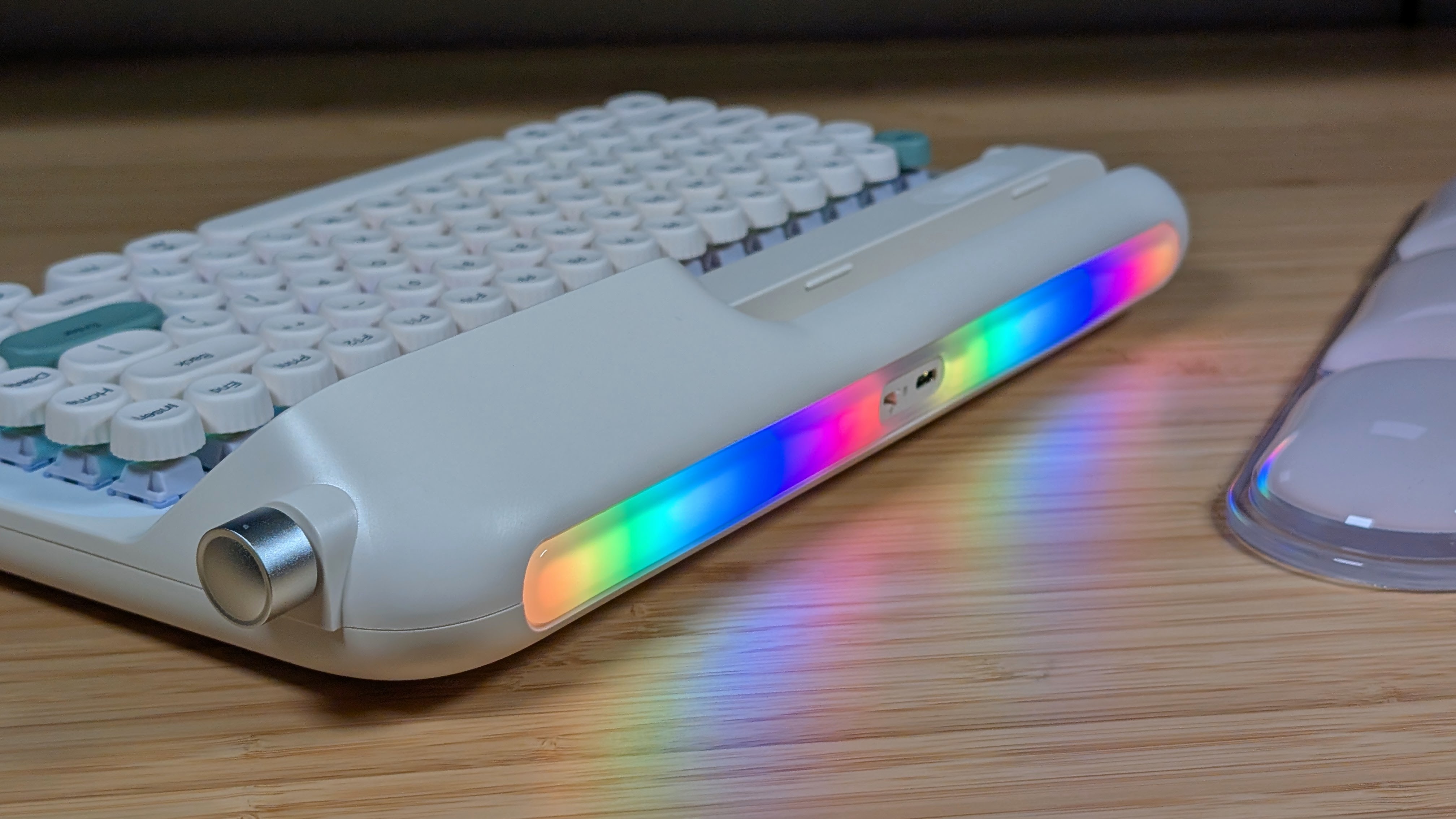
Here’s the good. The RGB is really bright and vibrant. From the top, the rainbow colorway is great and easily shines around the rounded keycaps. From the back, the absolutely massive RGB bar looks cooler than I’m willing to admit. Though at the same time, how often are you really going to see it?
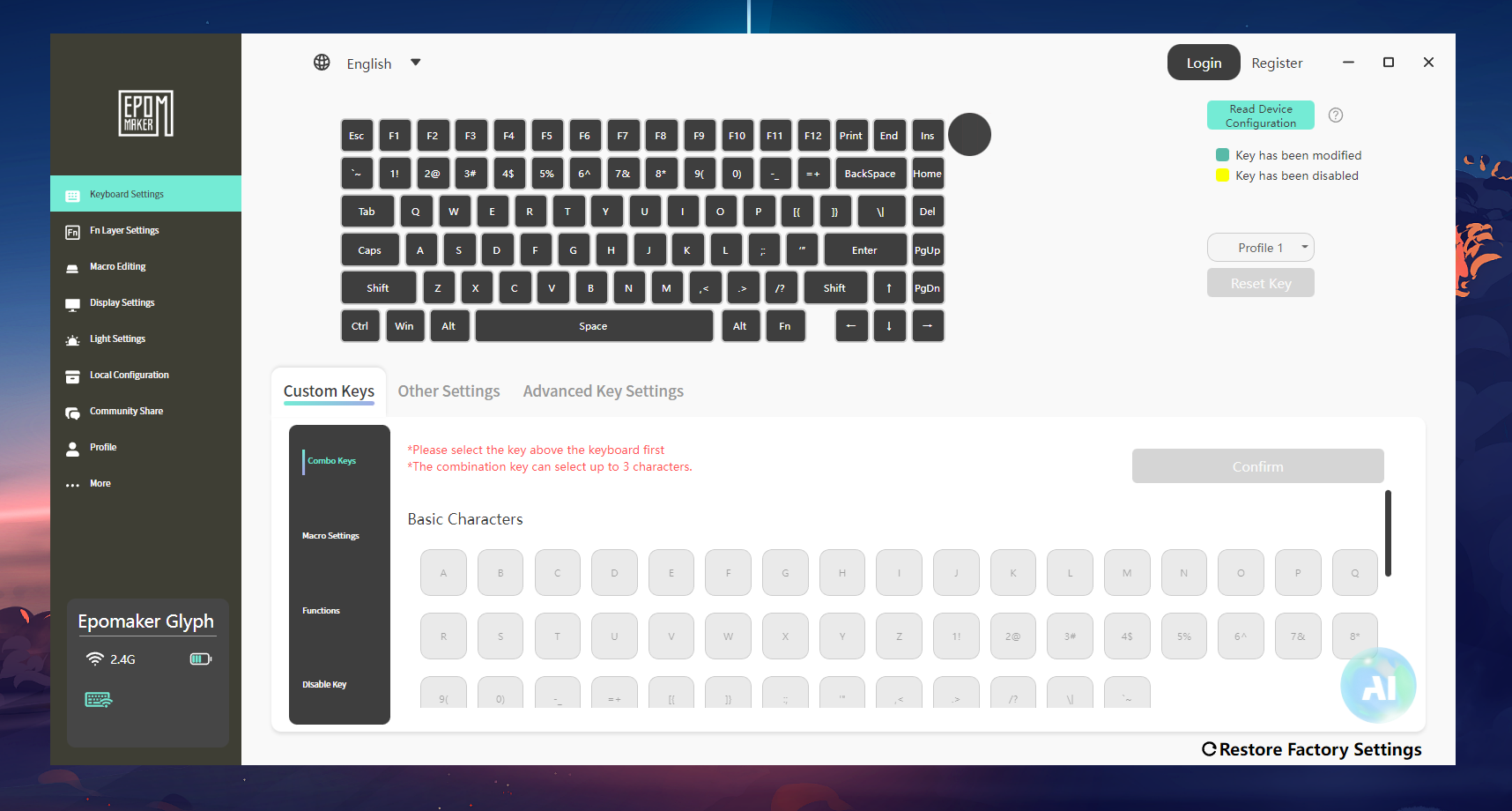
Now for the not as great. Epomaker uses their V3 Driver software for the Glyph, and it’s not ideal. It picks up the board wirelessly and allows you to adjust key mapping and RGB in the software. But there are some things you’ll have to wire up for. If you want to upload your own images for the screen, or download others’ GIFs, you’ll want to plug it in.
In my experience with the Glyph, if I tried to change the screen while wireless, the board would show the download screen, all of the lights would flash randomly for 30 seconds, and then it would go back to normal. As a whole, the software is fine, but I’ve noticed Epomaker really likes to use a bunch of different software for their boards. I wish they could figure out how to stick to just one.
Battery Life
This is going to be a short section but is an important one to talk about if you want to cover wireless keyboards. The battery life is fine with lights on, but immediately improves when you shut the RGB off. During my time with the keyboard, I was able to watch the battery life thanks to the small screen on the right side.
As a whole, the battery life was draining steadily, but the moment I shut the RGB off, not even the screens, I could see it really slow down the drain. If you love the colors, keep them on as they do look sick. But I’m definitely someone who appreciates a longer battery life instead, and the 8,000mAh battery holds strong.
The Small Bits
Ergonomics
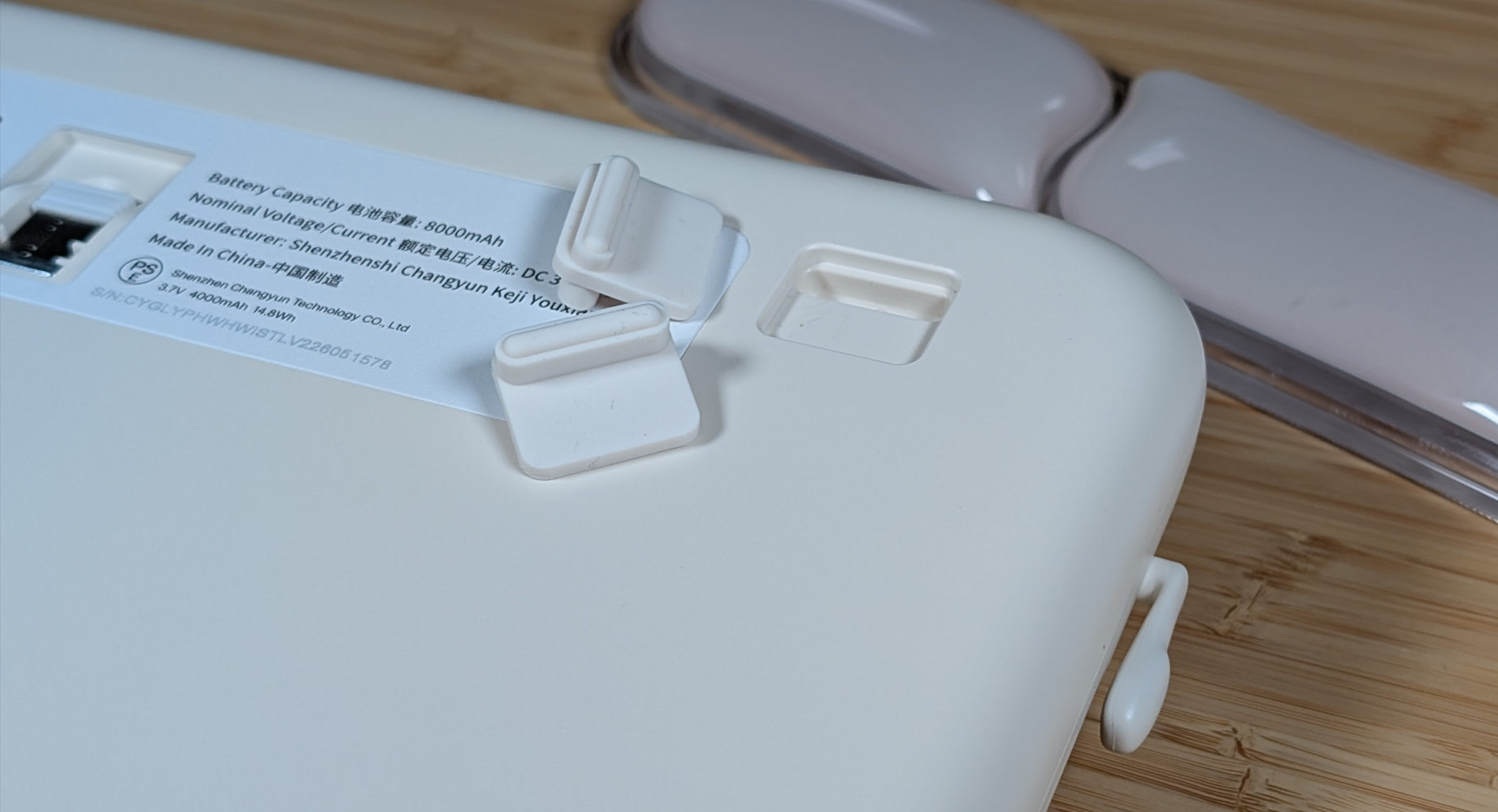
Yeah, this one isn’t great. The board as a whole is pretty flat, and the one degree difference the rubber feet make doesn’t help. Epomaker helpfully includes a wrist rest in the box, and just like my personal green one, it feels good despite the odd looks.
However, that doesn’t help me in this situation as the wrist rest is a bit too low for how I like to type. For some people I can see this being fine, but for me, I put one wrist rest on top of the other just to get a comfortable typing position.
The Screens
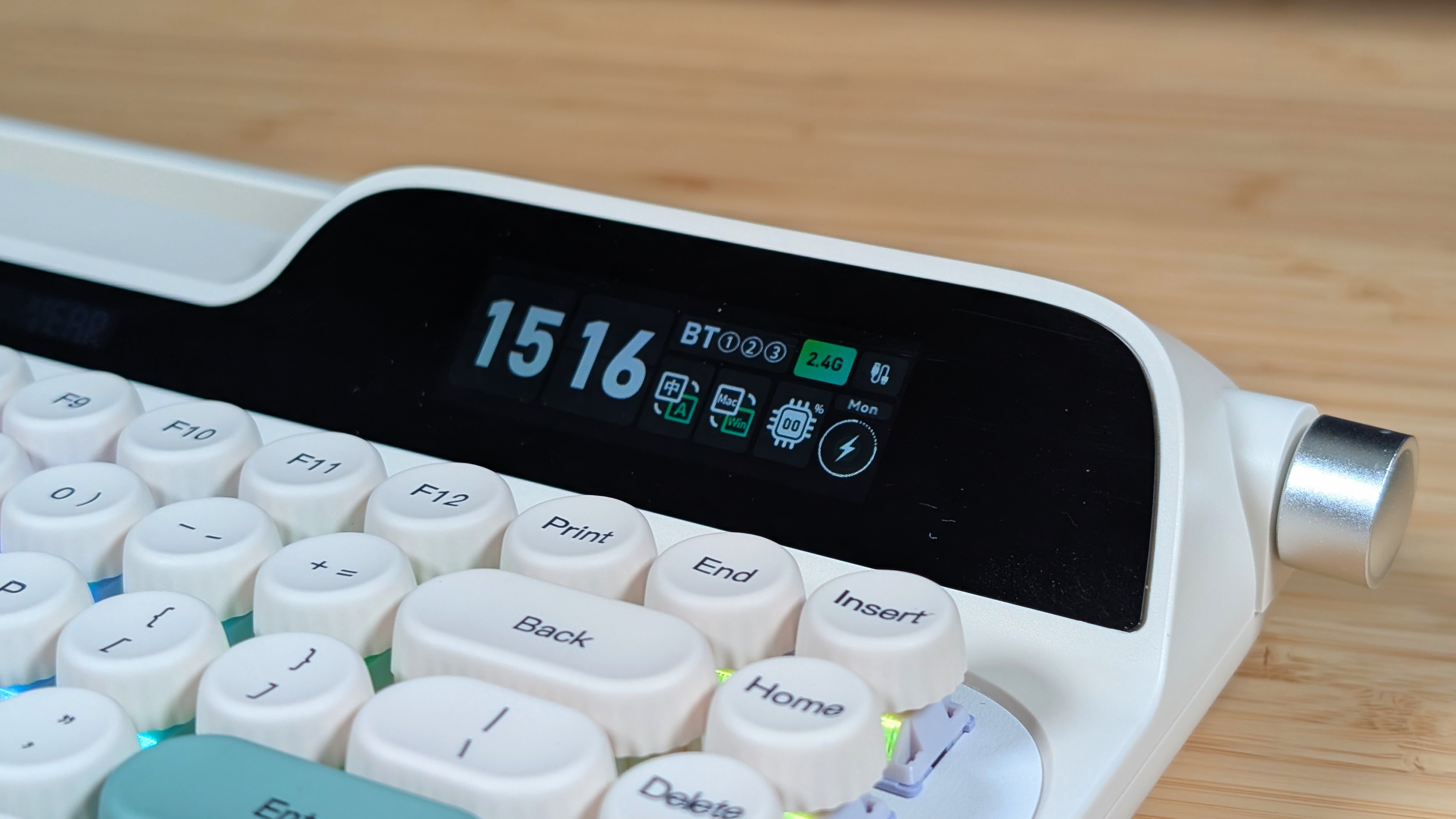
These are both a nice novelty and actually useful. The left monochrome screen shows the date, month, and year all in one go for you, and as someone who forgets the date a lot, this is actually nice to have. The screen on the right is larger and can show GIFs, but I prefer leaving it standard.
That means you get the time, your language, what connection you’re on, and battery life. It’s not necessary, but it’s really nice having these features as a whole. I unfortunately couldn’t get GIFs or Images loaded on it this time, but I’ll keep trying as I’m sure it’s just a software issue.
The Bonus Gubbins
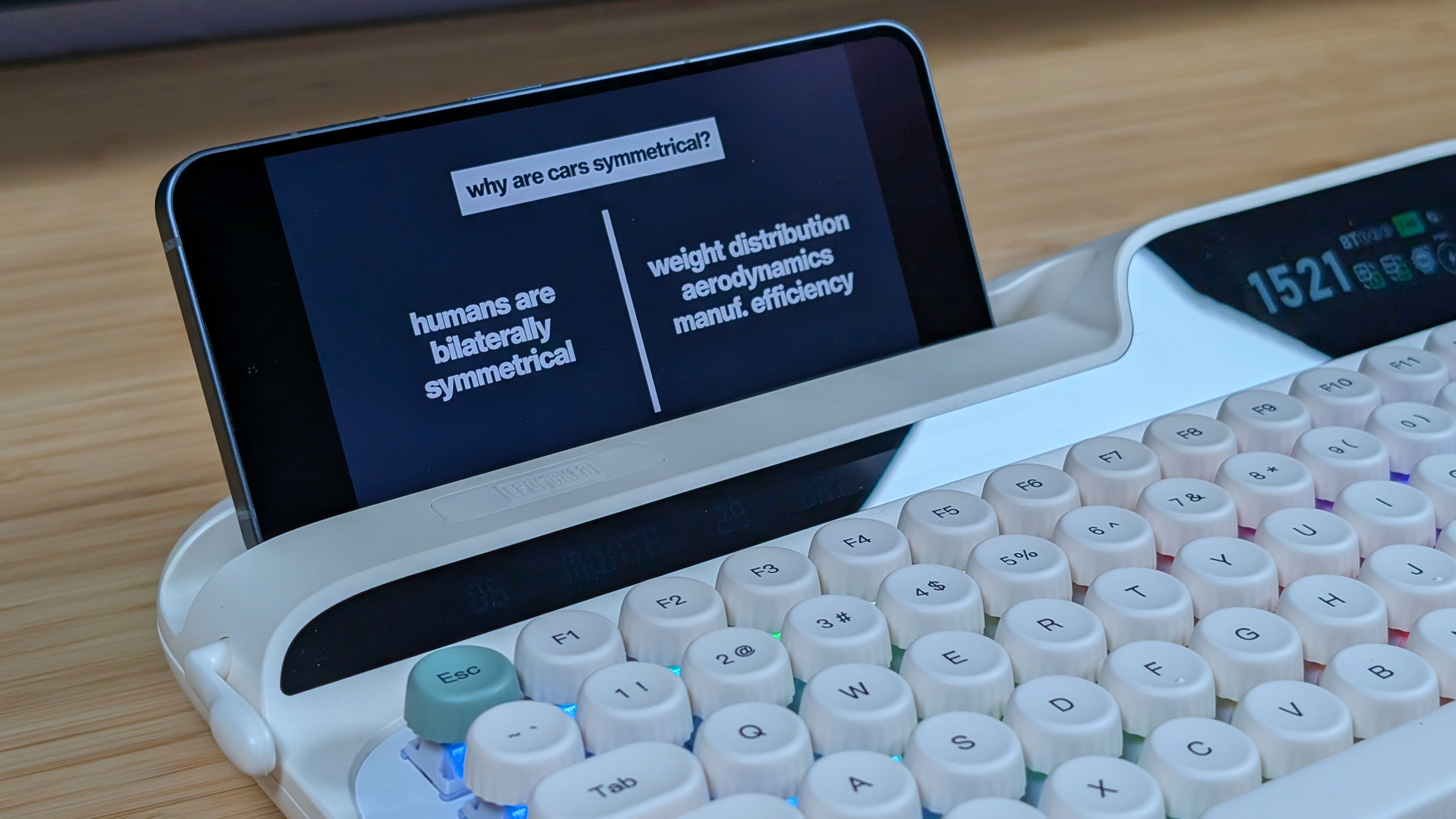
The phone/tablet stand is stupid, but surprisingly useful. So maybe not so stupid. Even in a case, my Pixel 9 Pro fits in the little gap and is held up well by the cutout. It can hold a decent-sized device, but I’m not sure I’d trust a 13” tablet with this. As for the goofy little flap on the left side. If you press it down, it deletes the last key, and if you flip it up, it hits enter for you.
This is absolutely a typewriter novelty for all novelties, but it works if you want to use it. I may ignore it as it’s really light to move and I worry about accidentally deleting something I didn’t intend to.
Final Thoughts
So what’s the verdict? Is the Epomaker Glyph worth the scrub? I’d say, if you’re looking for a feature-packed, typewriter-style keyboard, I think it’s going to be your best option. If you want a screen, some interesting keycaps, and a buttload of RGB, this ticks those boxes and more. The Epomaker Glyph is a well-built, well-sounding, and well-equipped keyboard that does a lot right given its price point and setup.
That being said, if any of the added features, design choices, or lack of ergonomics put you off from the Glyph, you’ll likely be better served by just about any other keyboard that comes in at a lower price. Whether that’s the Epomaker RT82 for that retro design, or something like a Rainy75 if you want a heftier board, there are dozens, if not hundreds, of other 75% keyboards. But if you want a board with this style? There’s not much quite like it.
