

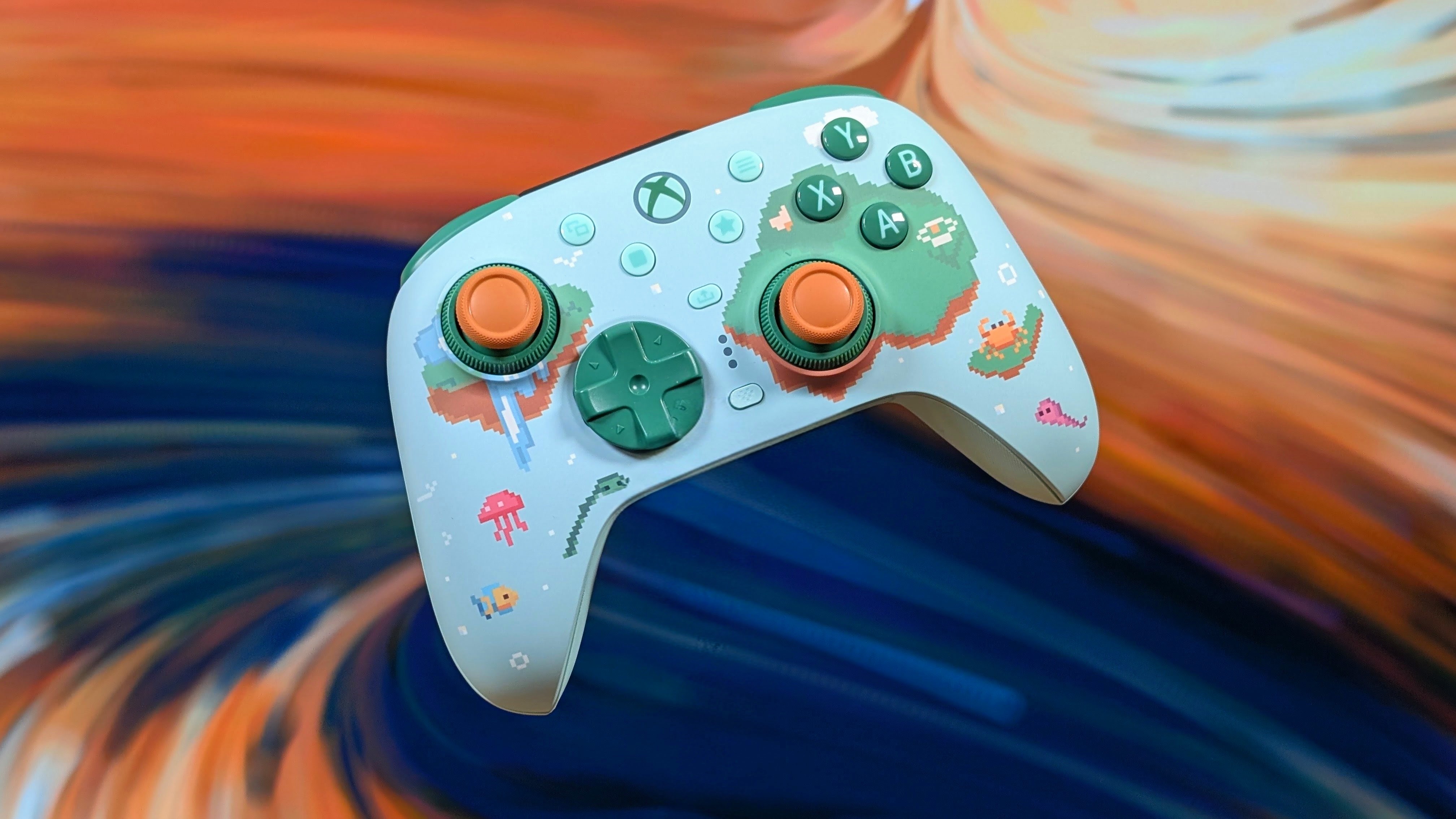
The 8BitDo Ultimate line has been around for a surprisingly long amount of time, with the original “Ultimate” controllers being released as far back as 2022. Following that we saw the releases of the Ultimate 2 line drop from anywhere in 2024 with the Ultimate 2C, up through earlier this year with things like the transparent blue edition of the Ultimate 2.
Well, it seems that 8BitDo is continuing the bi-yearly trend with the release of their Ultimate 3 line of controllers, but unlike the past they’re doing it mostly in one fell swoop. This includes the top tier Ultimate 3E, the mid-tier Ultimate 3, and the upcoming budget model; the Ultimate 3C+.
Thanks to Aknes for sending this over, I’ll be taking a look at the middle of the road Ultimate 3 model in its “Mossy Lagoon” colorway. For $100, is this thing worth its weight? Or has 8BitDo gone a bit crazy and priced it out of their old market. Well that’s what I’m here to find out.
Disclosure:
The device reviewed was provided as a review sample by AKNES. This had no bearing on the conclusion of the review, nor did AKNES have the opportunity to make edits or changes to the review before publishing.
Affiliate links might be present where applicable, and we may earn a commission on product purchases using those links at no extra cost to you.
8BitDo Ultimate 3 Specs
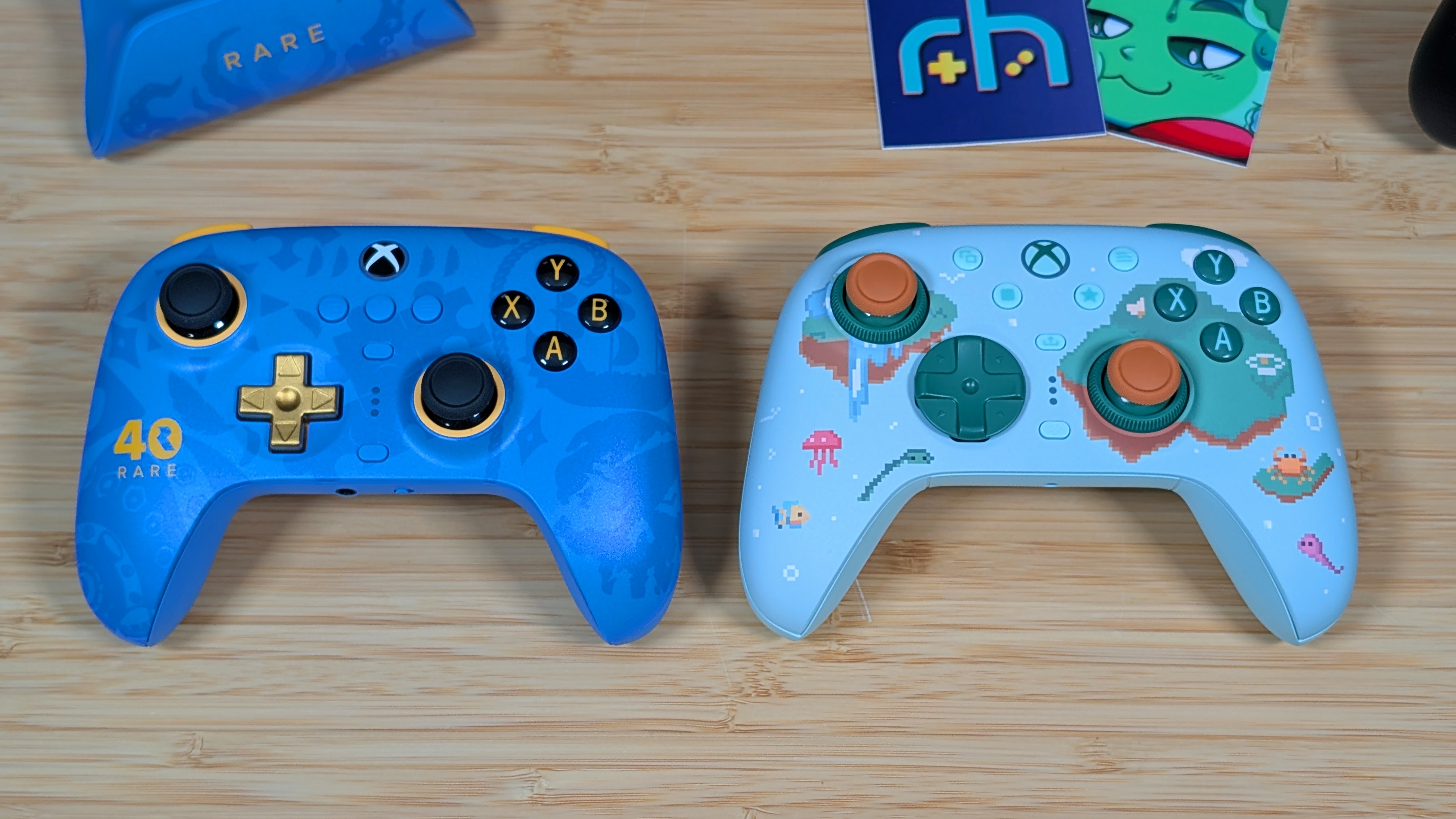
When it comes to pricing, we’re looking at specifically the Ultimate 3 edition which slots itself right in between the higher and lower tier models at just $100. At this price point you’re no longer competing with the entry level controllers that have a lot of features, docks, and solid software lineups.
But you’re not competing with the higher end elite, dualedge, Apex controllers either. You’re landing in a no man’s land of quality, but not full end pro. The last time I looked at a controller in this price range was the Steam Controller. And that thing was packing.
8BitDo Ultimate 3
- Manufacturer
- 8BitDo
- Connectivity
- Polling rate (Hz)
- 1000
- Sticks
- TMR with Adjustable Tension
- Triggers
- Hall Effect Impulse
- Trigger lock
- ✓
- D-pad
- Clicky
- Face buttons
- ABXY (Xbox)
- Extra buttons
- Back buttons
- 2
- Gyro
- ✓
- Rumble
- 4x Rumble Motors
- Extra features
- Battery (mAh)
- 1000
- Battery life (hrs)
- 20
- Charging dock
- ✓
- Dimensions
- 151 x 84 x 100.5mm
- Weight
- 466g
- Platforms
- Software
- 8BitDo Ultimate Software X & Ultimate Software V2 Mobile
Build Quality & Ergonomics
When it comes to the build quality of the Ultimate 3, there’s a few expected notes, and a few strange ones. On the expected side, this thing is built well as always. 8BitDo has been making controllers for well over a decade at this point, and they’ve gotten pretty good at it. Mostly. So when I say this XBOX partnership of a controller is built well, and feels like it can last. I mean it.
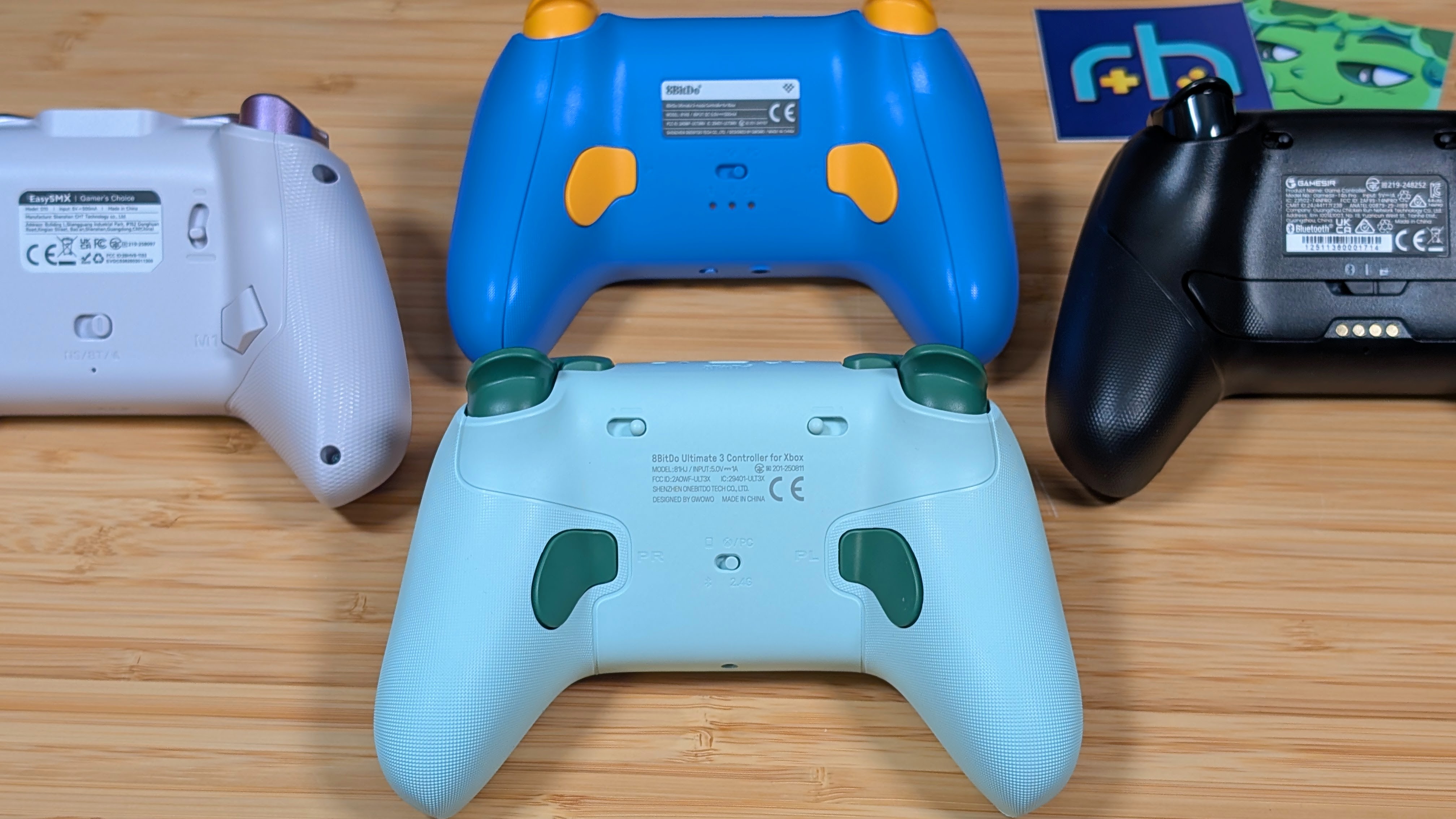
That being said, there’s a few oddities. The face plates are a super smooth, almost slick plastic. There’s almost no texture that I can feel, and while it didn’t slide away from me it sure felt odd. And the back of the grips? Yeah, they’re that textured rubber I don’t like due to concerns over how they’ll wear away. It’s grippy alright, but it’ll definitely get gross eventually. I’d have preferred standard textured plastic.
As for the ergonomics, they changed it! The Ultimate 3 features a wider grip angle, and compared to something like the Ultimate 3-Mode, I felt it pretty quickly. I’ve grown accustomed to how I grip 8BitDo Ultimate controllers, but for this one I found myself moving down on the grips a bit more than expected.
If you’re coming off an XBOX controller, this will feel pretty familiar, but those used to the fairly vertical grips of the Ultimate 2 line will have an adjustment to make. Overall? If it’s the only controller you’ll use it’s fairly well designed for most grip angles.
Controls
Top & Back
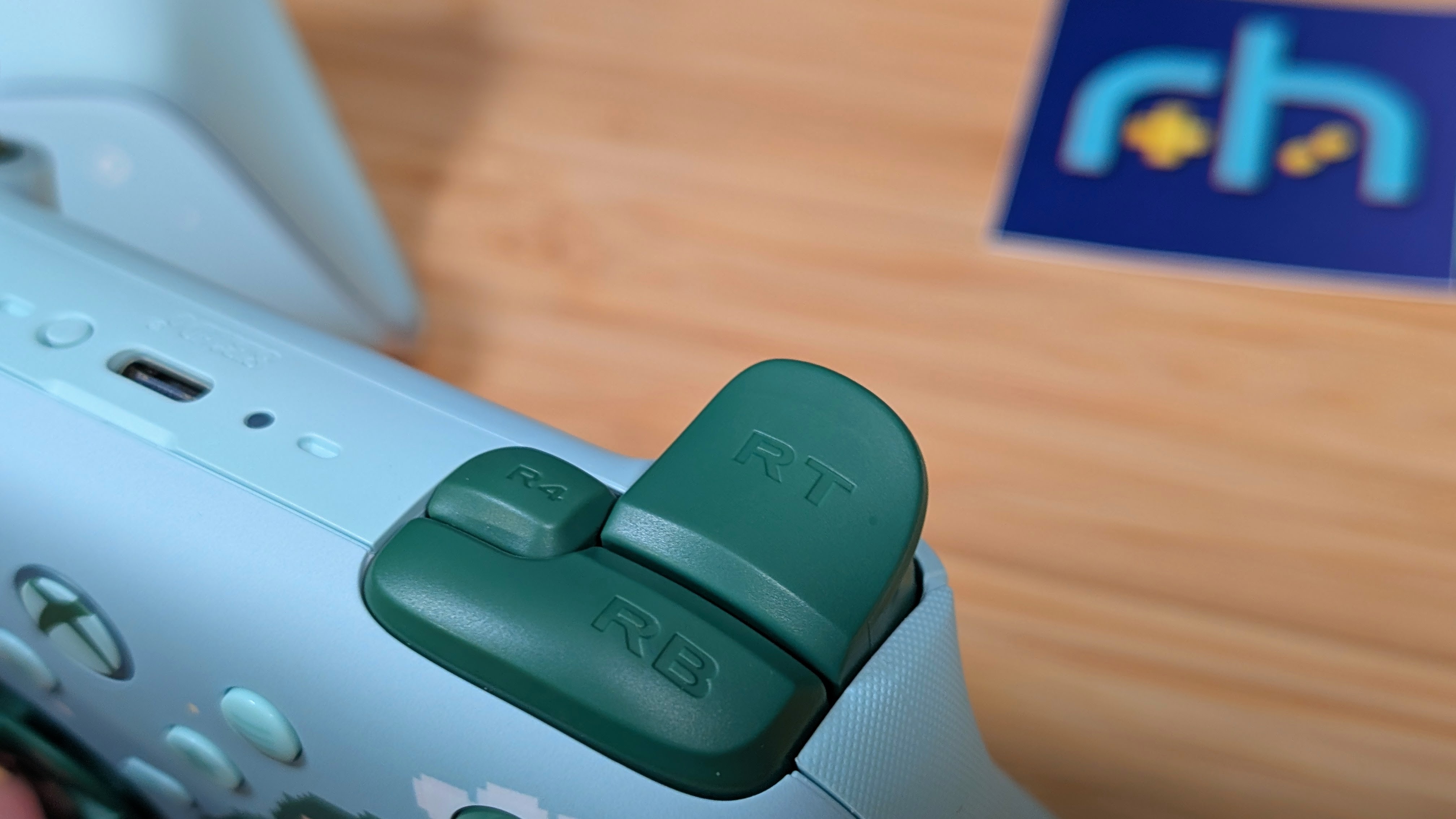
Taking a look at the top and back of the controller, the first thing to note is the PL and PR buttons. They’re nice and big, with plenty of space for my middle fingers to rest on. They didn’t have so much tension that I’d press them on accident, but they were still light enough that I could see intentionally pressing them being fairly easy.
As for the top, this is where those weird choices come back to bite them in the butt. Both L1/L4 and R2/R4 are the standard clicky buttons you’d expect. L4 and R4 being just within reach for me to be readily available for anything I’ll probably not end up using them for. My issues stem from the L2/R2 triggers.
They’re really good, really responsive Hall Effect triggers, but rather than use the microswitch route for the short throw trigger, they’ve gone back to bad with the full stop slider. That means you’ll once again just slam into a wall when pressing down on L2/R2 in short throw mode. A very soft and flexible wall. Because more effort will let you press them down further. This is one thing I’d say is a proper downgrade from their older controllers.
Front
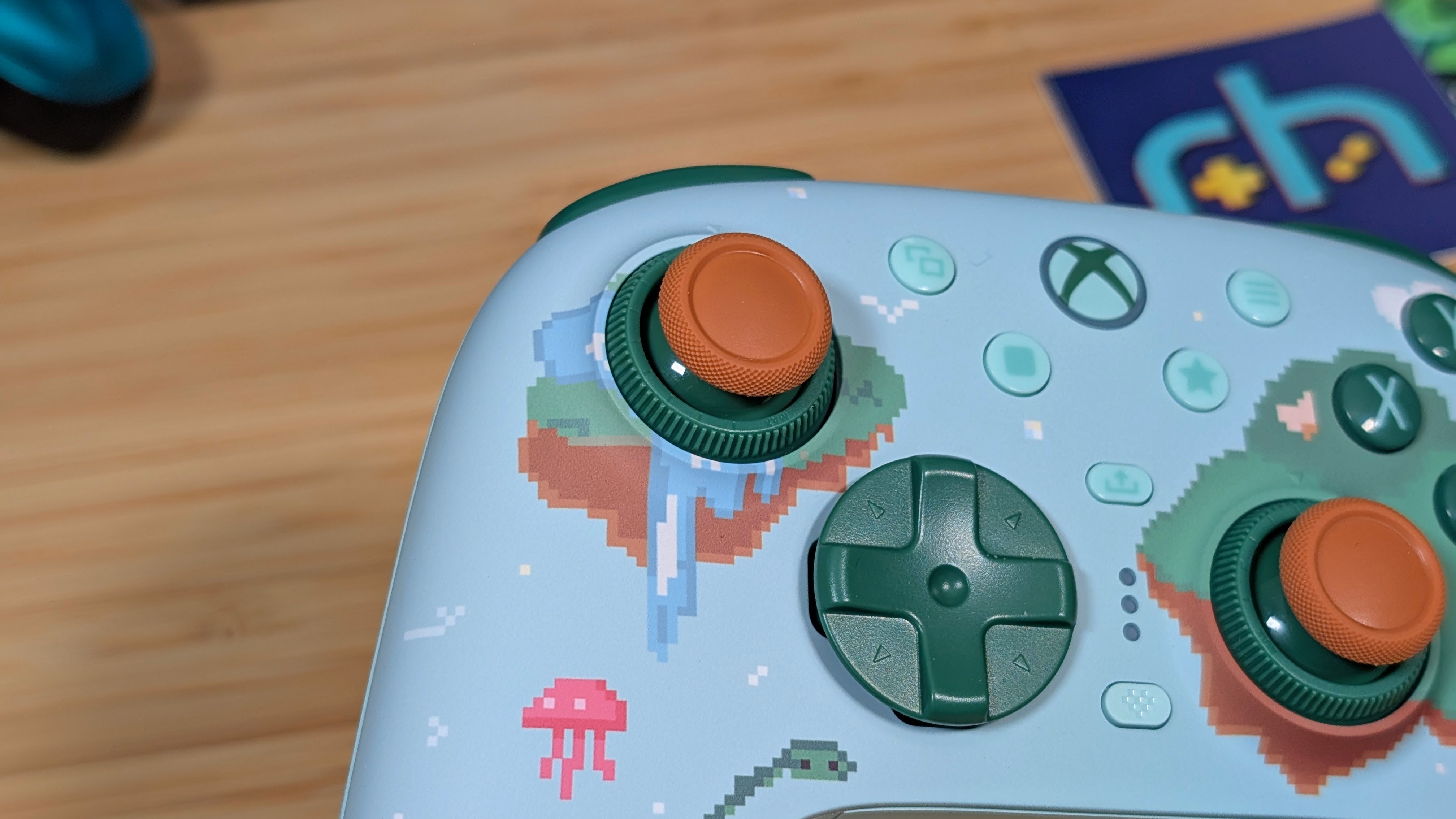
Touching onto the front, the face buttons are pretty simple membranes that we’ve seen in plenty of 8BitDo Ultimate controllers in the past. With the satisfying clack to them, they do what you need, when you need it, without being loud. The D-pad is similarly familiar, but also new. It features that quiet clicky feeling similar to the 8BitDo 2 line, but brings into play a new floating shield-styled D-pad.
For those Genesis or Saturn enjoyers this may be good if you like the shield styling and can accept the clicks. Personally I like this setup more than XBOX’s own weird bowl shape. That being said, I hope I’ll be able to pick up a traditional dpad shape to put on here, because that’s my preference on these.
Last up is the sticks. I put these through the ringer, barreling through the PC port of Forza Horizon 2 on Azimuth this last week. All 12 champions, plus a good start into Storm Island were packed into this controller, and these sticks held up well to my sliding and slamming.
The tension adjustments on the Ultimate 3 are super easy to use. Just twist left to loosen, and right to tighten. I left my Left stick a bit looser for easier turns, but tightened the right stick to avoid accidental camera changes.
Where I run into issues is no true way to tell what tension your sticks are at, so you end up just guessing if you ever change them again. Aside from that, the stick caps are swappable, and the caps are concave, but a rubber similar to that of the grips. They’re like 90% of the way there, I just hope we can buy some replacement caps later.
The Dock
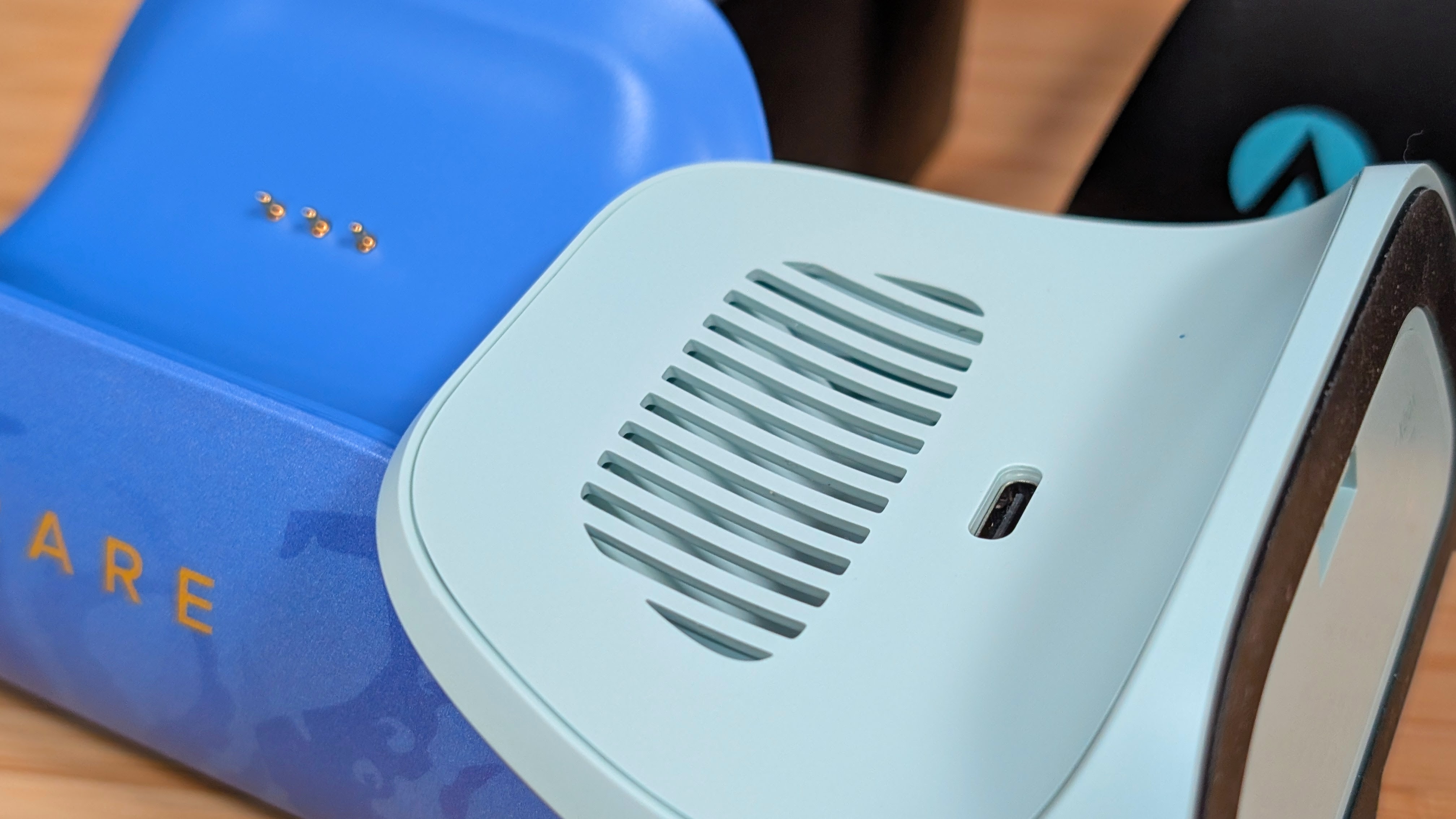
This one is… weird. When I took the controller out of the box the first time, my initial thought was “where are the pogo pins for charging?” Then I turned it around and saw the vent holes. Yeah, it’s a wireless charger in a controller in 2026. It’s kind of a neat concept, and honestly it works pretty well. You’re not trying to charge this thing super fast, so the wireless charging shouldn’t get too hot.
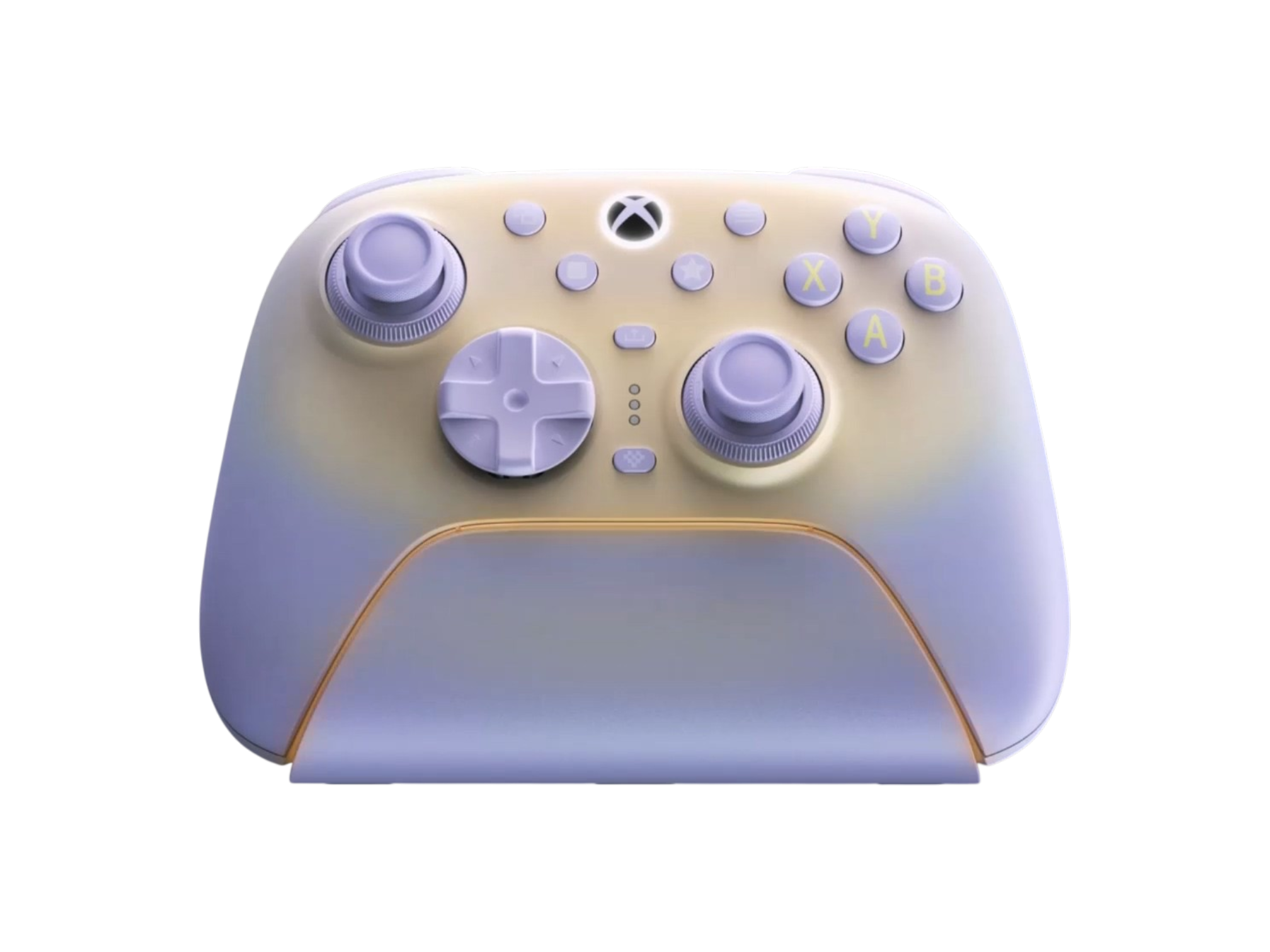
As a whole though, 8BitDo did the dock real well like usual, letting it hug the base of the Ultimate 3 and hold it in place so the wireless charging can take effect easily. Never once did I have an issue landing the controller on the dock, though that was similar with older Ultimate 2 controllers. The last thing of note is the ambient lighting, it’s a good way to tell that it’s charging, but at times I feel it can be a bit too bright.
Extra Gubbins
Customization
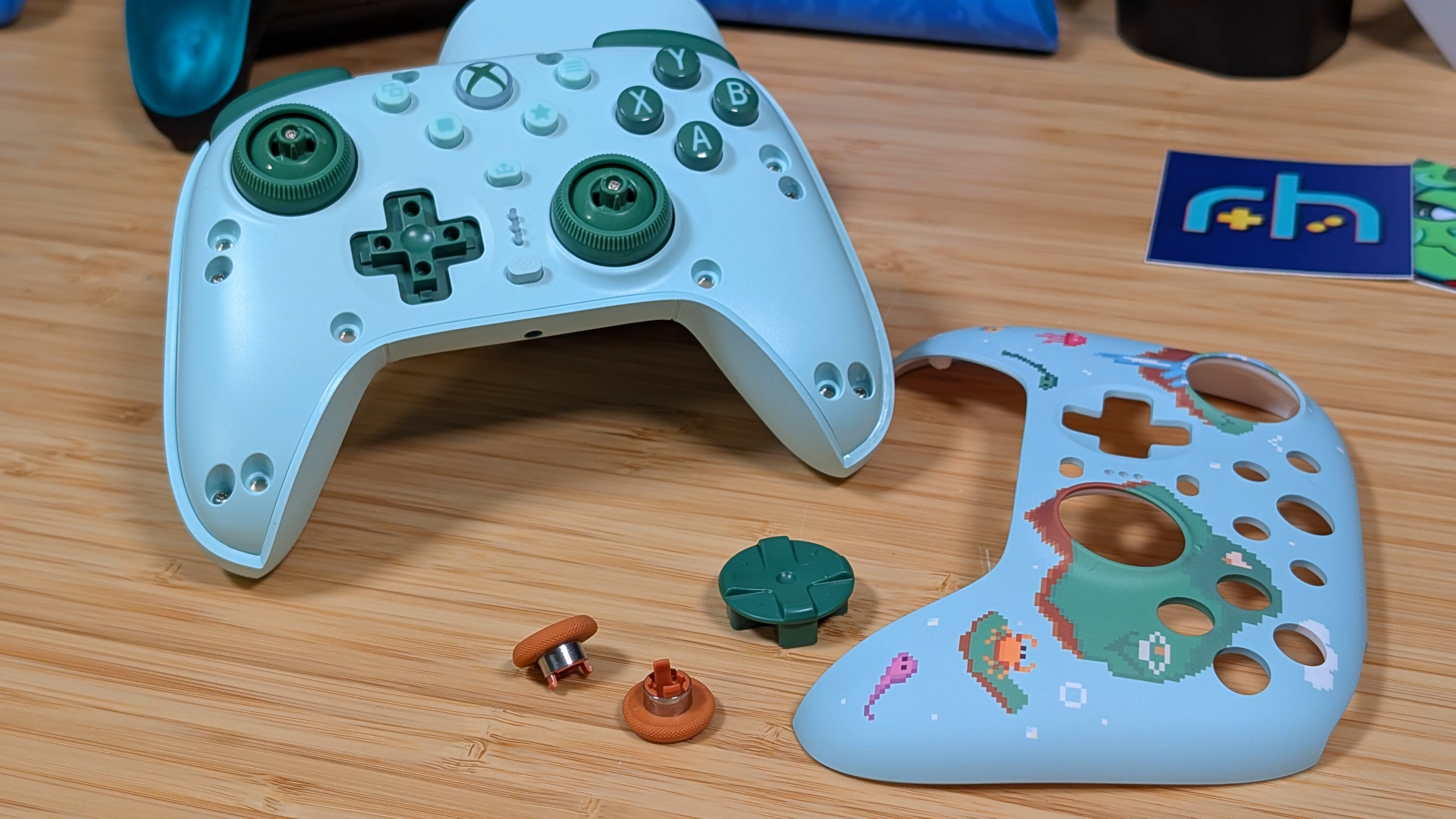
When it comes to extras, one thing that I want to mention is the customization of the 8BitDo Ultimate 3. Not only does it have the swappable sticks like the older 8BitDo controllers, but the dpad and faceplates can be swapped out as well. At the current moment, though, the D-pad and faceplates only alternative is going to be the more purple colorway of the other Ultimate 3 available on the market.
But I’m sure that 8BitDo will put out more colorways eventualy. The D-pad in particular is one I hope for alternates of, because with how easily you can pop it off, changing out for new shaped D-pads will be a killer option for many.
Software
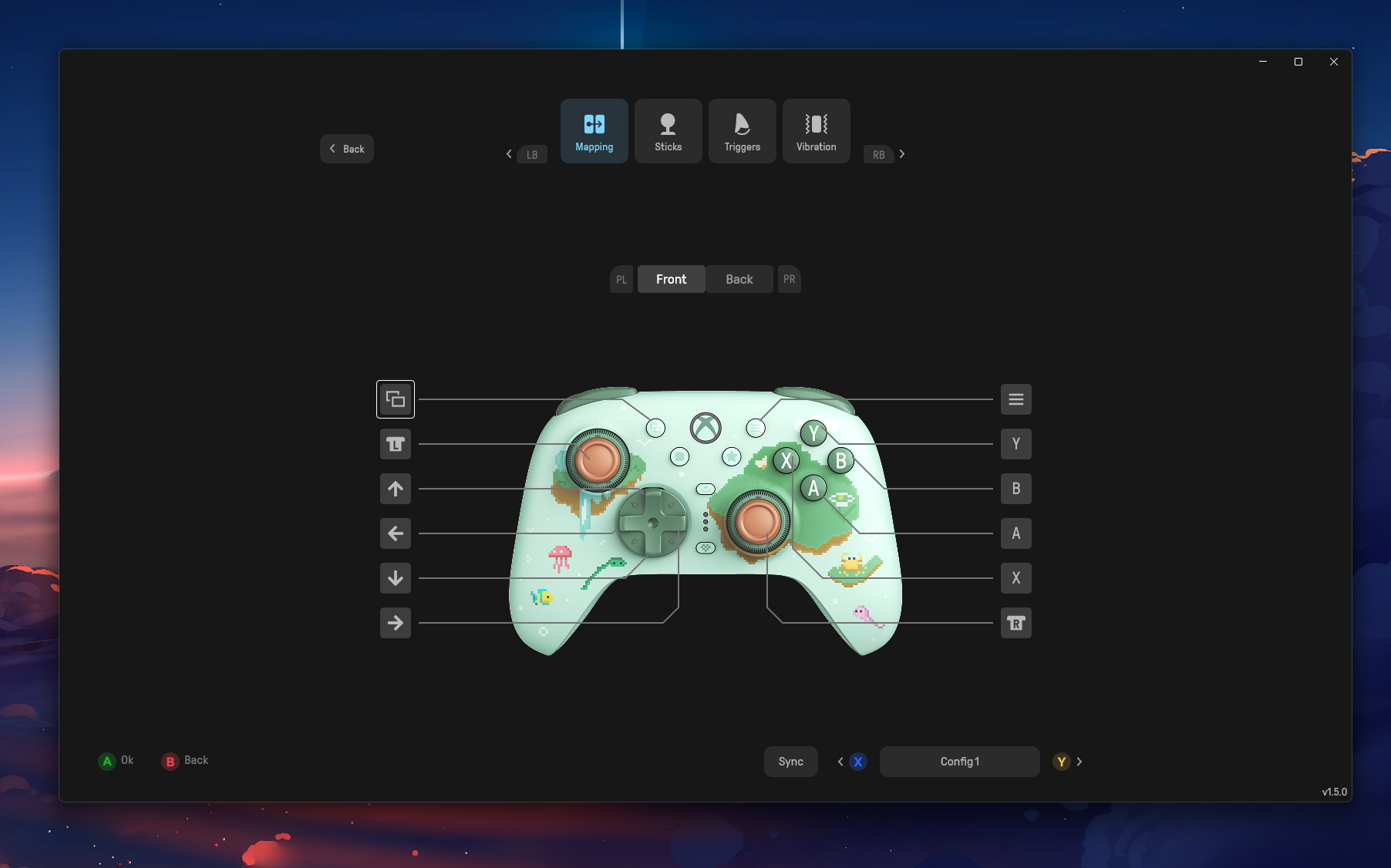
As for the software? The Ultimate 3 utilizates the Ultimate X software that most XBOX compatible 8BitDo items use. It’s full featured, functional, and manages to house everything you could want to change in it as a whole. If you’re looking to set and forget, that’s an option too, as I found that my choices were retained even after uninstalling the software. While that may be beneficial for some, I’d still keep the software around as it will let you run firmware updates on the dongle and the controller.
One last thing, while not strictly software-based, is worth mentioning. But because the Ultimate 3 charges wirelessly, taking the controller off the dock will not automatically turn it on. You do have to hit the XBOX button to boot it up still. It may not be a major thing to most people, but it is at least worth mentioning.
Final Thoughts
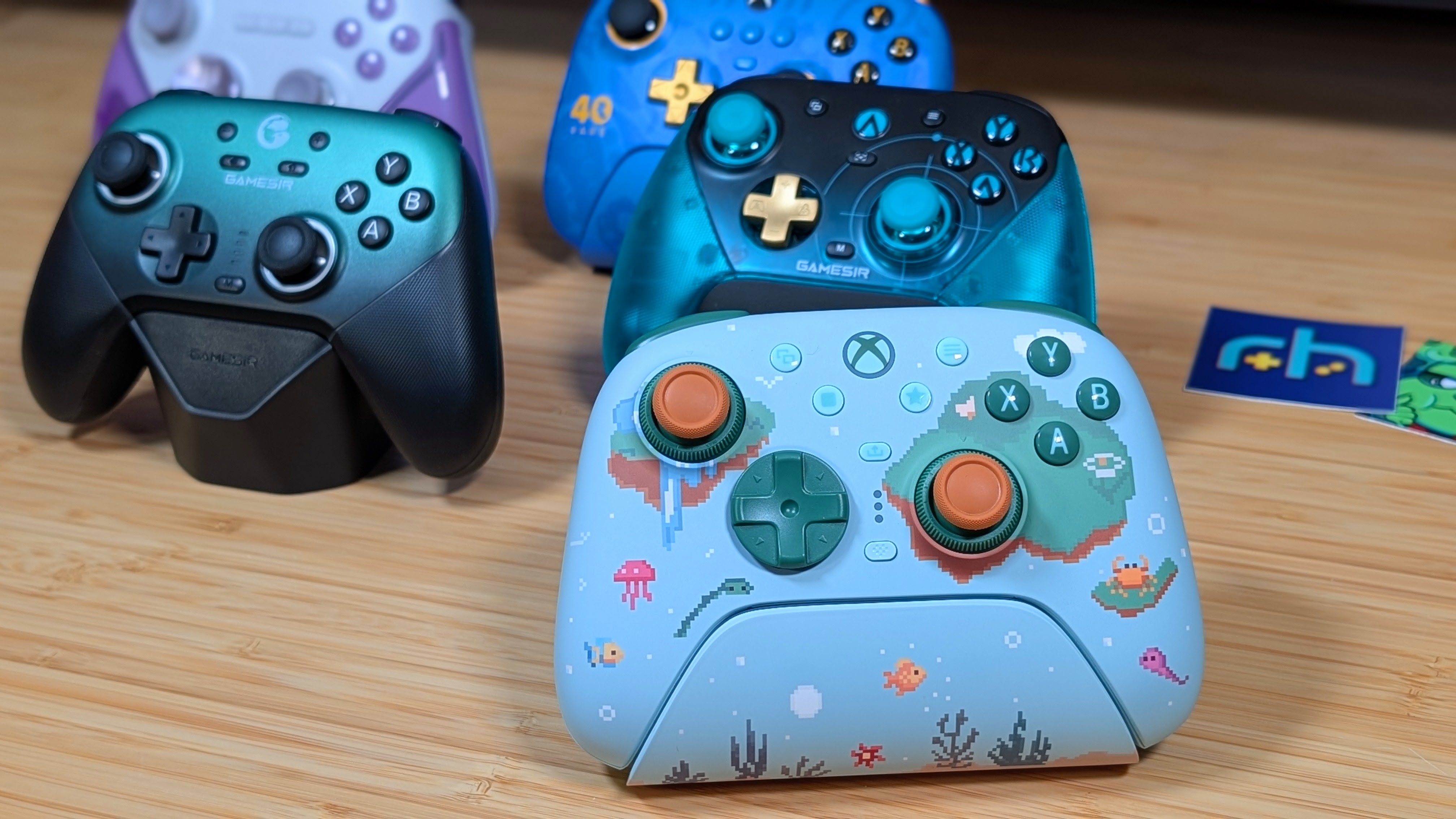
So is it worth the $100? That’s a tough one. You’re really paying a premium for the XBOX compatibility with this one. At the time of writing, I don’t think I can recommend going all the way up to the Ultimate 3E for $150, and the Ultimate 3C+ that’s coming soon omits a few too many features like the dedicated charging dock while being priced like alternatives that do have those features. So of the three, the 3 is the one I’d go for personally.
However, the market is so flush with competition that if you don’t need the XBOX compatibility, going cheaper like the Flydigi Apex 5 or the older 8BitDo Ultimate 2 may be the better choice. With that in mind, I’m probably going to leave this one on my desk a bit longer over the GameSir G7 Pro 8K Aimlabs Edition that’s been here for a bit now. Something about this one just feels better. And that tension adjustment is just a killer feature to me.
