

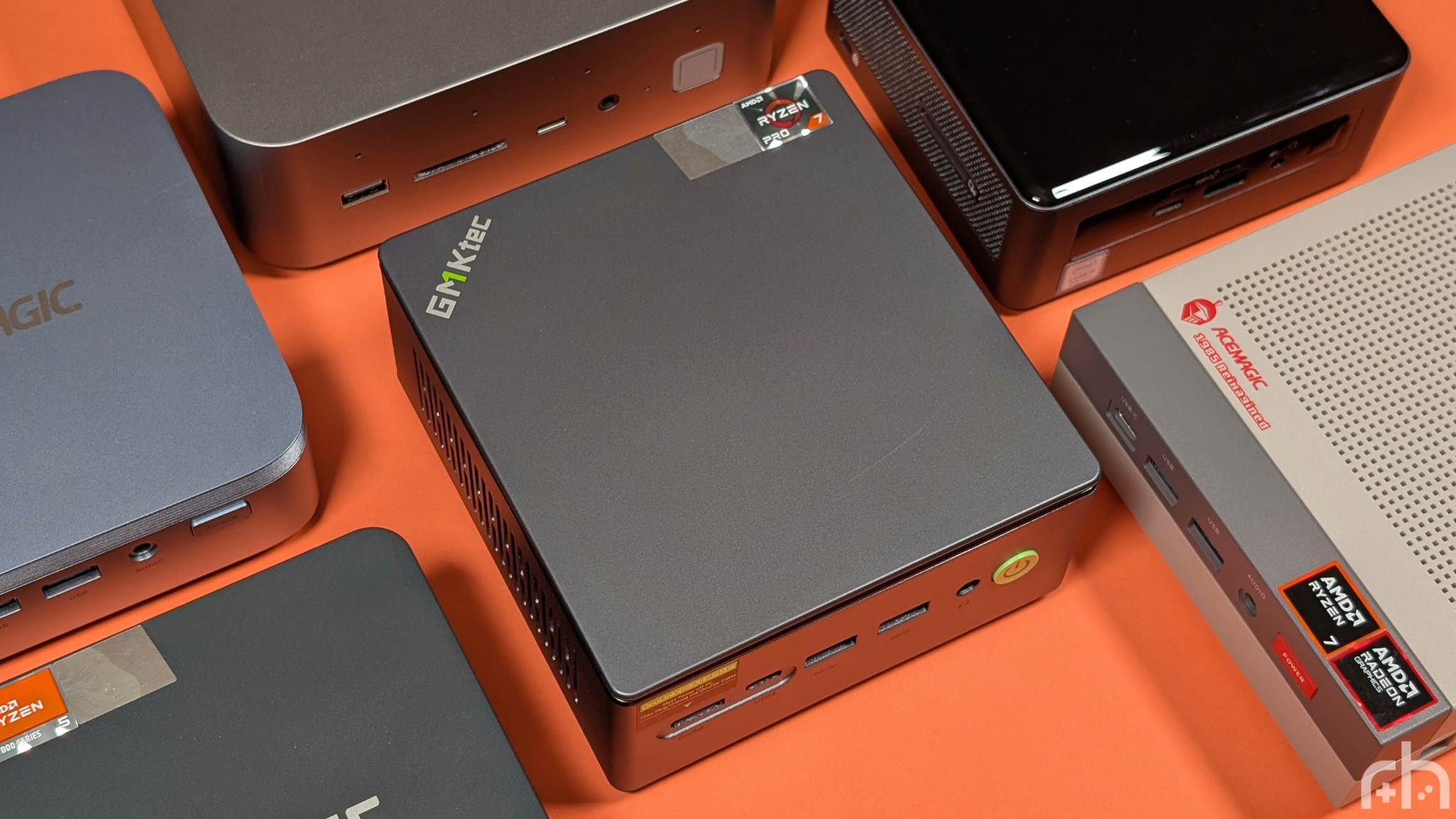
The theme of 2026 so far has been pretty simple. “Everything gets more expensive, everything we could get for cheap goes up in price.” RAM, SSDs, GPUs, soon to be CPUs and more. They’re all getting more expensive, and because of that it throws a whole lot of things out of whack. CPUs that could be cheaper stay the same price, others go up because those cheaper options never went down. Well enter the GMKtec M7 Ultra. I’m not going to say it’s cheap, because it’s not. But for its price, does it offer enough value to be the thing you need to get through the next set of PC shortages?
Disclosure:
The device reviewed was provided as a review sample by GMKtec. This had no bearing on the conclusion of the review, nor did GMKtec have the opportunity to make edits or changes to the review before publishing.
Affiliate links might be present where applicable, and we may earn a commission on product purchases using those links at no extra cost to you.
GMKtec M7 Ultra Specs
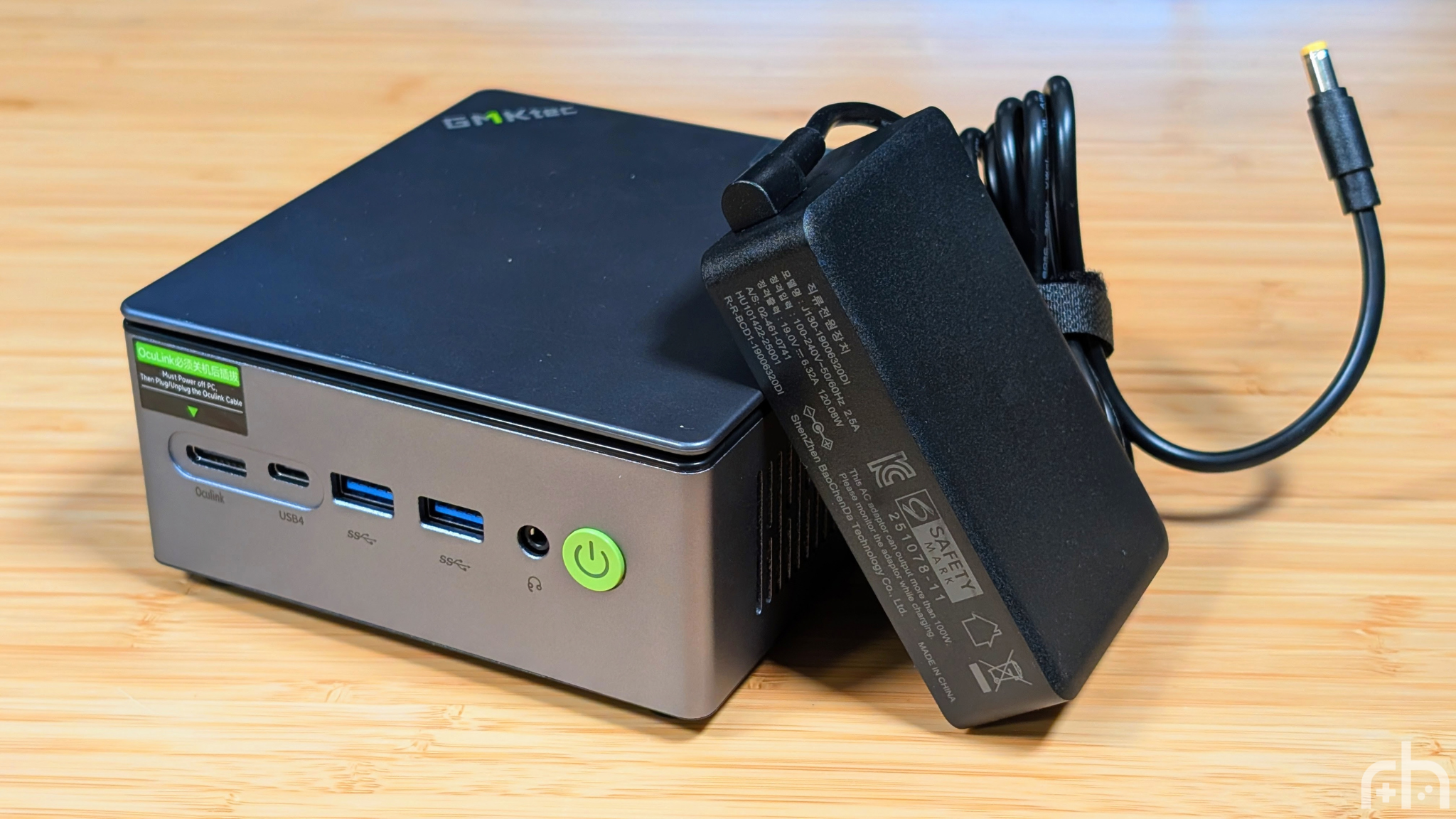
The GMKTec M7 Ultra comes in at anywhere from $560 to $750 depending on the RAM and SSD configuration that you choose to pick up. If you have extra so-dimms or SSDs laying around, you can get it for as low as $380, but because it’s DDR5, I’d highly recommend making sure you have the correct RAM before going that route. Pricing these things out isn’t easy, as last year I was reviewing systems with more storage at a lower price. But in 2026 standards, it’s not the worst I’ve seen.
GMKtec M7 Ultra
- Manufacturer
- GMKtec
- CPU
- AMD Ryzen 7 PRO 6850U
- GPU
- AMD Radeon 680M
- RAM options
- Memory type
- DDR5
- Storage options
- Storage slots
- Wi-Fi
- Wi-Fi 6E
- Bluetooth
- Bluetooth 5.2
- Ports
- OCuLink
- ✓
- Dimensions
- 132 × 125 × 58mm
- Weight
- 604g
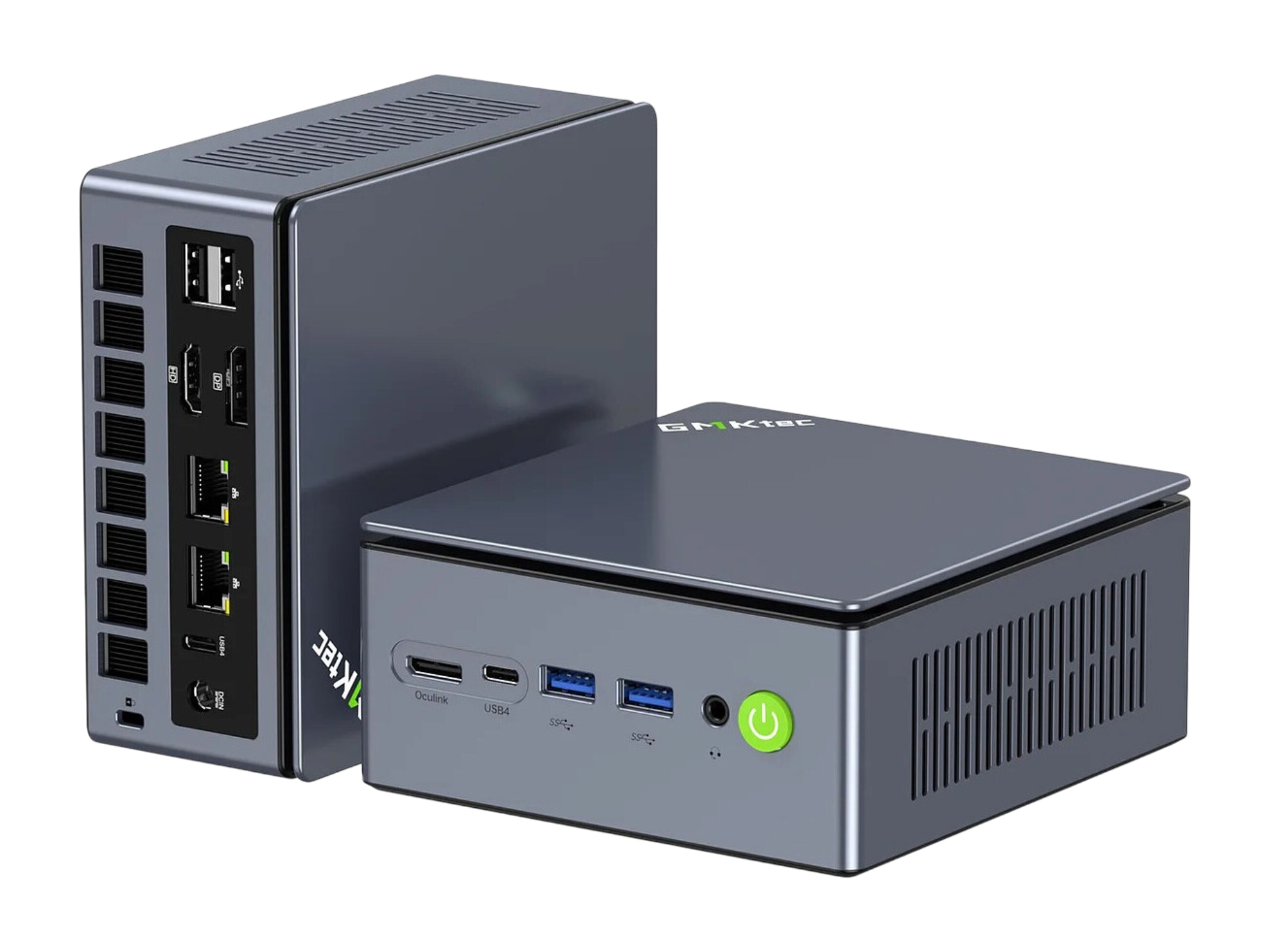
Build and Expandability
First off, the build quality of the GMKTec M7 Ultra is one of the best in terms of units that I’ve tested so far. Outside of a full aluminum build mini PC, the only one that’s come close to this is the Geekom A5 I tested at the beginning of the year. The entire outer shell of the M7 is metal, with the top and bottom panels being plastic.
That’s not a bad thing, as unlike the older M7 I used to own, this one trades a glossy plastic for a matte gray finish. Top this all off with some (correctly chosen) green accents, and I feel like you have a mini PC that’ll last. Something I’ll talk about more later on.
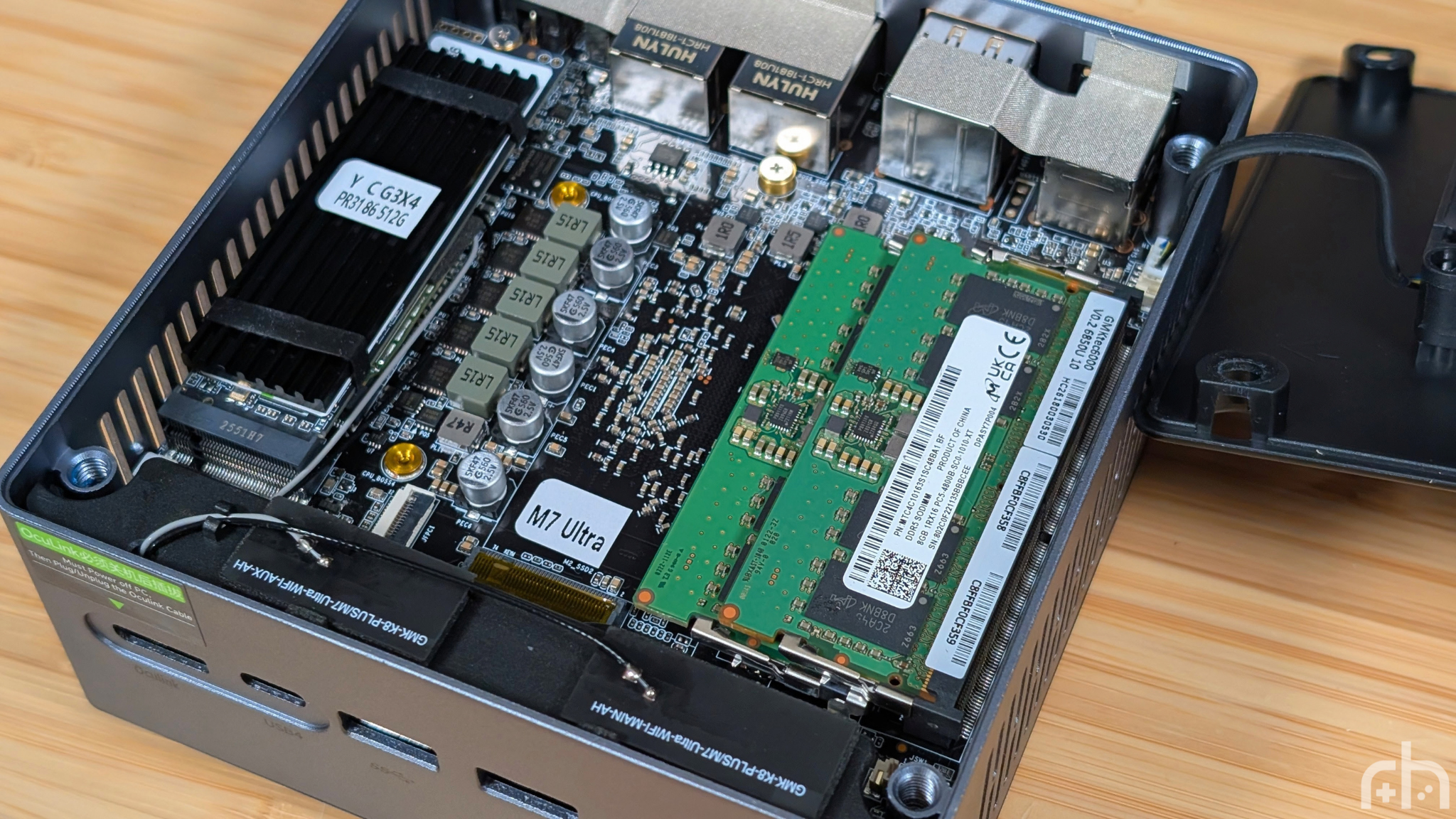
As for expandability, your RAM is thankfully not soldered on, so you can upgrade that. And you have 2 M.2 SSD slots at their full 2280 sizes. Because of that, you could wait until SSD prices come down and put a pair of massive drives in here that’ll last a while. That being said, the 512GB was almost enough to run my test suite. I did have to uninstall Forza Horizon 4 to switch it out for Horizon 5, though.
The shining star though, is getting in. There’s no adhesive feet to remove, you simply grab the top panel, and give it a twist to show off the four screws underneath. Once you’re through the screws, carefully lift the panel off, as there’s a fan attached and boom. You can upgrade it. I genuinely wish more Mini PC companies would do something this forward thinking. Only AceMagic’s Retro X3 was close, and that still had soldered RAM.
Performance
Now’s the time to get into the numbers. As always I’m going to break this into two main categories for those that want synthetics, and how it actually shows up in games. To get this part out of the way first, emulation wise you’ll be able to crank all the way through to Switch, Xbox 360, and PS3. But don’t expect the world from it in that regard. The test suite for this mini PC was done with the following machines.
- GMKTec M7 Ultra
- GMKTec M6 Ultra
- Acemagic Retro X3
- Acemagic Matrix M5
- Geekom A5 2026
The purposes for these choices are pretty simple. I want to give you the comparison against current higher, and lower tiered options. But to also compare against what’s technically considered “last generation” to the 680M, in what’s currently one of my favorite mini PC’s, the A5.
Synthetics
Starting with Synthetics, or the “this part doesn’t really matter as much according to the audience” portion of the benchmarks, you can see that the Ryzen 7 Pro 6850U may be starting to show its age compared to some of the newer competition. Falling behind everything except the older 7430U in terms of single and multi core performance. A place that only steps up a little in terms of GPU performance as the older 680M still trounces Intel’s more modern 80EU XE Graphics.
The difference though, is that once we touch into 3DMark, you’ll notice that the M6 Ultra’s 740M starts to fall back enough that it’s practically matching the 680M blow for blow. At some points, like in timespy being within a few percentage points of each other. All of this is to say, AMD’s RDNA GPU’s are still demolishing both Intel, and their own Vega graphics.
Gaming
Stepping into the gaming field, things continue to remain fairly consistent. The Acemagic Matrix M5 generally falls behind due to their weaker integrated graphics, with the exception of Dirt 3 for some reason. Though not quite as far behind as the Geekom A5, which still did great in Dirt 3, but couldn’t even finish Bioshock Infinite’s benchmark.
The 680M though was remaining solidly consistent throughout my testing. In games like Strange Brigade, Tomb Raider, and Cyberpunk 2077 if you wanted a solid 30fps at 1080p with medium or higher settings, you can absolutely achieve that on this system. That being said, turning settings down or activating resolution scaling would make things easier.
As a whole though, the 680M is not that far off from either the 740M or 780M. With the exception of Tomb Raider, where the Acemagic Retro system managed to nearly double the competition’s frame rate at 73fps. I still haven’t figured that out.
Extra Gubbins
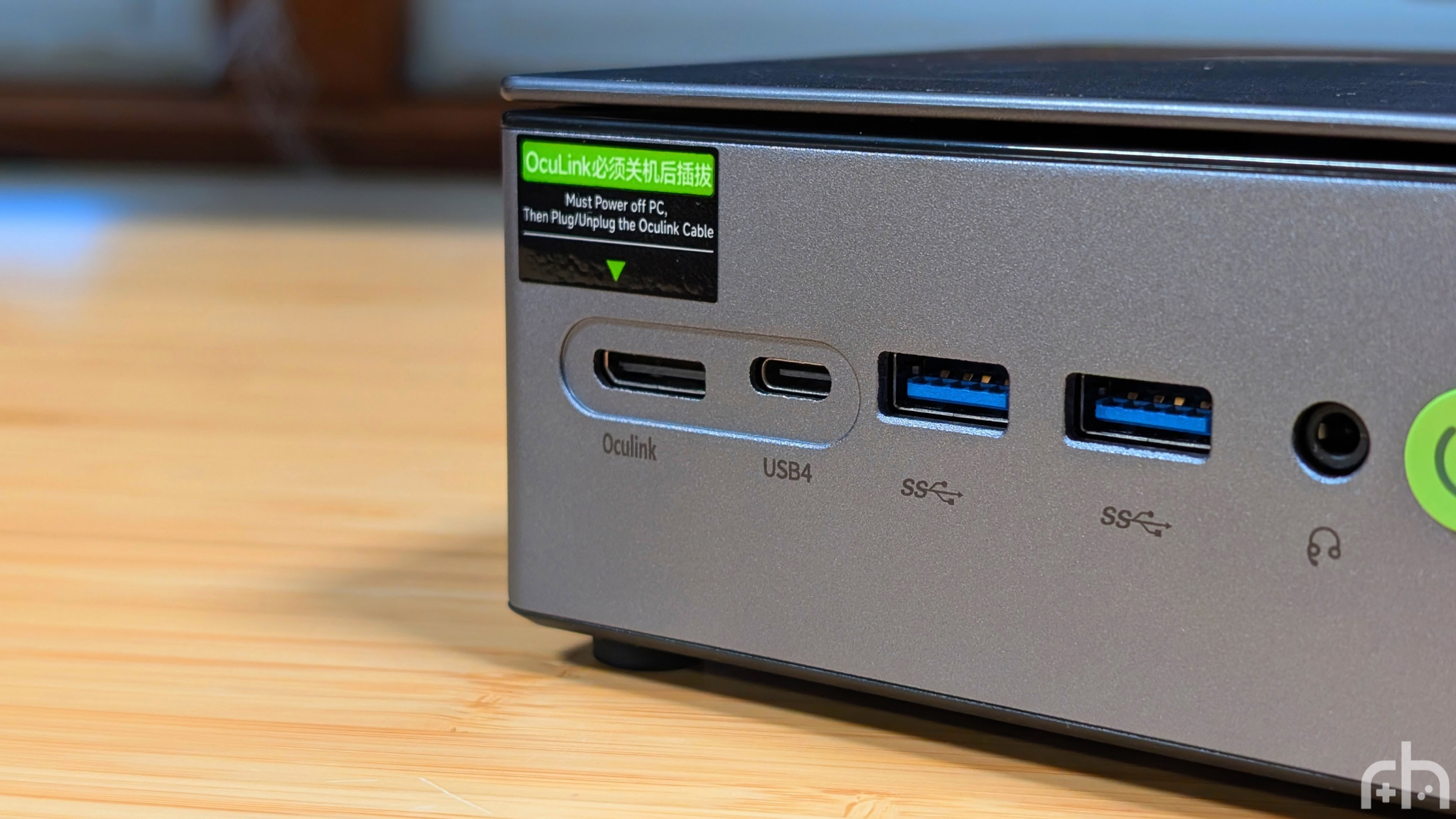
Last but not least, the extra bits and bobs. Starting with the boring and favorite part; the extra fan. Despite GMKtec including a fan to cool down the RAM and SSD, this system remained super quiet under testing, and my favorite part? They’re really thinking about the longevity of these components by adding that fan there. There’s a lot Mini PC companies can try, including heat sinks and thermal pads. But having a good old fan pumping away can only be a good thing for the genuine longevity of a PC.
Speaking of longevity, USB-C 4 and OcuLink. Having multiple options for expandability later on will simply be another way to increase the longevity and usable lifespan of the mini pc you’ve bought. Unfortunately, at the time of writing, my personal eGPU dock is out of commission, so I was unable to test the M7 Ultra with a GPU (particularly my RX 6700XT), but if you have a GPU like that, you could genuinely have a proper gaming setup with this mini pc. Just remember that occulink isn’t hot swap, but USB-C 4 is.
Final Thoughts
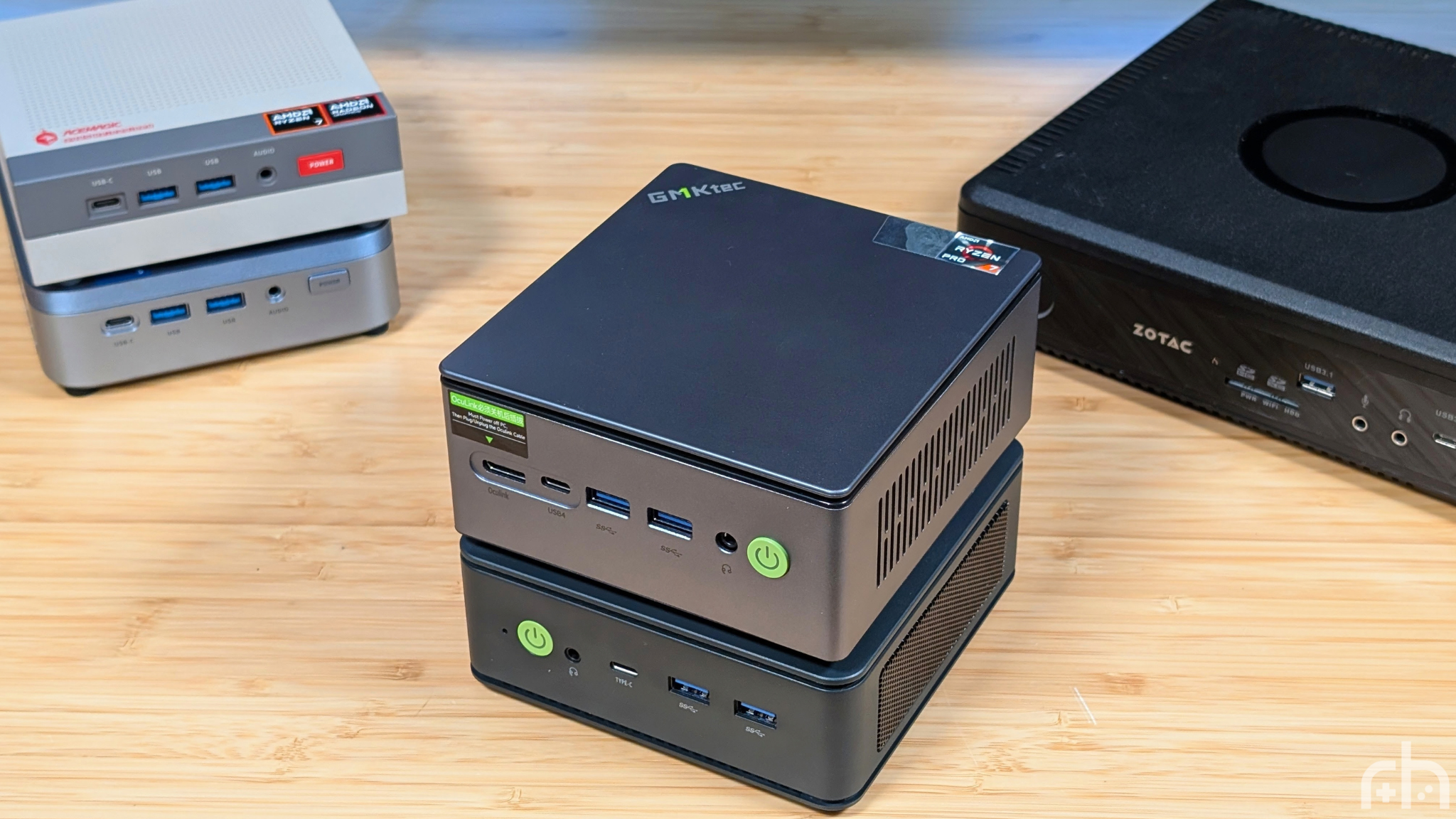
The GMKtec M7 Ultra, is a well built, well performing mini PC that feels like it has a genuine focus on build quality and the usable life of the system for the consumer. Would it have been cheaper in 2025 or even 2024? Yeah I think so. Is it still worth the cost of it now?
Again, yeah I think so. When we’re normally picking up Mini PC’s they’re going for as cheap as possible just to get you the best performance per dollar. Companies like GMKtec though are putting that extra money into giving you something that feels like a quality product, and I appreciate that.
If you’re looking for something that’ll last you a long time, I still think the Ryzen 7 Pro 6850U and Radeon 680M combo will be perfect for day-to-day use, and the OcuLink port will take you even further if you choose to upgrade.
