

When it comes to Mini PC’s or just PC’s in general, 2026 is going to be a bit of a harder year to get through, and it’s likely 2027 is going to be as bad, or worse, in terms of pricing. SSD and RAM prices are still going up, CPU’s and their iGPU’s aren’t really getting better that fast, and in general everything is just starting to blend together.
If you go check out Nick’s reviews on the website, a lot of Mini PC’s he’s reviewed recently are pretty familiar little black boxes. I’m not much better, as a lot of my machines mix together mentally too. But I think I’ve got something that can fix the looks department even if not the price-to-performance.
Disclosure:
The device reviewed was provided as a review sample by AceMagic. This had no bearing on the conclusion of the review, nor did AceMagic have the opportunity to make edits or changes to the review before publishing.
Affiliate links might be present where applicable, and we may earn a commission on product purchases using those links at no extra cost to you.
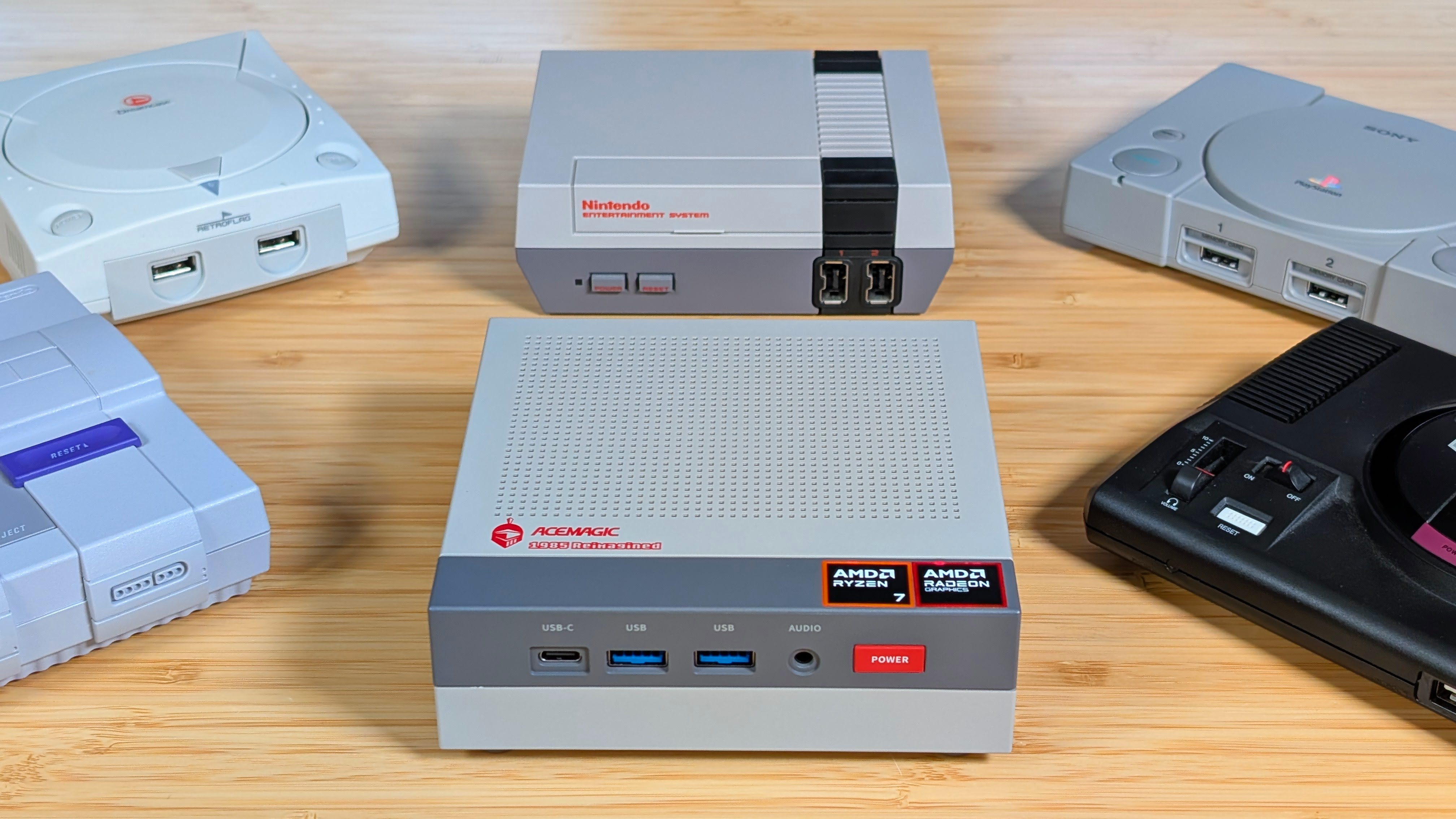
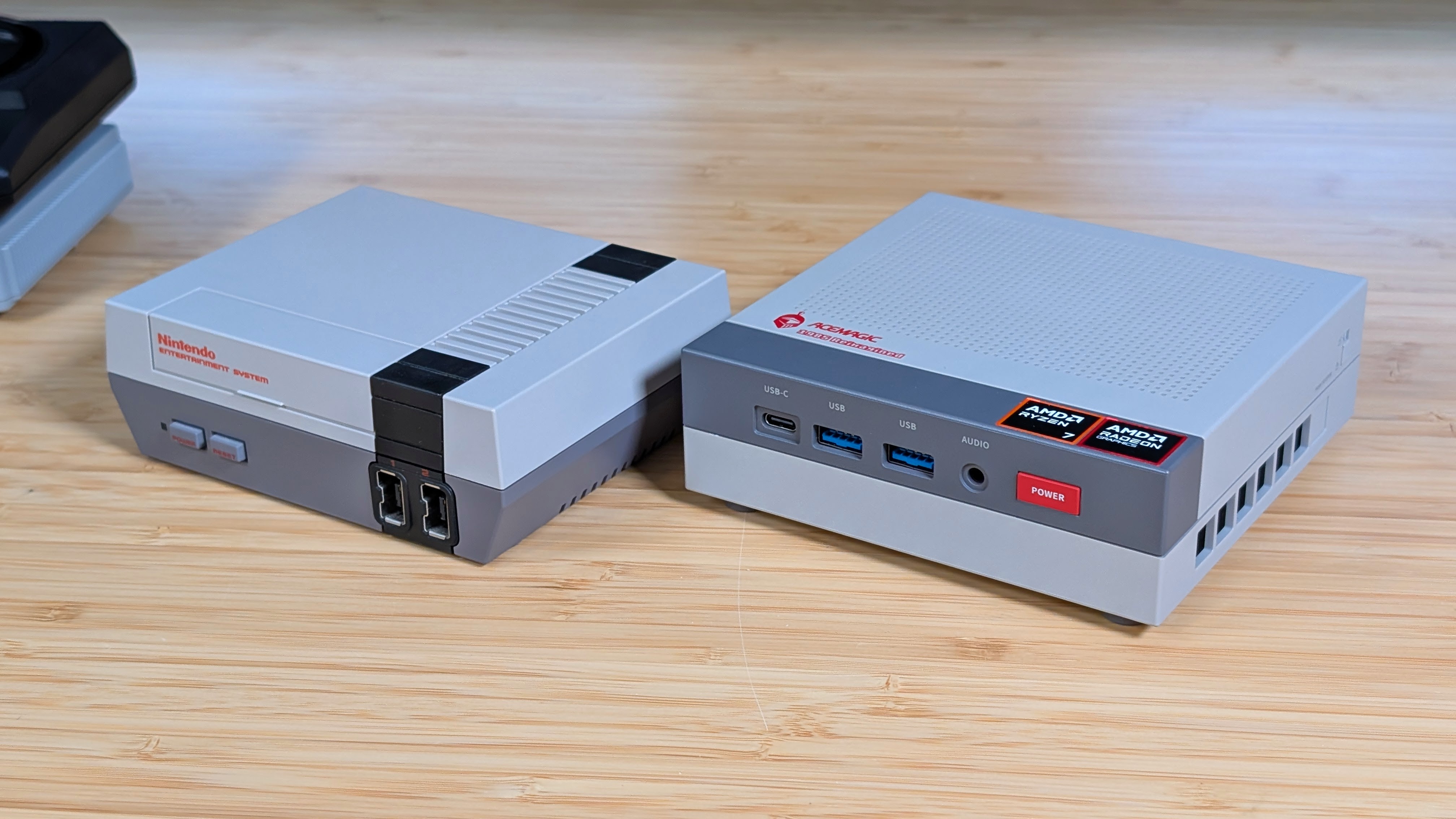
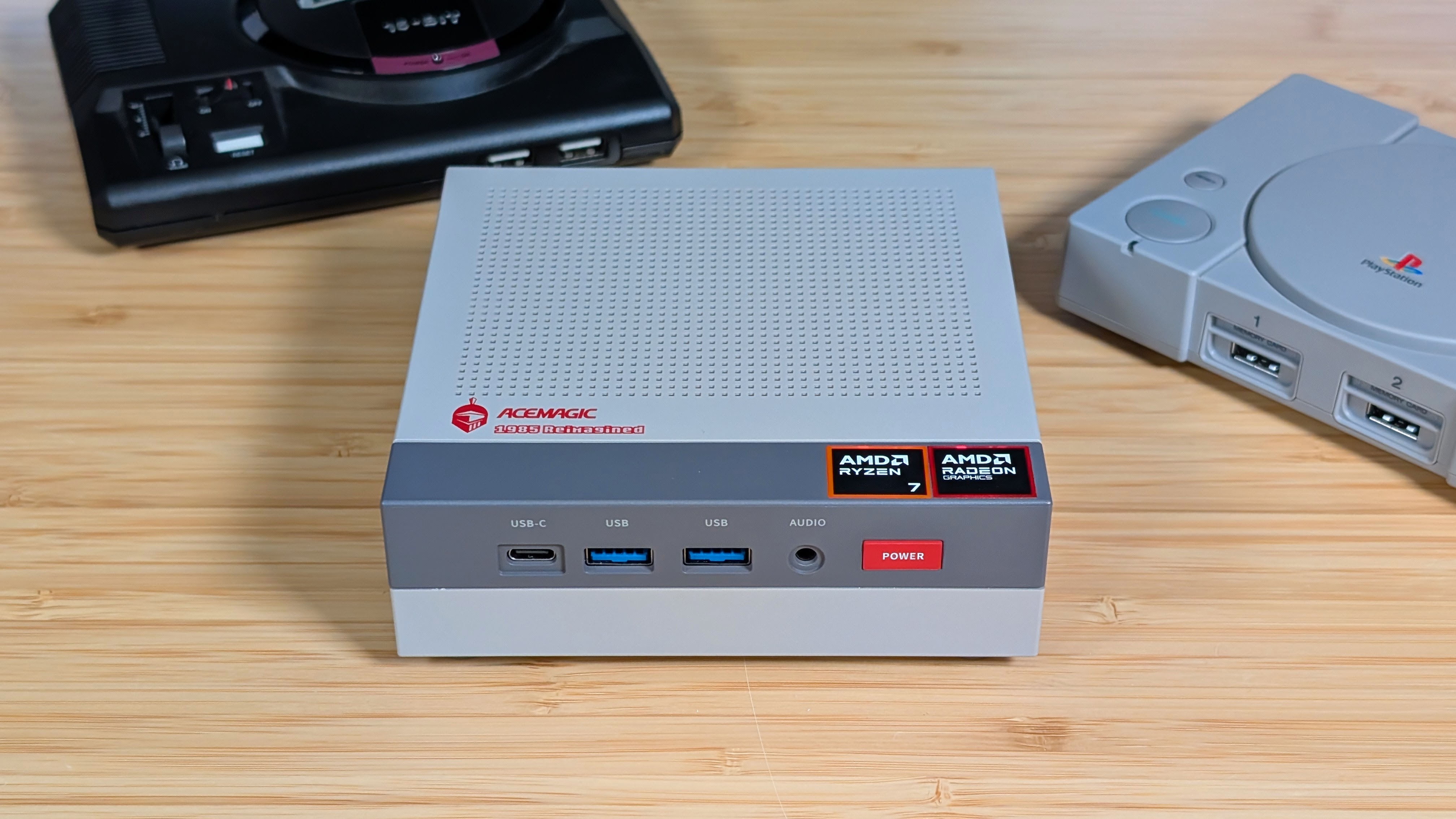
The AceMagic Retro X3 is the latest machine I’ve gotten the pleasure to look at, and while it’s rocking a fairly modern chip, the thing that gets my attention most is the looks. Rather than go for a silver plastic finish, AceMagic has gone for the retro look, giving us a mini PC that seems to have functionality, port selection, and accessibility all in an NES-styled design.
Is it perfect? Probably not. But let’s see how it’s actually doing for me, and hopefully you too.
AceMagic Retro X3 Specs
It’s a bit hard to go into pricing at this time, as coupons, sales, and raising prices are just going to constantly change what’s going on. But for this model, it’s being listed as $699 on Amazon at the time of writing, and that can change depending on how many coupons they let you stack.
For me, it was about $150 worth of coupons. On their website, the slightly lower-spec’d model is currently just $519. But how’s that look specs-wise for you?
| Hardware | |
| CPU | AMD Ryzen 7 H255 (8 Cores/16 Threads, 3.8-4.9GHz, 35-54 watt TDP |
|---|---|
| GPU | AMD Radeon 780M |
| RAM | 16GB or 32GB LPDDR5 6400MT/S (Soldered) |
| Storage | 512GB or 1TB PCIE 4.0 SSD, 2x 2280 Slots |
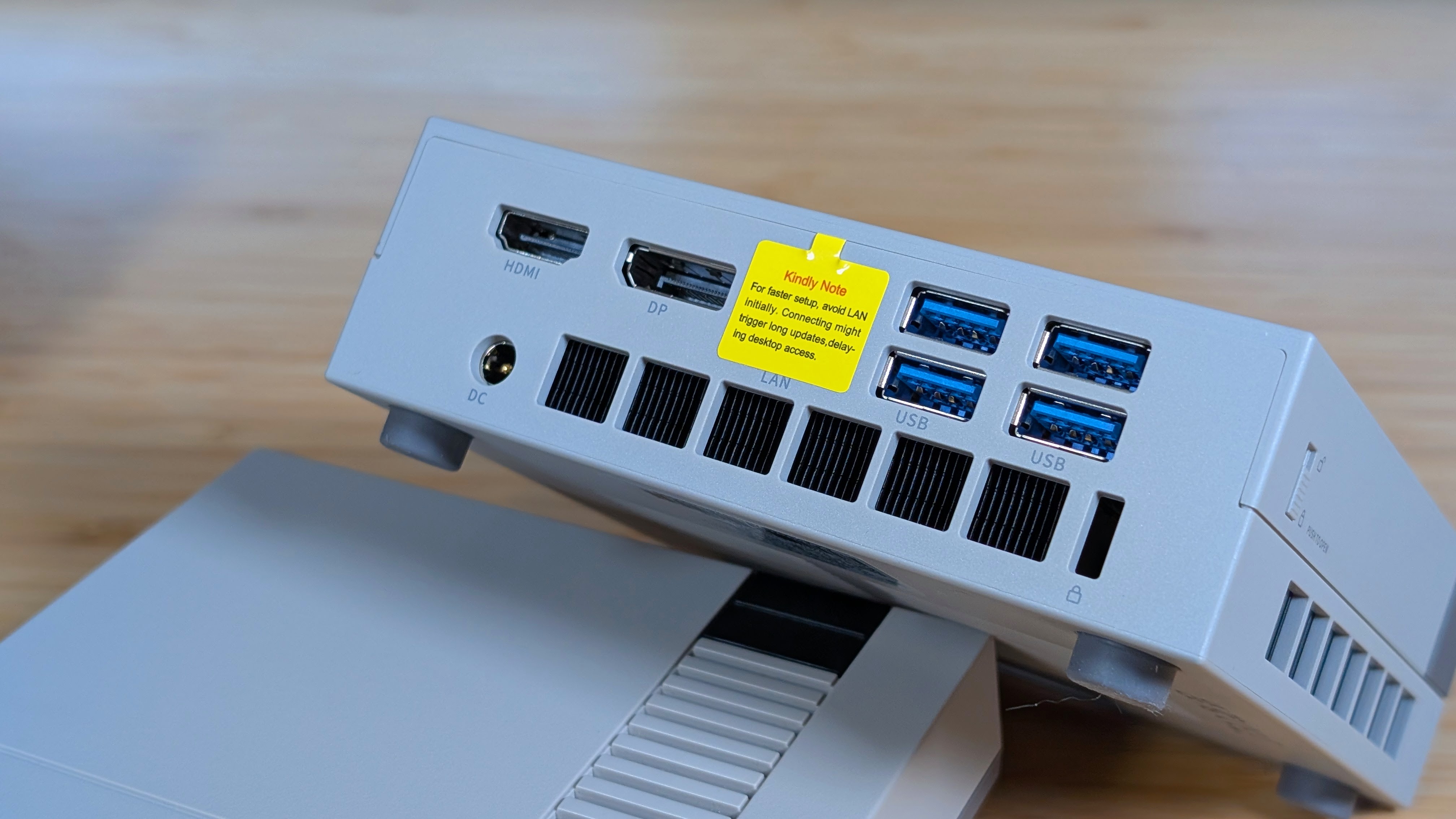
| Additional Ports | 3.5mm Audio, 1x USB-C 4.0, 2x USB 3.2 Gen 2 Type A, 4x USB 3.2 Gen 1 Type A. 2.5GbE LAN, HDMI 2.1, DP 2.0 |
| Connectivity | |
| Wi-Fi | 6E |
| Bluetooth | 5.2 |
| Video Output | HDMI 2.1, USB 4 Type-C, DisplayPort 2.0 |
| Physical | |
| Dimensions | 128 x 128 x 44mm |
| Weight | 482g |
Build and Expandability
Just like with everything else, I like to talk about the overall build because if it feels like trash, it’s not going to last. The Retro X3 may be plastic, but it feels good. You’re never gonna handle it, but it has a textured plastic that feels quality. The top panel flexes a bit, but that’s for a legitimately good reason.
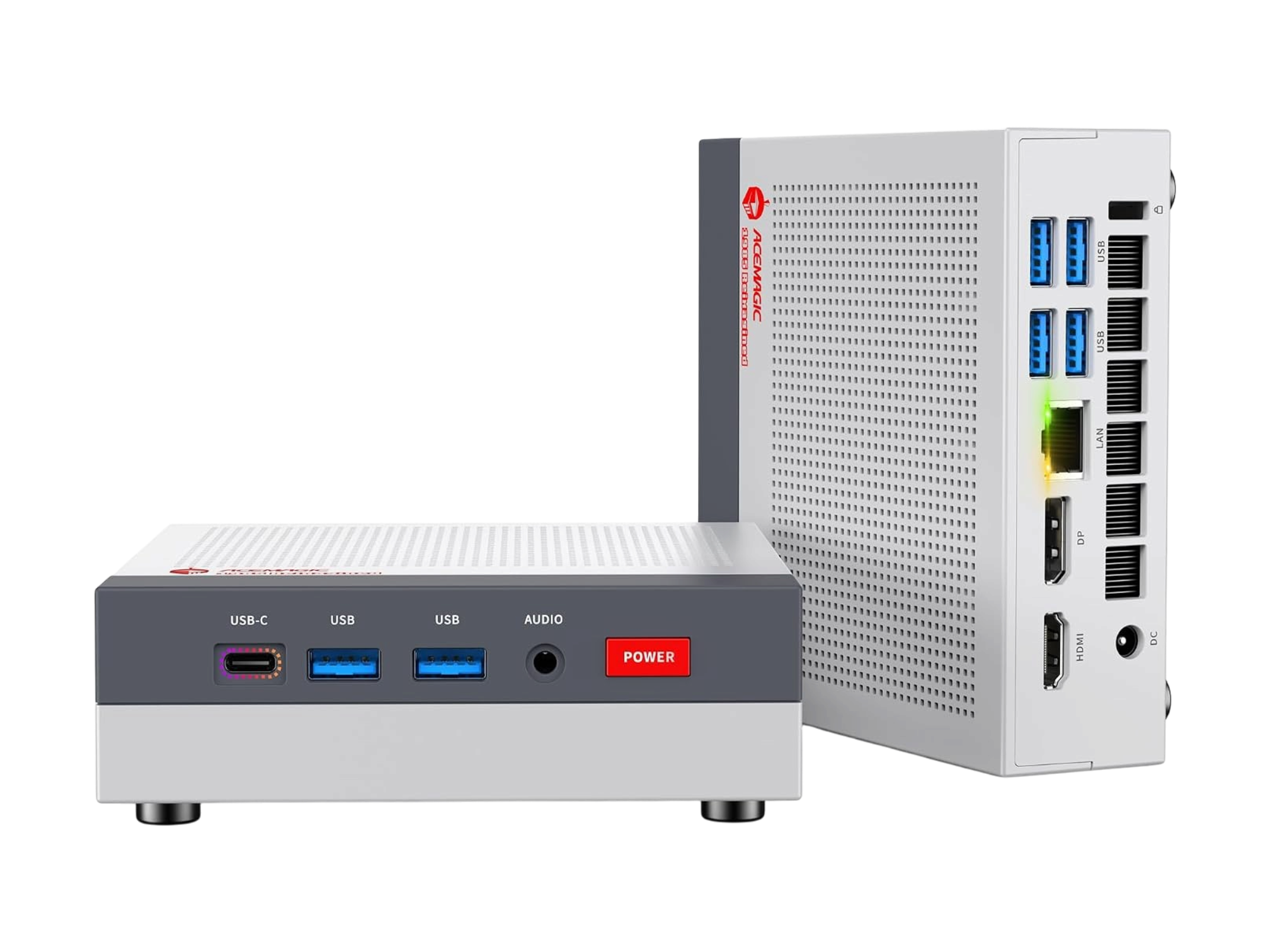
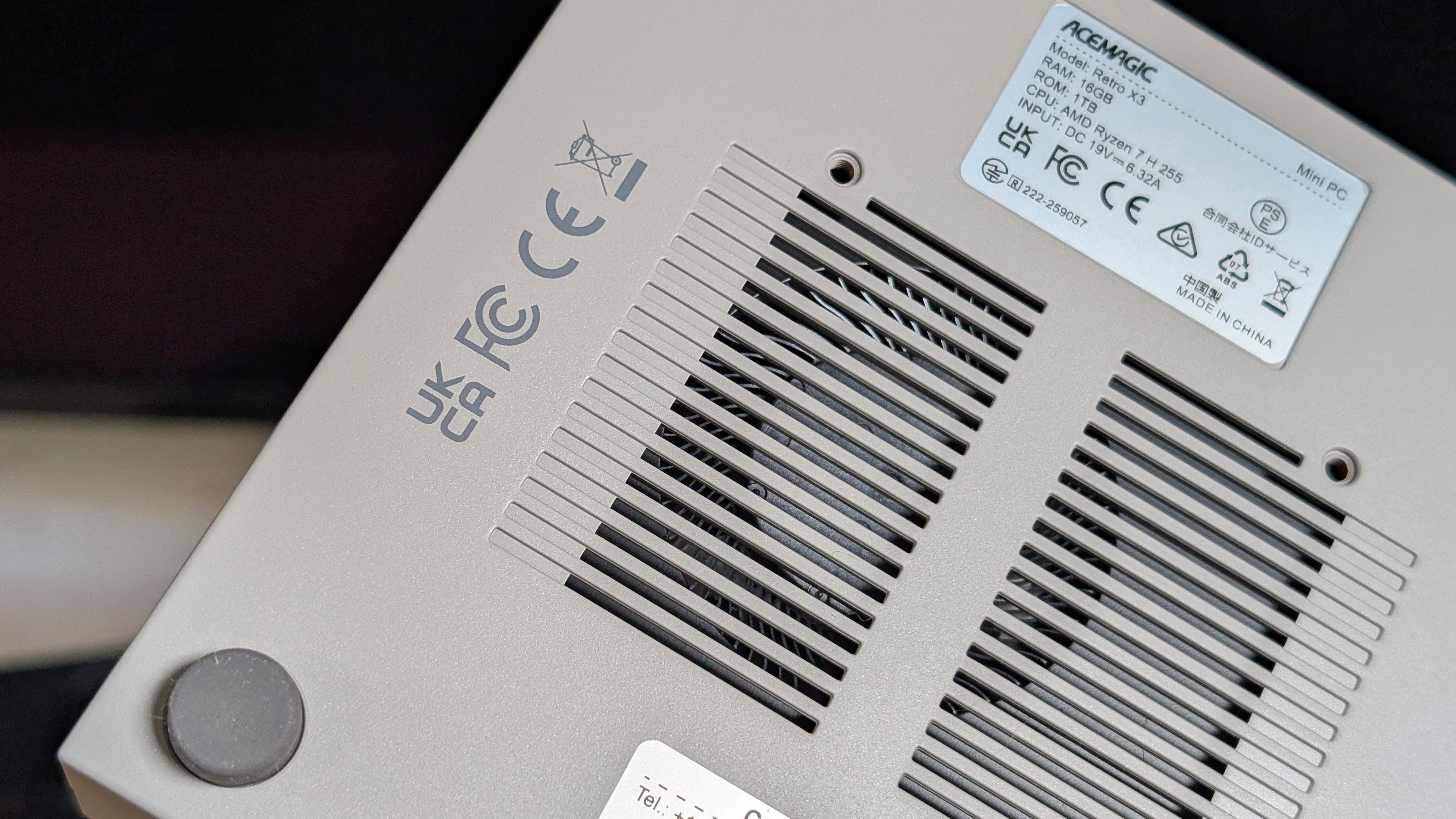
You have venting along the left, right, and back sides of the machine with intake all the way on the bottom for the fan. If you’re looking for airflow, it seems this one has it. Overall, this is probably the best built mini PC I’ve gotten from AceMagic, but that’s not where the party tricks end.
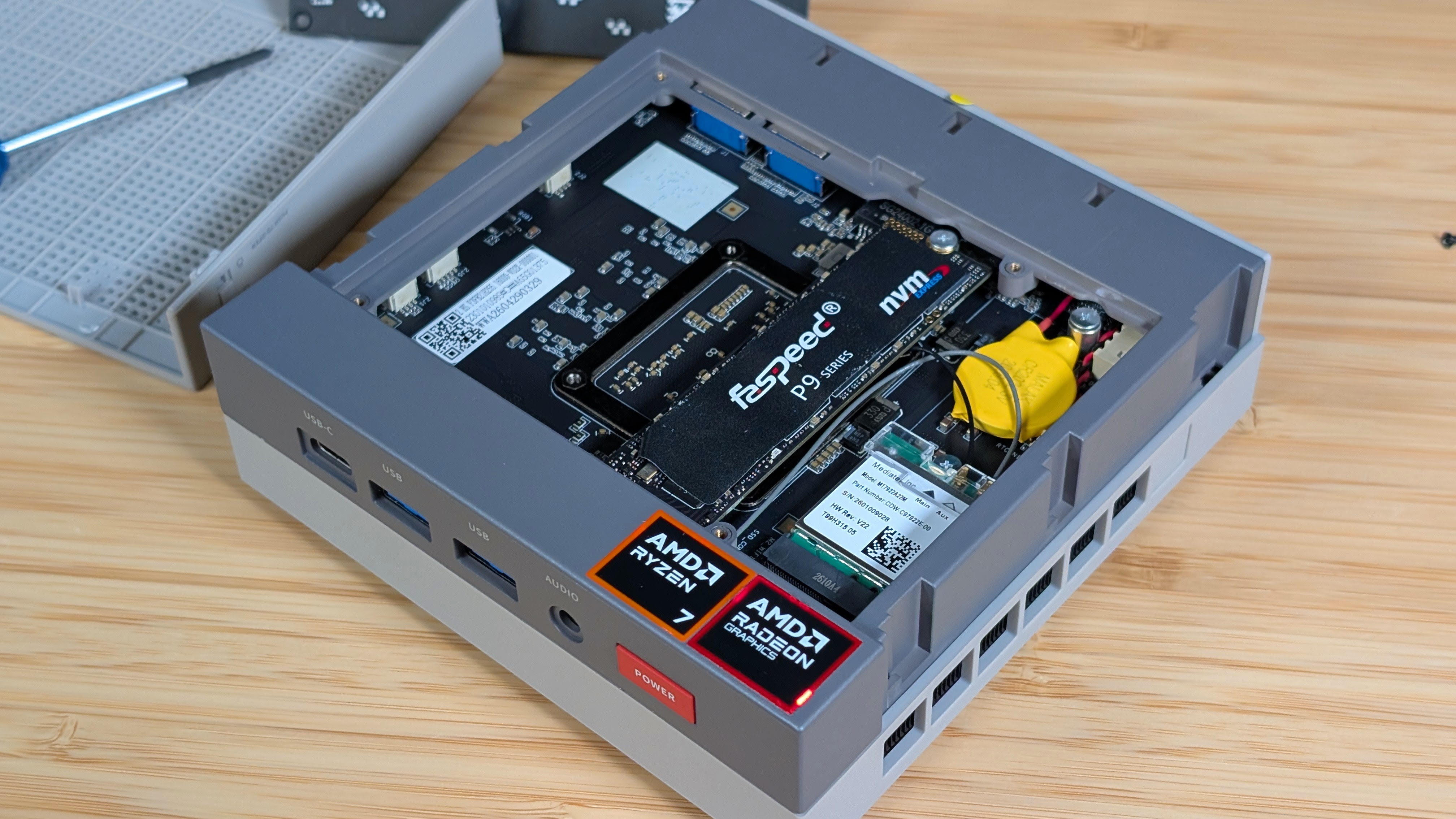
In past machines, if I wanted to get to the insides, I had to flip it over, rip the feet off, unscrew it, and unclip the whole top shell. With this one, though, it’s way easier. Flip the two latches on the sides of the mini PC, slip the top shell off, and unscrew the metal panel on the inside.
Once that’s done, you have access to the included SSD, the extra M.2 Slot, the Wi-Fi card, and the spot where RAM WOULD be if it wasn’t soldered on. This is a really clean setup, and I really prefer this to having to unscrew and ruin the glued-on feet on the underside. Please, keep doing this in the future with other designs. Maybe even that PlayStation one you teased at CES.
Performance
Going straight from quality to quality, it’s time to talk about how the AceMagic Retro X3 performs as a PC. For reference, this is a chip that is basically identical in spec to the Ryzen 8745H, not the HS. So while this will have a lot of power in its small package, we do still know what to expect. In prepping for this section, I did uninstall a lot from the standard Microsoft install, but I left it as stock as possible otherwise so you know what to expect when using it out of the box.
Synthetics
For the purposes of comparison, I’m going to utilize a few of the AMD Mini PC’s I’ve looked at for comparison points, but be aware that Windows updates can change those numbers over time. When it comes to CPU performance, it’s landing just about where most people would expect it to.
A little behind the 8845HS, which is essentially overclocked over the standard 8845H, but decently ahead of chips like the Ryzen 7 7735HS, Ryzen 7 6850H, and about on par with the Ryzen 7 7840HS. This travels straight through from GeekBench to 3DMark, where you can see most of these chips land within reach of each other, but as a whole, TDP and cooling are going to make the most difference.
Gaming
Pushing over into Gaming as a whole, the 780M is still doing pretty well, which you’d usually expect as this is the same GPU that we’ve been working with and improving over the last few years. Rather than type a whole lot to cover the differences between these chips, it would likely be better just to show you the graphs for them.
Just remember that even with the similarities in the 780M PC’s there will be some differences due to core clocks and TDPs, but I feel that overall the AceMagic X3 Retro does well at holding its own in this setup.
Emulation
Lastly, it’s time for emulation, and the focus on this one is going to be on Windows, seeing just what it can really do. And would you really be surprised if I noted that it can show you all the way up to Xbox 360 and PS3 with relative ease.
With the amount of progress being made on emulators like RPCS3, it’s not surprising that being able to play these systems is becoming more and more of a normal thing for these iGPUs.
Getting classics from the mid to late 2000’s up and running is becoming easier every year, and even if you’re not specifically using emulation, things like the recent Xbox decompilations will just make it easier to play those games on lower-end hardware.
And as a last note, while it may not be emulation strictly, the AceMagic X3 Retro has been a great way to play through a number of de-listed games from the late 2000s and early 2010s that you may not be able to play otherwise without the correct hardware. And yes, I am talking about both Blur and Forza Horizon 3.
The Add-Ons
When it comes to the extra notes, the first one I want to cover is the fan noise on the X3 Retro. During my time benchmarking, I had it sitting on the desk right next to me, and while the fan was audible for a normal distance away, the hum was rather low-pitched, which made it easy to just kind of hide in the sounds of the room around me. I have a feeling if it had been pushed to the absolute limit for long enough, you would get pretty tired of it.
The other note I have is that during my testing I gave it a shot across a few different operating systems. Batocera over USB worked shockingly well, and Bazzite didn’t give me much of an issue either. If I were to stick with just one OS for daily use on this PC though, I’d probably recommend Zorin OS as my distro.
It was pretty straightforward to use, and everything for me was set up from the get-go. As a whole, this machine really gave me no major qualms or concerns that I would really put here as something worth addressing.
Final Thoughts
Is it a good mini PC? Yes. Is it expensive? Also yes. If you can find yourself a Ryzen 7840HS or 8840HS Mini PC with the same amount of RAM and storage for less than the AceMagic, I think you’ll find yourself happy with a daily machine that doesn’t cause you too many issues.
But I think what they’re going for with this one isn’t the performance; rather, it’s the aesthetics. The X3 is a really good-looking machine, with really lovely ease-of-use features that a lot of other devices simply don’t have anymore.
If you’re fine shelling out the cash, this is probably my favorite machine of the year, and it isn’t even close, really. I do hope to get a chance to look at the other machines in their Retro lineup, because if they’re as well built and aesthetically pleasing as this one, they likely have a winner on their hands. For me, though, I might need to see if this is the “Mini Steam Machine you Need”. But that might be too clickbait.
