

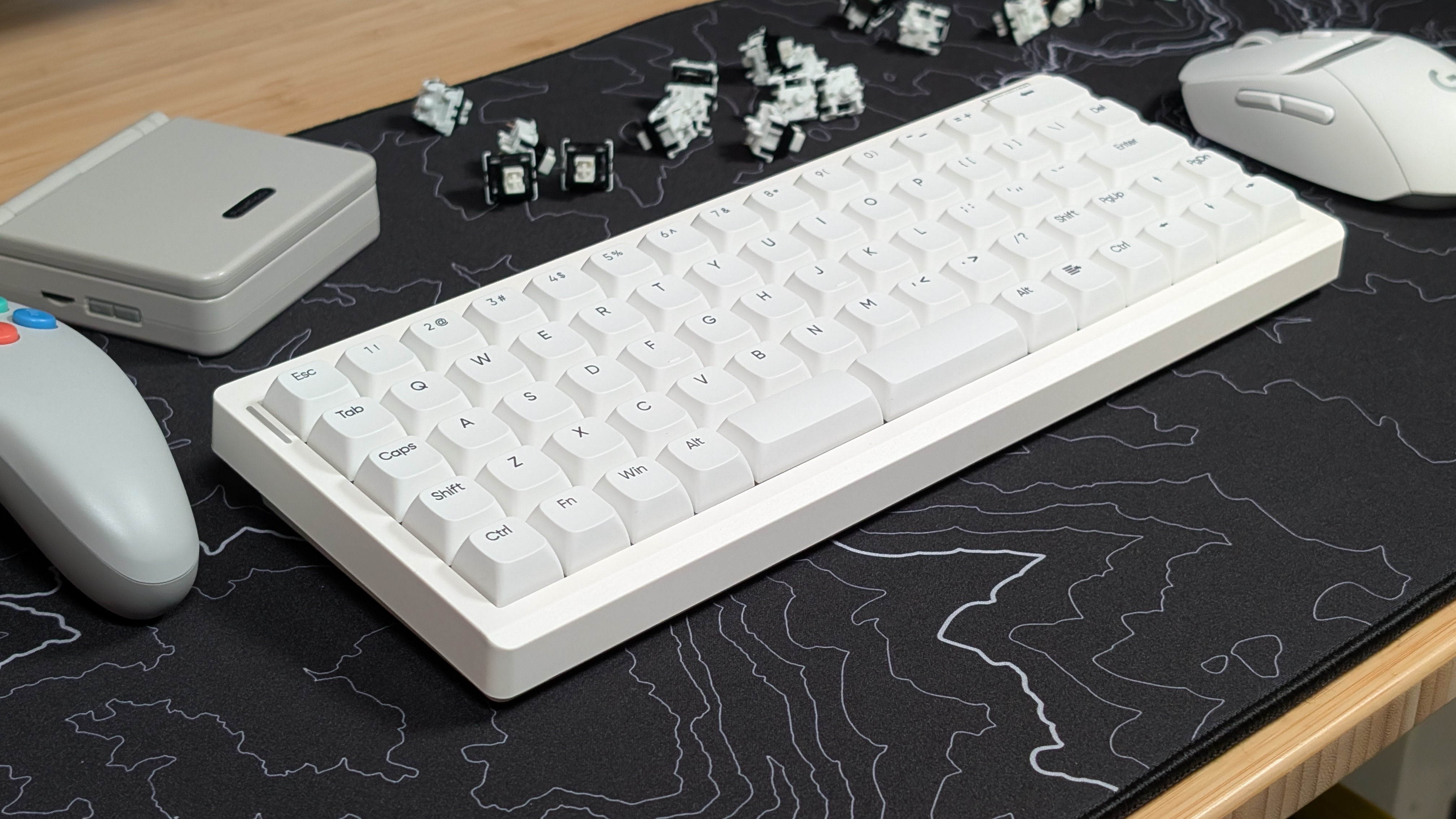
Most of the time, when it comes to keyboards you’re working through the standard staggered QWERTY layout in anything from as small as 40% all the way up past full-sized keyboards into what are essentially boat boards. Even ergonomic boards in the split and Alice-style designs end up using that staggered layout as well.
So when Epomaker offered to send over their Hack70 for review, I decided to take a look as its gridlike layout may be just the setup someone needs. And unlike the Luma40 I reviewed earlier this year, this one has all the keys you’d need on a daily basis.
Disclosure:
The device reviewed was provided as a review sample by Epomaker. This had no bearing on the conclusion of the review, nor did Epomaker have the opportunity to make edits or changes to the review before publishing.
Affiliate links might be present where applicable, and we may earn a commission on product purchases using those links at no extra cost to you.
Epomaker Hack70 Specs
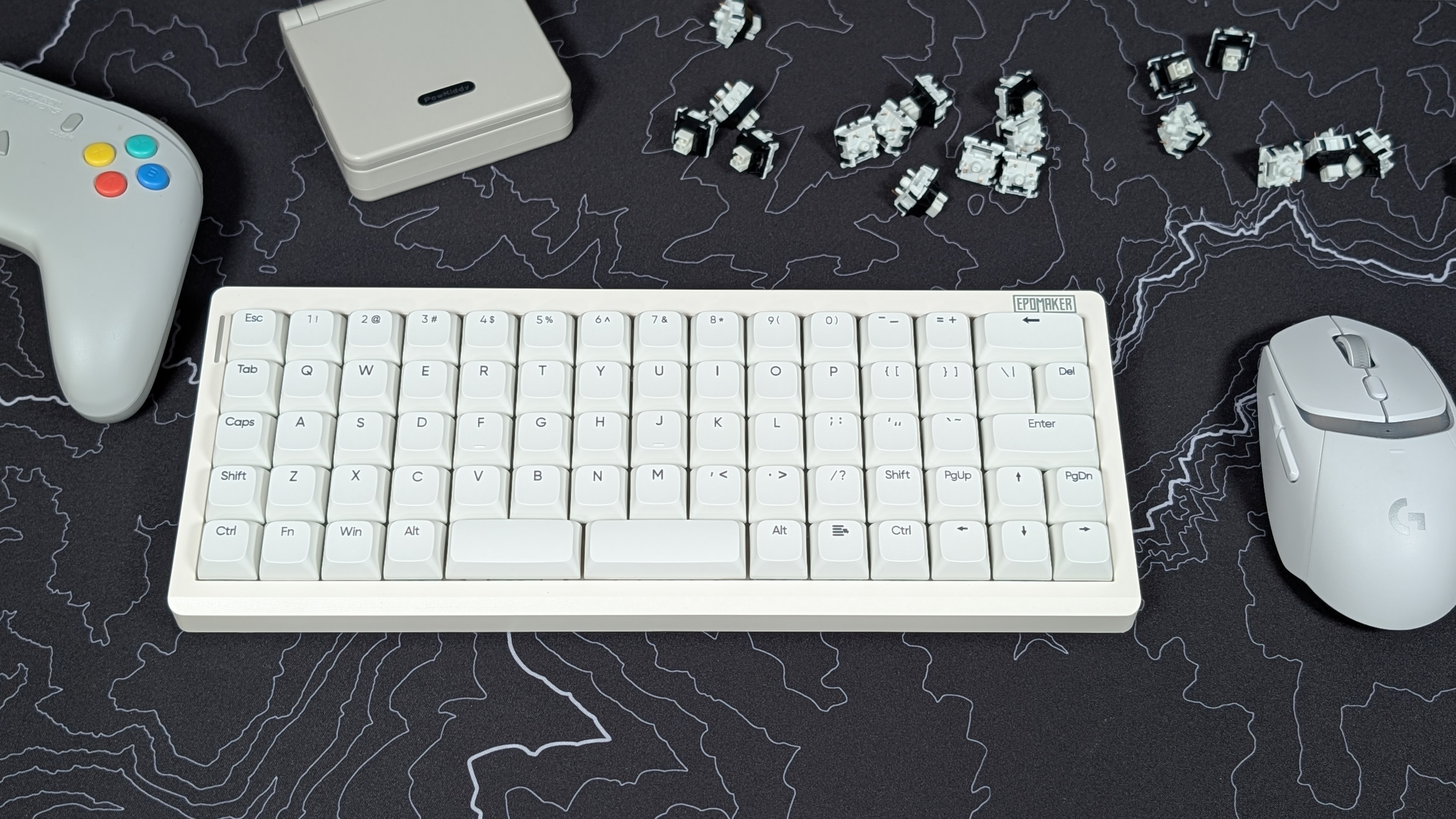
Getting it out of the way, right away, the Eomaker Hack70 is an Ortholinear keyboard that lands around the $90 price point on their own Epomaker website. For a lot of people, $90 is more than they’d want to spend on a keyboard, but for others this may be a deal for a solid, wireless board like this. As for you? Seeing the specs may help.
| Hardware | |
| Switches | Epomaker Creamy Jade Linear |
|---|---|
| 50gf Bottom Out, 3.6mm Total Travel, Pre-Lubricated, 5-pin switches | |
| Keycaps | PBT Keycaps in the XDA Profile |
| Case Material | ABS Plastic |
| Battery | |
| Capacity | 3000mAh |
| Connectivity | |
| Options | USB-C, Bluetooth 5.2, 2.4GHz |
| Polling Rate | Up to 1,000Hz (125Hz on Bluetooth) |
| Compatibility | macOS, x86, Android, PS4/PS5, XBOX, Nintendo Switch |
| Physical | |
| Layout | 65% Ortholinear |
| Weight | 667g |
| Dimensions | 302.4 x 118.5 x 39.5mm |
| Extra Features | |
| Extras | Hot Swappable PCB, Epomaker Hub Software, 5-Layer Sound dampening |
Epomaker Hack70
EpomakerSwitches and Keycaps
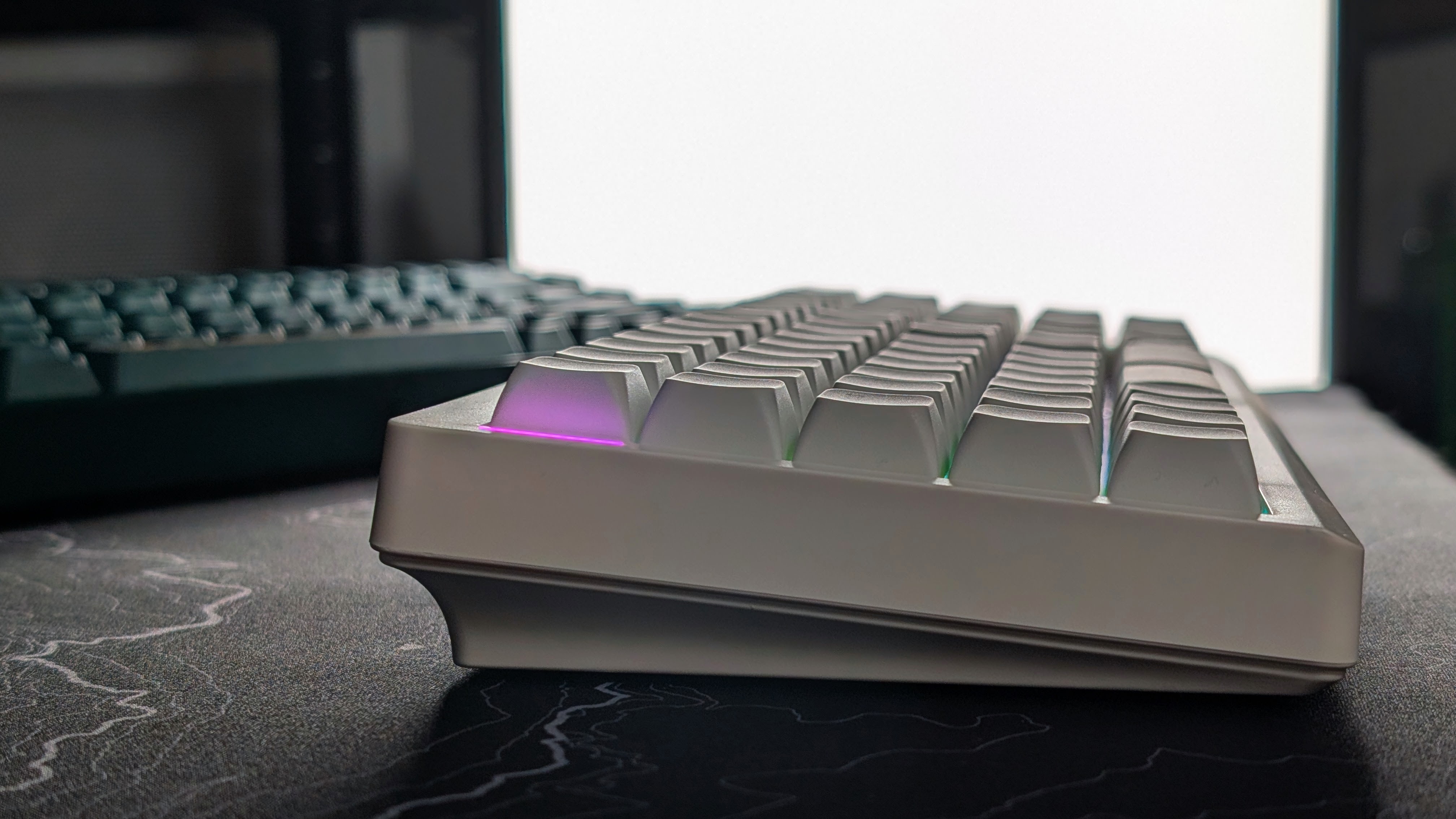
First up are the keycaps. They’re nicely made XDA Profile PBT keycaps. What does that mean for you? Well, unlike a normal gaming keyboard, all of the rows are going to be flat, which is fine on a keyboard where you may swap keys between rows as you adjust your layout to be the best for you. If you’re going to angle this keyboard high, you may find it to get a bit awkward, but at its lowest height profile it’s fine.
As for the switches, Epomaker is once again using one of my favorite linears that they’ve made; the Creamy Jade switches. When you’re typing on these, you get that nice thock as the pre-lubricated switches glide smoothly. I find they’re not too light for my caveman style of typing, but they’re also not so heavy one could call them fatiguing. Epomaker nailed the feel of these and I’m sure they’re going to use them more.
Software & RGB
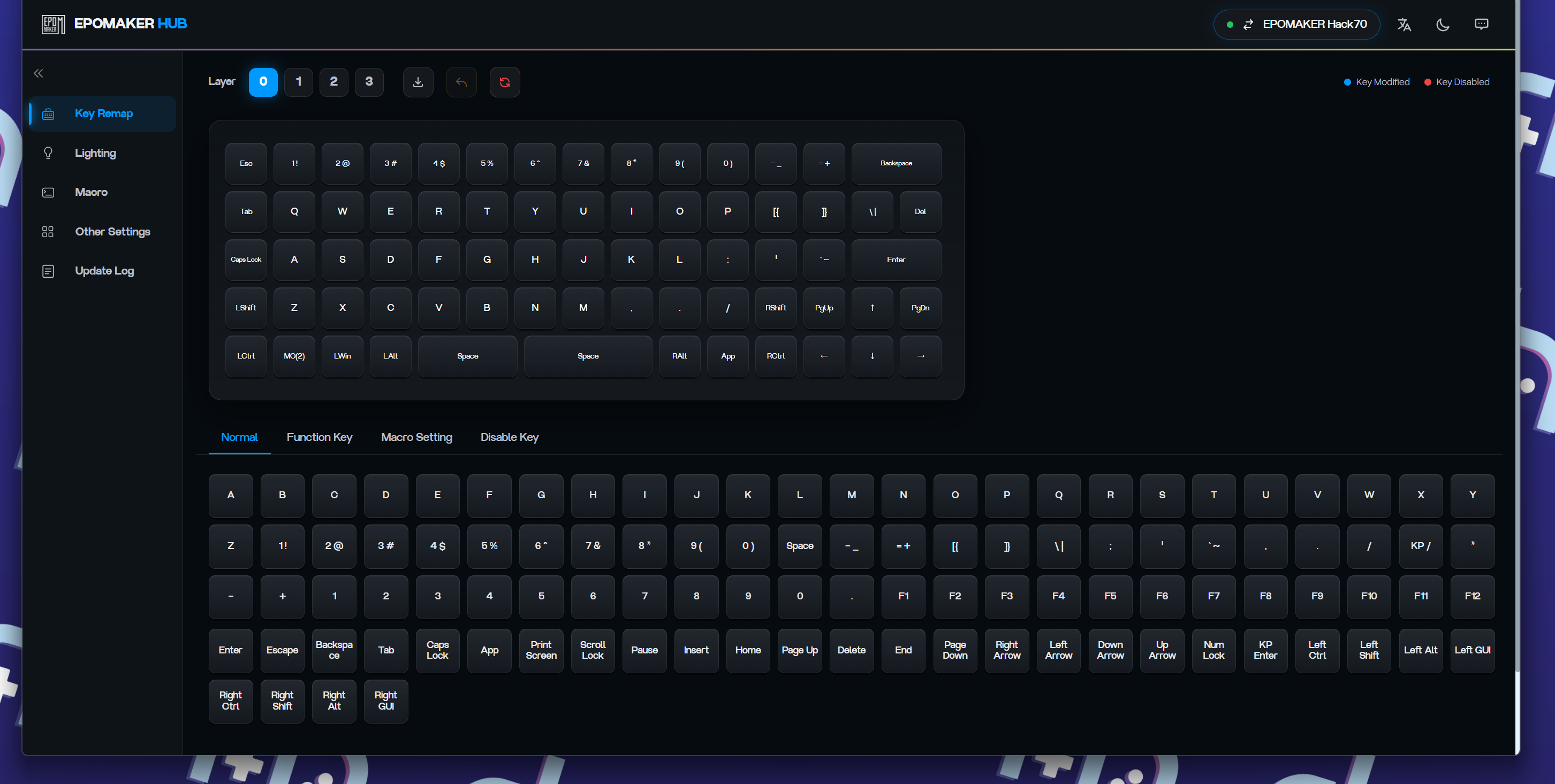
When it comes to software and RGB I’m fairly satisfied with what Epomaker has done here. Software wise they’re continuing their trend of absolutely scattershotting what they make, and the Hack70 ends up on their HUB software. I appreciate the fact that it’s all web-based, so I don’t have to use it, but it’s simple and easy to get into.
You can rebind any of your keys, set macros, adjust RGB and update whatever you need to in their software. Their updates also show that they’ve been adding a bunch of devices into the software as well, which should help in the future. I just wish they kept more devices in one piece of software.
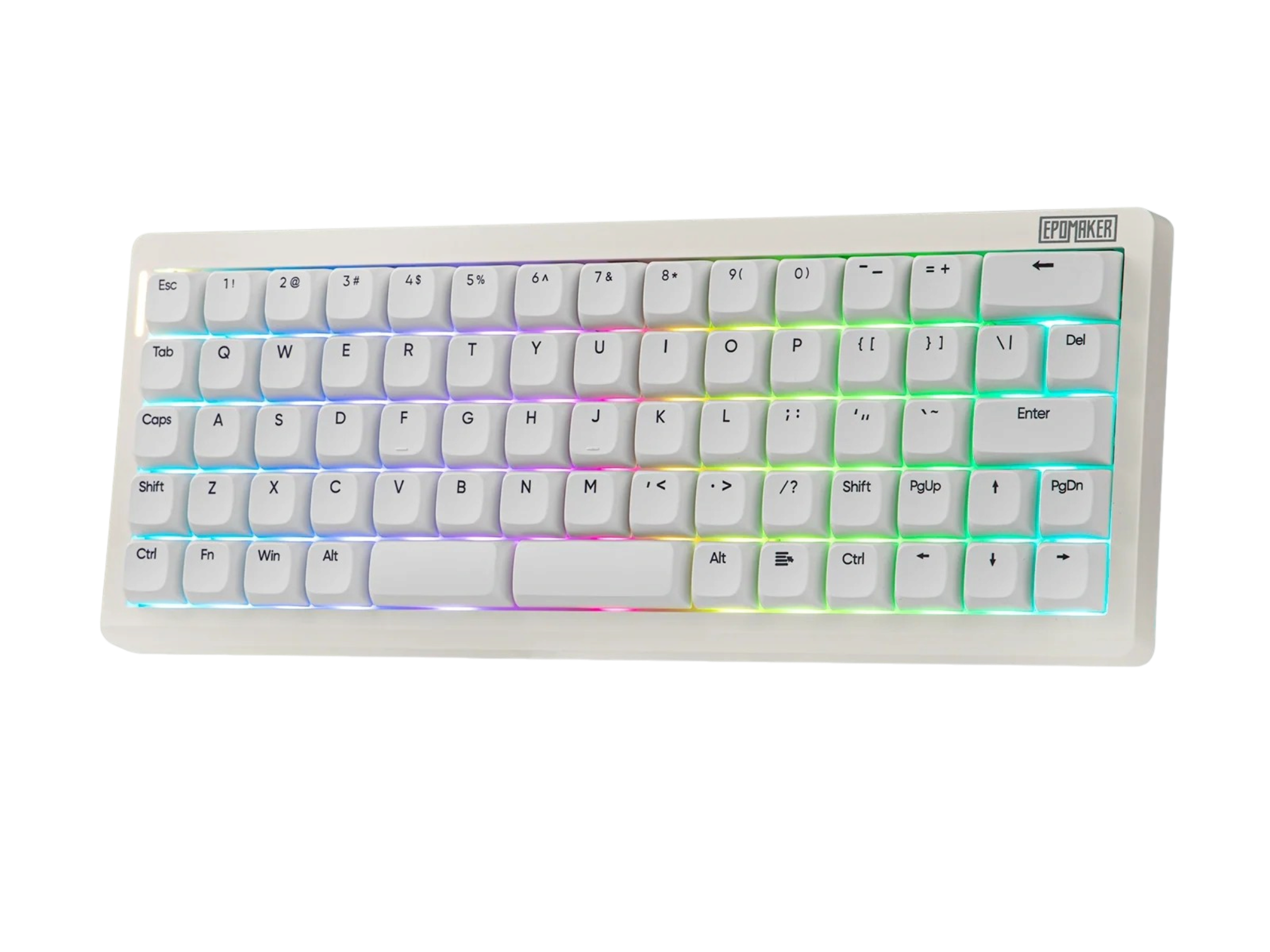
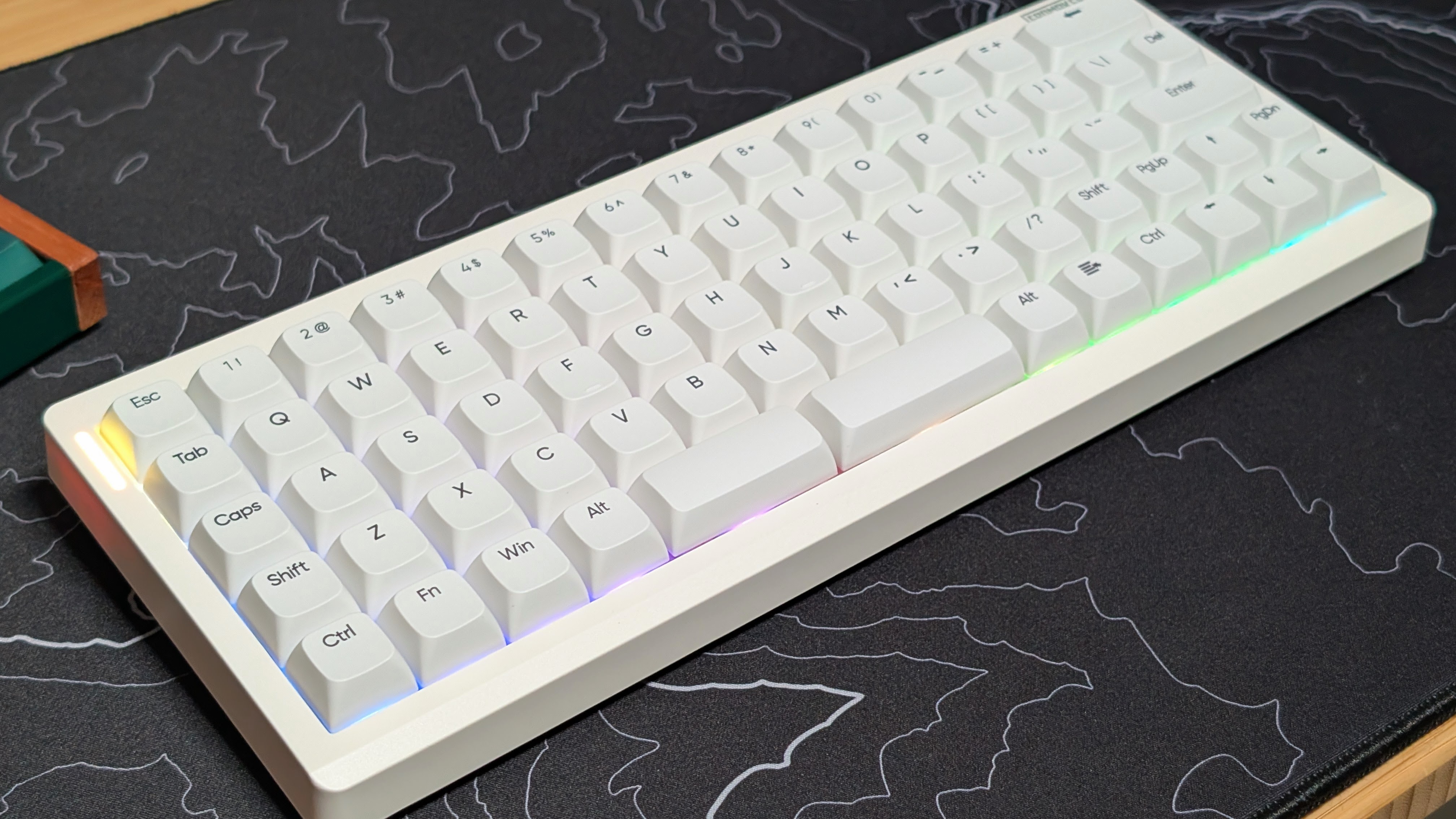
As for the RGB? It looks nice, it’s vibrant, but it doesn’t shine through the keycaps. That means you’re really just getting the surround feel of RGB. In the end, I turned it off to preserve battery life. At 3,000mAh it hasn’t been too impressive. Getting me about a week at a time with the RGB off. But with it on, you’re getting pretty poor battery life. If it were me, I’d leave the little sidebar on longterm, but turn the rest of it off to increase longevity.
Build Quality & Layout
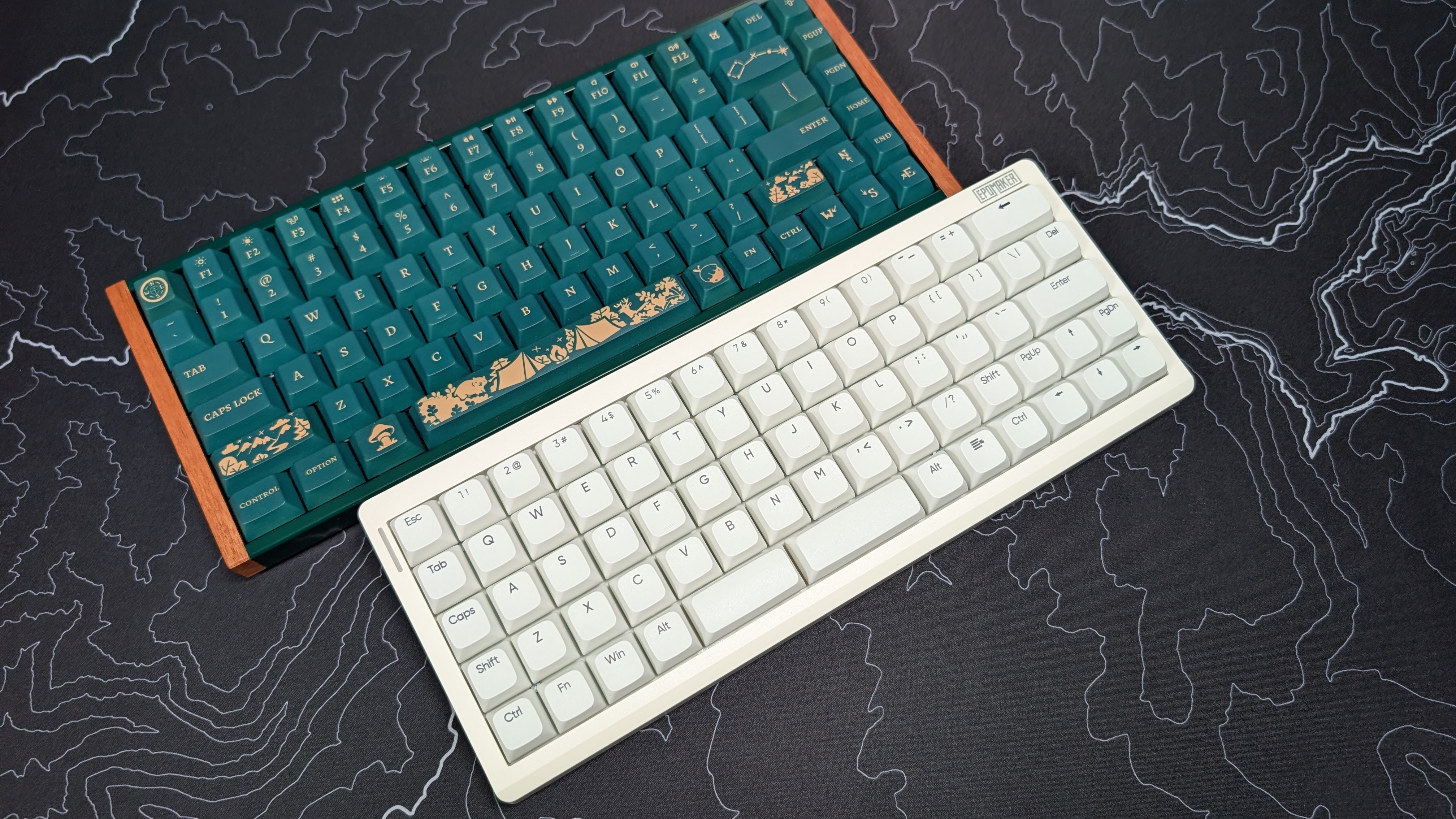
Usually I’d put this part towards the beginning of the review, but because I really want the entire typing experience in one place, I’ve added it moreso to the end. But the build quality is pretty standard for a plastic board.
Epomaker uses a nice thick plastic, and they chamfer the front edge of the board to make it less pointy for those that type on the board. Thanks to the multiple layers of dampening foam in the board, it doesn’t feel hollow and holds up pretty well. They’ve gotten good at building their boards and it shows.
As for the layout, it’s that dreaded 65% Ortholinear design I’ve been alluding to. That means it’s all the grids all the time, straight lines baby and don’t you forget it. Really though, outside of spacebar, enter, and backspace, everything is only 1 Unit keys. AKA the width of one key.
So both your shifts have been shortened, and your spacebars (yes plural) are 2.25 and 2.75U respectively. While that may seem awkward, that means your key layout can be whatever you choose to place it at. And that’s nice.
Typing Experience
So how’s typing on an ortholinear keyboard? Stock? I can’t quite do it. When it comes to keyboard reviews, I type them out entirely on the board I’m reviewing to help with any final comments I have on it. In the case of the Hack70 I had to slightly adjust the layout of my shift row.
And by that? I mean I shifted all of the letters to the right by one key, placed PgUp on the left, and turned it into a second shift key. Otherwise, I found myself mistyping N and M respectively way too much for comfort. All of that is due to just having the monkey memory of an offset bottom row of letters.
Once I got through that, I found myself typing a bit better, but never reaching the speeds I get on my normal keyboards; the Rainy75 and the Keychron K2 HE. Personally, the thing I miss the most on this board is the F row.
As a filthy casual on PC, using the F row in specialized launchers or games like Minecraft has always been important to me, and because of that I ended up having to rebind a lot of keys just to have them easily and quickly accessible. But for typing only? Yeah it’s good.
Final Thoughts
The Hack70 is a solidly built, well designed piece of kit that does what it says on the tin, manages its connection well and looks good too. Personally speaking, I’d wish for something like a Hack80 that features the F-row, but as it stands, those 65% users who need the arrow keys will be made happy by this board.
Ortholinear is an awkward standard, and one that won’t catch on for everyone. Personally; despite being labeled as an ergonomic design thanks to its key setup, I found zero improvement between this and my normal staggered boards, so because of that I’d prefer to stick with what I know.
The Hack70 is a great keyboard in terms of build, design, and components. It’s just in such a niche that only some people will even want it. But the good news? If you know you want it, you can know it’ll be good.
