

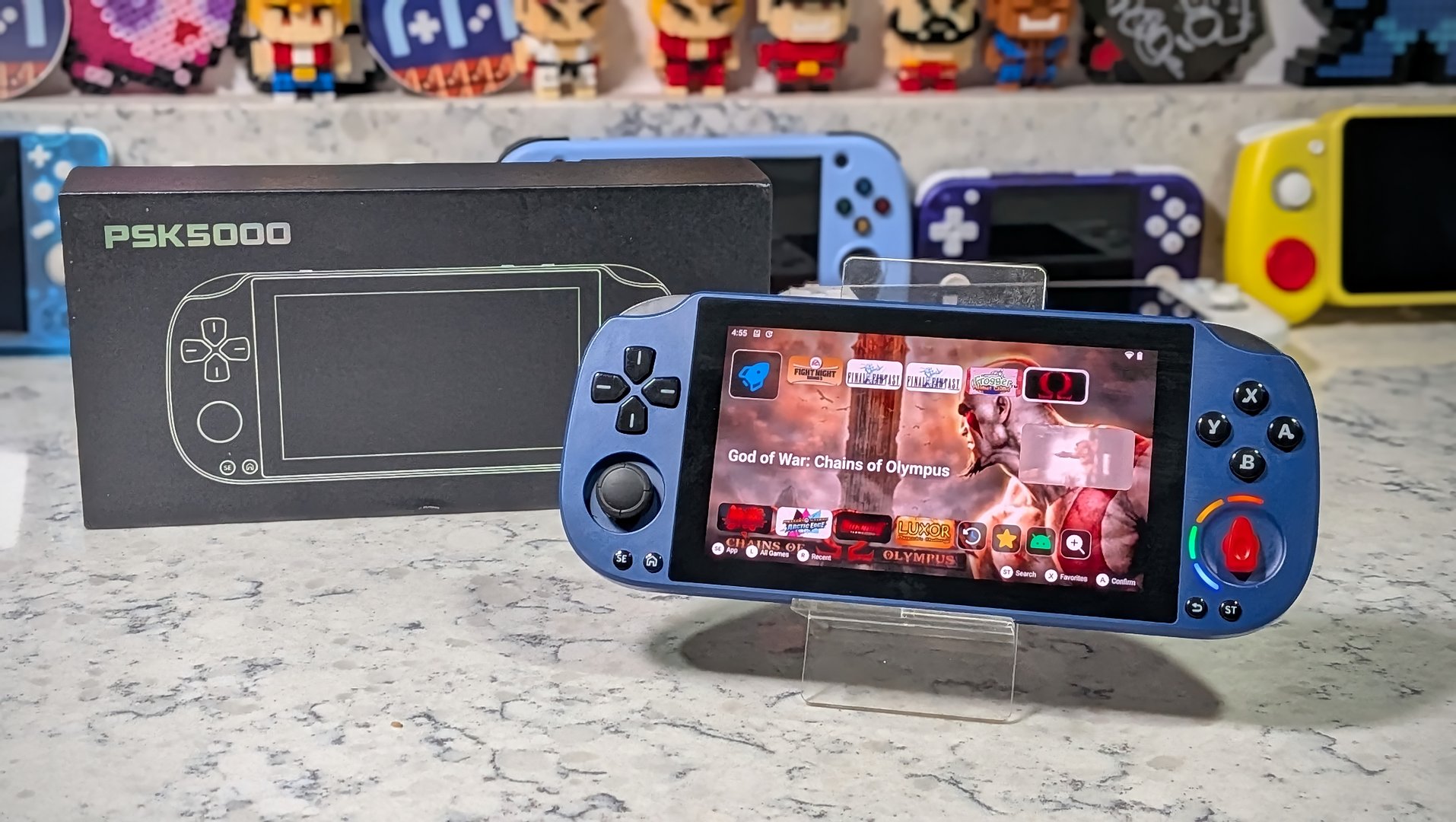
Author’s note: At the time of writing, I was not aware that GameMT were in the process of rebranding this handheld as the EX5 to better align with other offerings in their current device lineup. As the unit I received was boxed and marked as the PSK5000, that’s how you’ll see me refer to it in the review.
Browsing through the sales listings on AliExpress, I’m always on the lookout for the latest handheld to come down the pike. I’m not talking about the latest big release from Anbernic or AYN, though. Those we usually know about ahead of time.
I’m generally looking around for the latest clone design that repackages an already familiar hardware setup. It’s how you find kitsch, and I love me some kitsch. As soon as someone showed me the listing for the PSK5000 (Pocket Super Knob — yes, seriously), I knew it was the sort of thing I had to try if I was to retain my title of “e-waste guy”.
Imagine my shock when the PSK5000 arrived, and it turned out to be more than just a cheap clone and another gimmick. Much to my surprise, this might just be the budget PSP solution that the community has been asking for.
The device reviewed was provided as a review sample by AISLPC. This had no bearing on the conclusion of the review, nor did AISLPC have the opportunity to make edits or changes to the review before publishing.
Affiliate links might be present where applicable, and we may earn a commission on product purchases using those links at no extra cost to you.
GameMT EX5 (PSK5000) Specs
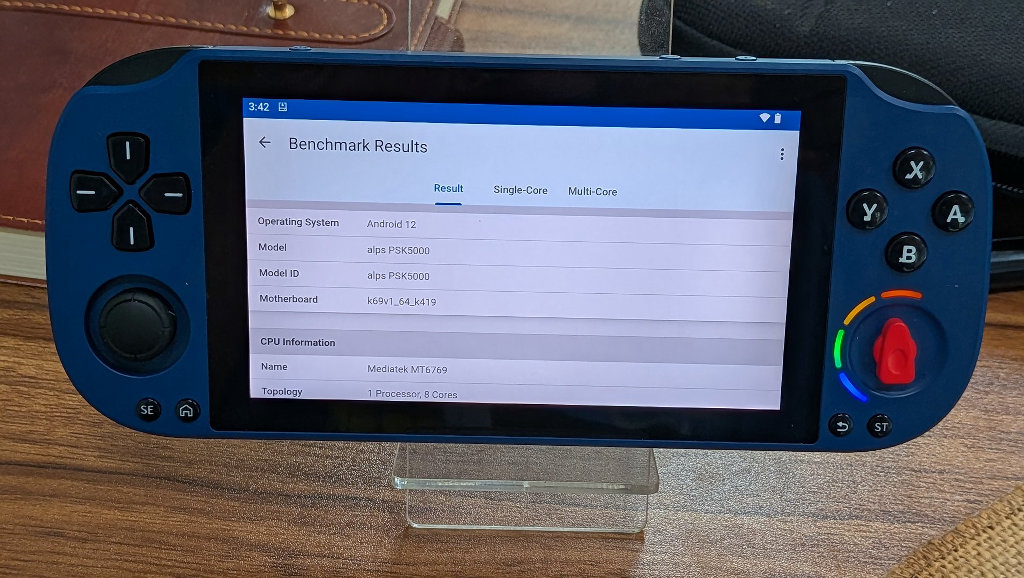
The PSK5000 is the first handheld that I’ve used sporting the Helio G85 chipset. The G85 was a heavy-duty mobile chip back in 2020, and is especially well-suited for gaming applications, as shown by its use in the famously powerful Redmi phones. The octa-core chip is slightly more capable than the Rockchip RK3562 that we’re now seeing on more clone systems, but that added horsepower is also responsible for running Android.
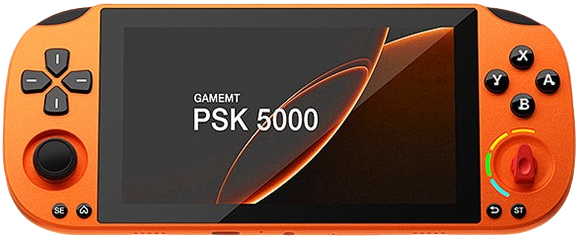
What GameMT has done here is repurposed an older tablet/phone chip that was intended for gaming anyway, and slapped the whole package into a tribute to Sony’s PSP, albeit with a giant red knob on the front so they don’t get sued.
| Hardware | |
| CPU | MediaTek Helio G85 |
|---|---|
| GPU | Mali-G52 MC2 |
| RAM | 3GB LPDDR4X |
| Display | |
| Screen Size | 5-inch |
| Resolution | 1920 x 1080 |
| Aspect Ratio | 16:9 |
| Refresh Rate | 60Hz |
| PPI | 440.58 |
| Storage | |
| Internal Storage | 32GB eMCP |
| External Storage | microSD |
| Additional Details | Supports up to 512GB |
| Battery | |
| Battery Capacity | 4000mAh |
| Est. Battery Life | 5 Hours |
| Charging Speed | 5V/3A |
| Connectivity | |
| Wi-Fi | Wi-Fi 5 |
| Bluetooth | Bluetooth 5.0 |
| Ports | 3.5mm Audio Jack, microSD, USB-C |
| Controls | |
| Sticks | Hall Effect |
| Triggers | Digital |
| Shoulder Layout | In-line |
| D-Pad | Top Left |
| Audio | |
| Speakers | Stereo |
| Speaker Location | Bottom-firing |
| Headphone Jack | Yes |
| Physical | |
| Dimensions | 190 x 81 x 13mm |
| Weight | 195g |
| Form Factor | Horizontal |
| Software | |
| Operating System | Android 12 |
That Knob
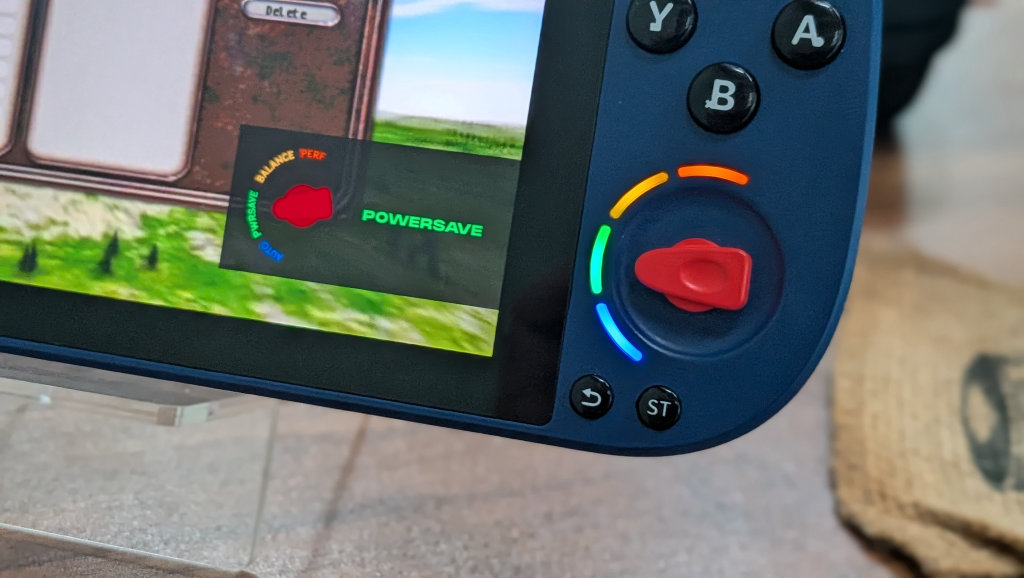
So, despite its outward toy-like appearance, the added dial on the Superknob is actually kind of genius. The knob serves as a performance throttle. You can set the knob to Auto, Power Save, Balanced, or Performance modes. It actually works, too.
Let’s say you’re playing an NES game and want to stretch the battery as far as you can. Just keep the handheld in Power Save mode. Moved over to playing some GTA: Vice City Stories on PSP, and things are getting a little choppy. No problem, just crank that knob, and you’ve got extra power at your fingertips. It’s certainly a novelty, but a more functional one than I might have expected when I first laid eyes on the PSK5000.
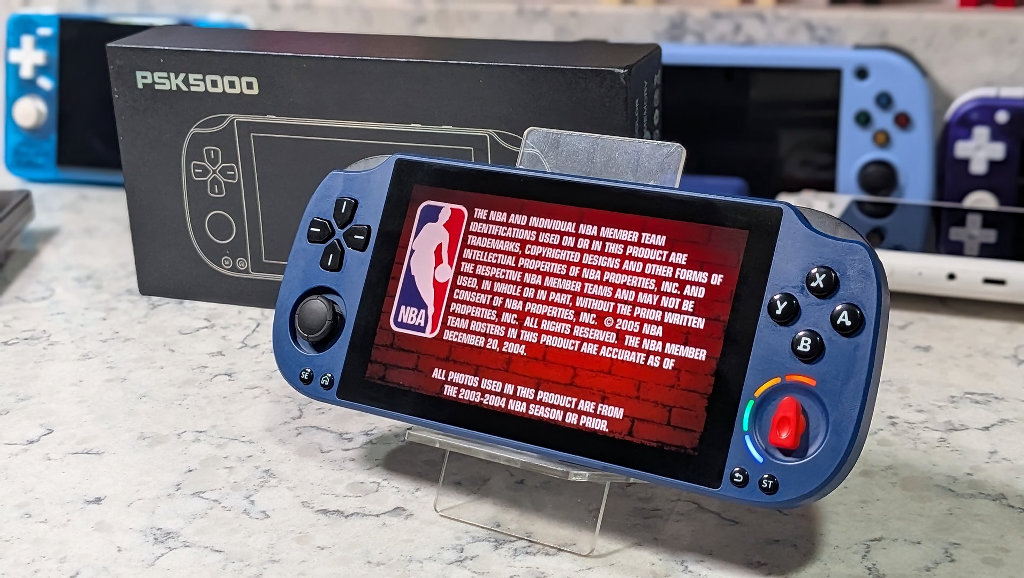
I’m not going to pretend that this is the greatest thing since sliced bread or anything, but it is more interesting than I would have initially assumed. If the PSK5000 is first and foremost a PSP clone (and it is), then it should only have one analog stick. Well, circle pad on the actual PSP, but I hated that thing in 2005 as much as I do now.
If GameMT had included a second stick, it would look pretty similar to countless other devices on the market. By adding the knob, they add on the fly function, differentiate themselves enough to grab your attention, and perhaps crucially for GameMT, offer themselves an out when Sony comes knocking about patents.
Controls
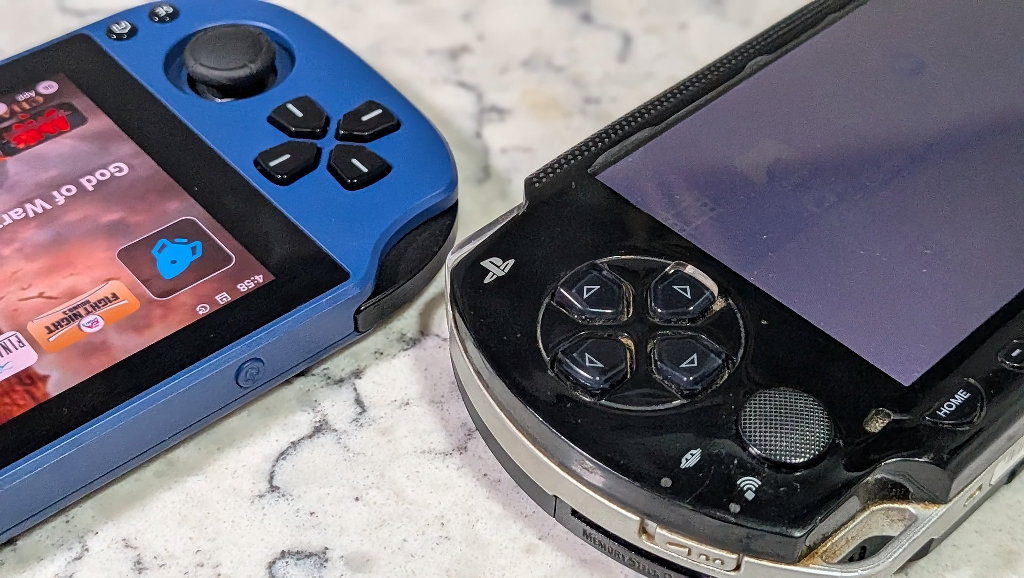
The D-pad on the PSK5000 is likely to be a point of contention. It’s a micro-switch design, with each input direction producing a distinct clicking sensation when pressed. It’s certainly very similar in appearance to the original PSP, but the feel is not the same. The PSP D-pad used rubber membranes for a more traditional NES controller-type feel.
Whether this is a deal-breaker will have to be up to you and your personal preferences, but I never found the design to be a hindrance at all. When pressing down on the D-pad, I can force my thumb over in either direction to trigger additional directional inputs, but it takes effort. I haven’t had any trouble with accidental directional inputs yet.
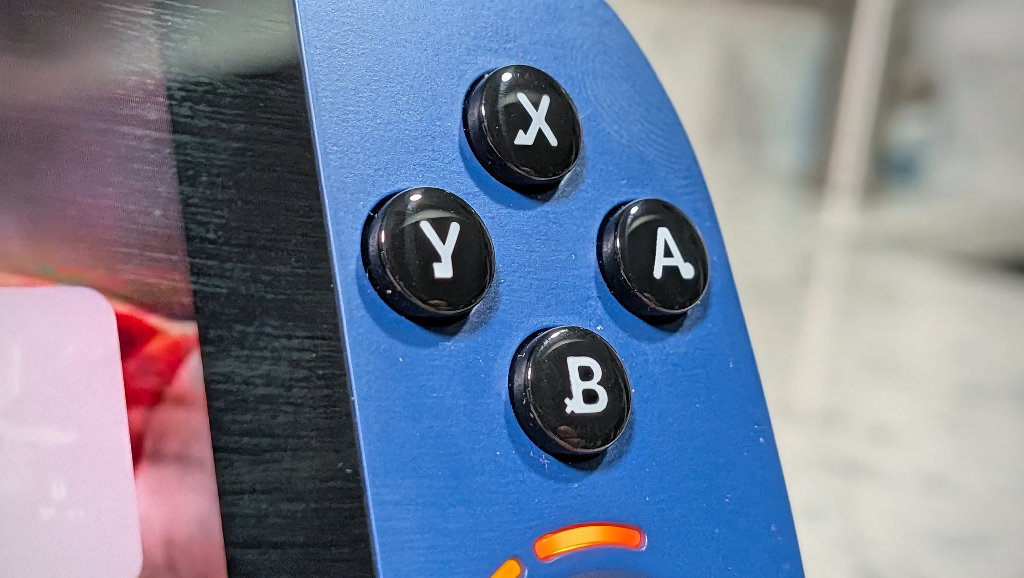
Face buttons on the PSK5000 are on point. They have ever so slightly less travel than their PSP counterpart, and are a hair smaller, but fit the overall unit very well. There are even tiny symbols etched into the buttons to show which buttons correlate to cross, square, triangle, and circle from A, B, X, and Y. Tiny details that offer something of a wink to the user. We all know why we’re here.
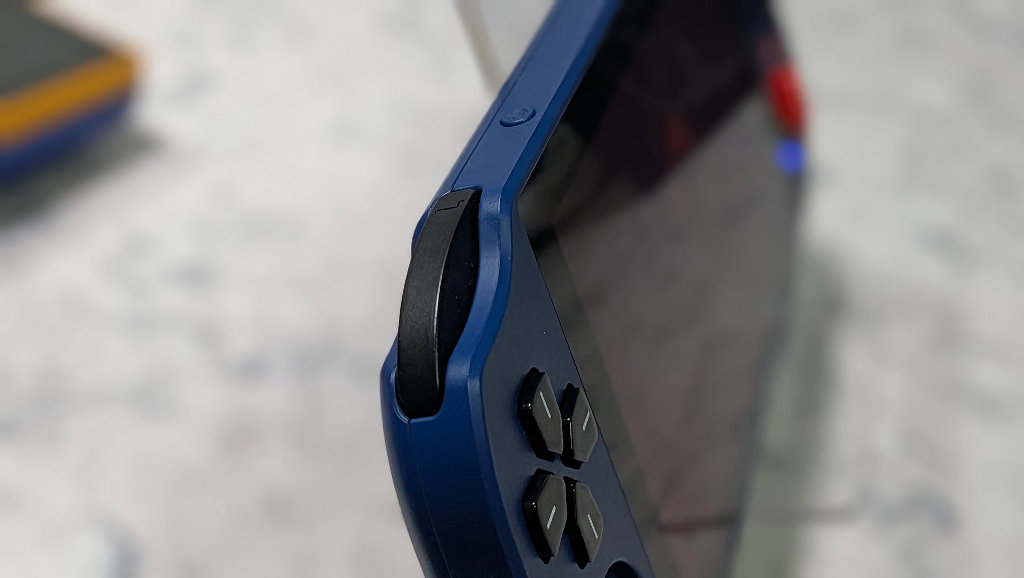
The PSK5000 only has single L/R triggers on the top, just like the PSP. So if you were hoping to use the handheld for games that require an L2/R2, you may want to reconsider. This is a handheld that is here for a purpose, and that is to be as close to the original PSP as they could without just blatantly ripping off the design and throwing themselves into a whole heap of legal liability.
OS Experience
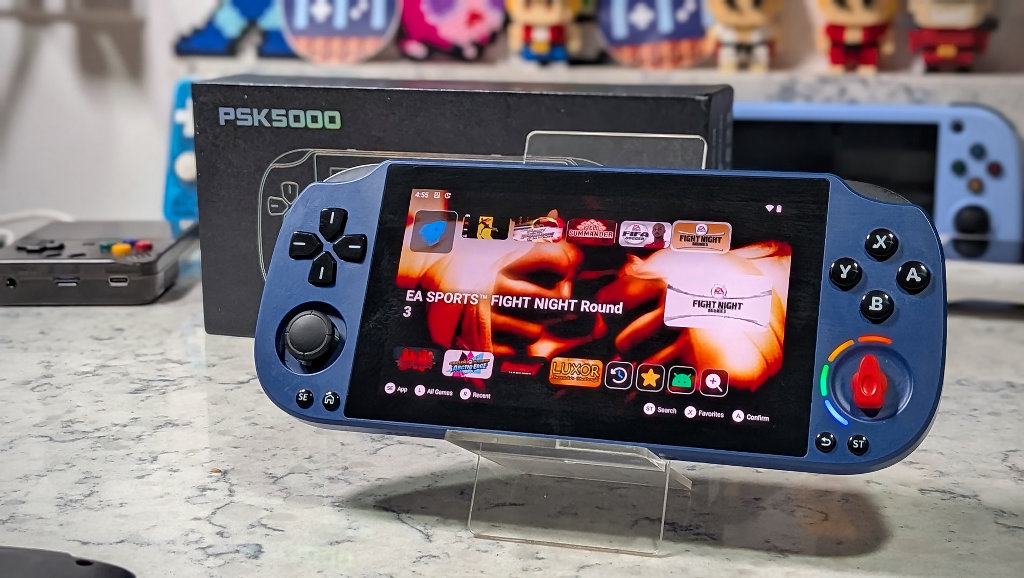
The PSK5000 arrives running a skinned version of Android 12, and whoever put this package together, kudos to you. This is probably the most thoughtful collection of included games and presentation that I’ve seen in a while. You know how you start seeing the exact same collections of games across different devices and manufacturers? Not here. Someone actually put together a tailored package of things that are best suited to the handheld rather than just the same card on another device (hear that, Anbernic?).
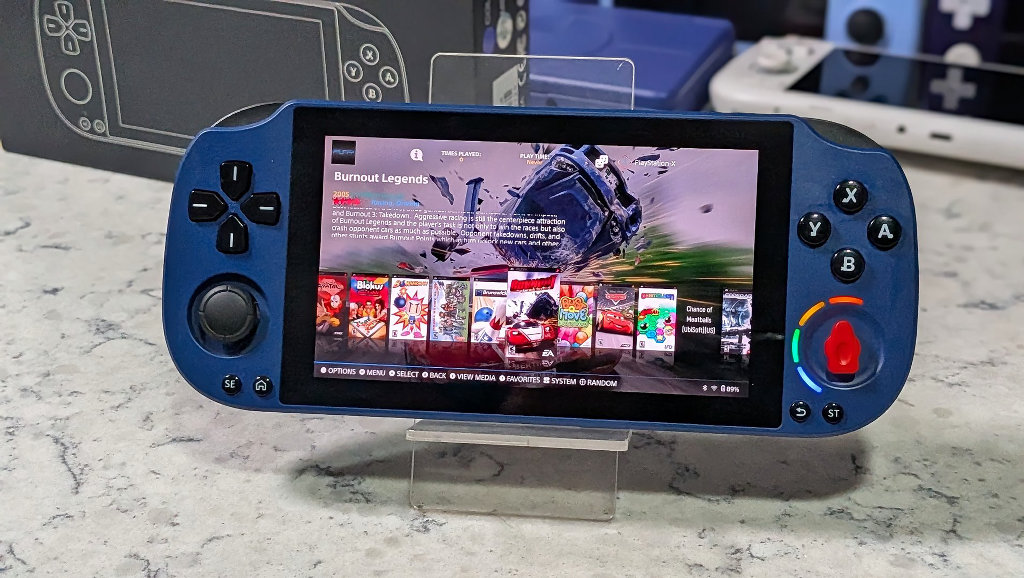
Users have the option to nose around the included apps and use something like the thoughtfully included ES-DE as a front end, but GameMT has given the stock OS a nice PSP-themed launcher right out of the gate. Imagine something like Daijisho if it were meant to revolve around the aesthetics of Sony’s original foray into handheld gaming.
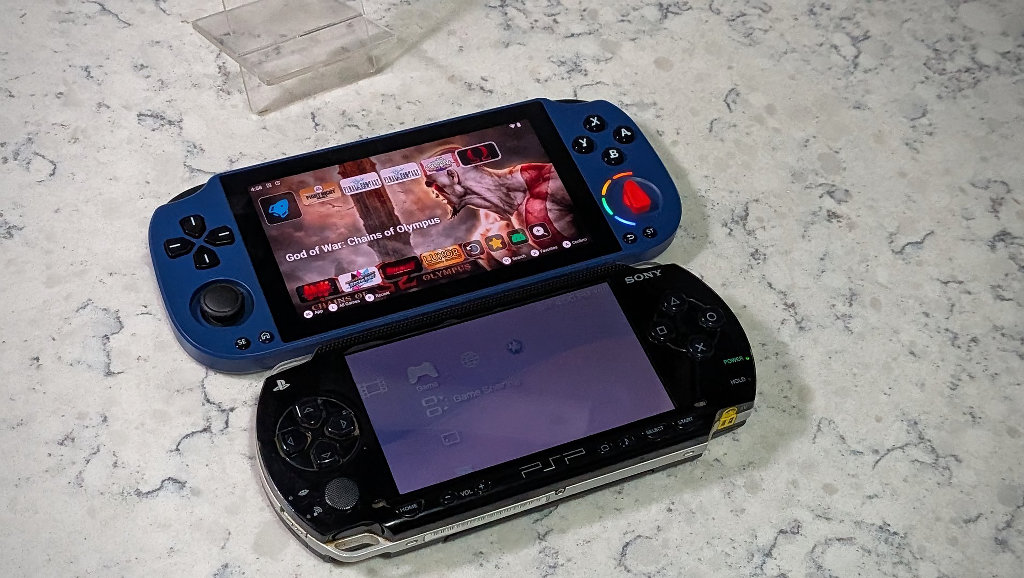
Other manufacturers should take note. Presentation can endear a user to a device right out of the box. I’d like to see a little more effort across the board, akin to what GameMT has done with the PSK5000.
Performance
It’s actually quite nice to be reviewing a device that’s not a RockChip variation for a change. The only other dedicated handheld that I can recall using the Helio G85 is the MagicX One 35.
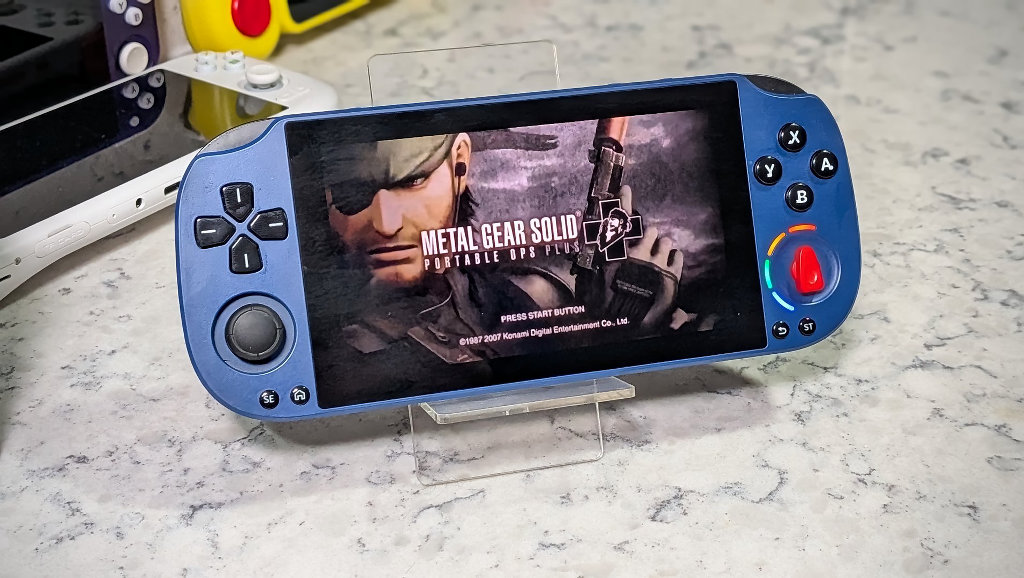
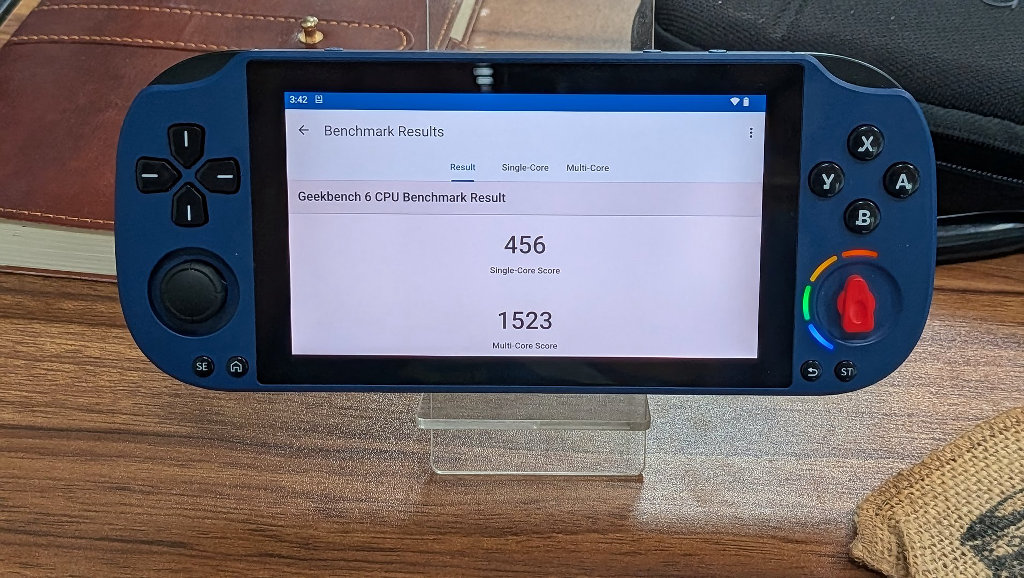
I ran GeekBench on the PSK5000’s stock Android 12 launcher. The handheld produced a single-core score of 456 and a multi-core score of 1523. Now, for reference, when Ban tested the MagicX One 35, he got scores of 415/1475. That means that GameMT has successfully squeezed a smidge more performance out of the PSK5000 on the same chipset as the One 35, with both handhelds sporting 3GB of RAM.
The PSK5000 should be considered a PSP machine first and foremost. Thankfully, it handles its purpose well. I was able to run the vast majority of games that I tested at a solid 2x resolution without dips, but some heavy-hitter titles like Midnight Club 3 did require me to dial it back to 1x to keep everything running at full speed, knob or no knob.
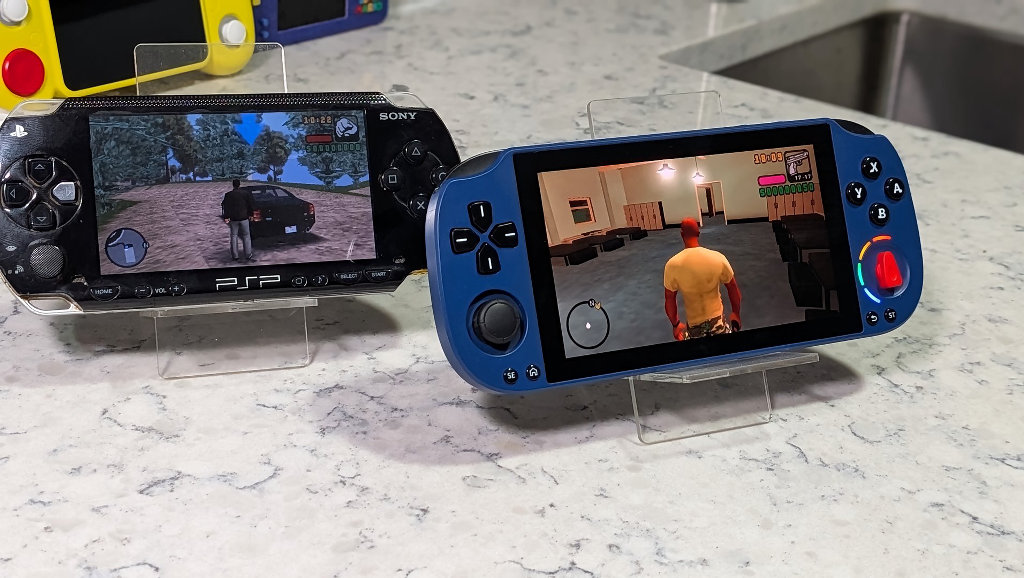
The best way to think of the power of the Helio G85 (in handheld terms) is a slightly souped-up RK3562. You’re going to be able to upscale the majority of the PSP and Dreamcast libraries, and if you really push it, some lighter GameCube and PS2 titles, but the former pair are a realistic ceiling for general gaming. Anything from further back should run just fine, with the exception of the Sega Saturn, which can be hit or miss due to a lack of driver support.
Ergonomics
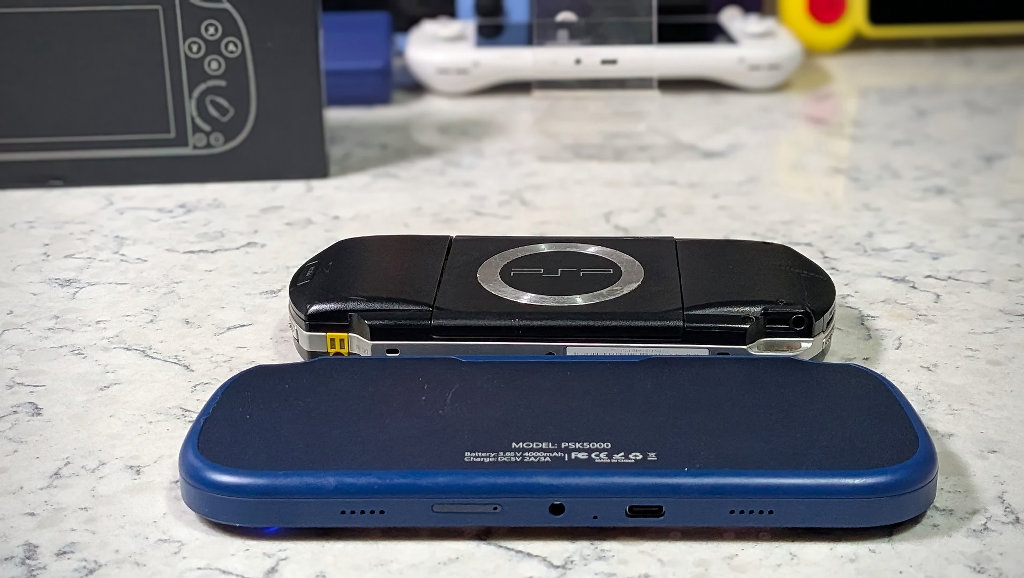
GameMT has done a good job bringing the classic PSP design into 2026. The PSK5000 has a much thinner and sleeker overall style when placed side-by-side with my noticeably dated PSP-1001.
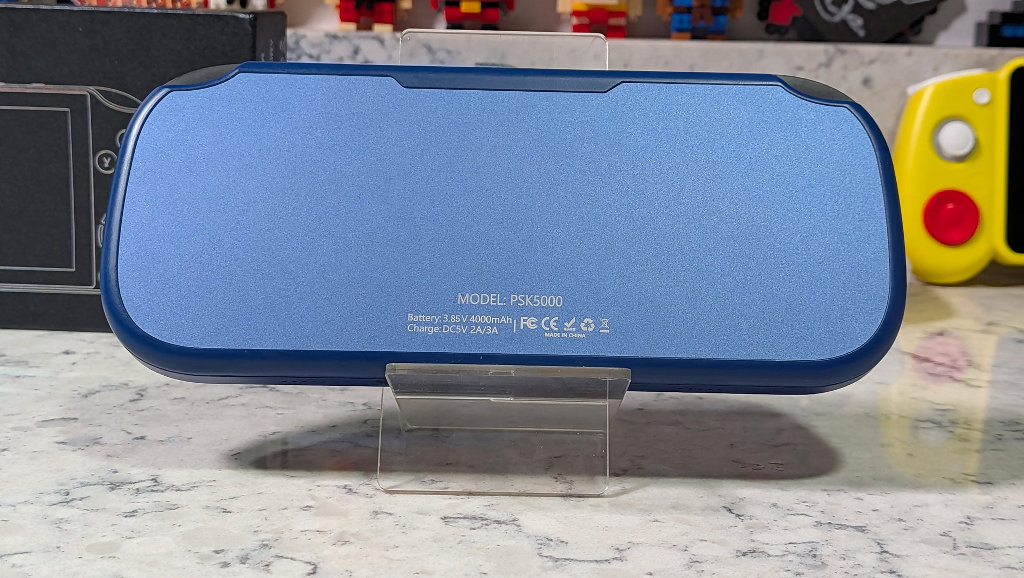
The handheld sports an all-flat metal back-plate to presumably aid with heat dissipation more efficiently than the rest of the plastic-shelled device. A smart design move, given that there is no onboard cooling incorporated into the handheld.
TL/DR
As a PSP dedicated machine with a price point under $100, the PSK5000 makes a solid argument for itself in the growing sea of new budget PSP performers like the AISLPC RG52 Mini, RG Vita, or the Mangmi Air X.
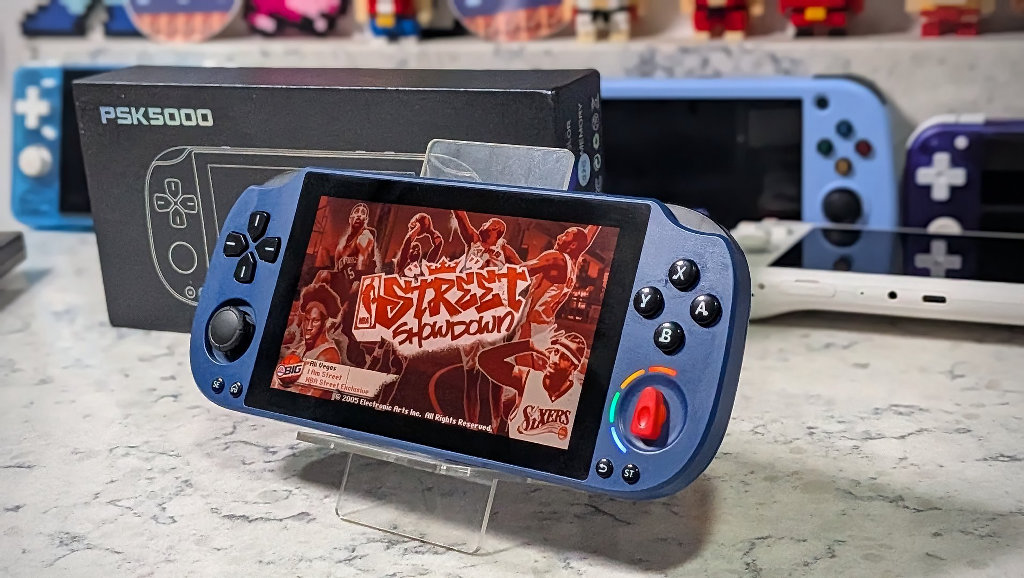
While I can’t say emphatically that this is the best budget PSP clone on the market (I still think the Mangmi Air X is a little more versatile), I’d have a hard time telling you it isn’t worth your money. One of the biggest questions for years in the handheld scene has been “Can it play PSP games?” Well, thankfully, we’re out of the generation where PSP is a “some library support” bonus, and instead has become the meat of the feast.
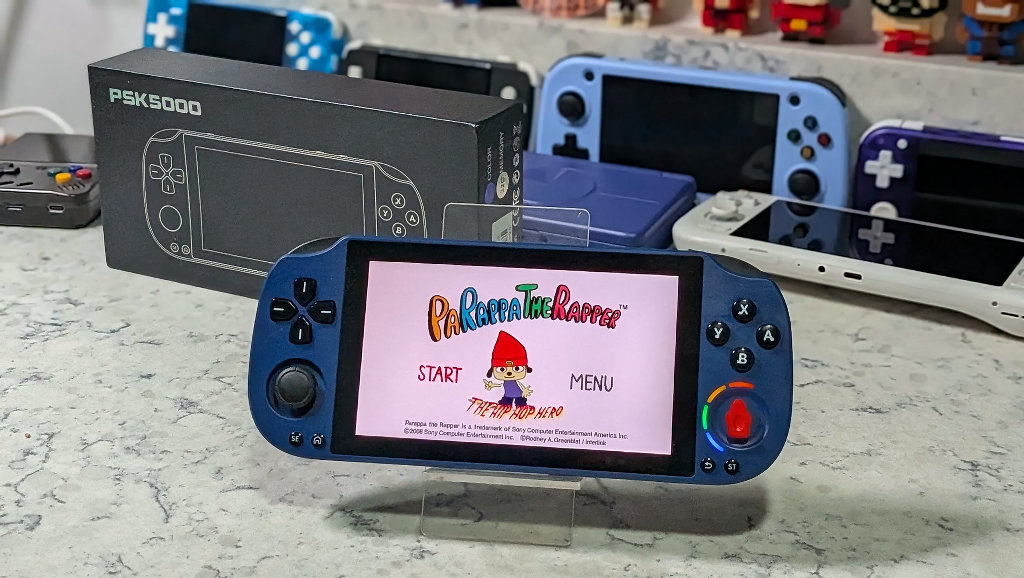
The PSK5000 feels right when being used as a PSP. Others have felt close, but I think this is the first to make clear exactly what they were going for. So much so that they added a giant red knob to protect themselves. The gimmick is fine, but the handheld itself is much more.
So next time you’re browsing around the latest handheld listings on AliExpress, save your judgment before scoffing at the latest out-there design feature; it may just be hiding a hidden handheld gem.

2 Comments
That title in British slang is hilarious.
😉