

I have a recurring problem every year at CES in Las Vegas. It’s not the slots or the booze or even the girls, nope, it’s the weird and off-the-wall tech exhibits. Case in point: every year, I stop at the robot lawnmower section and look at all the yard roombas. “These are completely unrelated to our channel,” I tell myself, and yet… I am drawn to them.
Well, eventually one of those companies from CES got a hold of my email and made me an offer I couldn’t refuse. That’s right, a lawn roomba of my own, which is why today we’re talking about the ANTHBOT M9 robot lawnmower. Kind of a stretch for a website about retro handhelds, but I’ll make it work. I promise.
Disclosure:
The device reviewed was provided as a review sample by Anthbot. This had no bearing on the conclusion of the review, nor did Anthbot have the opportunity to make edits or changes to the review before publishing.
Affiliate links might be present where applicable, and we may earn a commission on product purchases using those links at no extra cost to you.
The Lawn Is Always There

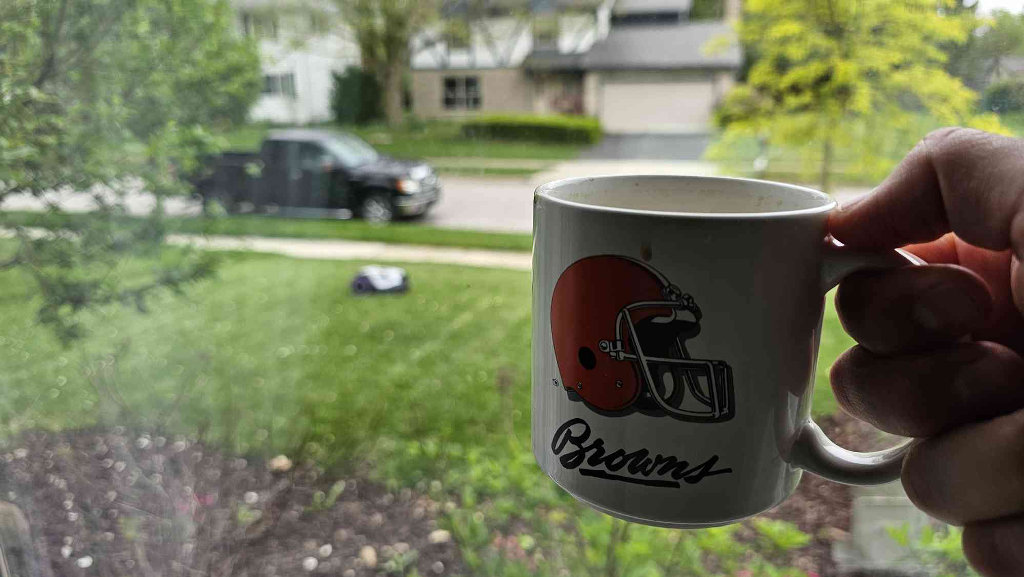
Let me paint you a picture. It’s Saturday morning. The kids are still asleep. It’s quiet. You’ve got your coffee. You’ve got a device in your hand with a game loaded up, and then you look out the window.
The lawn. The lawn is out there. Just… existing. Being tall. Judging you.
Here’s one of the many annoying things that happens when you buy a house: the lawn doesn’t just take time; it takes a slot in your brain. From like… April through October, there is always some low-level background process running in your brain that just says “lawn.” Did I mow recently enough? Is it going to rain on Thursday? Can I get away with waiting until Sunday? Can I? Should I? The lawn lives in your head rent-free for six months of the year.
And I know I’m not alone here because our audience, at least according to the YouTube and site statistics, is mostly guys in their thirties and forties. Guys with houses. Guys with families. Guys who have, at some point, looked at their hobbies and then looked at a lawn that needed mowing, and made a very sad choice.
Your lawn chores are essentially a time tax. They’re the hours you pay whether you want to or not, and this little robot lawnmower could be just the thing to get you a massive rebate.
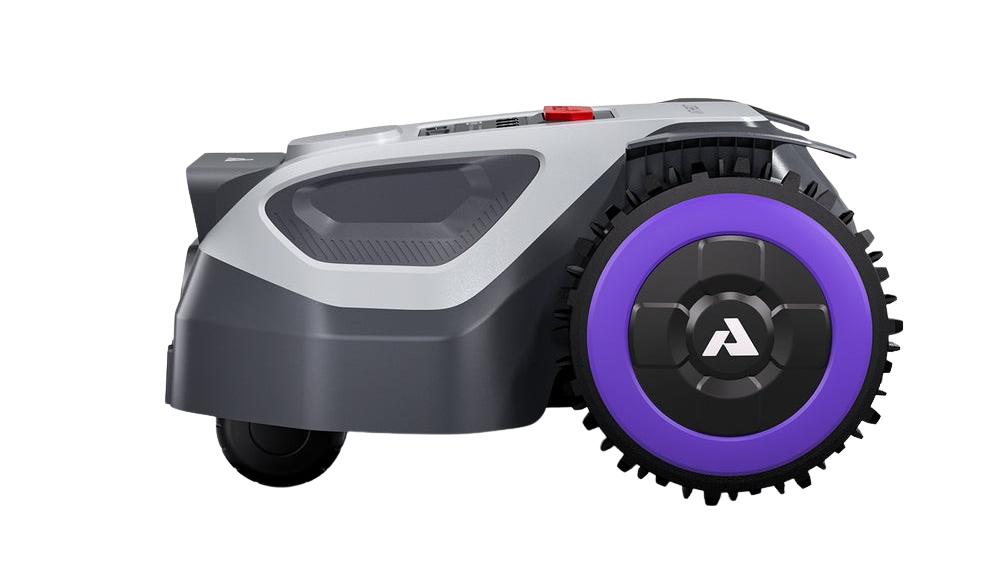
What Comes in the Box
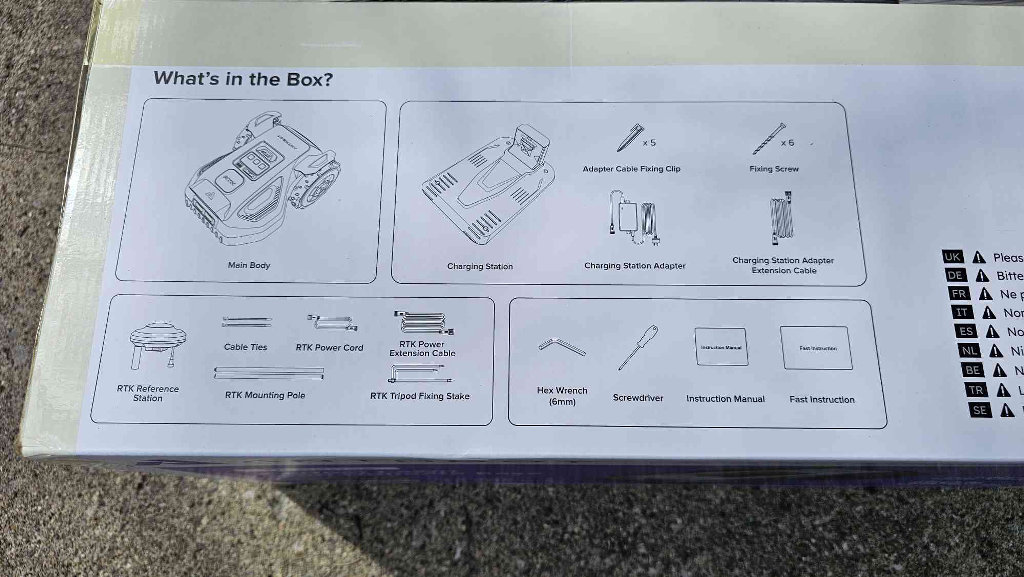
So in the box you’ve got the M9 unit itself, the charging base station, the cutting disc, which comes with five blades, and the RTK reference station, which we’re going to talk about in a second because that’s the magic piece that makes the whole no-wire setup work.
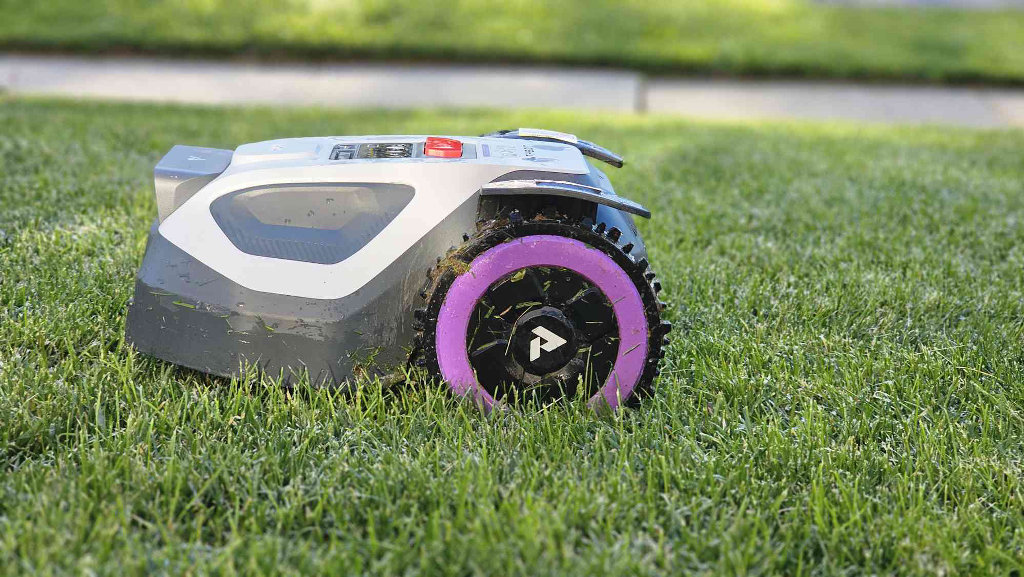
The first thing you’re going to notice is how compact this thing is. It is smaller than you expect. And that’s actually a good thing because suburban lawns have narrow gates, tight corners, and little passages between things that a big mower would just get stuck in. This thing was built for real yards, not a municipal park or a golf course.
No Boundary Wire Required
If you’ve never looked into robot mowers before, older models required you to physically bury or stake a wire all the way around the perimeter of your lawn. Every flower bed, every obstacle, every edge. It was a whole weekend project just to get to the point where the mower could start learning your yard. It was honestly why I never pulled the trigger on one of these things before.
The M9 uses RTK (Real-Time Kinematics), which basically means GPS, but like, really precise GPS. You plant the RTK reference station somewhere in your yard, pair it with the app, and now the mower knows exactly where it is at all times down to the centimeter. The station pings off of dozens of satellites floating above, and it just works.
The RTK Station Needs a Good Spot
There is one thing the marketing doesn’t make super obvious, though, so let me save you the trouble: your RTK station needs a line of sight. You can’t just slap it against the side of your house or park it under a tree. It needs to be out in the open where it can actually see satellites.
Mine’s sitting in a spot that, I’ll be honest, looks a little goofy. It’s further out into the yard than I’d ideally like because the side of my house and a nearby tree block the signal. But it works great, so I’m making peace with the aesthetics. I might reassess after summer hits at full strength.
Once the station is placed, the setup itself takes about twelve minutes for your old buddy Zu. ANTHBOT says ten. I’ll give them ten. I did have to move my RTK station. But either way, twelve minutes from “it’s in the box” to “it is mapping my yard.” That’s wild.
Mapping Your Yard
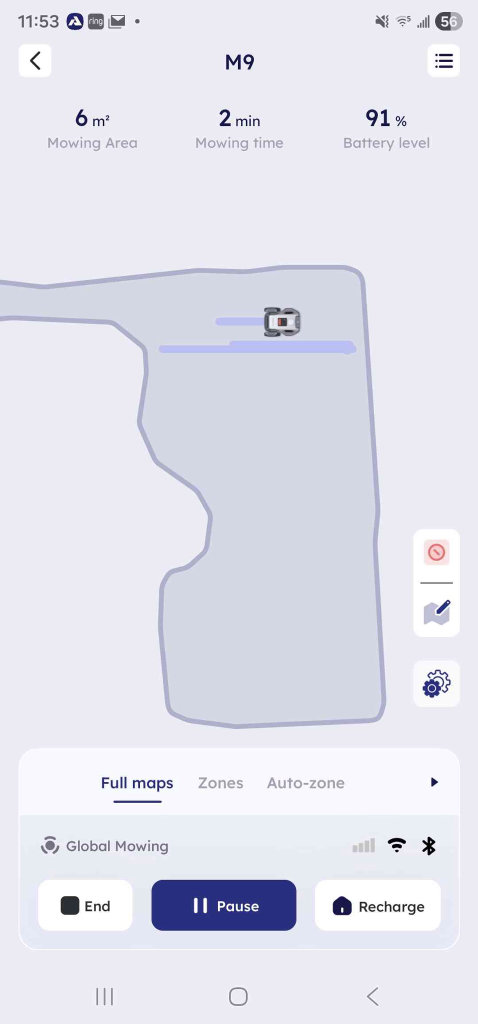
Now the M9 has two modes for learning your yard. Auto-mapping, where you just let it loose, and it figures things out on its own, and manual mapping, where you basically drive it around the boundaries yourself using the app.
For a clean, simple, rectangular lawn with a fence? Auto-mapping is totally fine. But my yard has a lot of stuff going on. I’ve got mulch beds, a weird slope, a patio drop-off, some tight spots, an undefined boundary between me and Mister Mike’s property line, etc…
For that kind of yard, I’d really recommend doing the manual mapping. The manual mapping is cool because it is exactly like driving a remote control Mars rover with razor blades underneath it. You’re literally driving this thing around with your phone, drawing your yard’s map in real time. I honestly want to hook up an expandable controller to my phone and drive it around sometimes.
How the Anthbot M9 Actually Mows
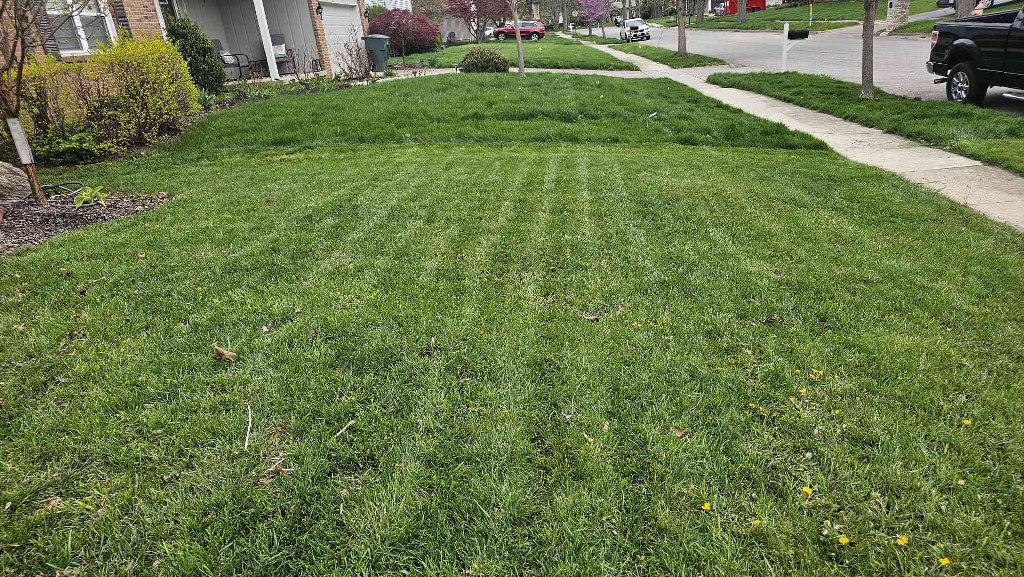
Alright, so once the M9 knows where your yard is on the great big Earth, here’s what happens when it mows. The RTK station and the mower are constantly talking to each other, at a centimeter-level positioning, at all times. It knows exactly where it is. It mows in these clean U-shaped passes, which is how you end up with that nice striped look over time.
Now, what happens when the signal gets weird? Trees, buildings, clouds, the works. We know GPS is not always perfect. The M9 has two wide-angle AI cameras on it, and when satellite positioning gets shaky, it flips to visual navigation. It finds landmarks in your yard and keeps going. You know how your handheld loses Wi-Fi sync mid-session, but your RetroAchievements are already local, so it just keeps going until the Wi-Fi comes back? It’s kind of like that.
Obstacle Detection Is Surprisingly Good
The obstacle detection is the part I was most skeptical about going in, and it’s honestly the part that impressed me the most. There’s a swing set. There are trees. My kids leave stuff in the yard. Lots of potential obstacles, but I turned it loose and it just… handled everything.
No bumping into stuff. No getting confused. It detects and routes around. I actually turned the obstacle sensitivity down to medium after the first week because it was doing so well on high that I felt like I was being overcautious.
Slopes, Drop-Offs, and Problem Areas
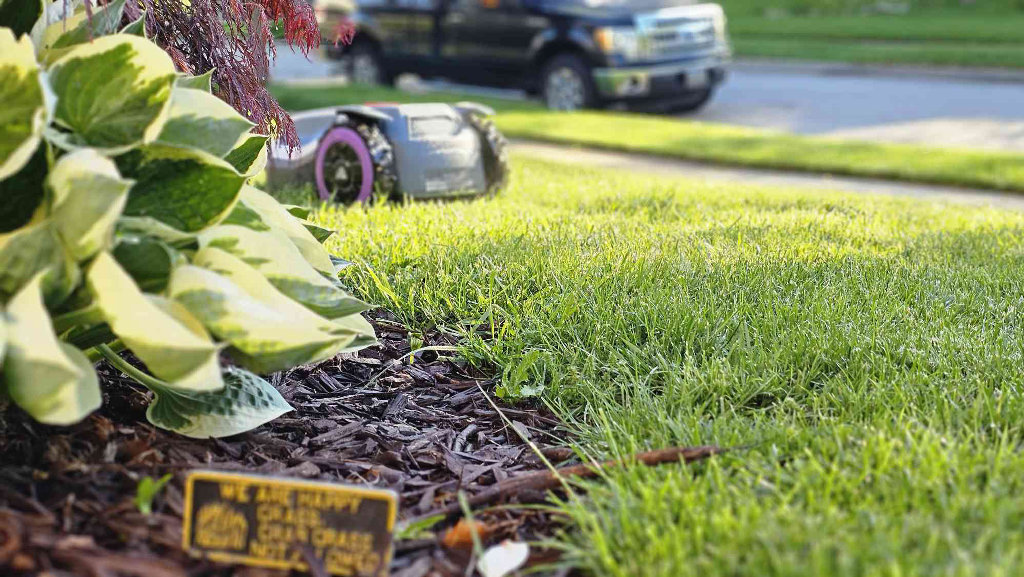
The M9 is rated for up to about a 25-degree incline, which covers basically every residential yard in existence unless you live immediately adjacent to a river valley or something. My yard has a slope in that range, and it handles it fine in the open areas. The thing to watch out for is sharp drop-offs rather than gradual slopes.
My patio has a pretty abrupt edge down to the lawn level, and the M9 got a little unpredictable there until I went into the mapping software and taught it a gentler approach path around that edge. Not hard. Just something to know going in.
Which brings me to the mulch beds. Out of the box, the mower was drifting into my mulch bed on one side, which is not great. You can’t leave this to mow while you go to work and have it get stuck ten minutes in. But the fix is easy – you just adjust the edge clearance, tell it to stay a little wider from that boundary than it wants to, and you retrain that section. Ten minutes, problem solved.
The App Does the Job
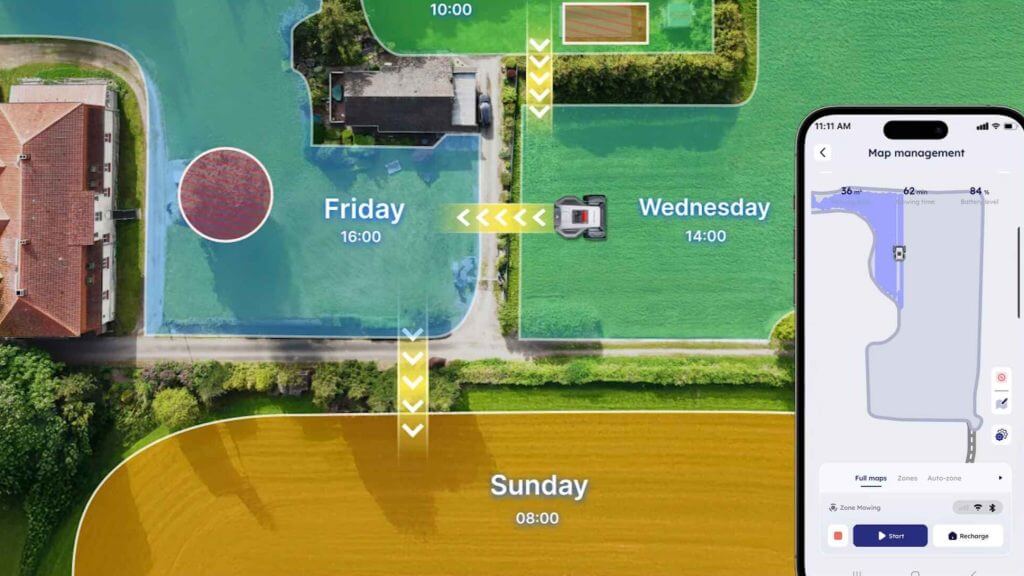
The app is where you do basically everything: mapping, scheduling, zone management, adjusting edge clearance settings, and monitoring where the mower is. It’s clean, it’s not overwhelming. Does what it needs to do.
One wish-list item, though: I would love a web browser version. The app is fine for scheduling and starting and stopping jobs, but I kind of want the option to edit the map on a computer with my mouse. That’d be cool, and you could fine-tune things as you ran into issues, like with my mulch beds.
Scheduling Makes the Chores Disappear
Once I got all the problem areas mapped out and the edges dialed in, I set up a schedule: M9 mows the back on Tuesday, Thursday, and Saturday. He hits the front on Monday, Wednesday, and Friday. I even gave him a day off on Sunday. And once that schedule was locked in, the lawn stopped being a thing I thought about, which is amazing.
It’s not a Saturday morning and afternoon event anymore. It’s a thing that happens on a Tuesday when I’m sitting at my desk. I get a little notification on my phone that says mowing complete. I go “huh, cool.” And I go back to what I’m doing. The chore essentially disappears from your life.
And it gets better. The M9 has a rain sensor on top, a little physical sensor that can feel moisture, and it’s also connected to weather data through the app. So if it rains, or if rain is coming, it either physically detects it or gets a heads-up through Wi-Fi, reschedules automatically, and you never have to think about it. I have not manually adjusted a mowing schedule once since I set it up. It’s like some Ronco-tier set it and forget it stuff.
The Firmware Update Problem
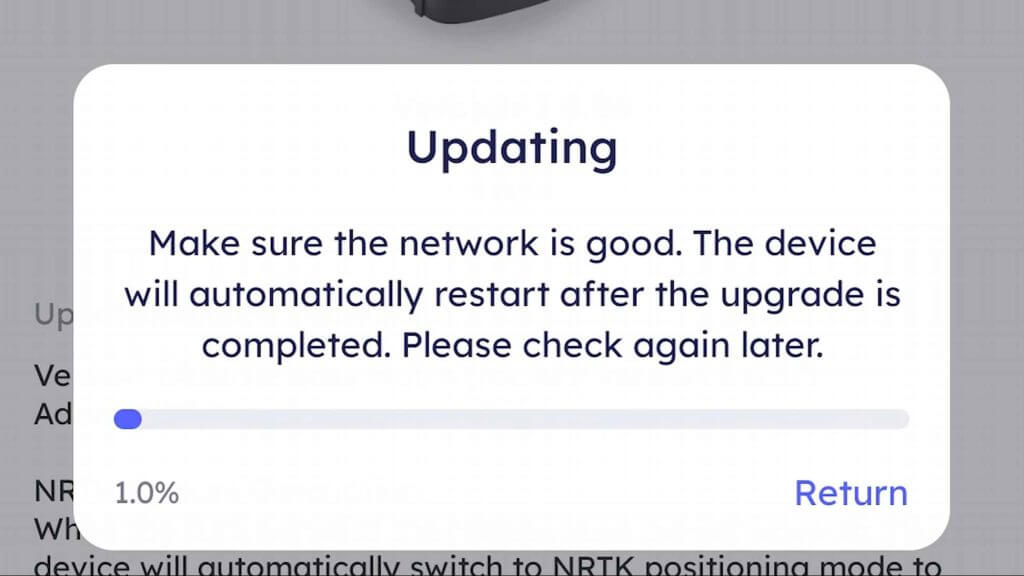
But…. Being an always-online device has a flipside, and that flipside reared its ugly head with me a few weeks in. And it almost torpedoed the entire review.
A few Thursdays ago, ANTHBOT pushed out a firmware update that went sideways. A significant chunk of the M9 fleet got bricked. Just, straight up, stopped working. Now, to ANTHBOT’s credit, they turned around a fix pretty quickly. I got mine back up and running, no lasting damage. But for a day or two there? My $800 lawnmower was a very expensive lawn ornament.
This is not a unique ANTHBOT problem. This happens with every always-online device. Your smart TV. Your router. Your phone. Occasionally, a bad update ships, and the people who get hit are the people who had automatic updates turned on.
So here’s my strong recommendation, and this goes for any always-online gadget in your life, but especially this one: turn automatic firmware updates OFF. Go into the app, switch it off. And then when an update is available, wait forty-eight hours before you pull the trigger. Check Google. Check Reddit. Check the ANTHBOT Facebook group. See what people are saying. If the update is a dud, you’ll see the posts within a few hours. If everyone’s fine, go ahead and install.
Performance Gets Better With Repetition
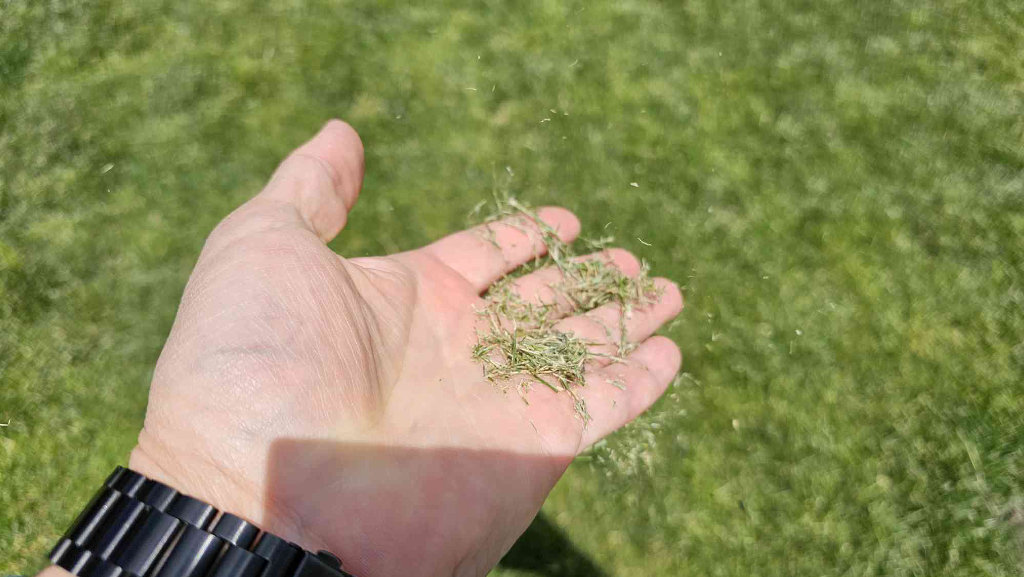
The first time I watched this thing run a full pass, I will be honest with you, I wasn’t that wowed. It looked like it missed spots. The lines weren’t super sharp. I was like “oh okay, this sucks. Anthbot is going to regret sending this to me.”
But here’s the thing: that’s not how you run a robot mower. One pass once a week is not the play. The play is three passes per week, and then you make an assessment at the end of the week. Different story completely.
The M9 has a five-blade disc cutter. Those blades produce really fine clippings. Run it three times a week, and those clippings get cut up even smaller with each pass. No dead grass lines. No messy piles. That material breaks down into the lawn and acts as natural fertilizer. After a full week on this schedule, my yard looked better than it did when I was doing it myself once a week with the push mower. And with the ability to change the mowing angle and do cross-cuts, your front lawn starts to look like Jacobs Field.
Battery Life and Cutting Height
What about the battery, though? Well, it’ll go for about two hours on a single charge, and when it runs low, it goes back to the base, charges up, which takes an hour and a half, and then resumes exactly where it stopped. It doesn’t start over. It picks up mid-yard and keeps going. By the end of the week, your yard has been lightly trimmed three times over, and it looks like a golf course.
And because you can adjust the height of the cutting deck, you can get this thing to make your lawn look like a putting green. I’m talking super short. I keep mine at 60 or 70 mm high, just because the yard tends to dry out when I trim it low, but you’ve got options.
The Devil’s Strip Is a Problem

Not everything is smiles and sunshine, though, because now I have to tell you about the devil’s strip.
The devil’s strip is the little strip of grass between the sidewalk and the curb. Mine has about a five-inch drop down to the curb. And the M9… is not good at that. It fell off into the street a couple of times. It negotiated that drop about as well as ED-209 from Robocop negotiated stairs. So I started calling it M-209. And eventually, I just excluded those zones from the map entirely.
Which means…. I don’t think the M9 is a complete, one-hundred-percent push mower replacement for my specific yard. For my situation, the combo is M9 plus a weed wacker. The M9 handles all the actual lawn, the weed wacker handles the devil’s strip and any tight spots. That is a very manageable setup.
You’ll Still Want to Handle the Edges
If you are someone who wants that razor-crisp, defined edge where the lawn meets a bed or a walkway, the M9 is not going to give that to you on its own. It’s just not precise enough at the edges for that super sharp look.
There’s an option for edge mowing, and it works okay, but if you’ve got a cookout or people coming over, you’ll want to hit those lines manually. That’s maybe fifteen minutes of OCD edging a few times a summer versus the two hours you’re not spending anymore. I’ll take that deal all day long.
The Neighborhood Will Notice
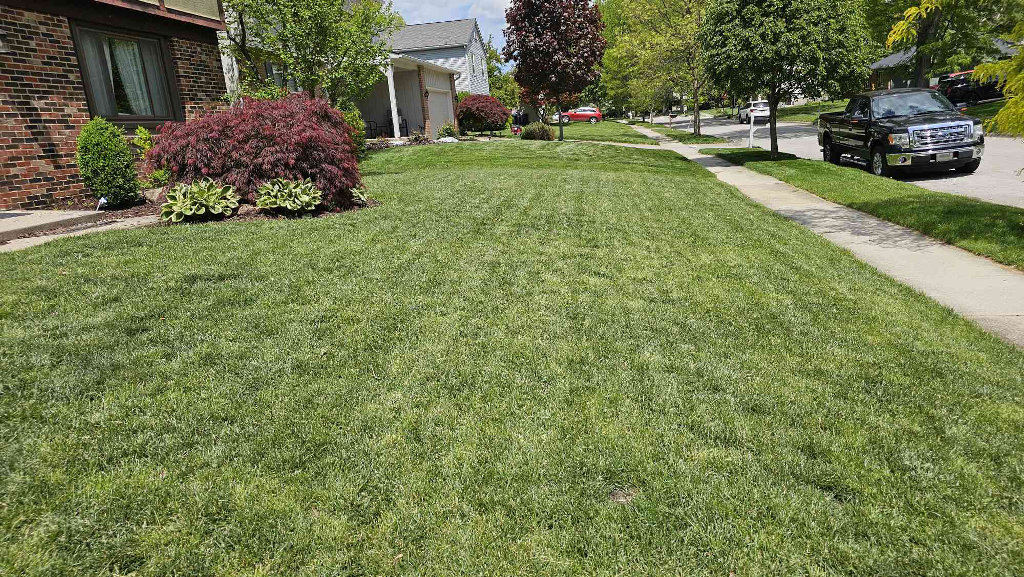
One more thing I did not anticipate: this thing is a neighborhood attraction. I had no fewer than five neighbors stop on the sidewalk to watch it run. A couple came over to ask me about it. I would not be surprised if I’ve already generated sales just from people who physically watched it in action. It is genuinely cool to watch. People stop. They ask questions. If I had an IRL affiliate link, someone might have bought one on the spot.
It also has an anti-theft mode, if you live in a rough part of town or if those neighbors are looking a little too hard. Basically, it’ll beep and scream if it goes a set distance away from your yard. Pretty neat.
Who Is This Good For?
And here’s a use case that’s important for us, elder millennials: our own elderly parents. My mom and dad are at the age where pushing a mower around for a couple of hours in July heat is not ideal. And hiring someone is expensive, and you don’t always know who’s showing up or whether they actually care about the property. So maybe take an M9 to your parents’ house.
Spend a Saturday doing the setup, and while it’s doing its first pass, go dig around in the basement for your old Game Boy games, because they are definitely in there somewhere. And now your parents have a yard that takes care of itself. That’s a real gift. Just make sure that auto update is OFF, or you’ll be driving back over to do tech support.
Price and Value
Let’s do the math. The M9 is currently on sale for a little under $800. My Briggs and Stratton push mower is going for around $400 now through your different box store/HammerBarn options.
So, for four hundred dollars more than a basic push mower, you get: no gas, no oil, no winterizing a small engine, no pull-starting anything, no scheduling your entire weekend around the lawn. And the M9 comes with a three-year warranty. For a waterproof outdoor robot that lives in the elements.
It’s Not for Every Yard

Let’s be real, though. This is not a universal solution. If you live somewhere in the south where it’s basically grass season twelve months a year, this thing could genuinely be your complete and only mowing solution. For me, in the Midwest, we have a little thing called Fall. Happens every year. It’s the damnedest thing. The M9’s little razor blades are not built to mulch a pile of fall leaves or deal with a yard full of sticks. I’ll pull the push mower out a few times in October. That’s fine. Know your yard, know your climate.
And honestly? Maybe you like mowing. Maybe pushing a mower around for an hour is the only time all week you get to walk around in the sun and listen to a podcast without anyone needing anything from you. That is a completely valid thing. That time has value. If the mowing is actually serving you, then the ol’ M-209 might not be your guy.
Final Thoughts
But if the lawn is just a tax? Is it time you’re paying without getting anything back? This thing pays for you. The grass doesn’t care who cuts it. Your kids or your wife is on the couch next to you, care. Your neglected game backlog cares. Your brain, which has been running that background lawn process for six months, really, really cares.

1 Comment
The print is actually a good bit under 700