

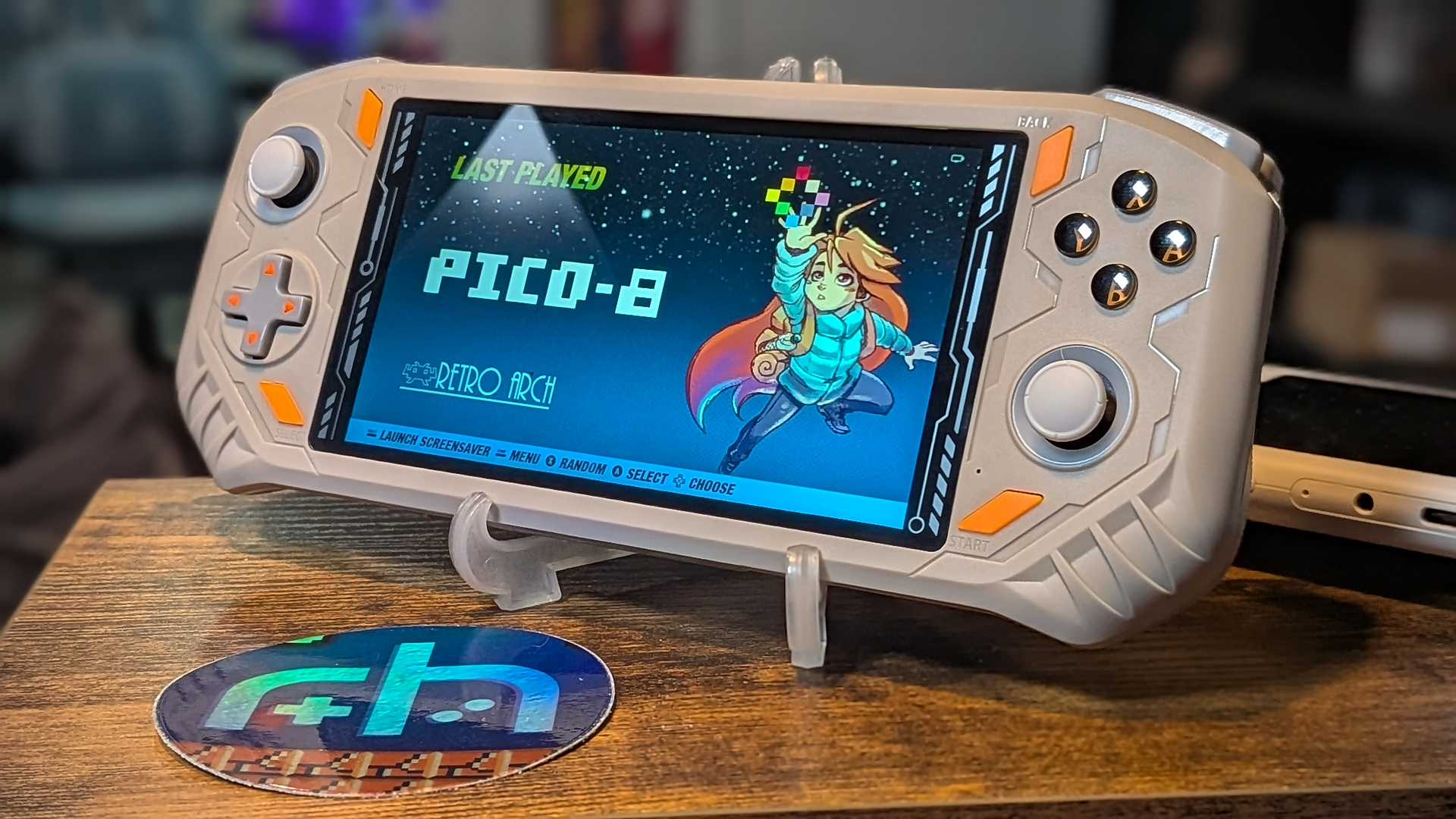
What a wonderful development community we have here in handheld emulation. Less than a week after I finished reviewing the new AISLPC RG52 Mini, we already have a custom firmware option that helps make a good device even better.
Developer bmdhacks has released an early fork of dArkOS for the RG52 Mini. While the fork is still very early, it’s a promising indication of things to come.
This fork replaces the stock OS with a full Debian Trixie userspace running EmulationStation-fcamod, RetroArch, and 50+ standalone emulators.
Note: Before you go diving headfirst into all this excitement, know that this is still version 0.3 at the time of writing. There are still issues that need to be ironed out before this will be a perfect experience.
Any small bugs are minor annoyances in an otherwise great package, and they should hopefully be smoothed out by future updates.
What You’ll Need
- A trusted brand of micro SD card (64GB – 128GB recommended). Cards that come with these devices are of poor quality and prone to failure. If you ordered a loaded card with your device, back it up and chuck the card. It will eventually fail. Don’t say we didn’t warn you!
- An SD Card reader
- A Windows/MAC/Linux PC
- 7-Zip or WinRAR to unpack any downloads
- Rufus or any other Image writing software of choice
- Balena Etcher – Image writing software available for all major Desktop OS.
- Win32DiskImager – An open-source option designed for Windows, but there are many ports.
- MintStick/USB Image Writer – Image writing software that comes baked in with many popular Linux OS distros.
Initial Steps
This isn’t going to be quite as simple as “write image and insert,” so just make sure you have completed these initial steps prior to jumping ahead and wondering why things aren’t working.
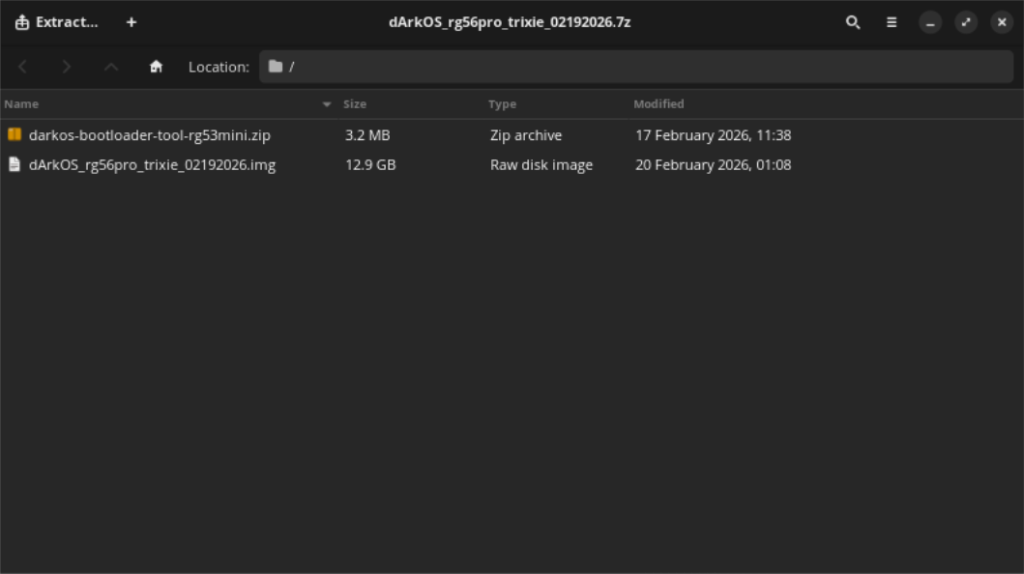
- Follow the linked Mega mirror and download the dArkOS package. Using a program like 7-Zip or WinRAR, extract the contained zip file and OS.img to a directory on your PC.
- Remove the stock SD card from your RG52 Mini and insert it into your PC reader
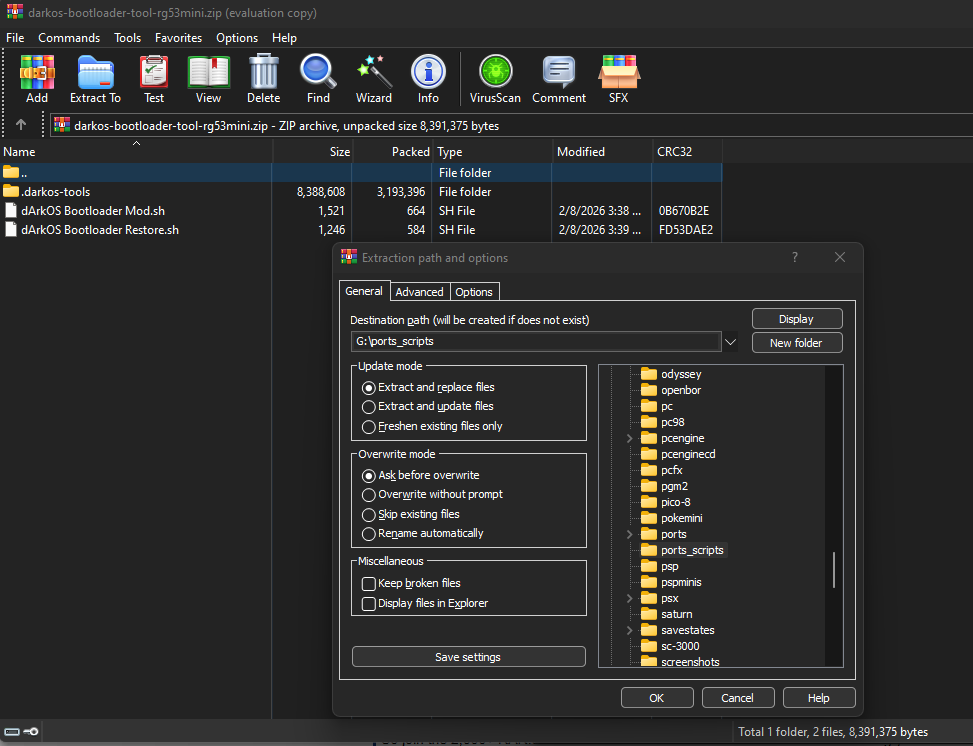
- Navigate to the ports_scripts directory on the SD card.
- Again, using 7Zip or WinRAR, open the extracted darkos-bootloader-tool-rg53mini.zip file and extract those contents into the ports_scripts directory on the stock SD card.
- Re-insert the stock SD card into the RG52 Mini and boot it up normally.
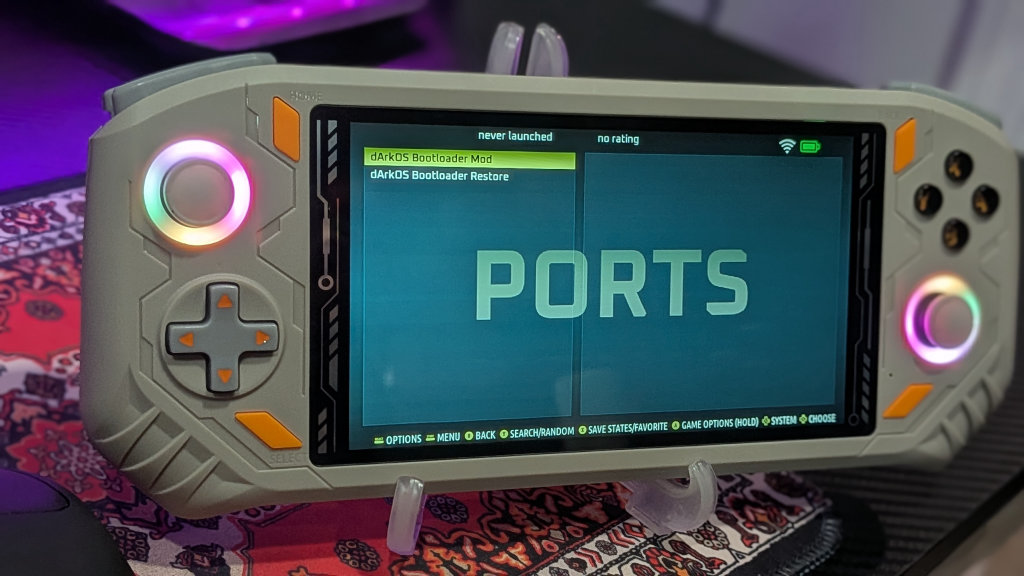
- On the RG52 Mini – Navigate to the Ports section, and run dArkOS Bootloader Mod. The screen will briefly turn back and then kick you back into the menu screen you were just on. There is no confirmation that the mod has been executed or was successful.
- Shut down the handheld
Writing the new OS
Alright, now that we have the initial bootloader mod completed, we can concentrate on writing dArkOS to the fresh new SD card. Should you need to undo this process at any time, you can reload the stock SD card and choose the Bootloader Restore option as seen above.
For now, put the stockOS card into a case and put it away in the device box until you might need it again. I had a bad habit of leaving unlabeled stock SD cards strewn across my desk while I installed new projects. Then later, I have absolutely no idea what any of them go to. It’s led to a few headaches when it comes time to break that device out for a new article. Just a bit of advice in case you’re overrun with cards like me.
- Insert a fresh SD card into your PC’s reader
- Open your image writing tool of choice. In this case, I will be using Balena Etcher to write the image file.
- In Balena Etcher, click on Flash From File, and select the extracted dArkOS.img file when prompted
- Next, click on Select Target and choose your recently inserted SD card. Be careful not to choose any other listed drives. You don’t want to write the image to one of your system drives.
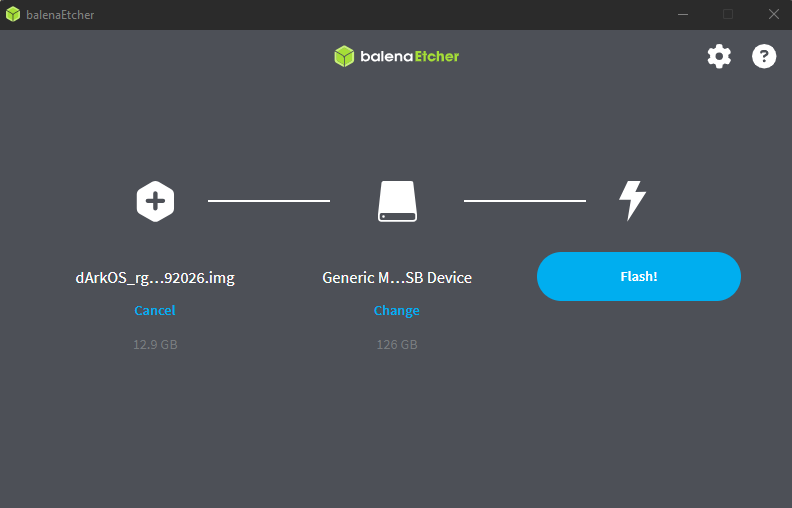
- Look good? Click Flash. Let the software do its thing and write the image. It took my PC about 10 minutes in total to write and verify the package.
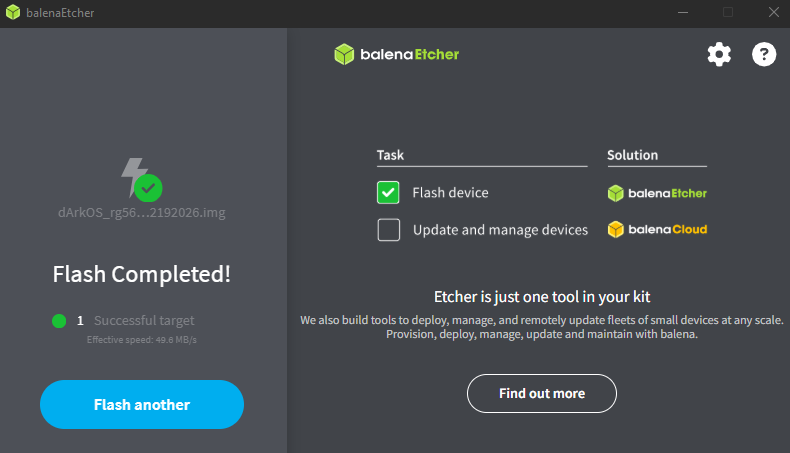
- Remove the new dArkOS SD card from your PC and insert it into the RG52 Mini
- Power-On the handheld
- After some initial unpacking on the handheld side of things, the device should automatically reboot into the main menu of dArkOS
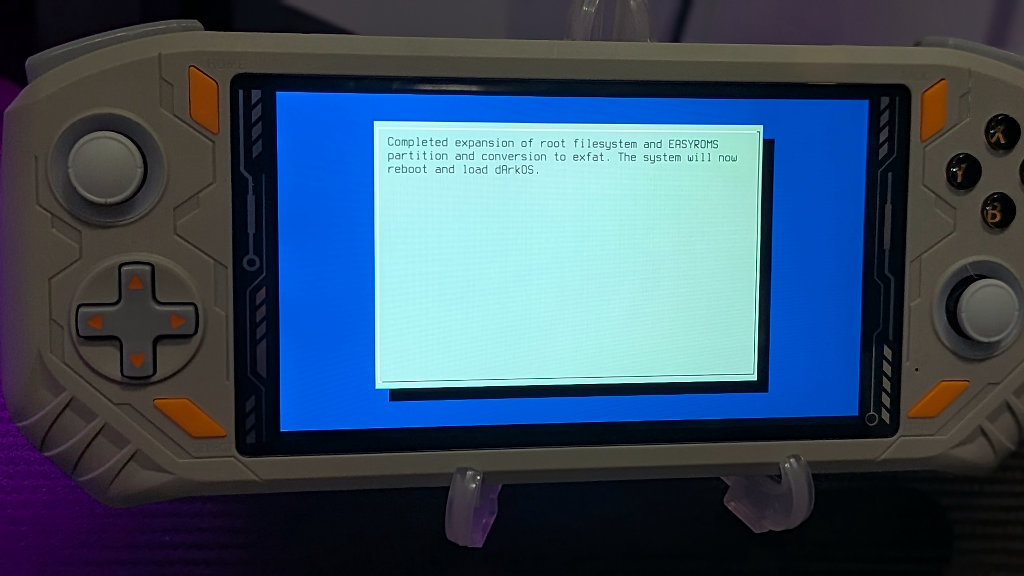
- Congratulations! You’re now running custom Linux firmware on your new AISLPC RG52 Mini!
Loading ROMS
After the intial dArkOS boot, you can safely power down the device, remove the SD, and go back to your PC to transfer over games into the newly made EASYROMS partition.
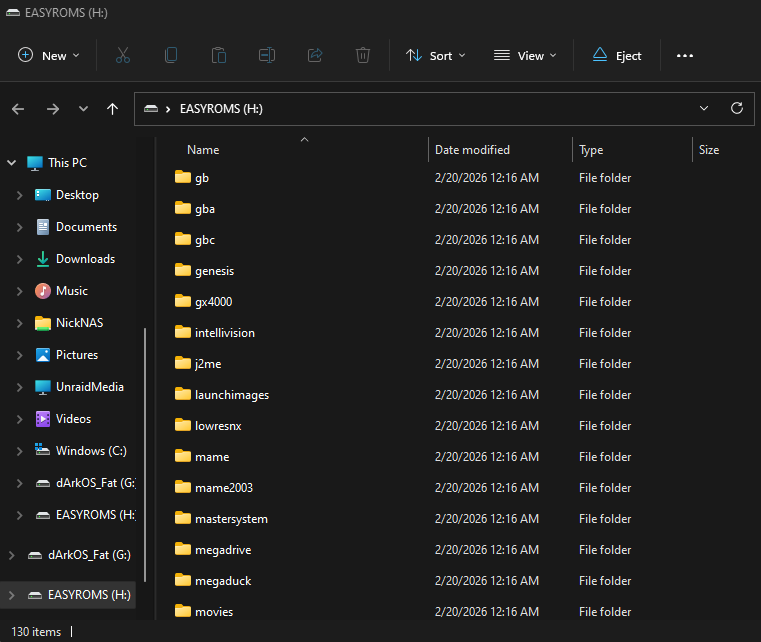
Drag and drop your games into their corresponding system folder on the dArkOS SD card, and that’s it! Plug the SD back into your RG52 Mini after the transfers are complete, boot up, and your shiny new operating system will automatically scan the transferred titles into your games library.
Wrapping Up
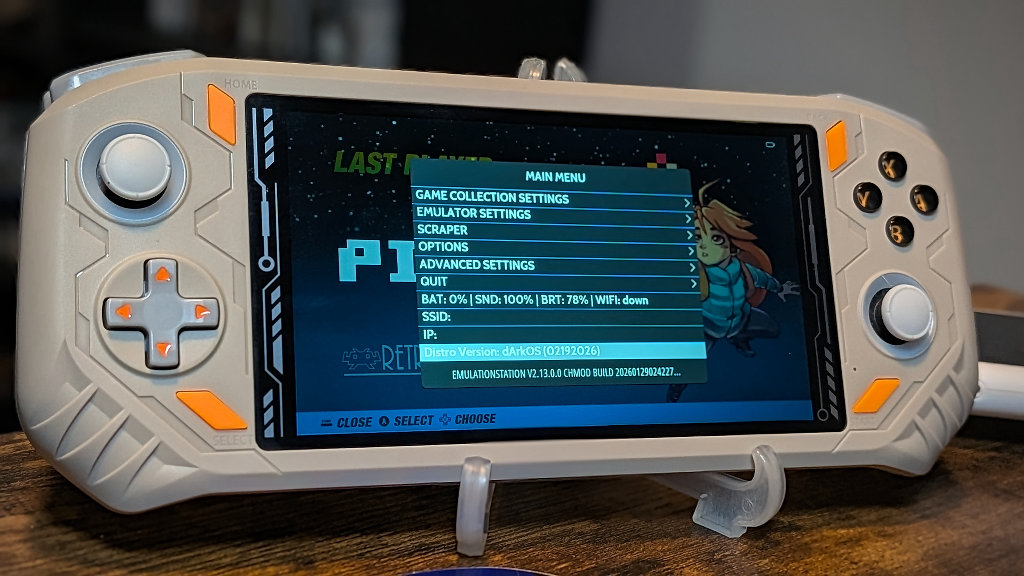
So, if you’ve followed along with me, you should be successfully up and running Debian Linux on your new RG52 Mini. While the build is still young, it’s great to see custom firmware packages already making their way to a brand new device.
The AISLPC RG52 Mini is a quality product at a reasonable price that’s only made better with the tweaks of custom firmware. I’m off to see how far I can crank PSP performance on my newly improved budget brawn.
What would you like to see in future custom firmware releases for the RG52 Mini? Let us know in the comments below, and chat with us in our Discord!
This page may contain affiliate links, by purchasing something through a link, Retro Handhelds may earn a small commission on the sale at no additional cost to you.

3 Comments
DD is the only diskimager you need in Linux. I was o happy to see that someone had made a custom firmware for this device and look forward to when they figure out how to image it on to the internal eMMC. This can also run kodi on it as well for you media needs and since it’s got that wifi built in it becomve a great cheap mobile media device as well. Currently you have tto compile that yourself though.
I’m probably not going to overwrite the emmc OS for two reasons: 1) it’s nice to have a fallback in case you mess something up. and 2) the emmc is only 8gb which isn’t large enough to hold the entire dArkOS install.
Latest releases can be found here: https://github.com/bmdhacks/dArkOS_rg52mini/releases