

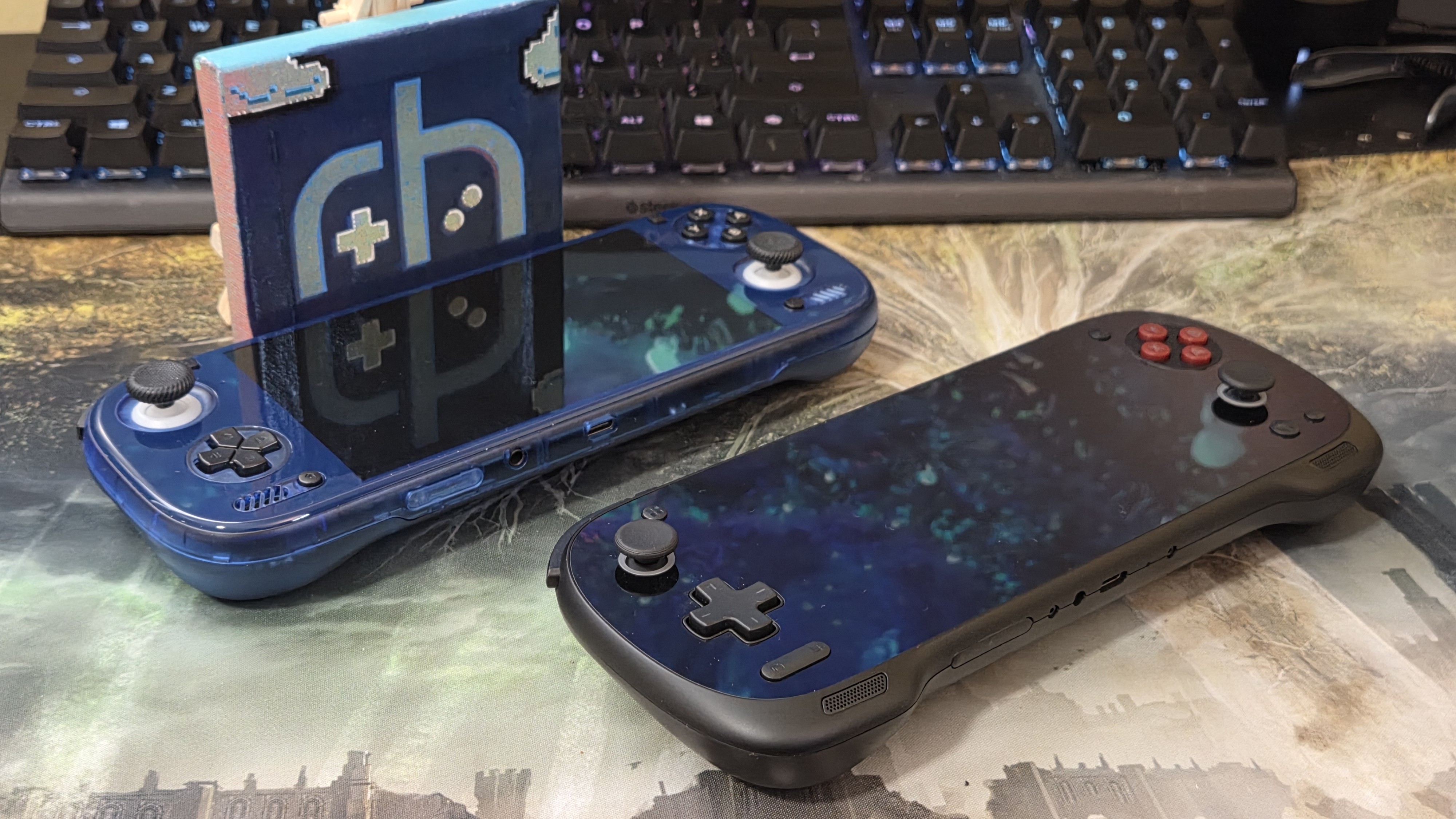
Android emulation is in a weird spot right now. The high-end realm has gone from “$250? Sure, I guess so” to “$550? Sure, I guess so” because of three novel phenomena: 1: Easy Windows support and emulation advances 2: RAMageddon driving up the FOMO factor, and 3: The never-ending frog boil of gradual price increases (Remember the $200 Odin Lite?). These make us yearn for a better device and also one that is a well-rounded go-to device to rationalize the high cost you paid for it.
There are two notable high-end Android devices that fit the relatively affordable high-end niche that stack in very similar ways, but differ in terms of execution: The AYN Odin 3 and the Konkr Pocket Fit. The standouts and similarities are obvious: a 6-in high refresh rate screen, high-end Snapdragon performance, the focus on ergonomics, and the sub $500 price point for the ‘Max’ models (16GB of RAM and 512GB of storage).
Choosing between the two can be difficult and expensive, so I took on the difficult and expensive task of comparing them! For me, the results aren’t wholly conclusive, but you can at the very least learn from my poor financial decisions.
The Specs: Head-to-Head
The Odin 3 I am using is the Max and rocks a Snapdragon 8 Elite (QC Dragonwing), while the Konkr Pocket Fit is the more common Gen3 G3 variant.
On paper, the Snapdragon 8 Elite in the Odin 3 should outperform the G3 by a considerable amount, but in practice, the G3 has better native Vulkan support and significantly more developed Turnip drivers, giving it an edge in more use cases like Switch or Windows.
The 8 Elite has early drivers in development as well as an array of system drivers, but I’ve found that tweaking these is on a game-by-game basis, which gets annoying. As of right now, the best early Turnips for the SD8E are this and this, paired with this system driver.
Odin 3
| Specifications | |
|---|---|
| Hardware | |
| CPU | Qualcomm Dragonwing Q8 |
| GPU | Qualcomm Adreno 830 |
| RAM | 8GB LPDDR5X, 12GB LPDDR5X, 16GB LPDDR5X, 24GB LPDDR5X |
| Display | |
| Screen Size | 6-inch |
| Resolution | 1920 x 1080 |
| Aspect Ratio | 16:9 |
| Refresh Rate | 120Hz |
| PPI | 367.15 |
| Storage | |
| Internal Storage | 128GB UFS 3.1, 256GB UFS 3.1, 512GB UFS 3.1, 1TB UFS 4.0 |
| External Storage | microSD |
| Battery | |
| Battery Capacity | 8000mAh |
| Charging Speed | 60W |
| Connectivity | |
| Wi-Fi | Wi-Fi 7 |
| Bluetooth | Bluetooth 6.0 |
| Ports | 3.5mm Audio Jack, USB-C |
| Video Out | Yes |
| Controls | |
| Sticks | Hall Effect |
| Triggers | Analog |
| Shoulder Layout | Stacked |
| D-Pad | Bottom Left |
| Audio | |
| Speakers | Stereo |
| Speaker Location | Front-facing |
| Headphone Jack | Yes |
| Physical | |
| Dimensions | 224.8 x 87.5 x 16.6mm |
| Weight | 390g |
| Form Factor | Horizontal |
| Software | |
| Operating System | Android 15 |
Konkr Pocket Fit
| Specifications | |
|---|---|
| Hardware | |
| CPU | Qualcomm Snapdragon G3 Gen 3 |
| GPU | Qualcomm Adreno A33 |
| RAM | 8GB LPDDR5X, 12GB LPDDR5X, 16GB LPDDR5X |
| Display | |
| Screen Size | 6-inch |
| Resolution | 1920 x 1080 |
| Aspect Ratio | 16:9 |
| Refresh Rate | 144Hz |
| PPI | 367.15 |
| Storage | |
| Internal Storage | 128GB UFS 3.1, 256GB UFS 4.0, 512GB UFS 4.0, 1TB UFS 4.0 |
| External Storage | microSD |
| Battery | |
| Battery Capacity | 8400mAh |
| Charging Speed | PD Fast Charging |
| Connectivity | |
| Wi-Fi | Wi-Fi 6 |
| Bluetooth | Bluetooth 5.3 |
| Ports | 3.5mm Audio Jack, USB-C |
| Video Out | Yes |
| Controls | |
| Sticks | Hall Effect |
| Triggers | Hall Effect |
| Shoulder Layout | Stacked |
| D-Pad | Bottom Left |
| Audio | |
| Speakers | Stereo |
| Speaker Location | Front-facing |
| Headphone Jack | Yes |
| Physical | |
| Dimensions | 225 x 88.9 x 17mm |
| Weight | 386g |
| Form Factor | Horizontal |
| Software | |
| Operating System | Android 14 |
Performance between the two when configured properly is mostly similar since both are capable of high-end Switch emulation and moderate Windows support. It really just comes down to your drivers and brute force. If you want numbers, the Spyro Reignited Trilogy played at a minimal stuttery 40-55fps on the Odin 3 (System driver 861) and a slightly smoother 40-50fps on the Pocket Fit (Turnip 26.1.0).
Since most of us prefer a “Set it and forget it” setup, the G3 is a winner here. The 8 Elite is VERY close, and works very well when it works, but current driver support leaves more to be desired. I will update this article when another great driver is released for it.
- Konkr Pocket Fit: 18/20 (Great, but not perfect)
- Odin 3: 16/20 (Great, but inconsistent)
The Software Experience
AYN’s tailored version of Android wins this by the simple virtue of being snappy, intuitive, and notably lacking Ayaspace. You might like Ayaspace, so let me explain where I’m coming from. There are 4 places for tweaking handheld settings on the Konkr: The floating icon, Ayaspace, physically going to Android Settings, and the pull-down menu.
Without writing a novel, settings you would want to adjust on the fly, like RGB, can be partially adjusted in some of these places, but not fully customizable until you open Ayaspace and sift through the menus. It’s clunky and not as responsive as I’d prefer for something I just dropped about $500 on.
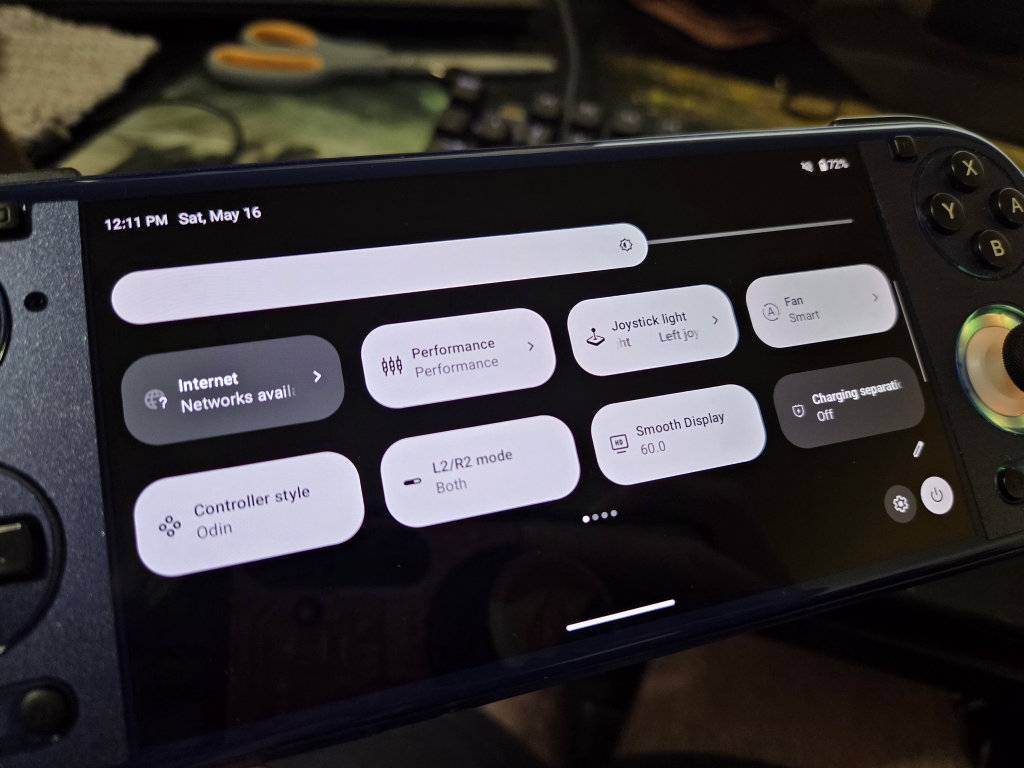
AYN’s version of Android is simple, stripped down, and setting toggles are more intuitive so that even your toddler can navigate it. All handheld settings are allocated to Handheld Settings in… you guessed it: Settings. RGB is also 100% adjustable in the drop-down menu, with quick toggles being allocated to the floating icon. This might be a notably boring implementation, but Android on its own is fairly intuitive, so why reinvent the wheel?
- Konkr Pocket Fit: 13/20
- Odin 3: 17/20
Both operating systems function fine, and opinions aside, work well enough. I just vastly prefer AYN’s more stripped-back approach.
The Screens
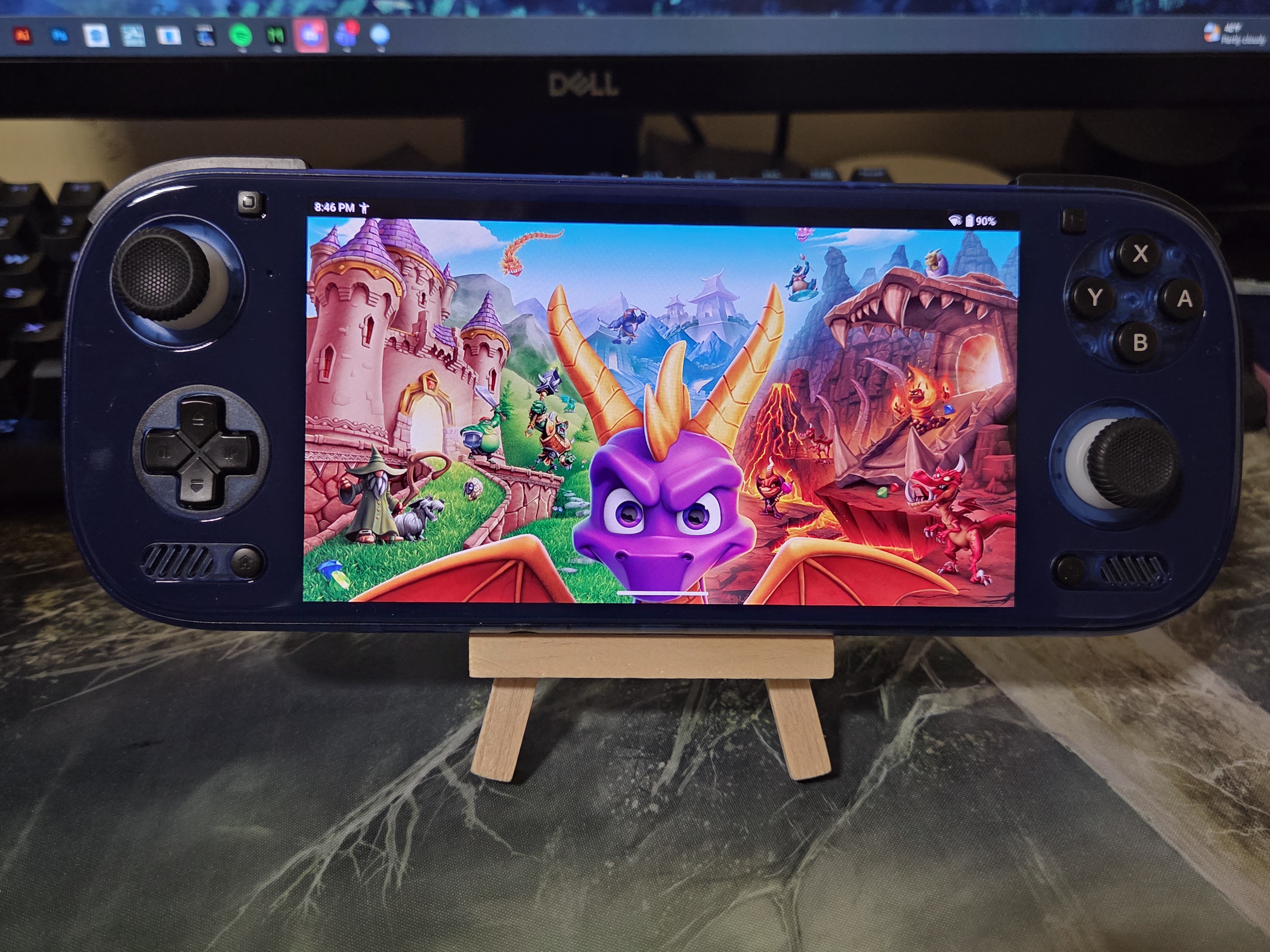
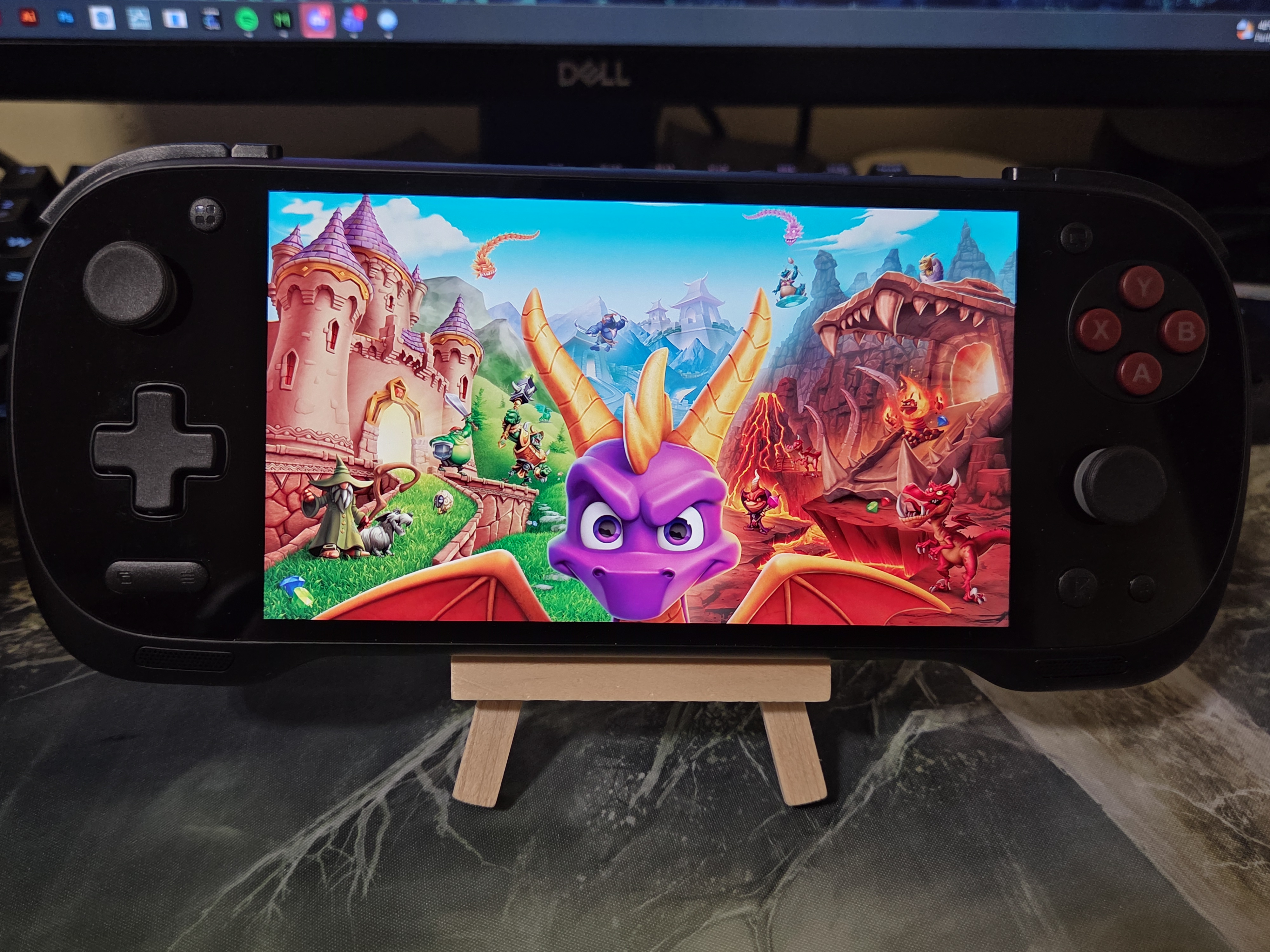
The panels on these consoles are nearly the best in their class, with only a few caveats. The story for the Konkr’s 6”, 1080p, 144Hz LCD panel is a short, but sweet one: It’s the best. Colors? Accurate and vibrant. Ghosting? Very low for an LCD. Backlight bleed? Present, but that’s because it’s not a locally dimmed MiniLED panel.
The custom 6”, 1080p, 120Hz AMOLED panel on the Odin 3 is absolutely gorgeous. At 152% sRGB, this screen is heavily saturated. Pinks look almost red, and every shade of green almost blends into itself. Wind Waker HD, with its overexposed lighting, makes my eyes bleed. I downloaded OdinTools and decreased the saturation to 80% to get a mostly 100% sRGB look, and it’s glorious to behold.
- Konkr Pocket Fit: 17/10
- Odin 3: 18/20 (Better after tweaking)
The reality here is that if you prefer the true blacks and motion response of an OLED screen, that will always trump even the best of LCDs here unless that OLED has major problems.
Ergonomics
To me, this is going to be the most important aspect when deciding between the two because once you are in a game and your dopamine spikes with joy, this will be the only other thing that matters.
‘That’ Hand Feel
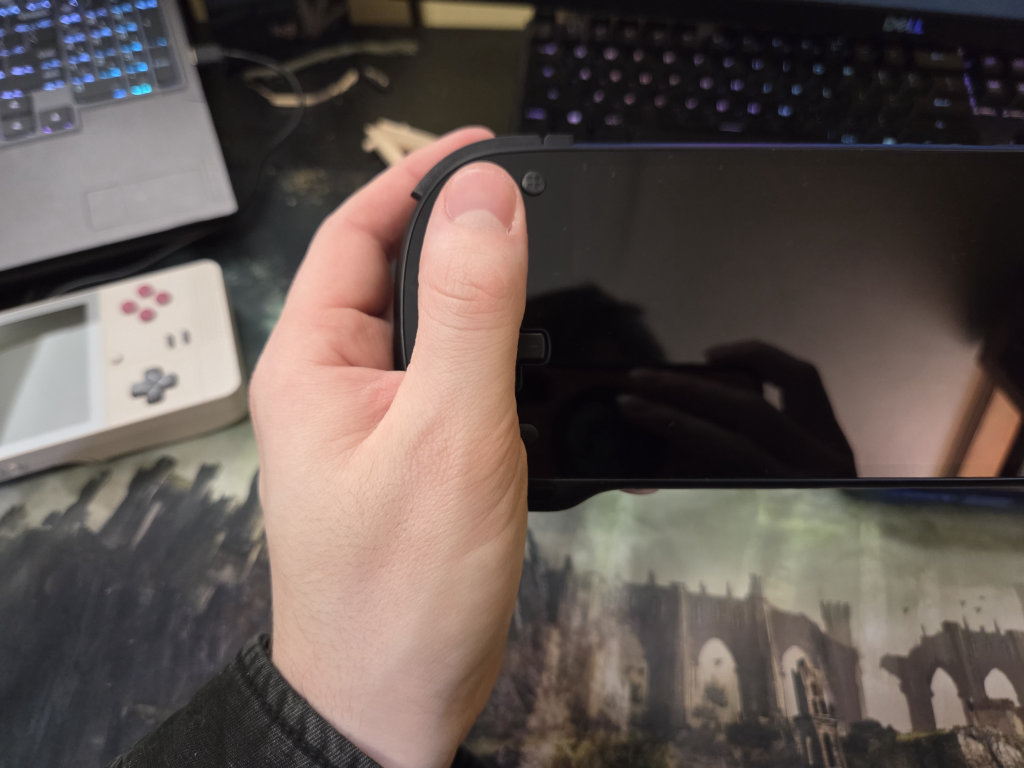
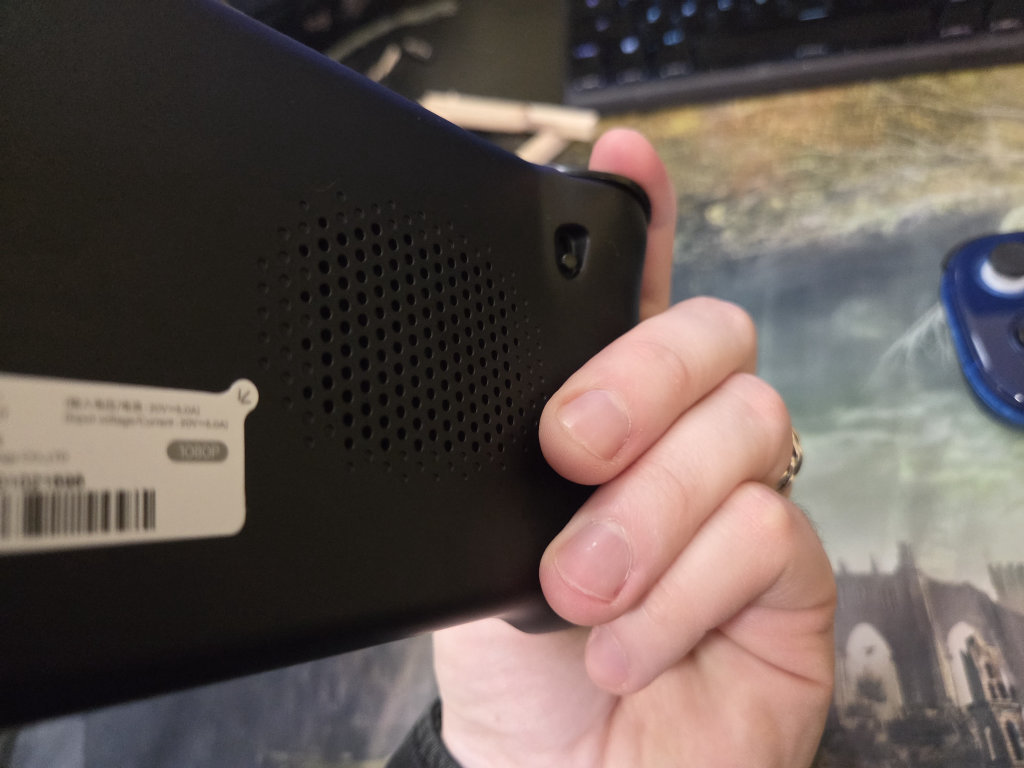
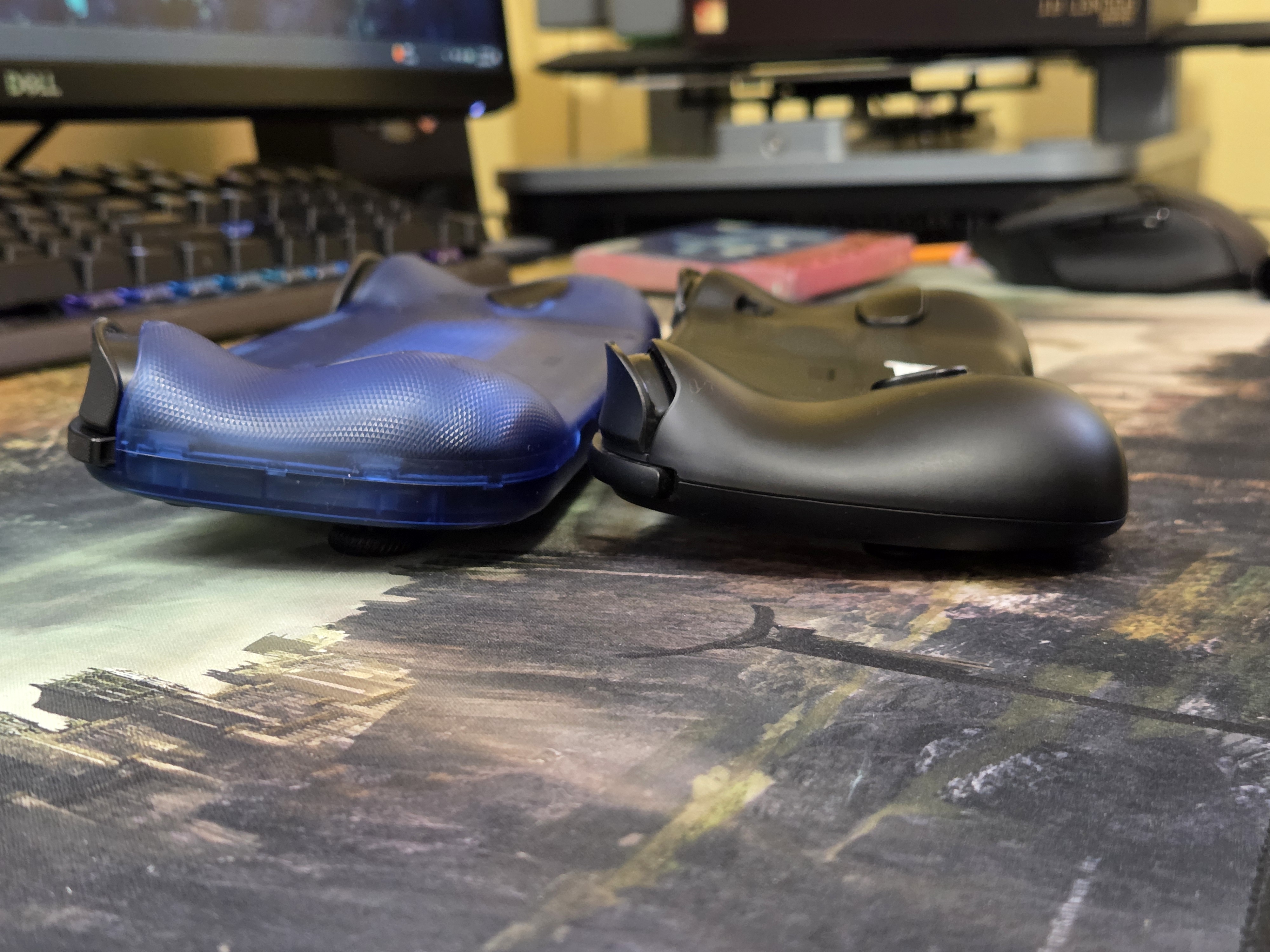
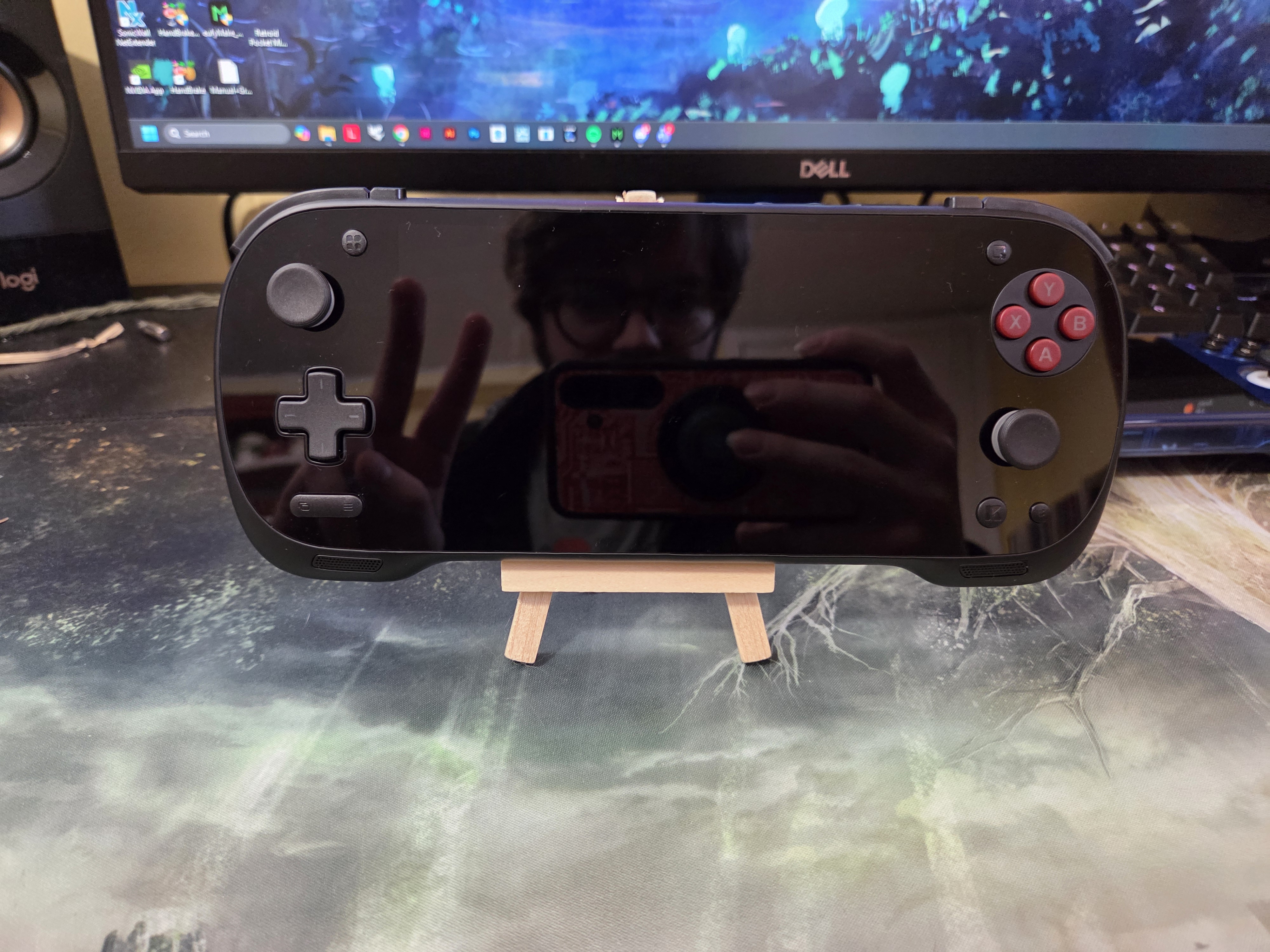
In the hands, the Konkr has a great balance between size, comfortable button spacing, and height for medium to larger hands. The console curves in a way that is inviting to multiple hand placements for D-pad-centric games, all the way to analog stick-based first-person shooters. My only real criticism over the ergonomics here is that the buttons are spaced too close for comfort, the rear grips leave a bit more to be desired, and the analog sticks still kind of suck (more on that ahead).
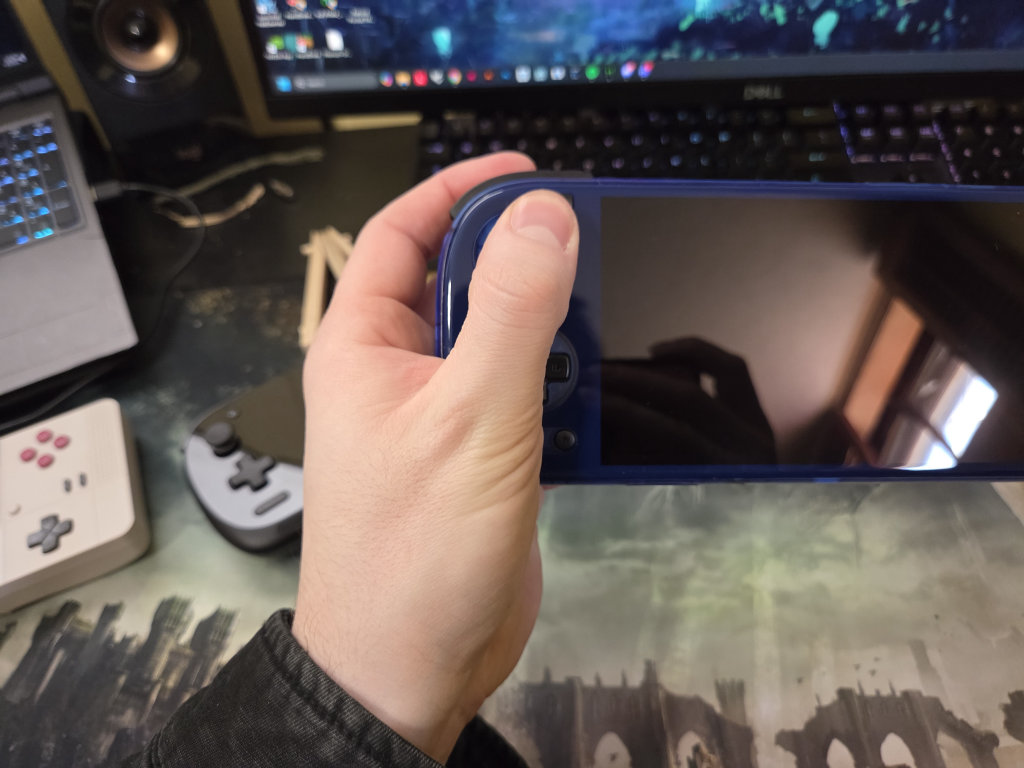
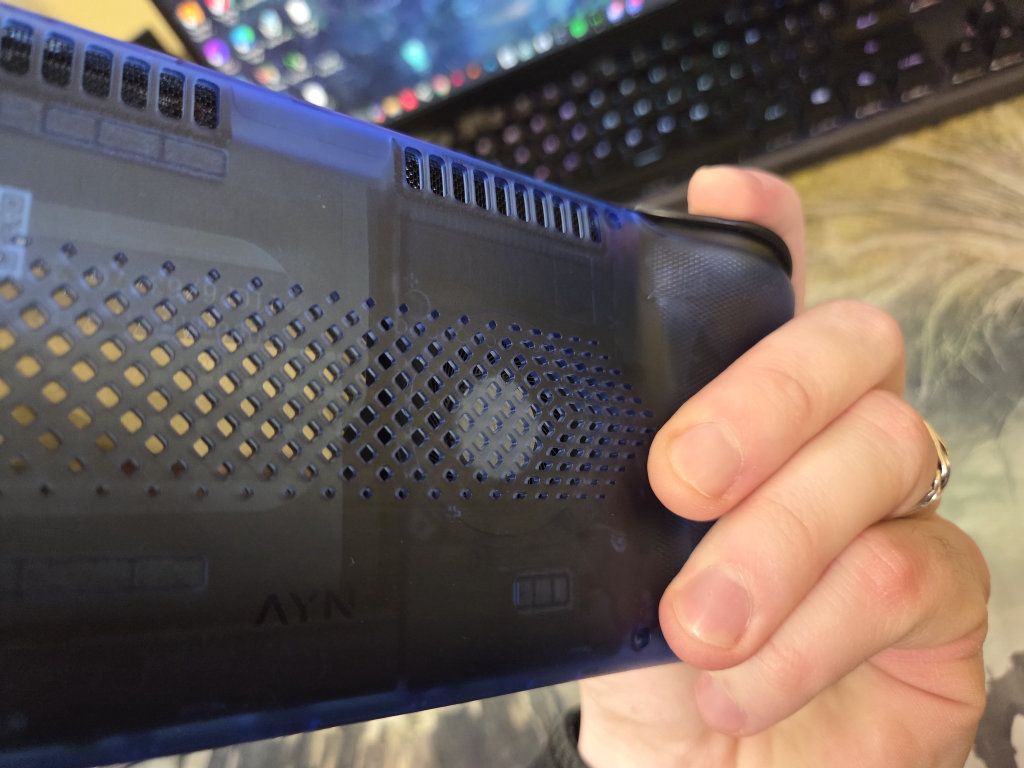
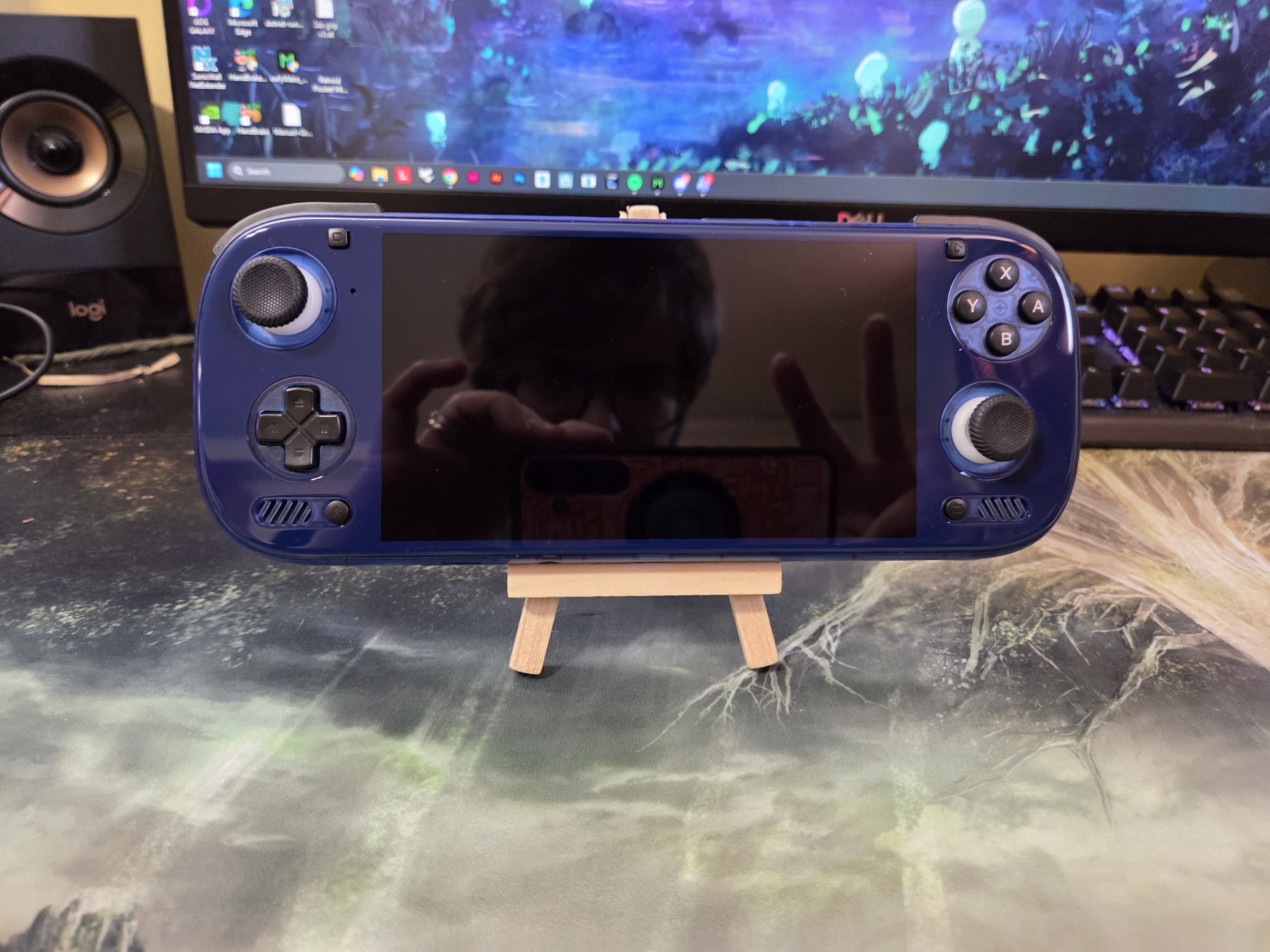
The Odin 3 is a bit of a mixed bag. The console is very comfortable in most use cases and has more than enough rear grip to sink into your hands for regular play. That being said, the Odin 3 is much shorter than the Konkr and compact, but kind of to its detriment when it comes to d-pad and right stick play, when it comes to button/stick spacing.
The curved edges of the console and the back grips make this a very comfortable experience if you primarily use the left analog stick and don’t prioritize using the right one. The official TPU grip mitigates these issues with the exception of adding more bulk to the console, but that’s another $15.
- Konkr Pocket Fit: 18/20 (Jack of all trades, master of none)
- Odin 3: 17/20 (…Master of some)
Buttons & D-pad
As a serial AYN/Retroid user, I was very surprised by the foreign and unique qualities of the buttons with the Konkr. The face buttons, D-pad, and shoulder buttons use rubber membranes that are firm and bouncy, with a notable ‘thud’ as you press them.
They are a very good size and feel good to press, but the buttons themselves are spaced too close together for my preference. The L&R triggers can be toggled between analog and digital, with digital being actuated through a clicky micro switch. It’s a welcome addition, despite the mismatch between the micro switch and the rubber membranes on the shoulders.
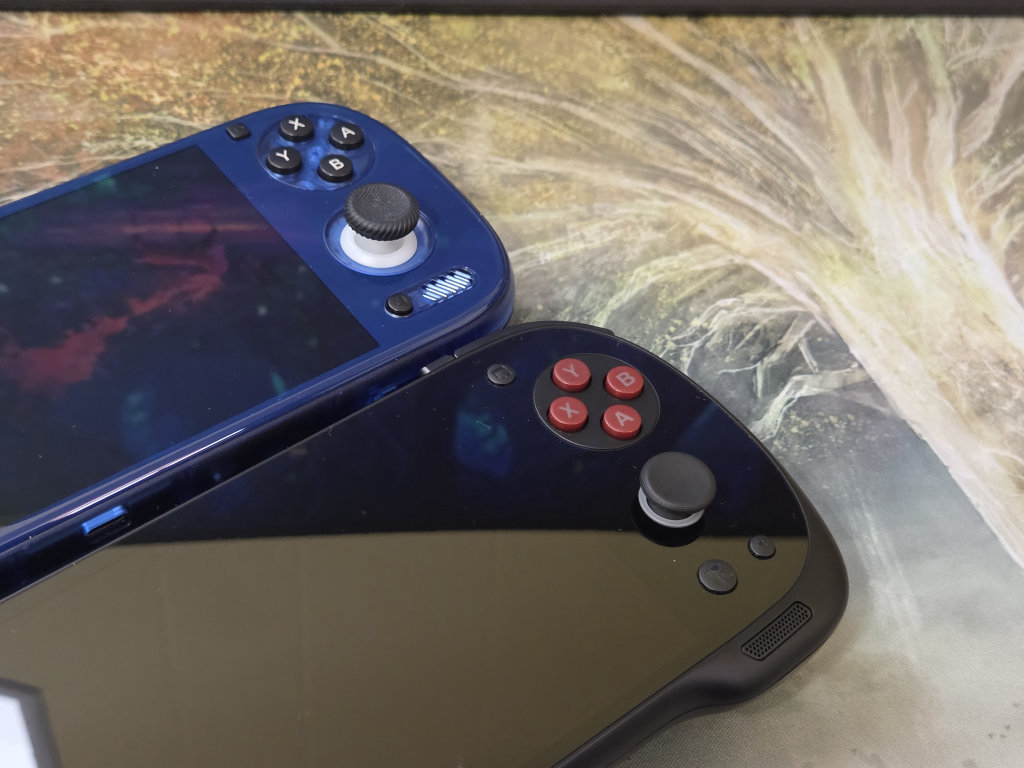
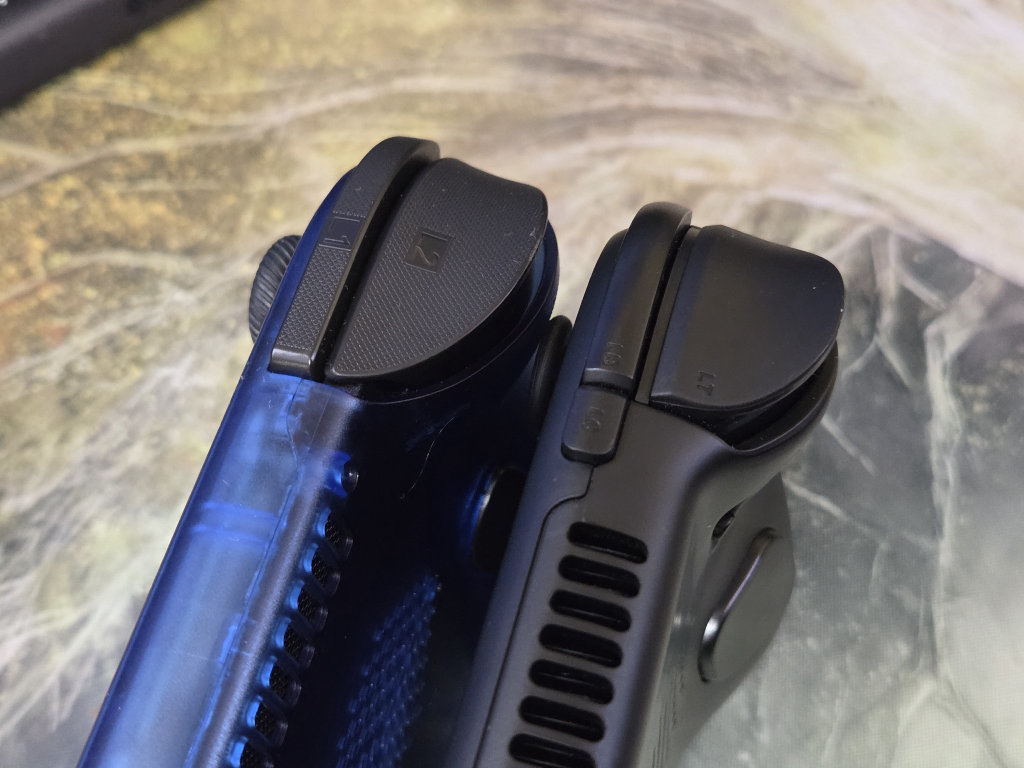
The buttons on the Odin 3 are standard fare if you’ve enjoyed Retroid and AYN devices the past 4 years, and they don’t deviate from the norm. The d-pad and shoulders use soft dome switches, while the face buttons use rubber membranes. The face buttons are notably clacky, but easy to press.
The analog triggers have a deeper pivot and do a better job matching the contours of the device. Compared with the buttons on the Konkr, the Konkr’s buttons are more consistent and feel great. The Odin also has great buttons, so preferences are at play here.
- Konkr Pocket Fit: 19/20
- Odin 3: 16/20
Analog Sticks
The Konkr up to this point was an easy recommendation, but its biggest ergonomic fault is in its analog sticks. The range of motion is fine, albeit somewhat shallow. The real sinner here is the stick caps. Both sets. The bigger set is a must, but they are slippery to the point where my thumb actually cramped up, and I’m a seasoned guitar player. They might be worth getting used to, but after experiencing the Odin 3’s sticks… to the trash the Konkr’s sticks go.
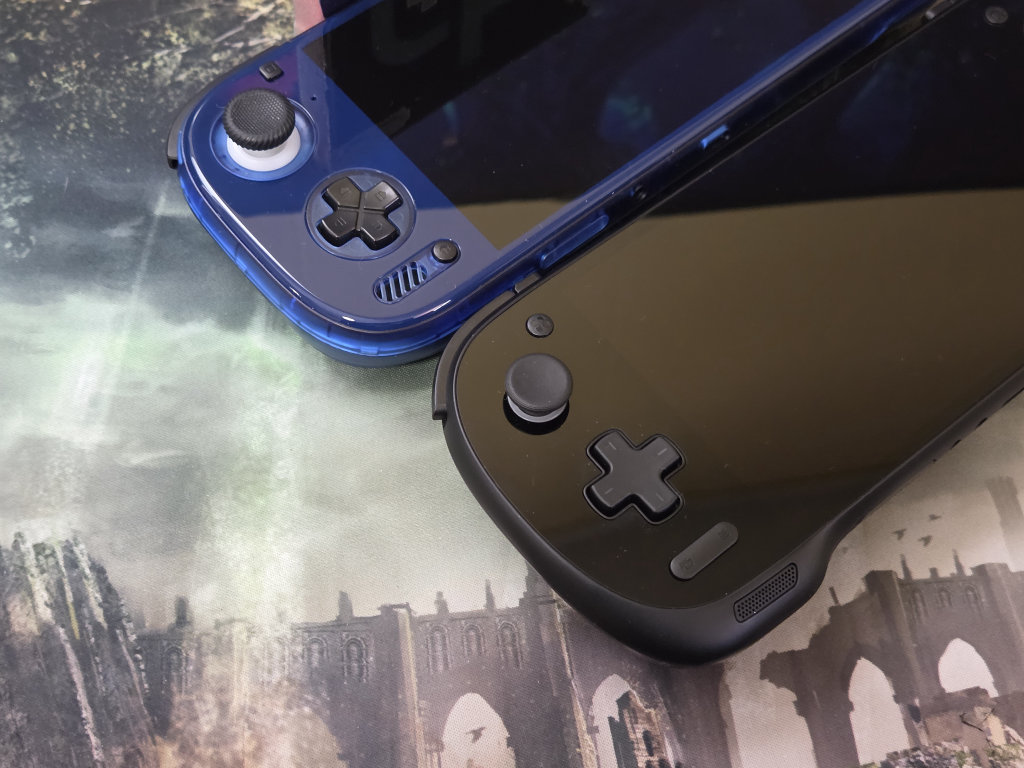
The Odin 3 has nearly perfect analog sticks. The caps are large, tall, and grippy, and the module itself gives you a full range of motion. The tall and large nature of the cap does hinder my access to the ABXY buttons, but I will take these sticks any day. The Odin 3 is a clear winner here, and it’s not even close.
- Konkr Pocket Fit: 11/20
- Odin 3: 19/20
Value
Price to performance ratios during RAMaggedon are extremely blurry, and now that the Konkr Pocket Fit is all but discontinued, but as of writing this, the console is currently officially in stock. The Max model with the G3 will set you back $479 plus shipping and tax. For what you get here, I think this is good value for what would be an endgame handheld to some.
You are getting great ergonomics, high-end Android gaming performance, and one of the best 6” LCDs on the market. The primary drawbacks here are a subpar Android experience, the crappy analog sticks, and the limitations of an LCD, and maybe that’s okay.
The Odin 3 has had an extremely rough release following the RAM and storage hoopla. The 24GB + 1TB variant was canceled, the UFS storage was downgraded from 4 to 3.1, and the price of the Max model rose from $449 to $489. Not to mention the console is STILL delivered in batches. For the price, whatever it is today, as long as it’s sub $500, I think this is ‘okay’ to ‘maybe’ value.
The ergonomics are great, Android performance is great with proper driver tweaking, the Android OS experience is clean, and the 6” OLED screen looks amazing. If tweaking and customization are your shtick, the Odin 3 is a good fit for you.
- Konkr Pocket Fit: 17/20
- Odin 3: 15/20
Total Score
- Konkr Pocket Fit: 113/140
- Odin 3: 118/140
The Odin 3 Wins?
While the console has many flaws, most of them stem from imperfections that can be mitigated somehow. Buttons spaced too close together? Buy the TPU grip. Hitting the right stick too much? Swap the thumb stick cap with a smaller one from the AYN Thor. Performance isn’t coming out that great? Try another driver.
The buttons are middling, but as an Android/AYN user for 5 years now, I’m used to this scheme. And once you go OLED, good luck going back to an LCD. The Konkr is a fantastic handheld, but the Odin to me just feels like home. Your personal scores might differ from mine, and that’s okay. The Konkr is a great choice, and probably a perfect choice for some.


5 Comments
So if I put Odin3 stick caps on the Konkr, the Konkr wins?
Would be cool if the Konkr fit had an elite 8 version so the comparison was proper…
A majority of the comparison is dedicated to the experience of the handheld itself rather than strictly performance. Comparing the G3 to the 8 Elite is still valuable if someone isn’t sure. Which to go with. But in case you wanted the Konkr Fir with an 8 Elite.
https://rh-go.link/KONKR-Pocket-FIT-Elite
It does. It just came out later and is now trickling out to consumers.
https://shop.ayaneo.com/products/konkr-pocket-fit-8-elite
I enjoyed this article but you all forgot one major comparison between the two devices; the batteries. I’ve owned both devices: an original batch 1 Odin 3 12/256 and a Konkr Pocket Fit G3 Gen 3 12/256. I tested both against one another playing Chrono Trigger using the CRT-Royale shader and the Odin 3 ate the Pocket Fit’s lunch. Over the course of an hour my Odin 3 lost 6% battery while the Pocket Fit lost more than 20% of it’s battery. I wound up selling the Pocket Fit because it’s battery usage was absolutely garbage compared to the Odin 3.