

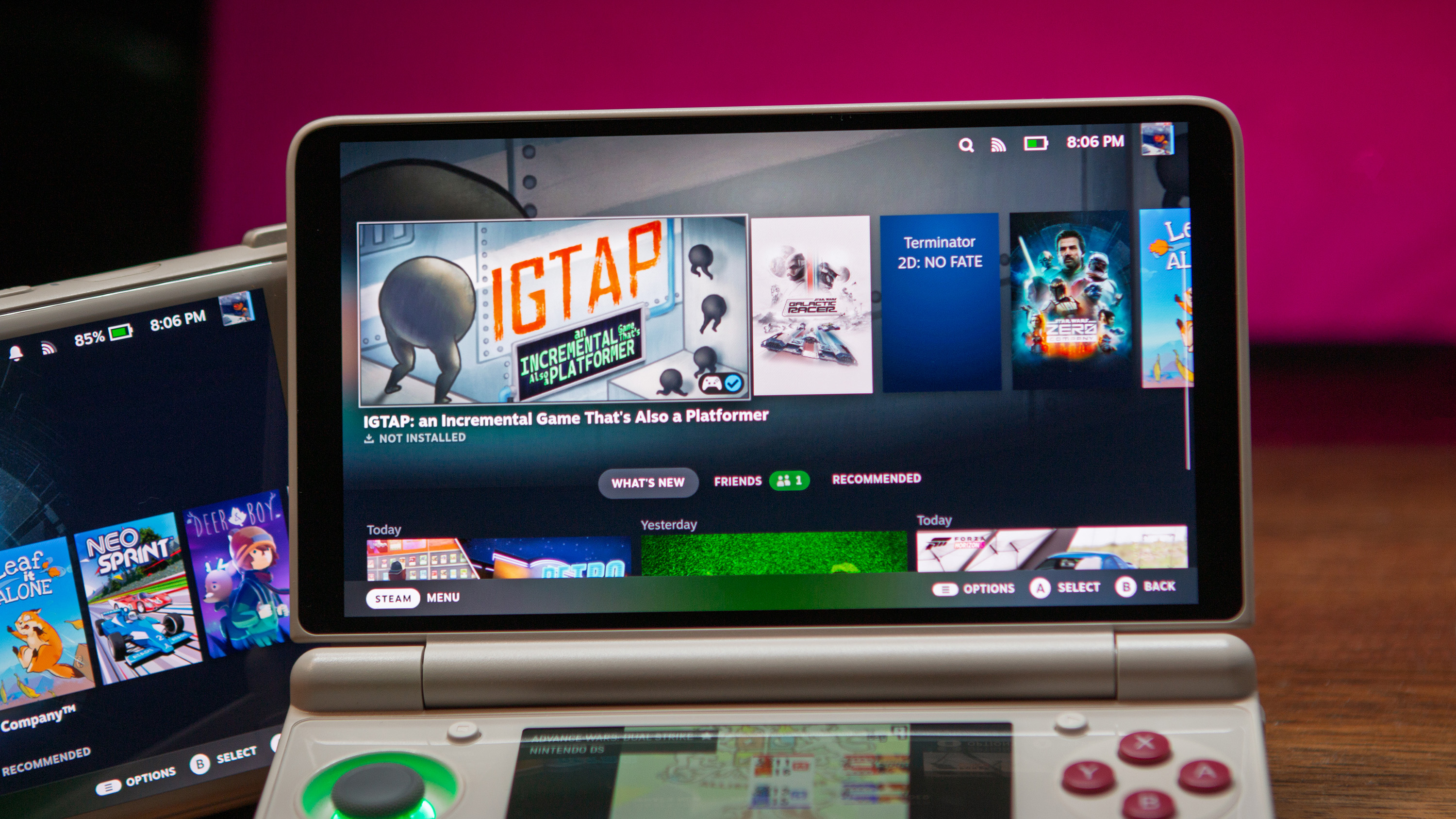
Many of us knew that Valve’s release of SteamOS for ARM would eventually result in the software being ported to at least some Android handhelds. What some might not have expected is being able to run SteamOS on Android just by installing an app. DroidDeck lets you do exactly that, as it “brings the SteamOS experience to Android.”
Until recently, we’ve had to rely on apps such as GameNative, Winlator, and GameHub in order to play Windows games on Android. And frankly, it’s been a wild experience even being able to get games running, let alone use our Android handhelds to actually play those games.
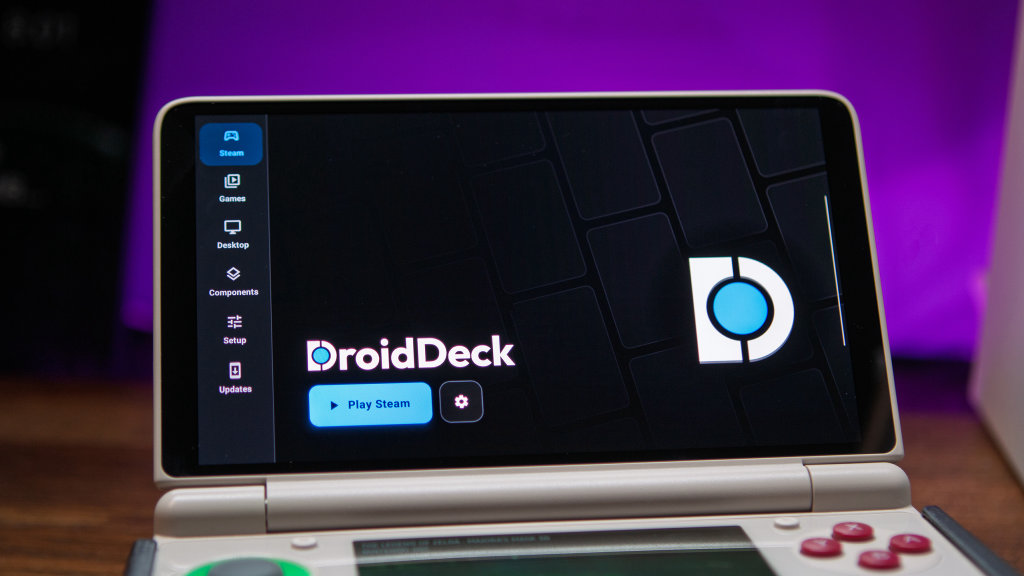
The downside to this, for some at least, is that those three aforementioned apps all still require you to interact with an interface that isn’t actually Steam. That’s one annoyance that DroidDeck aims to squash, and it does so rather surprisingly well.
Installation is a fairly seamless process, provided that you follow the in-app instructions. This is because DroidDeck requires that you disable the “Child-process limit” within the Developer Options, and if that specific setting isn’t available, you’ll need to use Wireless ADB Debugging in order for DroidDeck to turn off the necessary setting.
Once all of that is done, which only takes a minute or two, just head back into the “Steam” section of DroidDeck and tap the Play Steam button. Then, a few more necessary processes will be downloaded and installed, namely the FEX and Proton drivers needed to get SteamOS up and running. From there, just sign into your Steam account and wait for your library to populate.
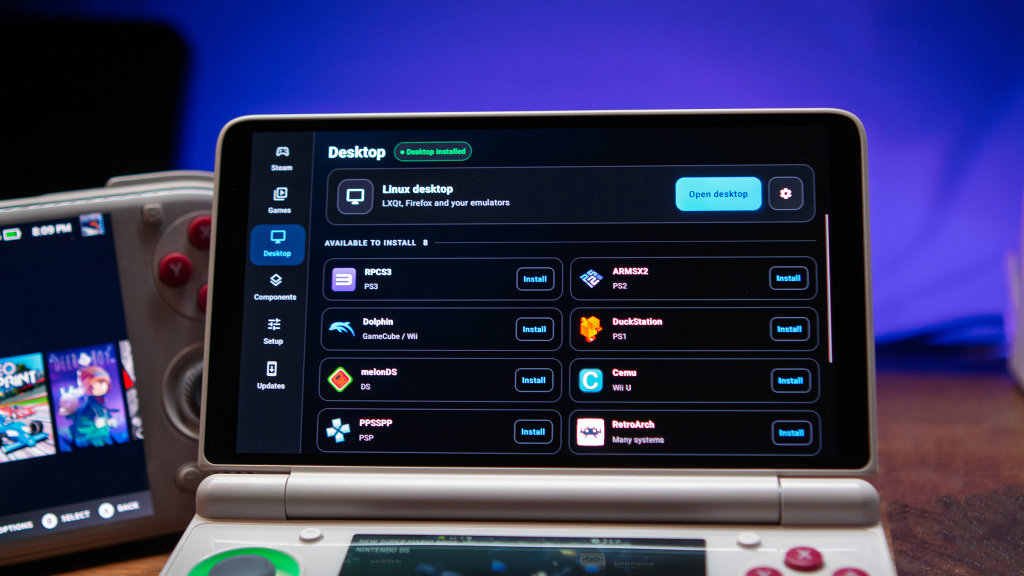
There is another side to DroidDeck, as it’s not just a way to bring Steam Big Picture Mode to your Android handhelds. You might notice a “Desktop” tab when opening the app, and this is where you can actually install and use a Linux desktop experience akin to switching to Desktop Mode from your Steam Deck.
Again, the installation process is easy enough, as you’ll just need to tap the “Install & open desktop” button, then wait for everything to finish. DroidDeck also tries to make emulation easier from within this SteamOS experience, offering the ability to install emulators that are then available from Desktop Mode.
All of this, right from within a single app. That means there’s no need to worry about flashing the latest ROCKNIX ABL and then installing a custom firmware. Nor do you need to make sure you’re making the right selections when switching the ABL to boot from Linux to Android.
I haven’t spent enough time with DroidDeck yet to determine whether this is faster or better than GameNative, but I’ll be testing it out in the coming days. I’m also planning on seeing how gameplay fares compared to Armada on my Odin 3, which I expect will be an interesting comparison.
If you want to take DroidDeck for a spin, it’s currently available to download over on GitHub. And if you’re still on the fence, just check out some of the most recent updates, as the developers are moving at an incredible pace with adding new features and fixing bugs.

