

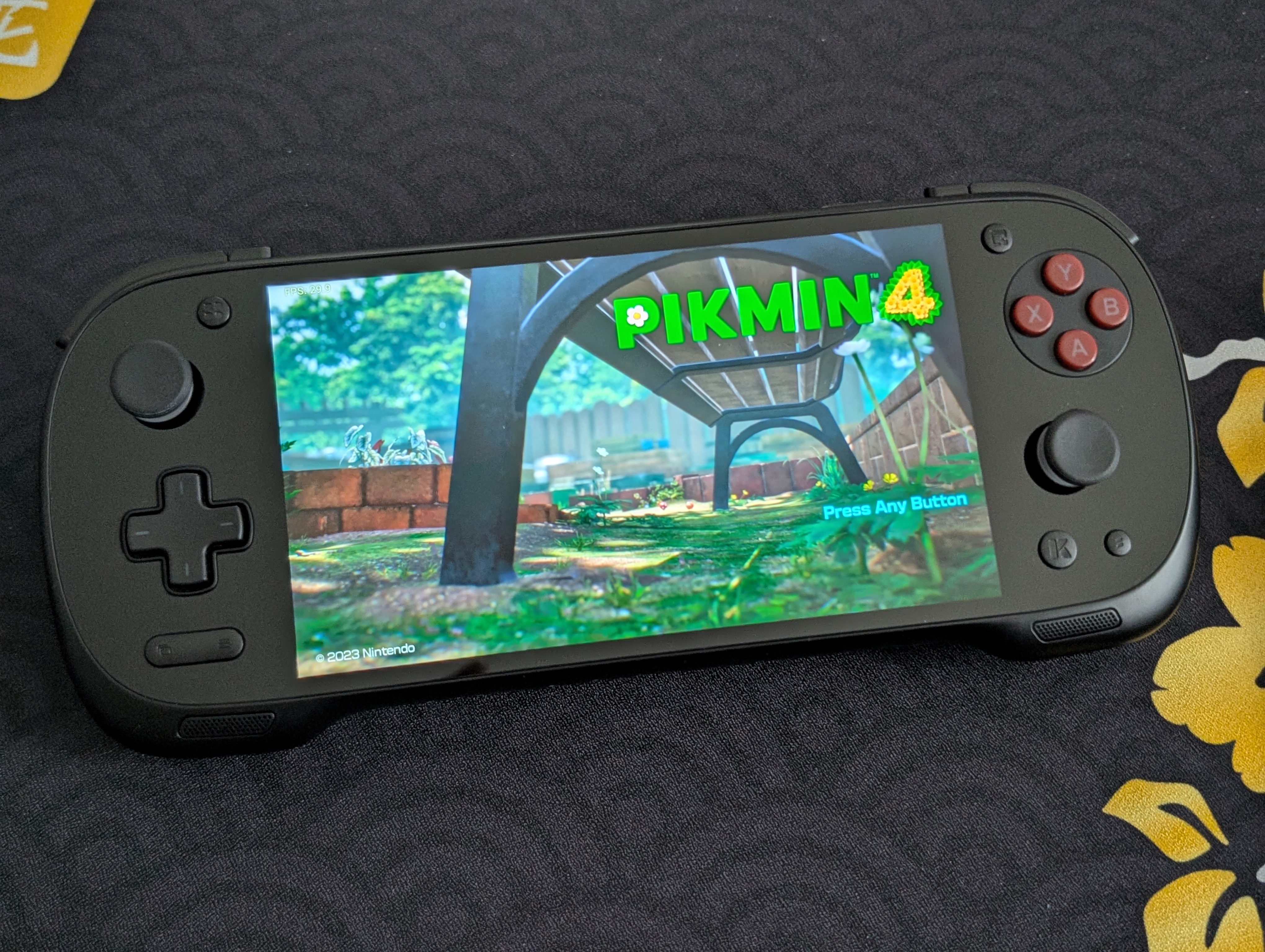
The KONKR Pocket Fit, the first device from the KONKR brand (a budget offshoot from the AYANEO team), has taken many members of the Retro Handheld community by surprise. A vibrant screen, comfortable ergonomics, and a previously palatable price have landed the Pocket Fit as a favorite for many individuals. This guide will help you set up your KONKR Pocket Fit to get the most out of your device.
Table of Contents
KONKR Pocket Fit Specs
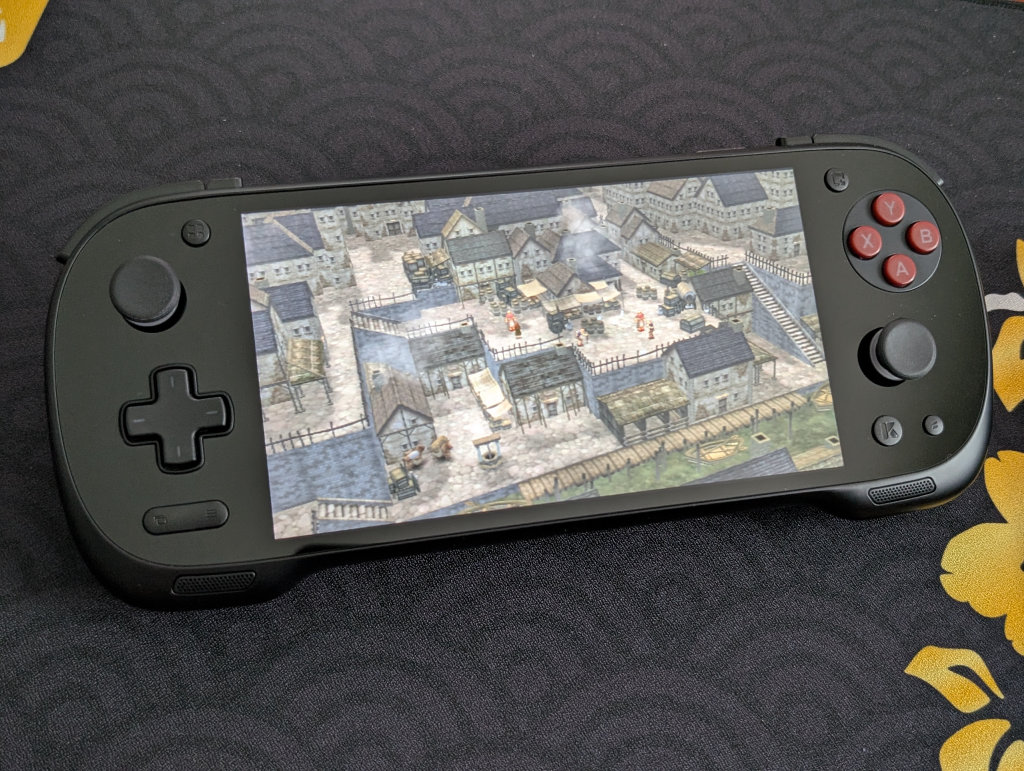
As detailed in our KONKR Pocket Fit review, the KONKR Pocket Fit comes in three distinct colors (Phantom Black, Snow White, and Dragon Yellow) and four different RAM and storage configurations. Higher RAM and storage options will be beneficial for those looking to dive into PC emulation on Android, but the 12GB/256GB (or, as AYN would put it, the “Pro” specification) is generally considered a sweet spot that can handle pretty much any emulation demands you throw at it.
Under the hood is a Snapdragon G3 Gen 3, powering a 144Hz, 6-inch 1920×1080 LCD screen. While not an OLED screen, the LCD on the Pocket Fit looks excellent, with bright colors and a high refresh rate that really shines when playing PC games.
Note: The Snapdragon 8 Elite version of the KONKR Pocket Fit is only just now starting to get into the hands of backers, and has already been stated by AYANEO as likely to be discontinued. Therefore, this guide is going to mostly focus on the G3 Gen 3 version. If you’ve got the 8 Elite version, know that you may face some compatibility issues with the 8 Elite chip when it comes to emulation drivers, as developer support for this chip continues to mature.
| Specifications | |
|---|---|
| Hardware | |
| CPU | Qualcomm Snapdragon G3 Gen 3 |
| GPU | Qualcomm Adreno A33 |
| RAM | 8GB LPDDR5X, 12GB LPDDR5X, 16GB LPDDR5X |
| Display | |
| Screen Size | 6-inch |
| Resolution | 1920 x 1080 |
| Aspect Ratio | 16:9 |
| Refresh Rate | 144Hz |
| PPI | 367.15 |
| Storage | |
| Internal Storage | 128GB UFS 3.1, 256GB UFS 4.0, 512GB UFS 4.0, 1TB UFS 4.0 |
| External Storage | microSD |
| Battery | |
| Battery Capacity | 8400mAh |
| Charging Speed | PD Fast Charging |
| Connectivity | |
| Wi-Fi | Wi-Fi 6 |
| Bluetooth | Bluetooth 5.3 |
| Ports | 3.5mm Audio Jack, USB-C |
| Video Out | Yes |
| Controls | |
| Sticks | Hall Effect |
| Triggers | Hall Effect |
| Shoulder Layout | Stacked |
| D-Pad | Bottom Left |
| Audio | |
| Speakers | Stereo |
| Speaker Location | Front-facing |
| Headphone Jack | Yes |
| Physical | |
| Dimensions | 225 x 88.9 x 17mm |
| Weight | 386g |
| Form Factor | Horizontal |
| Software | |
| Operating System | Android 14 |


Recommended Accessories
When it comes to official accessories available directly from the AYANEO website, there are several options. We’ve got a hard carrying case, screen protector, and various stick replacement caps. We’ve even got a sling bag in collaboration with TomToc, if that’s something you are interested in purchasing.
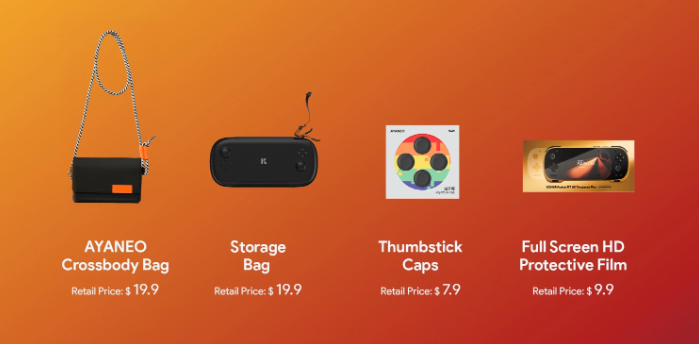
- Pocket Fit Carrying Case
- Pocket Fit Screen Protector
- Large Joystick Replacement Caps
- Thumbstick Caps
- AYANEO x TomToc Sling Bag
When it comes to unofficial accessories, there are a couple of options for 3D-printed cases and covers on Etsy. As a reminder, if you’ve got any larger replacement sticks or caps for your AYN Odin or Retroid Pocket devices, the Pocket Fit uses the same stem as those devices.
External Storage
Ah, the age-old question of whether to keep your games and files on the internal storage on the device itself, or external storage in the form of a microSD card or portable SSD? External storage is great for ease of transferring files to and from your device. All my files are kept on a Sharge Disk (external 2230 SSD enclosure), which means I don’t have to constantly involve my computer in the installation process. I can even play games directly from the SSD!
Internal storage is going to be faster and more stable, so plenty of people prefer that option. However, if you’re interested in something like PC emulation through GameNative or GameHub, then you might want to reserve that internal storage for those purposes, as using external storage for PC emulation on Android can cause performance issues and/or crashes.
Also, the KONKR Pocket Fit has one of the best microSD card slot access panels I’ve ever encountered on a retro handheld. Know that if you have to access a microSD card repeatedly, it’s going to be a painless experience.
Installing Apps and Emulators
Now, it’s time to focus on getting your emulators set up. Remember when we had to find and install each emulator and system separately? Retro Handhelds remembers. Those days are long gone, unless you prefer that sort of journey.
Obtainium
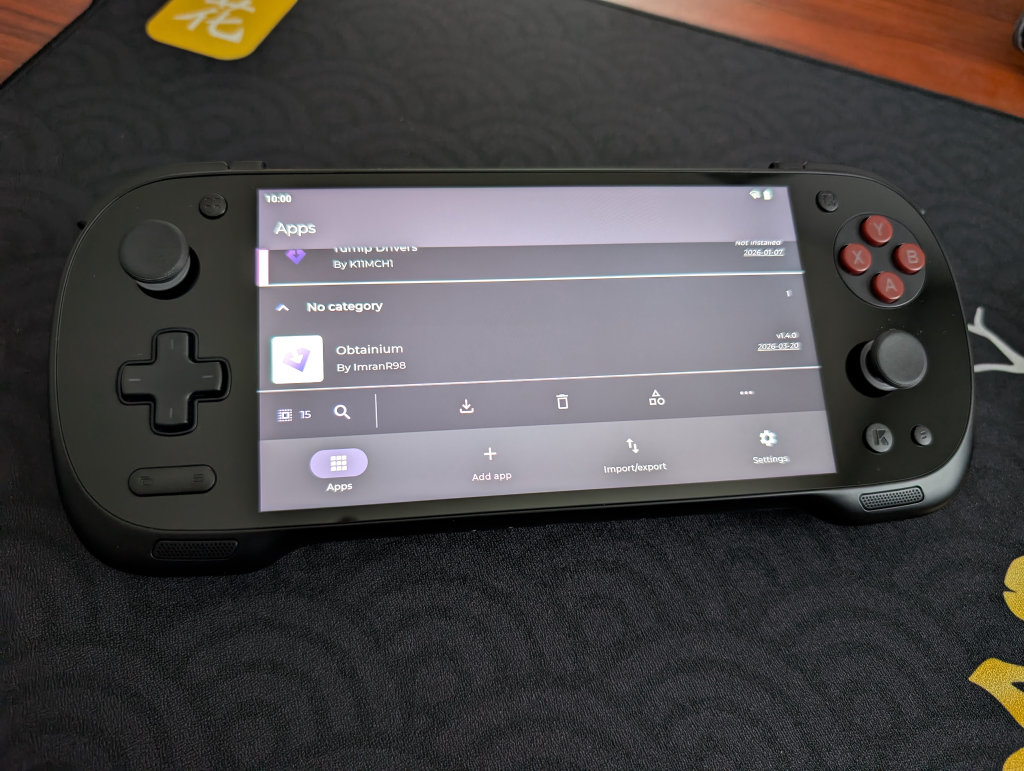
Obtainium has made emulation and gaming software installation on Android an extremely simple process, with the help of the Obtainium Emulation Pack. Obtainium will provide links directly to developer sources and pages, cutting out the need to find and manage them yourself. Additionally, Obtainium will also keep tabs on these programs and alert you of any updates that need to be installed.
For an in-depth guide on Obtainium setup and configuration, please check out our Obtainium guide on our website.
BIOS Files
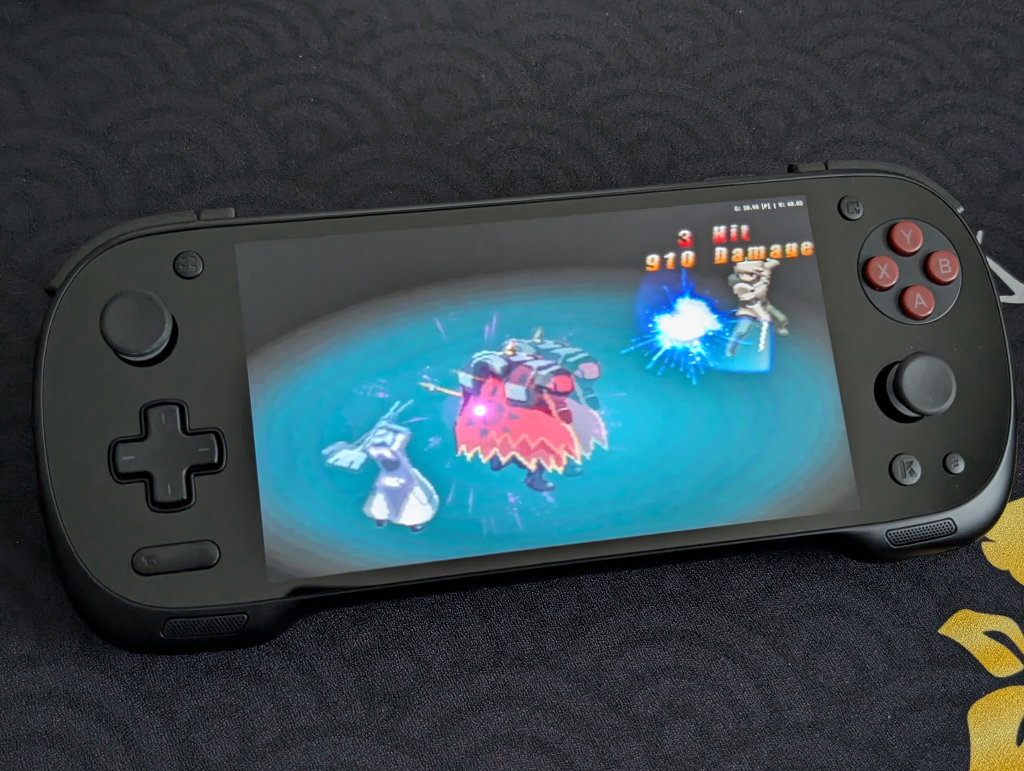
While the installation of emulators on your various handhelds will get you most of the way to your goal of playing games, some systems (most notably disc-based) require a BIOS in order to actually run the games. Systems on RetroArch will be mostly covered, but anything additional (PS2, GameCube, Saturn, Switch) will require some additional file placements.
While copyright law keeps us from telling you where to find these files, you can refer to our Recommended BIOS Files article for examples of BIOS files for each system, along with where they should be placed in your file structure.
Choosing a Launcher or Frontend
Choosing a launcher or frontend ultimately comes down to preference. There are several options to choose from, including the AYASPACE launcher built into the KONKR Pocket Fit, but it might be best to try a few different options and see what works best for your needs.
Beacon Game Launcher
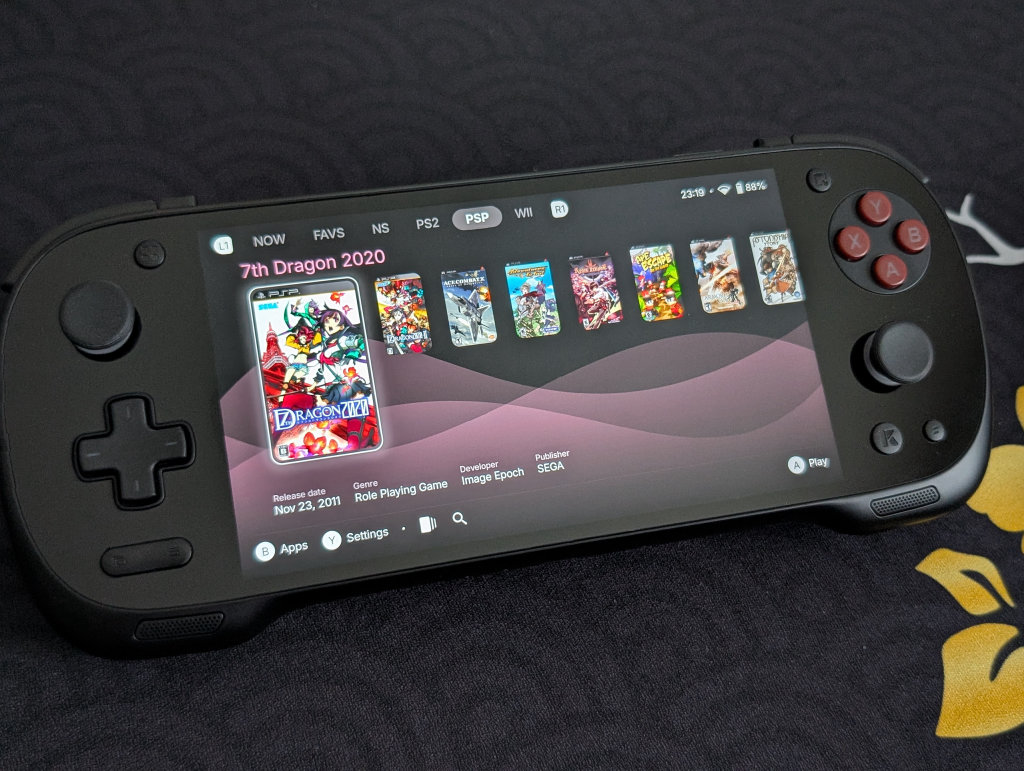
My personal choice for frontend goes to Beacon Game Launcher. While it is a paid app ($2.99), which might turn some people off, it has been the one I consistently install on nearly all my devices. Beacon Game Launcher focuses on a simple, no-fuss setup and configuration, and aesthetically has been my favorite of several options that I’ve explored.
AYASpace Launcher
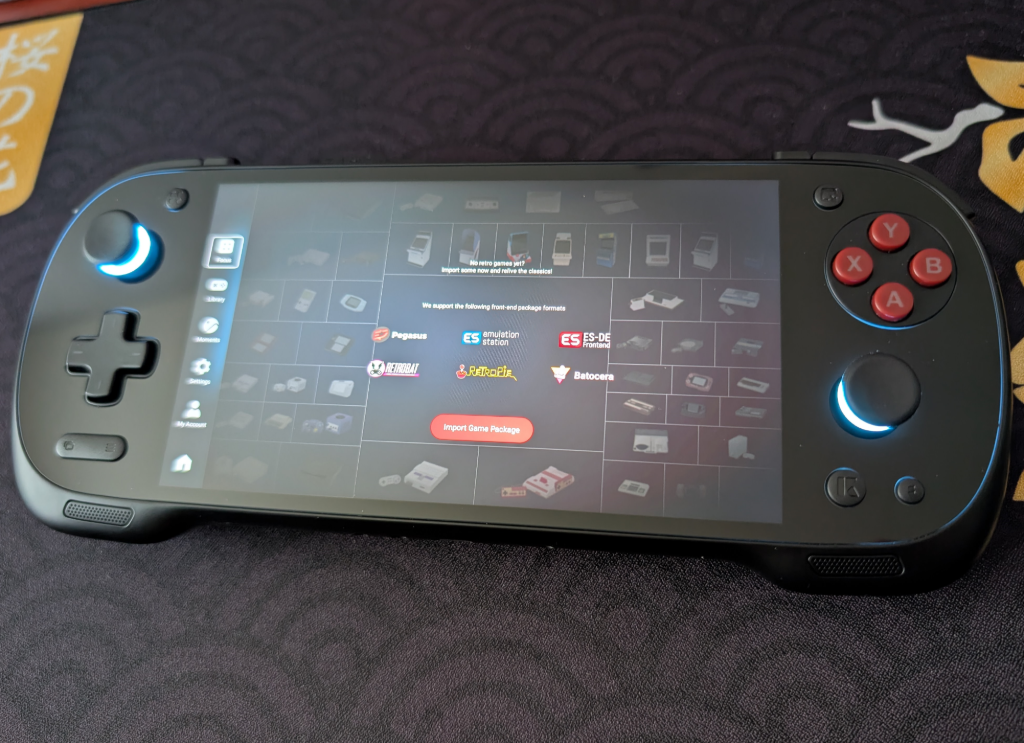
While I don’t personally use or recommend the AYASpace Launcher, it works and provides an option to integrate other frontends and display game libraries. This one feels a bit more DIY than simply choosing a frontend and launching games from that, so know going in that you may be doing a bit more tinkering if you choose this option.
Additional Options
- Daijisho (Free)
- Console Launcher (Free, with optional premium feature support)
- Launchbox (Free version supports up to 100 games. Additional paid packages available)
- Pegasus (Free/Open-source)
- ES-DE ($6.50 on Galaxy Store, Free for Patreon supporters)
Streaming Apps
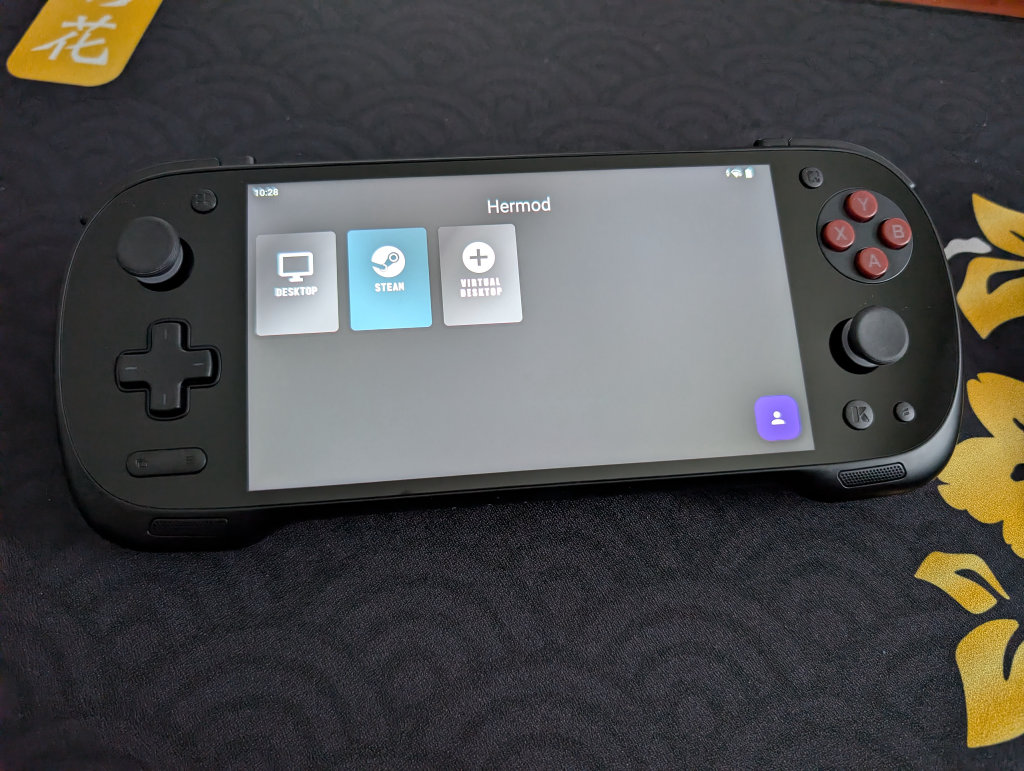
This is going to depend entirely on your personal desktop/gaming PC and your home network, but the one that works the best for me is Artemis. Install Apollo on your streaming PC, and Artemis on your KONKR Pocket Fit, and follow this guide from Retro Game Corps to get things running. That 144Hz refresh rate on the Pocket Fit screen really shines with PC gaming and streaming.
Moonlight/Sunshine is also an option, of which Apollo and Artemis are forks, and may work better for you depending on your home network situation. I just prefer and have had better experiences with Apollo and Artemis.
PC Emulation
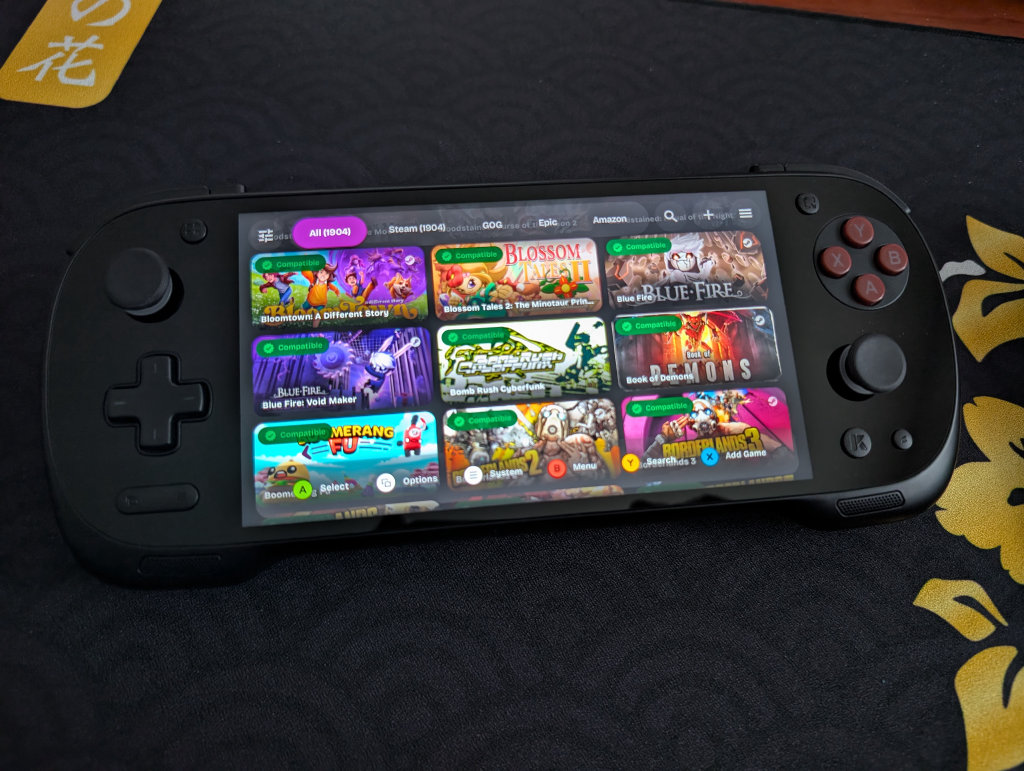
If you followed the previous Obtainium section, you’ll have access to both GameHub Lite and GameNative. These are the two biggest apps in the Android PC Emulation space right now. GameNative, which is my preferred PC emulator, gives you access to your entire Steam library, including cloud saves. Our own Jim has an excellent How to Play Steam Games on Android guide if you want to set up GameNative.
Some people have more success with some games in GameHub Lite than GameNative, and vice versa, so feel free to download both and play around to see what works for you. As mentioned previously, the high 144Hz refresh rate on the Pocket FIT screen is especially great with PC gaming, which makes the Pocket FIT a great option for those interested in PC emulation on Android.
Additional Recommended Apps
RetroAchievements is a completely community-driven way to earn achievements in retro video games, essentially giving a modern feel to our games of the past. While they can be a little divisive given their need for an always-online connection, it is a fun way to add a little extra layer of engagement to your gaming.
CHDroid allows you to convert ROM files into a compressed .chd format on the KONKR Pocket Fit itself. Most disc-based games, like PS2, Sega Saturn, Dreamcast, and PC Engine CD, can be converted to .chd and save a ton of space.
Quick Tips and Tricks
KONKR Buttons
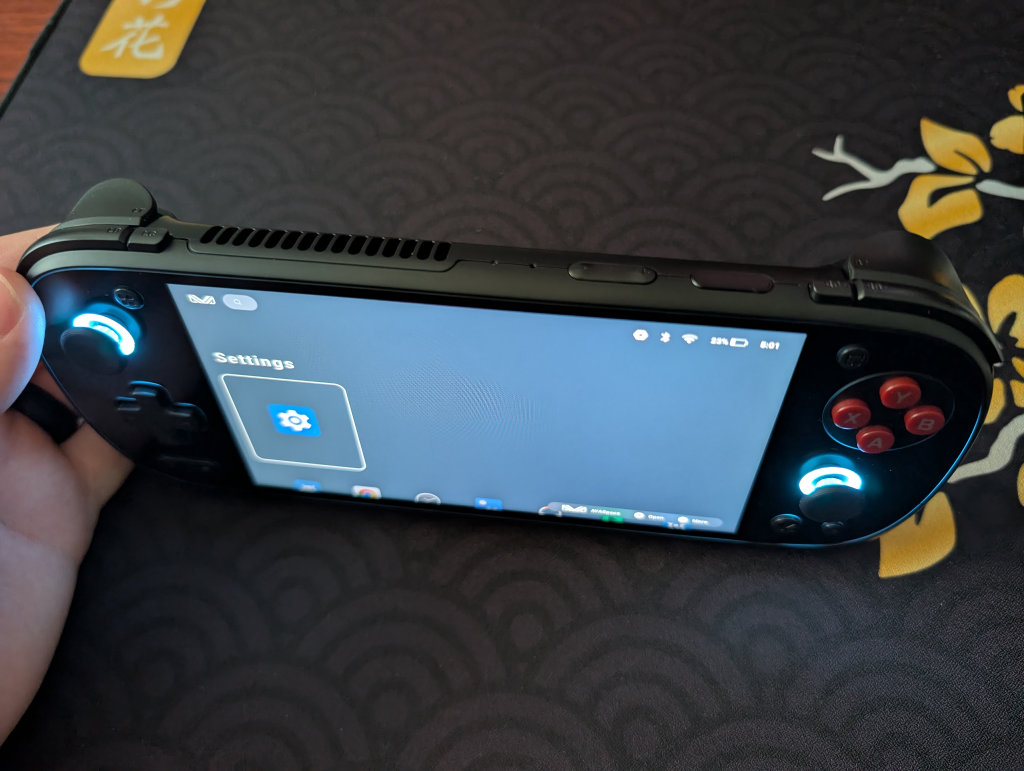
The KONKR has two function buttons on the back of the device, similar to the AYN Odin line (marked in the system as LC1 and RC1). There are also two additional function buttons near the left and right shoulder buttons (RC and LC), for a total of four additional function buttons on the Pocket Fit. These can all be adjusted via the KONKR Menu below.
The button at the top-left of the screen is the Display button, while the button at the top-right of the screen adjusts the Performance Mode. We’ve got Start and Select under the D-Pad, and the KONKR Menu button and Back button under the right analog stick.
The power button also has a fingerprint sensor, which I enjoy.
KONKR Menu
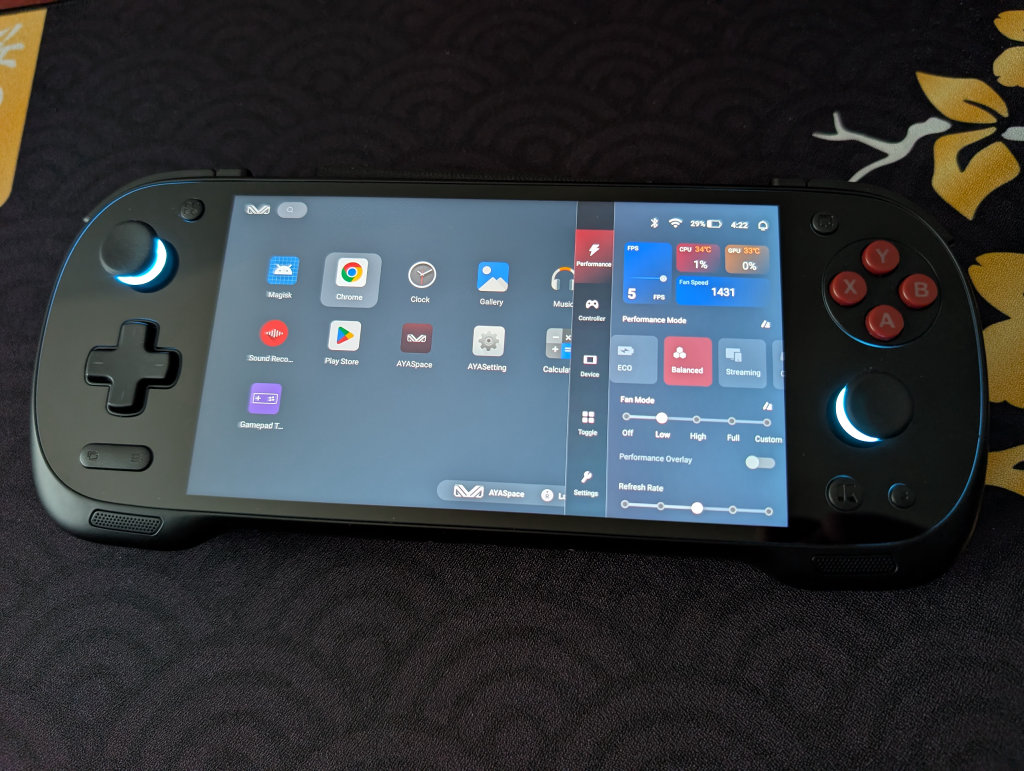
Clicking on the KONKR “K” button will bring up a menu, where you get a mix of a monitoring and performance panel and quick-hit settings and adjustments.
- Performance
- Performance Selection
- Eco
- Balanced
- Streaming
- Gaming
- Max
- FPS Monitor
- CPU Temperature and Usage Percentage
- GPU Temperature and Usage Percentage
- Fan Speed
- Fan Mode
- Performance Overlay Toggle (shows minimized metrics on top screen)
- Refresh Rate adjustment
- Performance Selection
- Controller
- Key Mapping toggle
- Emulate Xbox Bluetooth Controller toggle
- Vibration Adjustment
- Low
- Middle
- High
- Intensity Adjustment
- Duration Adjustment
- Sound Vibration toggle
- Button Vibration toggle
- Trigger Adjustment
- Digital
- Linear
- Sensitivity Adjustment
- Slack Adjustment
- Joystick Adjustment
- Sensitivity Adjustment
- Invert Joystick
- Dead Zone toggle
- ABXY Layout
- Standard (Xbox)
- Japanese (Nintendo)
- Select/Start Turbo Mapping
- Back Button Mapping
- Turbo Button Mapping
- Device
- Brightness Adjustment
- Volume Adjustment
- Airplane Mode toggle
- Bluetooth Toggle
- Wi-Fi toggle
- RGB Effects toggle
- RGB Mode
- Default
- Breath
- Static
- Customize
- Charging Mode
- Standard
- Bypass
- Toggle
- Screenshot
- Night Mode
- Bluetooth
- Force Landscape
- Auto-Rotate
- Do Not Disturb
- Airplane Mode
- Screen Recording
- Alarm
- Screen Casting
- Location
- Hotspot
- Data Saver
- Dark Mode
- Wi-Fi
- Settings
- Check for Updates
- Device Settings
- Android System Settings
How to Update Your KONKR Pocket Fit
To update the software on your KONKR Pocket Fit, follow these steps:
- Go to your AYANEO System Settings (steps found below)
- Find the System Update
- Any applicable programs that need to be updated will have a red Update icon next to them
- Once you select Update, a percentage icon will appear in red, showing progress
- Once updated, you will likely be booted from the AYANEO System Settings
- Return to the AYANE System Settings to update any subsequent programs
- Once all programs are updated, a No Updates Available message will appear
AYANEO System Settings
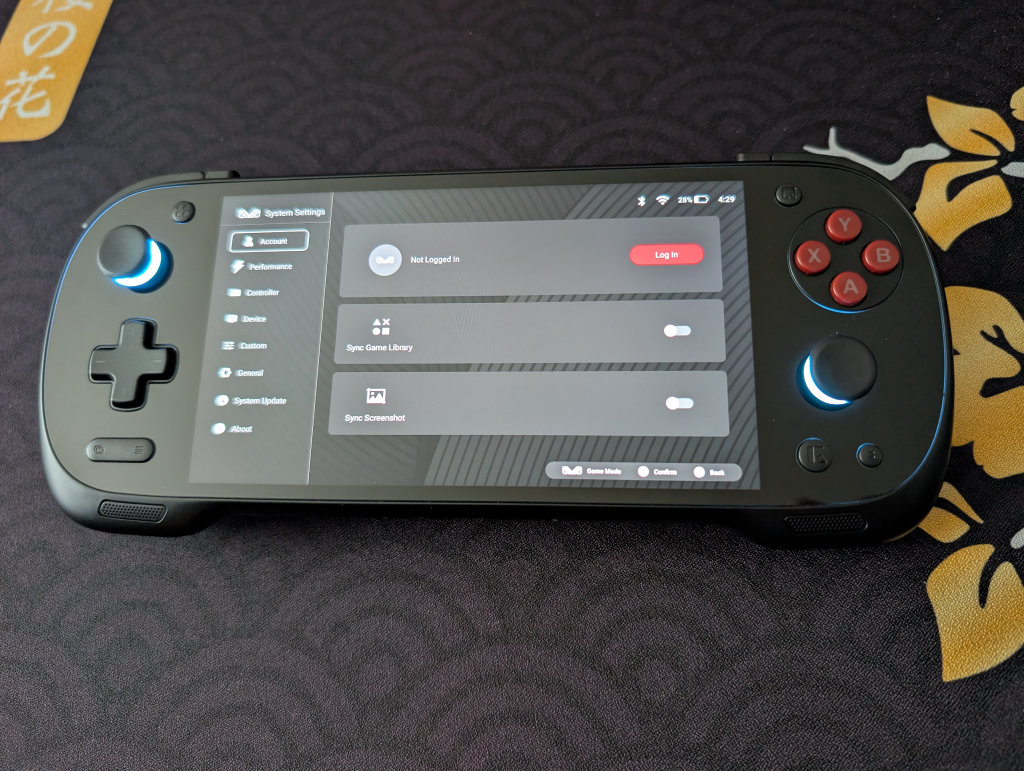
Clicking on the AYASetting icon (it looks like the regular Settings icon, they just threw “AYA” in there) will bring up the AYANEO System Settings. For anyone who’s had an AYANEO device before, you’re likely going to recognize these screens.
- Account
- Log in to your AYANEO Account
- Performance
- Adjust performance modes
- Adjust fan modes
- Adjust CPU scheduling modes
- Adjust CPU limit
- Adjust GPU limit
- Lock GPU at max frequency
- Controller
- Adjust RGB Effects
- Joystick calibration
- Set Custom Button layouts
- Adjust controller mode
- Adjust keyboard and mouse mode
- Setup custom keys (useful for those LC and RC function buttons near the shoulder buttons)
- Device
- Root script
- Device spoofing
- Screen Settings
- Virtual Memory Management
- Fan Settings
- Casting Settings
- Turn off Wi-Fi while screen is off
- Charging fan speed when screen is off
- Equalizer
- Custom
- Adjust system wallpaper
- Performance mode prompt
- Confirm before returning to desktop
- General
- System language
- Input Method
- Server
- System Update
- About
- Device Name
- Serial Number
- Device Storage
- RAM
- Android Version
- Version Code
- App versions of the various AYANEO software
- Legal information and third-party libraries
File Transfer: Solid Explorer
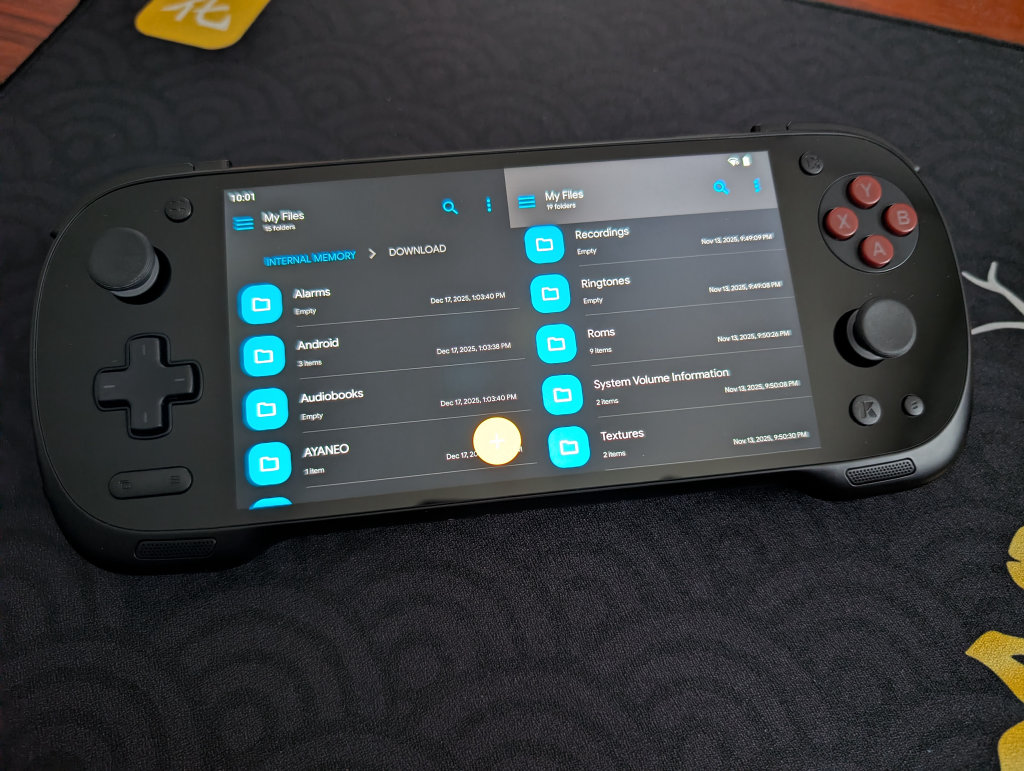
My go-to file transfer program has been Solid Explorer for a long time now. I enjoy the split-screen layout and the ease of copying and moving files. It is worth mentioning that this is a paid app ($5.99, though there is a 14-day free trial), but I’ve simply been unable to go back to other options after using Solid Explorer.
If you prefer a free option, MiXplorer is one that my colleague Nick has recommended before. It’s free, with a premium version called MiX Silver available, and it also works very well.
Conclusion
The KONKR Pocket Fit is a comfortable, powerful Android emulation device, with a high refresh rate and excellent screen (even if it’s not OLED). Hopefully, this guide provided you with the tools necessary to enjoy your Pocket Fit to the fullest, and we will continue to update this guide with more fun updates and projects as we come across them.
