

Prior to the current PC pricing debacle, one of my favorite pastimes had always been finding deals on used office PCs and repurposing them for my needs at home. It was a fun treasure hunt. Pick up a used SFF PC like an HP EliteDesk 800 G2 for $49.99 (I still have the sticker on mine), slap in some extra $1/GB DDR4, and you have yourself a capable little home server.
I’ve been running Proxmox on my old G2 to power numerous virtual machines, including my Plex server, Home Assistant, and an Ubuntu VM that manages an external hard drive RAID as a NAS.
Then around the fall of 2025, all of that came crashing down. RAM prices doubled, then tripled, and storage costs came right up behind them. It used to be that I’d accept older hardware that was still capable, if less feature-rich, because the discount was just too good to ignore. The explosion in even used component pricing now means that math is often on shaky ground.
Disclosure:
The device reviewed was provided as a review sample by Kamrui. This had no bearing on the conclusion of the review, nor did Kamrui have the opportunity to make edits or changes to the review before publishing.
Affiliate links might be present where applicable, and we may earn a commission on product purchases using those links at no extra cost to you.
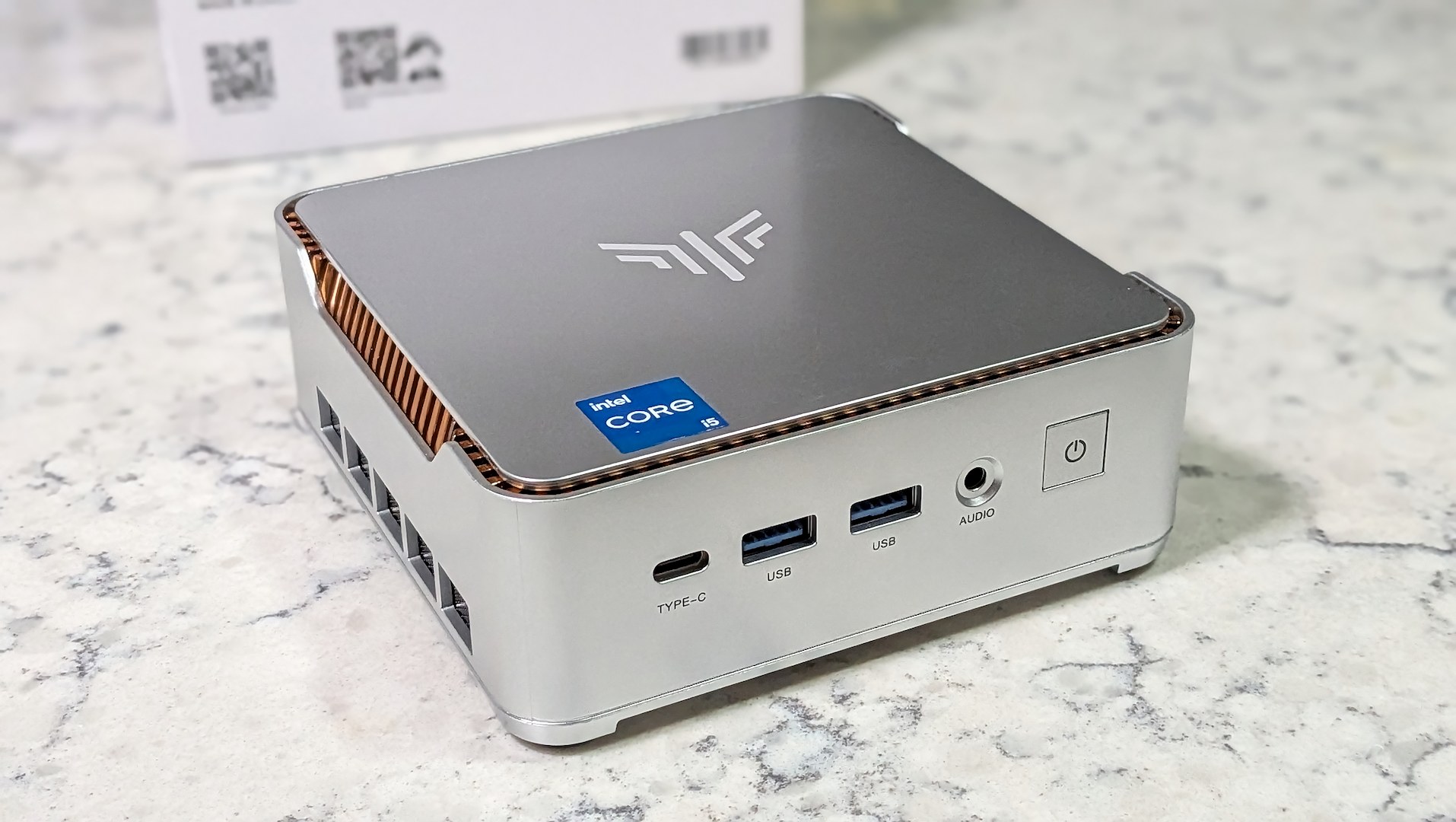
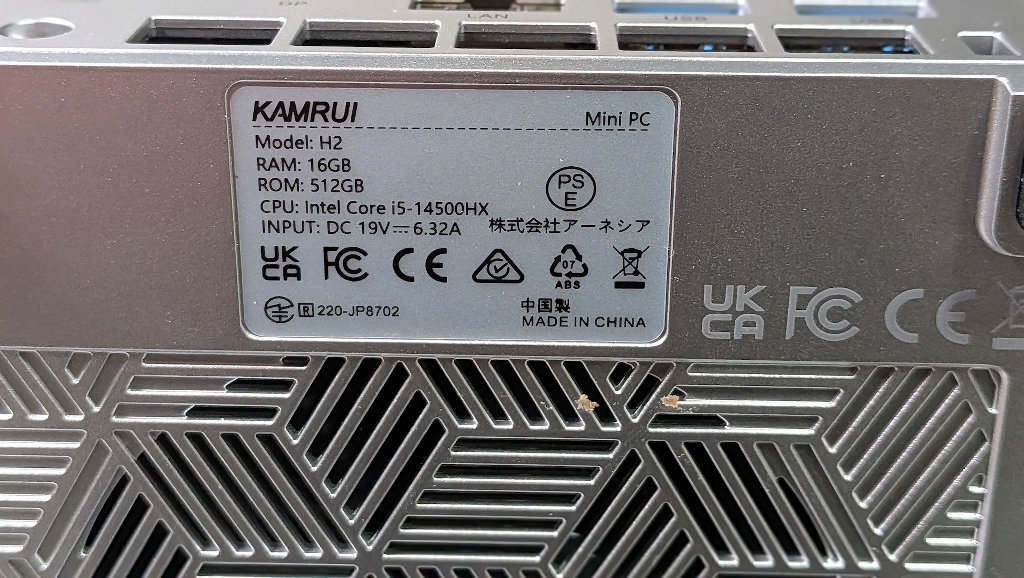
Enter the Kamrui Hyper Series H2. When Kamrui reached out for review, they sent this beast of a 14-core (8P+6E), 20-thread, i5-14500HX. A monster of a capable processor in a mini PC, but it’s hamstrung in the gaming department by the limited capabilities of the integrated Intel UHD Graphics. The machine’s limited graphical capabilities, but stacked CPU, make it the perfect candidate to upgrade my decade-old HP Proxmox machine.
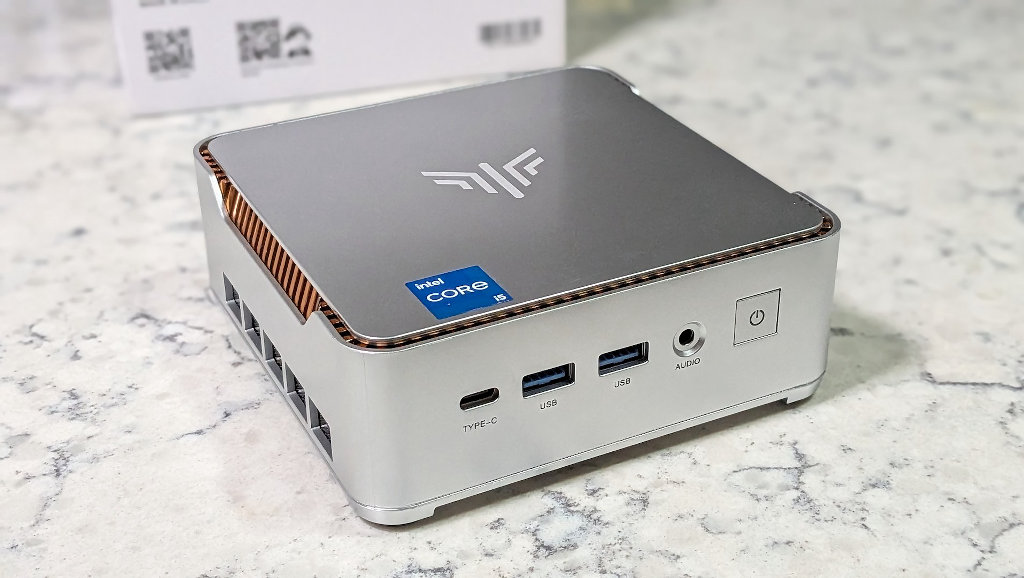
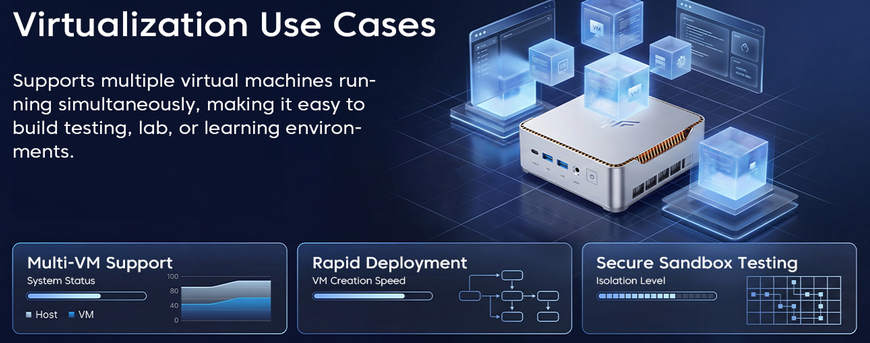
The H2 should obliterate the performance of my old HP 800 G2 with its i5-6500T, and it does, but the question is whether that upgrade is worth the current $669.99 listing price. My primary use case for the Kamrui H2 will be running virtual machines on Proxmox, which is one of the marketed uses for the PC. If you’re a developer or a heavy desktop user, those 20 CPU threads should keep even the busiest multitasker satisfied.
Now, since mini PC prices fluctuate all the time, the price will likely see sales that bring it down, but I have to be honest, when I saw that number I was a little taken aback. I knew that the RAMpocalypse had narrowed the gap between used DIY pickups and new pre-builts, but I didn’t expect pricing that rivals a new budget gaming desktop with a dedicated graphics card.
Kamrui H2 i5-14500HX Specifications
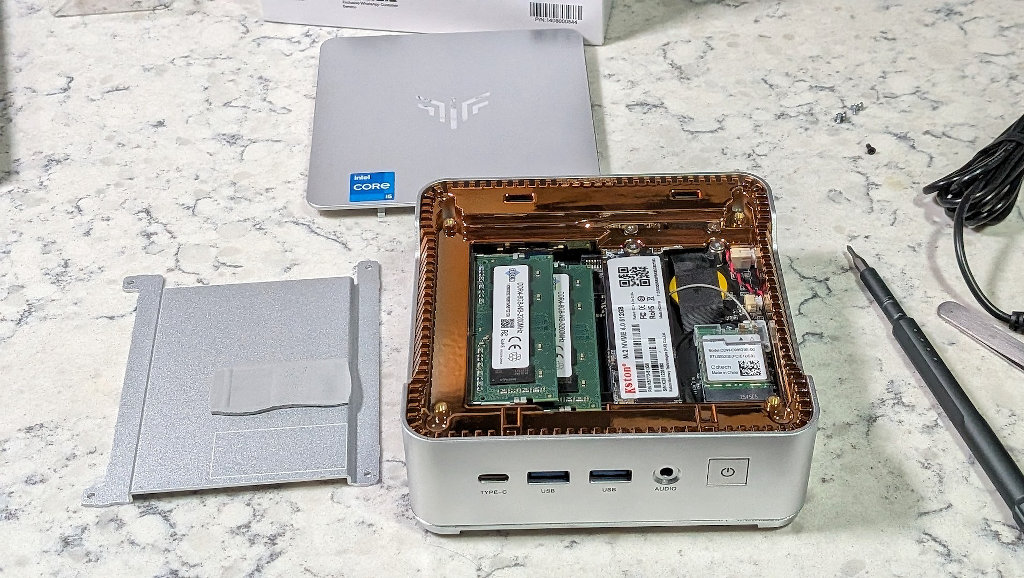
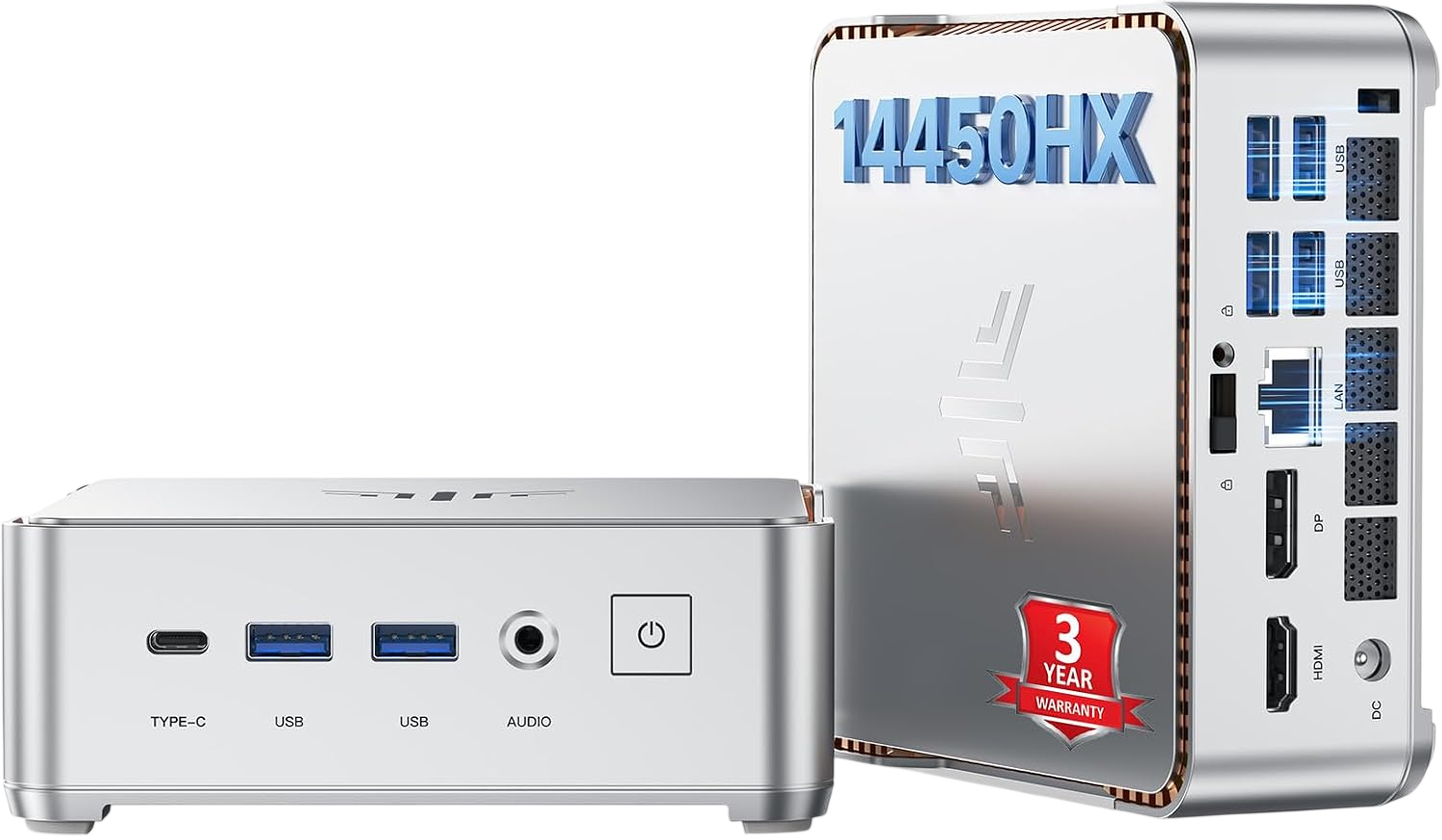
Looking beyond the base package, expansion options are decent. Dual M.2 slots mean I can add more storage whenever it actually becomes affordable again. RAM upgrades are as simple as popping the cover. The only real drawback in my eyes is that a single gigabit Ethernet port might prove limiting for network applications, but at least there are enough USB ports that a 2.5GBe adapter is a simple fix.
| Kamrui Hyper Series H2 i5-14500HX | |
|---|---|
| Hardware | |
| CPU | Intel Core i5-14500HX (14C/20T, 8P+6E, up to 4.9GHz) |
| GPU | Intel UHD Graphics 770 (32 EUs) |
| RAM | 16GB DDR4-3200 (dual-channel, upgradeable to 64GB) |
| Power | ~55W TDP, 120W adapter included |
| Storage | |
| Hard Drive | 512GB PCIe 4.0 NVMe M.2 2280 (dual M.2 slots, max 4TB) |
| Connectivity | |
| Networking | 1x Gigabit Ethernet, Wi-Fi 6, BT 5.2 |
| USB | 6x USB 3.2 Gen 2, 1x USB Type C |
| Video-out | HDMI 2.0 + DP 1.4b + USB-C (triple 4K@60Hz) |
| Audio | 3.5mm headphone jack |
| Software | |
| OS | Windows 11 Pro |
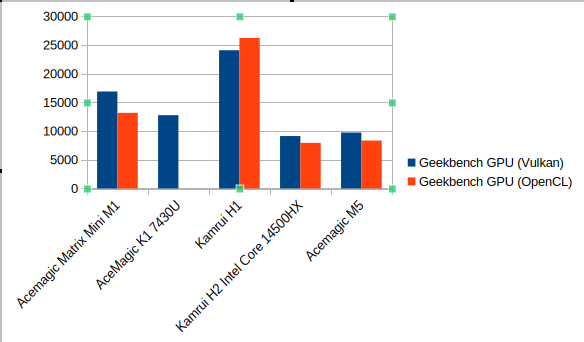
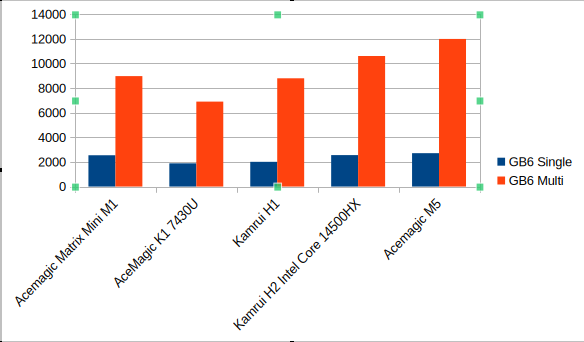
Geekbench Results
The numbers don’t lie; this is a PC with a ripping CPU, but won’t be mustering up much in the gaming department. This is a workhorse of a machine, but it’s best suited for processor-heavy tasks.
The VM Experience
For anyone not familiar, Proxmox VE (Virtual Environment) is an open-source platform for maintaining multiple virtual machines. It can be installed on the most humble mini-PC homelab all the way up to enterprise and datacenter applications. Best of all, it’s free.
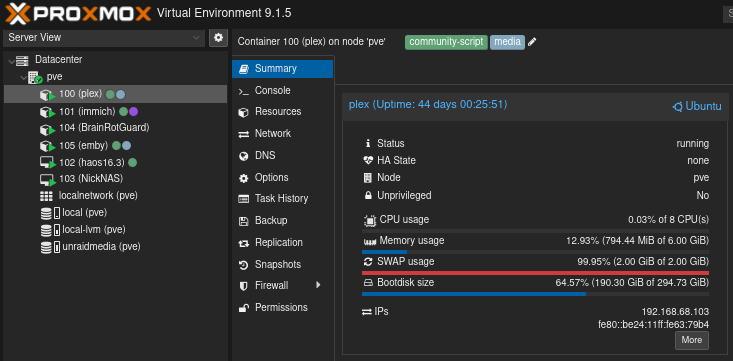
As we know here in the RetroHandhelds community, give users a place to tinker, and the community will create all sorts of great projects. Proxmox is no exception, with plenty of community tutorials and scripts that simplify installing and maintaining whatever projects you might have in mind. Community Scripts is a great place to explore for your next project.
Installing something like a Plex machine is made as simple as copy- pasting a single terminal command. For those out there looking to automate their lives without the confines of a walled ecosystem (or the inclusion of a subscription fee), then it’s time to join the world of Home Assistant. There isn’t much you can’t do.
Homelab Performance: Muscle to Spare
The H2 is equipped with Intel Quick Sync Video, and it’s a game changer, especially when coming from the humble i5-6500T. The old processor’s integrated graphics were fine for 1080p content, but H.265/HEVC? It was a bit more of a coin flip. A 4K HEVC stream would often choke and kick the job over to software transcoding, maxing out the CPU.
The H2’s 14500HX handles H.264, H.265/HEVC, VP9, and AV1 decode directly in hardware without breaking a sweat. I can spin up multiple VMs at the same time with four concurrent Plex transcodes running simultaneously. That’s the kind of performance headroom that matters for homelab enthusiasts, and I’m excited to see what other new projects I can throw at it.
Closing Thoughts
The Kamrui H2 i5-14500HX is a very capable machine in a small package. I think it would be a great way for someone who has been thinking about getting into homelab to learn and grow with them and their projects. If you have the budget…
The current price on the H2 is what it is. $669 is a big ask, even when adjusting to current market conditions. I’d keep an eye out for sales, as the Amazon fluctuations on a lot of these models can be pretty wild.
If you’re someone who already has a homelab solution, I don’t know that the H2 does enough to justify the cost at this time. If what you have works, stick with it until (fingers crossed) components are priced reasonably again. Especially if you want to consider additional RAM and storage in your budget. Like so many other releases of late, the H2 is good hardware with poor timing.
