

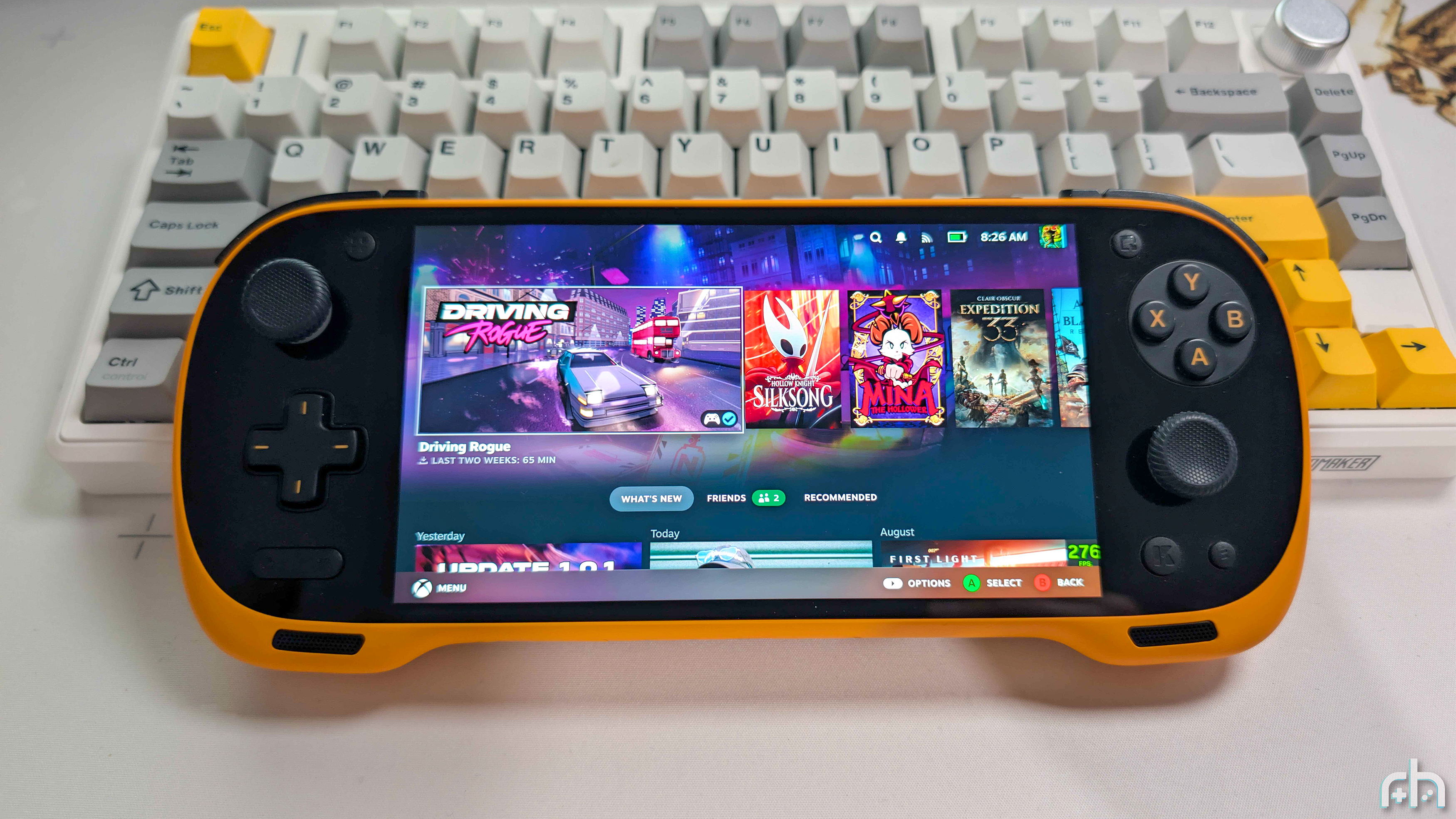
It’s a wild time in the space, as we have working ports of SteamOS for Android handhelds. One such example is “SteamOS ARM Port,” which has been updated to version 1.4, bringing with it a slew of new features.
Arguably one of the biggest additions to this release is the ability to automatically restart into the Android partition from SteamOS. Until now, if you installed to the internal storage, you would have to fiddle with the ABL settings to switch the boot mode. It’s not so much that doing so is a difficult process, but it’s more of an annoyance and time consuming.
There are a bunch of other changes with this release, including the addition of Frame Gen Classic (lsfg-vk 1.x), and the ability to use your “old” microSD card as a “game card” once you’ve installed SteamOS to the internal storage. Unsurprisingly, there are also an abundance of bug fixes and improvements made for all of the compatible handhelds, along with some processor-specific ones.
Installing the update is easy enough for those who were already running between versions 1.3.0 and 1.3.2. Just head into Settings > System and install the update. If your handheld happens to be offline for whatever reason, the developer included a .sau file that can be downloaded and placed into the Downloads folder on your handheld. Then, the v1.4 update should appear the next time that you check for updates.
If your handheld is on an version of SteamOS ARM Port that is older than v1.3.0, then you’ll need to download the necessary files from GitHub (or Gofile), and flash the OS to a microSD card. On the bright side, once v1.4 is installed, you shouldn’t need to flash a microSD card to get the latest version moving forward.
Hit the toggle below to check out the entire SteamOS ARM Port v1.4 changelog.
All chips
- Restart into Android from Handheld Control on every handheld should work
- The handheld now powers off before the battery runs flat, asleep or awake, instead of draining to 0 and boot looping
- Deeper sleep with less battery drain, speakers come back properly after waking, power button behavior fix
- Stick lights turn off as soon as the handheld goes to sleep
- Hold a volume button to keep changing the volume, instead of pressing one at a time
- Steam Remote Play no longer shows a green screen
- Fixes for the GPU freezing after waking from sleep
- Optional PyroWave Codec Remote Play (thanks @justjoseorg)
- Frame Gen Classic: lsfg-vk 1.x is there next to 2.0, pick whichever runs better for you
- Steam’s brightness slider no longer gets stuck dimmer than 100 %
- Steam no longer forces the built-in screen on when a monitor is plugged in
- Steam’s on-screen keyboard in Desktop Mode fits on narrow screens (Pocket DMG etc.)
- The internal storage installer has an “Install again” button if an install didn’t finish, and doesn’t ask for a password anymore
- After installing to internal storage, the old SD card can be used as a game card
- Fixes for UFS storage chips that didn’t like some commands
- Android apps: installed apps and your Google sign-in survive a restart, apps come to the front in Game Mode again, Play Store fixes, and Android app shortcuts can’t take Steam’s library down anymore
- Discover only shows Flatpak apps now (#64)
- Updates skip leftover cache files so they don’t fail (thanks @Chazmus)
- The ROCKNIX ABL flash scripts fixes
8 Gen 3 (KONKR Pocket FIT, AYANEO Pocket S2)
- Pocket FIT: the GPU’s top speed runs at its factory voltage
- AYANEO Pocket S2: touch lands properly
- Wake alarms work on both, which the low battery shutdown needs
8 Gen 2 (AYN, AYANEO, Retroid
- Rumble should work on the AYN Thor, Retroid Pocket 6 and Pocket Nova
- Retroid Pocket Nova: no white flash when the screen turns on
- Retroid Pocket 6: screen runs at 60 / 120 Hz
- AYANEO Pocket DMG / ACE: buttons show the right glyphs, and the DMG’s volume wheel works
- AYANEO Pocket S 2K: touch lands in the right place
- AYN Thor: every bottom screen theme changes the whole screen, and the Trackpad should move the pointer
8 Elite (AYN Odin 3, KONKR Pocket FIT Elite)
- KONKR Pocket FIT Elite: the hot spot on the screen is fixed
- KONKR Pocket FIT Elite: speakers are louder (full amp gain), and CPU temperature shows in the performance overlay now
- 5 GHz Wi-Fi networks show up
- All 8 cores are used (#63) and Proton games run faster
- AYN Odin 3: screen runs at 60 / 120 Hz
