

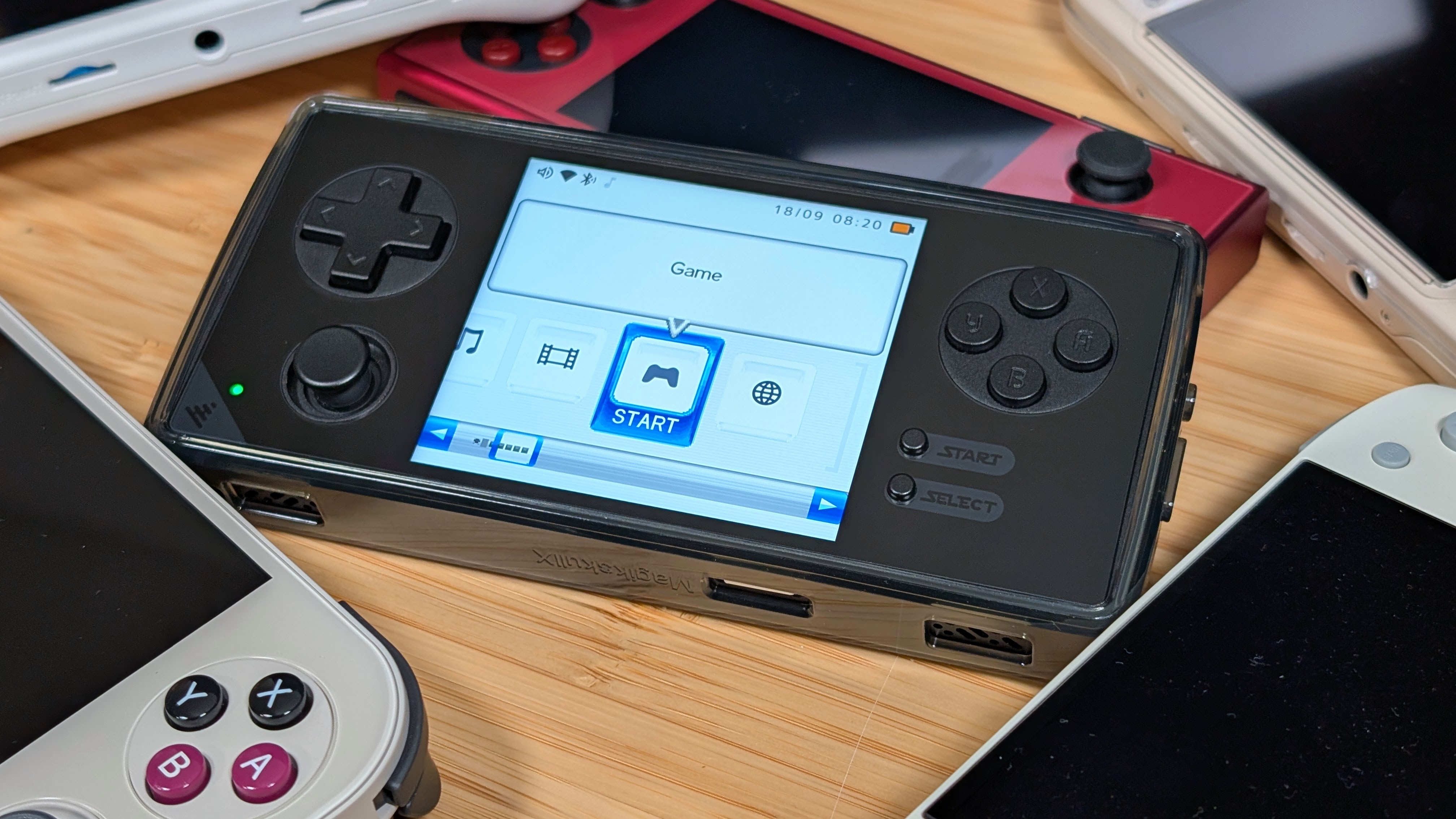
Everyone’s favorite alternate Android installer just got its latest update changelog dropped, and this one’s mighty impressive. Gamma has been cooking as always with GammaOS for a little bit now. Whether its been his earlier releases for the A133P line of handhelds, or this latest announcement that does a lot for those Dual Screened devices. He’s been putting in a lot of time, effort, and work squeezing through all these devices and their quirks to bring us GammaOS Next 1.4.2.
As always, if you’re looking to give Gamma support, or to check out his changelogs, I always recommend giving the full Github Changelog a look, or check out his Patreon if you want to support him. Just as another reminder, GammaOS releases always hit his patrons first, but free public releases will come later. So if you want to check out new releases sooner, be sure to show him some support.
As for the latest DS focused release, you can check out the list below, with some of my favorites highlighted for easier reading.
Themes and the home look
- ES-DE theme engine to Render EmulationStation themes directly through GammaOS Nano.
- Startup Menu to boot directly into a game system page on boot
- Custom Accent Colors
- DSi theme shows each DS game’s own icon and title
- DSi Background Effect on both screens
- DSi top screen follows your color setting
- DSi Button Legends on Top Screen
- DSi Launch Effect Plays the whole way through
- DSi settings pages and scroll bar
- XMB Clock Half-Resolution Options
- Toggles for Boot Sound and Menu Music
- Battery Percentage Toggles
- New Confirmation Toasts
- Improved Language and Translation Settings
- Faster DSi Theme
- Slide Clock Can Pause Games Underneat
- New Slide Clock Parallax Settings
- DSi Setup Wizard Improvements
- Minima dialogs page long text
Game library
- Games Show based on their Scraped names, but can go back to raw file names
- Arcade Systems List Separately Now
- Your own PNG as a system icon
- Manual system order sticks
- Live Box Art Reloads
- English Scraped Titles
Apps and home
- Home returns instantly after a DS game
- Faster app launches on 1 GB devices
- Lower idle CPU on a static menu
- Landscape-locked apps such as PPSSPP and Flycast render upright and fill the panel.
- Install apps from file managers and stores
- Device sleeps after the Android Screen Timeout
- The fifth tile on the RG DS Plus toggles GammaPad’s virtual mouse, with the pointer on the top panel.
- A brightness change on the Control Centr slider is kept when you return to the menu.
- Video above 720p are refused on low-memory devices so a wallpaper can no longer drain the device into a reboot.
- The XMB System Information page shows the GammaOS version, Android version and build date.
- The unused Immersive Mode and Analog Calibration tiles are gone.
Media
- Embedded MKV subtitles
- Chapter previews in Scene Search
- Global Shaders in the video player
- Large video files play reliably
- Add, remove and reorder tracks, videos and photos in playlists from any theme.
- Sound effects keep working after you plug or unplug headphones.
- Boot chime on the RG DS Plus speaker
- Volume overlay follows headphones
DraStic-nano (DS emulation)
- The DS 3D scene renders on the GPU with multisampling, DS-accurate blending, toon shading and stencil shadows, so hi-res 3D no longer costs CPU frames.
- Mario Kart DS, Pokemon White 2 and GTA Chinatown Wars render correctly, and the 3D layer keeps 60 fps in heavy scenes.
- Low-latency audio in game down to just a few dozen milliseconds or less
- Audio routes to the jack with a headset plugged in and back to the speaker path on unplug.
- Clicks and pops in heavy scenes, after state loads and in steady play are gone.
- Streamed speech no longer grinds, and games that build echo through the DS capture units sound as they do on hardware.
- Smoother frame pacing
- RG DS and RG DS Plus feature improved lower-latency
- Threaded 3D overlaps with CPU emulation
- Fast-forward without corruption or flicker
- Fast Forward Speed limit Cap from 10 percent to 300 percent or Uncapped
- Fast-forward is a press-to-toggle button
- Two FPS Counters
- Optional Run Ahead (Experimental) Disabled by Default
- 38 RetroArch LCD and CRT shaders
- Per-game settings override
- Undo Quick Save and Undo Quick Load
- Quick Save and Quick Load on the landing page
- Close Lid button and physical lid option for Game Pause and Resume
- DraStic-nano no longer needs the DraStic APK
- DraStic Data Folder relocates your saves
- A progress screen shows while a zipped ROM extracts, and zipped ROMs no longer lose their save state.
- Pick the DS console language from the General page.
- RetroAchievements progress toast and badge icon toggles
- Cheat list paging L2 and R2 page through long cheat lists
- In-game menu without delays
- Improved Menu and Translations
- Quiet, faster exit
- Brightness set in a game survives leaving it and rebooting, and works on the Brick.
- Single-window layout rows are hidden on the RG DS and RG DS Plus, where each DS screen has its own panel.
Network and Bluetooth
- Syncthing built in
- SD card paths stay stable
- USB File Transfer switch works
System and settings
- Brightness remembered across boots
- Control Centre screen options (RG DS)
- First-boot setup on 1 GB devices no longer runs out of memory
- Faster first-boot setup
- MTP transfers stay alive and cannot be killed mid-transfer
- Optimized Apps on GammaOS Nano
- Silent intro dismiss before setup
Full-Android and desktop mode
- Auto-granted permissions for Storage and Microphone in normal Android too
- Secondary-display home Launcher Ships on Lite and Full
- Native Rendering dual-stack apps on the RG DS and RG DS Plus
To check out the list of Fixes and Updates to general Navigation, again, be sure to check out the full Changelog over on Gamma’s Github Page for the full rundown. But it’s awesome to see him continuing to cook, and I can’t wait to see what’s next on Gamma’s list of devices to save.
