

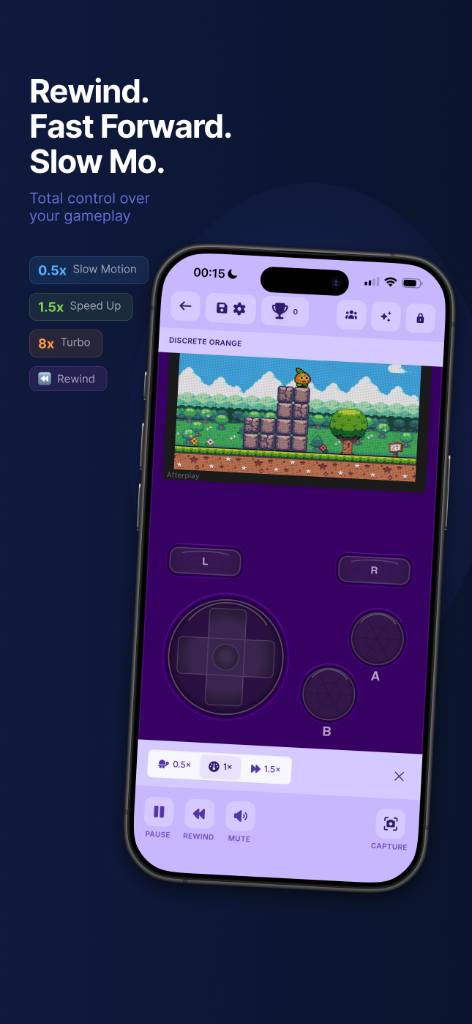
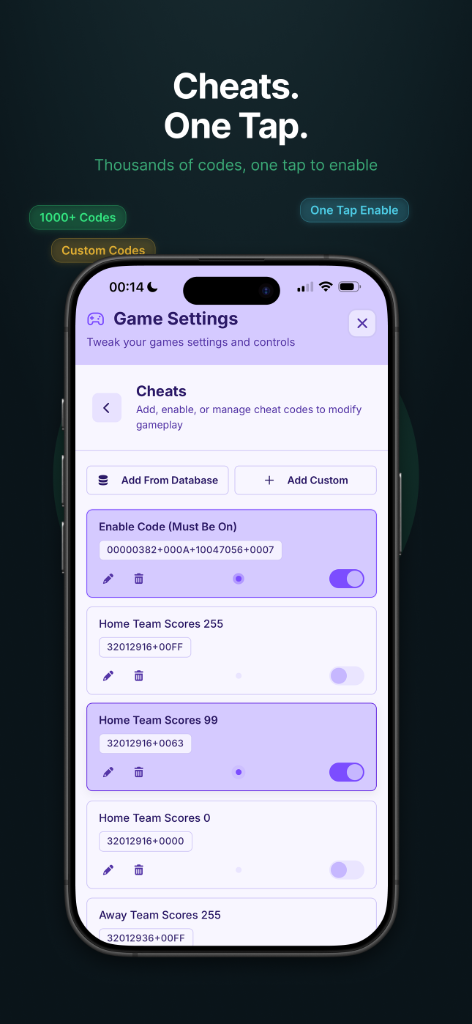
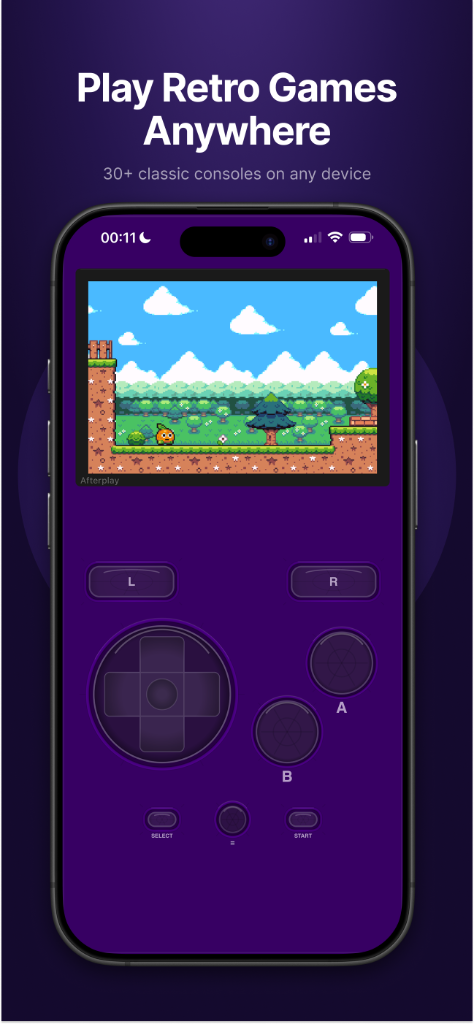
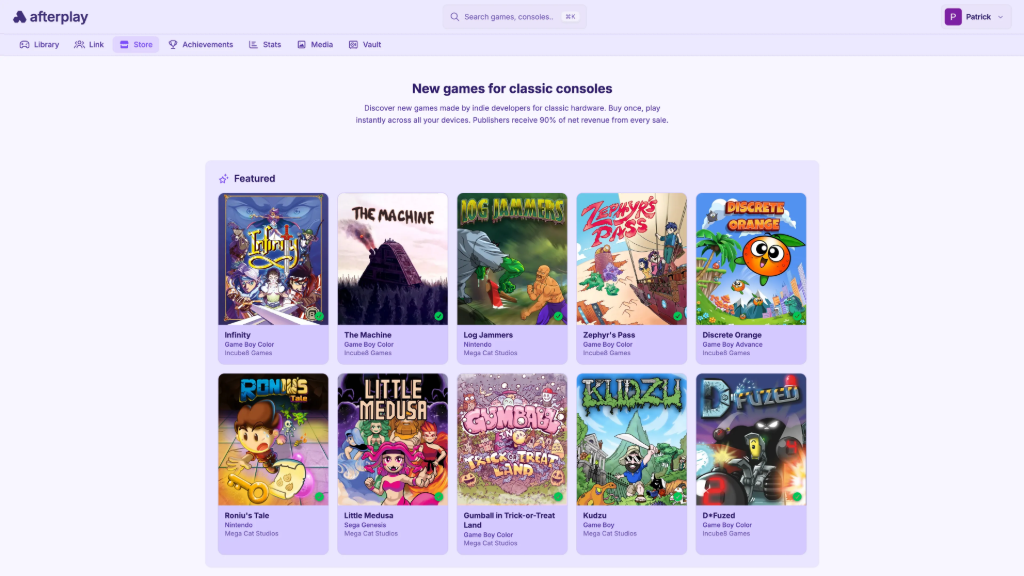
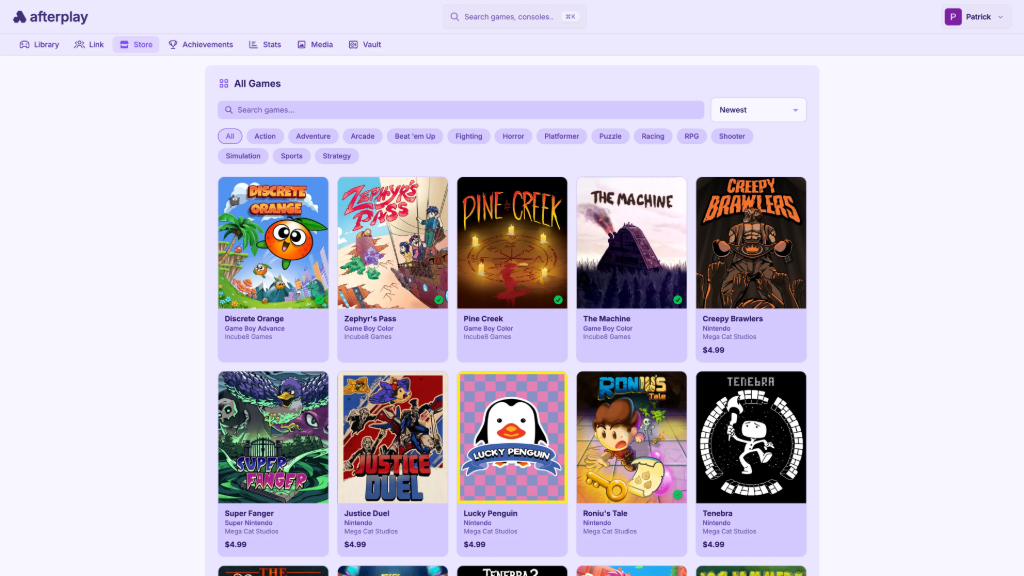
Afterplay isn’t trying to be another emulator; it’s trying to be the place you play your retro games. Built by a tiny team over five years, it runs entirely in the browser, syncs your library and saves across every device you own, and recently added a storefront selling indie retro games with a developer-friendly 90/10 split.
We sat down with Afterplay founder, Patrick, and Head of Emulation, James, to talk web-based emulation, the realities of AI-assisted development, and where they’re taking the platform next.

Jim Gray: What was the “lightbulb moment” that led you to build Afterplay?
Patrick: I wanted to start playing a game on my laptop at home, then keep playing on my phone while I’m waiting in line at the grocery store. Same save, no setup, just pick up where I left off. That was the whole idea. I’d downloaded mGBA to play through Pokémon Red, and it ran great, but I never really made time for it. Doing it on the web meant it’d just be there, on whatever device I had with me. I started building it about five years ago.
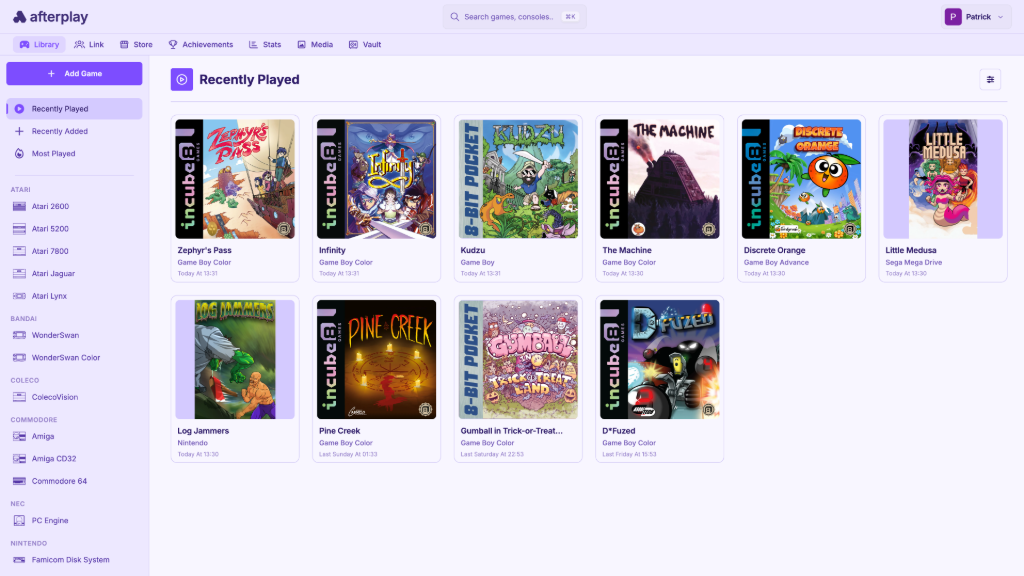
JG: The UI is exceptionally clean compared to traditional emulator frontends (looking at you, RetroArch). What was your primary philosophy when designing the user experience?
P: It should work like a modern web or desktop app. Everything discoverable, nothing hidden behind docs or config files, it just works the way you expect. We build on RetroArch under the hood, and it’s an incredible project; we owe a lot to it.
Their UI is built from a consistent set of list controls, toggles, dropdowns, text and number fields, and that’s a really smart approach for what it’s built for: handhelds and TVs where everything needs to work the same way under a controller, across hundreds of options.
Our context is a bit different. Most people use Afterplay in a browser, on a desktop with a mouse and keyboard, or on a phone with touch, so we went with a frontend designed for that. Every screen is designed for its specific purpose, and for the device you’re on.
A game library looks and feels like a game library, save states get their own UI, controller setup gets its own UI, and so on. It’s more work, but I think it’s worth it.
JG: What has been the biggest technical hurdle in ensuring seamlessness across different browser engines and operating systems?
P: The hard part of working across browsers and OSes is really just one thing: iOS Safari. It’s almost always the lowest common denominator, the most memory-constrained, the slowest to pick up new web standards.
So the real work is making everything fit inside its limits, and once it works there, the other platforms tend to come for free. A concrete example: we had to modify our DS emulator to use CHD-compressed games so the bigger titles wouldn’t blow past Safari’s memory ceiling and kill the tab. Stuff like that.
JG: Afterplay supports over 30 consoles. Which core was the most difficult to implement in a web-based environment?
P: This one’s really for James, he’s our Head of Emulation, and honestly, the reason 30-plus systems run as well as they do, so I’ll let him take it.
James: A tricky question! The web presents a number of obstacles, and it’s hard to single out a specific core. Limited stack space in the browser has bitten us on more than one occasion, causing unobvious crashes that are vexing to debug (PokeMini is a nice example; the CPU routines were so large they blew the call stack and had to be dismantled).
Anything with extensive multithreading can be a bother, since it’ll hang if you don’t yield to the browser in the right places (looking at you, PUAE…). But I guess if pressed, I’d pick melonDS. No dynarec compatibility in the browser, so we had to implement our own cached CPU interpreter to achieve good performance, a non-trivial task (and highly impressive work by Max!).
Then, as Patrick mentioned, strict memory limits meant we had to add support for streaming ROMs from compressed CHD files. Significant massaging was required there, even more so when we needed complementary support for raw CHD files in static RetroArch builds to enable Cheevos for NDS games (symbol collisions everywhere…).
We also had to write our own OpenAL microphone driver for games with Mic functionality, and let’s not forget WFC online play. Upstream melonDS uses libslirp (a TCP-IP emulator) for network communication, which simply doesn’t work in the browser. We had to create a new WebSocket relay implementation. Hours of fun.
I’d also give special mention to BlastEm. We basically had to start over from the latest standalone codebase here, which includes a CPU interpreter backend for the web and a dynarec for everything else. The dynarec is immaculate, but the interpreter is relatively new and not extensively tested. We had to do that testing, and spent an embarrassing amount of time dealing with subtle bugs.
This also included getting Sega CD support into a workable state, something I almost gave up on several times! But since BlastEm was the only core with a permissive license that had any practical chance of running Sega CD games, we just had to bite the bullet.
AI AND “VIBE CODING”
JG: How much of the Afterplay codebase was written or refactored using AI assistants like Cursor, GitHub Copilot, or Claude?
P: I can only speak for myself here. Most of the codebase predates AI. Afterplay’s about five years old, and the bulk of the architecture was laid down by hand long before any of this was useful. But plenty of what I’ve shipped in the last six months or so is AI-assisted, a good chunk of the store, for example.
I started dabbling in May ’25 and went all in around late ’25, when Opus 4.5 came out, and it stopped feeling like a typist and started feeling like something you could hand a feature to and get an implementation plan back. So: a small fraction of the total lines, but a large and growing fraction of anything new.
J: Up until the end of March 2026, everything on the libretro side was generated by humans (I’ve been working on libretro code for 8 years, in fact, long before Afterplay launched, and every line was hand-written). I’d always been leery of AI, but after much persuasion, Patrick finally convinced me to try it. I expected nonsense but found something special.
In the weeks that followed, we’ve begun fixing “impossible” bugs and adding dream features across half a dozen cores. We’ve also used it to review and improve old commits, and to build robust automated test harnesses.
JG: There is a growing movement toward “vibe coding”, where the developer focuses on high-level intent and logic while AI handles the syntax. Do you identify with this approach? What do you say to detractors?
P: Mostly yeah, with one caveat. I’m all in on the high-level part: you describe the feature, the intent, the plan, and let the AI handle the implementation. The thing I’d push back on is the idea that this means not caring about the code. I’m not blindly shipping whatever it produces, but I’m also not pretending I read every line; that would defeat the point.
I review at the level that matters: the plan going in, what actually changed, the overall approach, and I spot-check the load-bearing bits. I stay in control of the architecture and the intent, and let it handle the rest. That said, I don’t think writing programs by hand really makes sense anymore. You can do things with AI that a person just couldn’t do on their own, like god-tier debugging. And a lot of the detractors are arguing against a version of this where nobody’s steering at all, which isn’t what I’m doing, or what anyone serious is doing.
J: There’s an ocean of difference between AI-assisted software development and “vibe coding.” The former involves the careful application of a multifaceted code generator/debugger to facilitate and accelerate tasks that the engineer already knows how to do, all using well-defined architectural standards. The latter involves someone asking something they don’t understand to make something they don’t understand, and then they get a thing. Does the thing work? Is it robust, safe, maintainable? Who knows. Ship it.
“Vibe coding” in its truest sense really does deserve the hate it receives, because it gives legitimate AI usage a bad name. I don’t “vibe” when I code. If I get AI to help me add a feature, I’m already familiar with the codebase, and I know how the task should be approached. I’m reviewing what it does every step of the way, constantly suggesting architectural improvements and fixing mistakes (and believe me, AI will absolutely make mistakes if you don’t keep a tight rein on it!). And when it’s done, I test the stuffing out of it. That’s all just a hallmark of good collaborative software development, same as we did before AI existed.
JG: Do you feel that AI-assisted coding makes it easier to maintain a massive project as a solo developer?
P: It really does, on a few fronts. When you’ve got a five-year-old codebase, there’s always work that’s clearly worth doing but never quite worth doing now: the big refactor, proper test coverage, cleaning up something you wrote in a hurry years ago. AI lets you actually do that stuff, in parallel with shipping features, without the pain or the boredom.
And it lets you put a lot more into the user experience. Before, you’d often take the easier path even when a better one existed for the user, a small team would say, “It’d be great to do it that way, but it’s 2x the code.” Now you just do it the right way. That’s not a factor anymore.
The same goes for code quality; we now lean on strong linting, architecture-boundary enforcement, proper test coverage, even mutation testing, all the kinds of things that used to feel like overkill for a small team. With AI doing the heavy lifting, none of it is overkill anymore. We’re producing higher-quality code now than we ever have.
J: Absolutely! When using AI, I still have to put in the work, but the productivity increase means a week spent on Afterplay turns into a month’s worth of effort. This is huge when time and resources are so limited. I also cannot overstate the advancements in debugging. I’ve spent weeks chasing bugs that a modern AI can find in minutes via static analysis.
Laborious tests that previously had to be run by hand can now be fully automated (we have a custom libretro frontend that allows the AI to play actual games to exercise core functionality). Nothing beats an AI when you get those truly mysterious issues: you can hand over some code, steps to reproduce, and set it going while you work on something else.
It never gets tired, bored, or disheartened; it just keeps running over and over, instrumenting every variable if required, sometimes for days straight until it whittles out the problem and gives you a report. The number of man-hours this saves is phenomenal.
JG: Are there any parts of the Afterplay infrastructure that you refuse to use AI for?
P: Honestly, no. I think when people ask that they’re picturing the sensitive stuff, payments, auth, anything where a mistake is expensive, and I use it there too. The answer isn’t to keep AI away from those parts; it’s to review them more carefully when it does touch them. And five years of building Afterplay by hand gave me some pretty bad RSI, so I’m more than happy to let it do the typing.
J: If the code is good quality and functionally verified, it gets used. If it’s bad, it doesn’t. The methods used to create it are largely irrelevant in this context.
THE STORE AND INDIE INTEGRATION
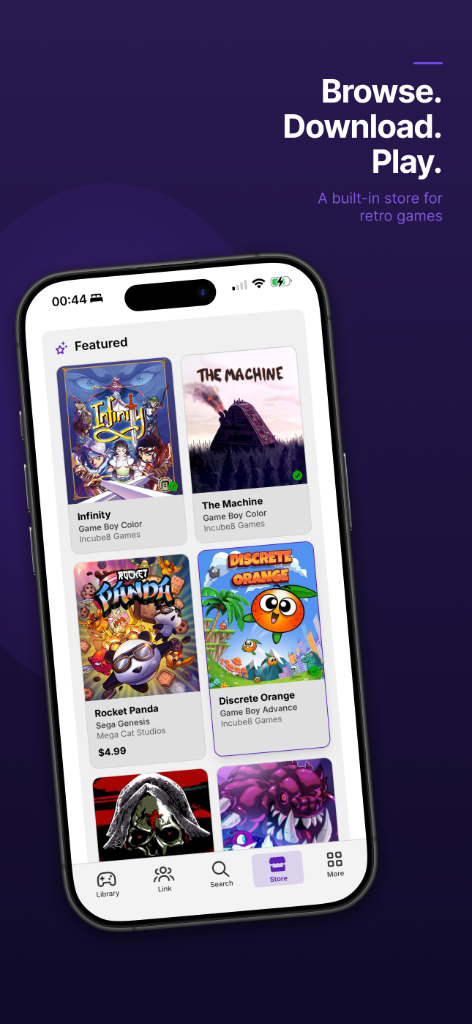
JG: Afterplay recently launched a storefront for indie retro games. What motivated the shift from being a “player” to being a “platform” for developers?
P: It was always in the back of my mind. There’s never really been one good place to buy new retro games digitally, browse them, read about them, and actually play them with no setup. itch.io is great, but it’s general-purpose. So, for the indie devs making these games, there wasn’t an obvious home, and for players, there wasn’t an obvious destination.
We already had the runtime and an audience that plays retro every day, so a storefront just made sense. M4xw had actually been pushing the idea for a while. And AI is part of why it happened when it did; it took an order of magnitude less time to build than it would’ve a couple of years ago, so it was more of a “why not, let’s try it” than a big bet.
JG: How do you vet the games that enter the Afterplay store to ensure they meet quality and compatibility standards?
P: The compatibility side mostly takes care of itself; we run on battle-tested emulators that have been refined for years, so if a game worked on the original hardware, it works on Afterplay. The vetting we actually do is just curation.
Right now, it’s hands-on; I personally reach out to every publisher we’ve had on the store. We launched with MegaCat and Incube8, whose games are excellent, and as we open it up more, we’ll keep being picky; we’d rather have a smaller shelf of really good stuff than list everything.
JG: What does the revenue-share model look like for an indie dev publishing on Afterplay compared to traditional platforms like Steam or Itch.io?
P: We take 10%, the developer keeps 90%. We’re not that interested in making money from the store itself; we’d rather earn it from the platform, and the store is mostly there to grow the audience. For comparison: Steam takes 30%, dropping to 25% after $10M in sales and 20% after $50M; itch.io lets the developer choose the split, defaulting to 10%, but they can set it down to zero if they want.
JG: Do you see Afterplay eventually becoming a “Steam for Retro,” where users own a digital library of legal ROMs that live entirely in the cloud?
P: Yeah, that’s exactly how we see ourselves, Steam for retro. The model’s already there with the indie store: you buy a game, it’s yours, it lives in your library, and it plays everywhere. The dream is widening that catalog, doing licensed deals for the classic stuff, Atari, Capcom, Konami, SNK, Taito, Data East, all of it. So if any of those publishers are reading this, come talk to us.
TECHNICAL DEEP DIVE
JG: Netplay is notoriously difficult due to latency. How are you handling the “link cable” emulation and voice/video chat without requiring port forwarding?
P: Latency is the hard part, yeah, and the reason we route everything over WebRTC is that it’s built for exactly this, real-time, low-latency, peer-to-peer connections. It’s the same technology behind things like Google Meet and Discord calls. Our netplay packets, voice, and video all go over it, and because it’s a direct connection between players rather than something relayed through a server, you’re starting from about the best latency the browser can give you.
The other nice thing is there’s no port forwarding to deal with: WebRTC figures out each player’s public address with STUN servers and punches a direct path through their routers, and if that doesn’t work, it falls back to a relay. Either way, nobody ever has to touch their router settings. The GBA link cable, in particular, is M4xw’s work; he did that implementation.
JG: Performance in the browser can be hit-or-miss. How are you utilizing WebGL or WebAssembly (WASM) to keep frames stable on lower-end mobile devices?
J: On the low end specifically? Well, that’s mostly a matter of basic optimization and consistent audio sample pacing, the same as for non-web builds. One thing we do have to be careful about, however, is crossing the WASM/JS boundary, which introduces several kinds of overhead.
For example, we shaved a few milliseconds off our frame times just by replacing RetroArch’s regular Emscripten-based gamepad handling with a “run once per frame and cache” JS callback, eliminating dozens of boundary crossings per frame.
JG: You recently added offline support. Can you walk us through the architecture that allows a web app to manage local ROM storage and BIOS files effectively?
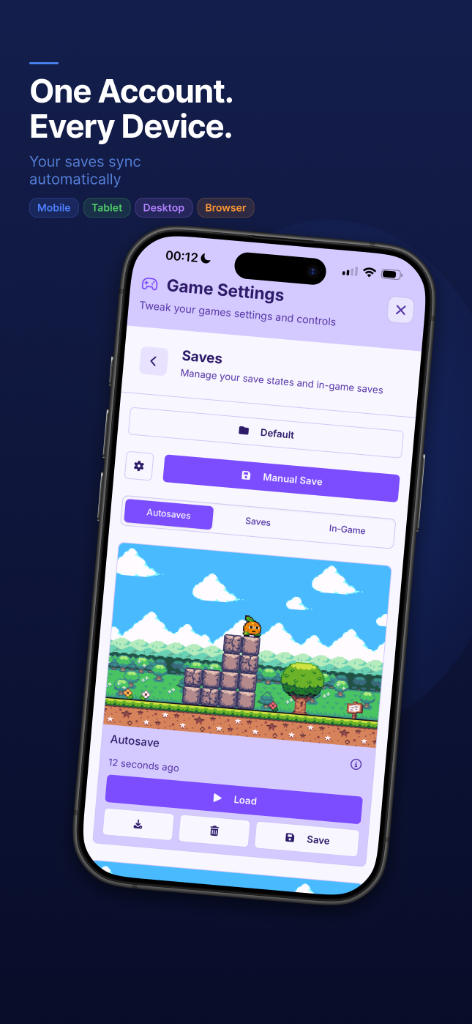
P: We built a custom sync engine on top of the Origin Private File System, OPFS. Every file lives there: games, BIOS files, save states, screenshots, all of it. Whenever something’s written, it goes into a queue and syncs up to your account, so it shows up on your other devices.
If you’re offline, the queue just builds up locally and flushes when you reconnect, so you can keep playing and saving with no connection, and it catches up later. Conflicts are last-write-wins, which is simple but works fine in practice for this kind of data. We went with OPFS specifically because it lets you stream files in and out without holding the whole thing in memory, which matters a lot when some of these games are hundreds of megabytes, and you’re on a phone.
JG: How do you handle the legal and ethical nuances of emulation while building a commercial platform?
P: The important distinction is between the emulator and the games; they’re two different things. Emulation as a technology has been around and well-established for a long time. The way we think about it: emulation is genuinely good for preservation and access. A lot of these games are otherwise hard to play at all. On the commercial side, the store only ever sells games we have the rights to, real licensed deals with real publishers.
JG: What is your strategy for managing the massive amount of cloud storage required for user libraries and save states?
P: Storage just isn’t a big problem for us. Retro games and save states are tiny next to anything modern; a whole library of classic games is smaller than a single current-gen title. So that side scales fine. And really, the premium users are why we can do it at all, so thanks to everyone who’s signed up.
FUTURE PLANS AND ROADMAP
JG: What is the “North Star” feature for Afterplay that hasn’t been implemented yet?
P: For me, it’s public rooms. We already have private rooms; you can spin one up and play with friends over netplay, that part’s there. The North Star is opening that up: public rooms you can browse and drop into, see what people are playing, jump in for co-op or a versus match, just hang out with people who like the same games.
A lot of retro gaming was always about being in the same room as someone, and I want Afterplay to bring that back, even when you’re not. We haven’t built the public side properly yet, mainly because I want to get moderation right first, but that’s where I see us heading.
JG: Are there plans to support more modern or complex systems, like the 3DS or PlayStation 2, in the browser?
P: Definitely. The big one we’re actually working on right now is MAME, which opens up a huge chunk of arcade history in one go. Beyond that, I won’t promise dates, but PSP and Dreamcast are probably the most likely to land next; both should be doable in the browser. The really heavy stuff, like 3DS or PS2, is a lot harder, so I’m not going to pretend that’s around the corner.
JG: Do you envision a dedicated “TV Mode” or a native app for platforms like Apple TV or Android TV?
P: The big-screen UI is coming, along with Apple TV and Android TV apps. I’ve been hacking on it since Christmas Day.
JG: Are you looking into other social features beyond Netplay, such as global leaderboards for RetroAchievements?
P: Public rooms are the big ones, so yeah, definitely on the cards. There’s smaller stuff too, like an Afterplay-scoped RetroAchievements leaderboard so you can see where you stand within the community.
THE INDUSTRY AND CULTURE
JG: With the recent shifts in the emulation landscape (like the Apple App Store opening up to emulators), how do you see Afterplay’s role?
P: It did change things for us, actually. When we started, the pitch was basically “play retro games
on your iPhone without jailbreaking or sideloading anything,” and for a long time, that was pretty much the only good way to do it. Once the App Store opened up to emulators, that angle wasn’t unique to us anymore, so the pitch evolved into what it really is now: the best way to play retro games across all your devices.
Your library and saves follow you everywhere, iPhone, web, desktop, the TV apps coming soon, all on the one account. If anything, the App Store change was good for us; it confirmed there’s a real appetite for this, and it pushed us to lean into the cross-device side, which is what Afterplay’s really about.
JG: Do you think the future of gaming is moving toward a “device-agnostic” model?
P: Yeah, for sure. It’s already how we expect everything else to work: your music plays on every
device, Netflix is on everything, and your stuff just follows you around. Games are catching up. More titles ship cross-platform now, partly because the PlayStation and Xbox are PCs under the hood these days, so ports are easier than they used to be.
On the compatibility side, there’s Proton, which lets you run Windows games on Linux or the Steam Deck without the developer doing anything, and Apple and the Android community are building their own versions of the same idea. It’s probably only a matter of time before you buy a modern game once and just play it everywhere. Steam’s more or less already there; the same library runs on a desktop, the Steam Deck, their new Steam Machine console, and even their new ARM-based VR headset.
For retro, it’s an easier case; the games are tiny, and the original hardware is getting harder to find, so software running anywhere is going to be how a lot of people play old games. That’s exactly what we built Afterplay for: you should be able to play on whatever’s in front of you.
JG: What is your favorite “hidden gem” game that you discovered while testing a core for Afterplay?
P: Garou: Mark of the Wolves got me. I was testing the Neo Geo core and ended up playing it for way longer than I meant to. The sprites are massive, the animation’s great, and it still looks good now. But the thing that surprised me most was the sound; it’s got actual voices and an announcer, not the bleepy chip stuff you’d expect from that era. The Neo Geo came out in 1990, and it was an arcade machine you could buy for your living room. I just didn’t expect it to sound that good.
JG: How has the community feedback in your Discord influenced the roadmap over the last year?
P: The Discord has been invaluable, from bug fixes right through to the roadmap. Much of what we’ve shipped started as a conversation in there. People report bugs, they tell us what they actually want, and they let us know when something’s off. It’s kept me motivated, too, having a community that genuinely cares, that gets excited about a new core or a fix, makes a real difference. I can’t overstate how much it’s shaped Afterplay.
JG: What’s next? Any parting thoughts or last words?
P: More consoles, MAME’s coming, the big-screen UI, and the TV apps. And growing the store, which wouldn’t exist without Incube8 Games and MegaCat backing us at launch, they took a chance on a brand new platform, and I’m really grateful for it.
The goal hasn’t changed: to be the best way to play retro games, on whatever you’ve got. If you haven’t tried Afterplay, it runs right in your browser at afterplay.io, and we’ve got some great indie games on the store too. Thanks, Jim, this was fun. And a huge thanks to James, I genuinely couldn’t do this without him. To everyone in the Discord, thank you too, and if you’re not in there yet, come join us. 😉
Afterplay is one of those projects that’s easy to underestimate until you actually use it. What starts as “emulation in a browser” turns out to be a surprisingly complete platform with cross-device sync, netplay, RetroAchievements, an indie storefront, and 30-plus systems, all with no setup required.
Patrick and James are clearly building toward something bigger, and with MAME, TV apps, and public rooms on the horizon, it’s worth keeping a close eye on. Give it a spin at afterplay.io; if you’re reading this site, odds are you’ll find something to play.

2 Comments
I’ll stick to gog.
I was out when I saw monthly subscription. Lol. Every other emulator is one payment and it’s yours forever. “MyBoy” is a way better GBA emulator by far.