

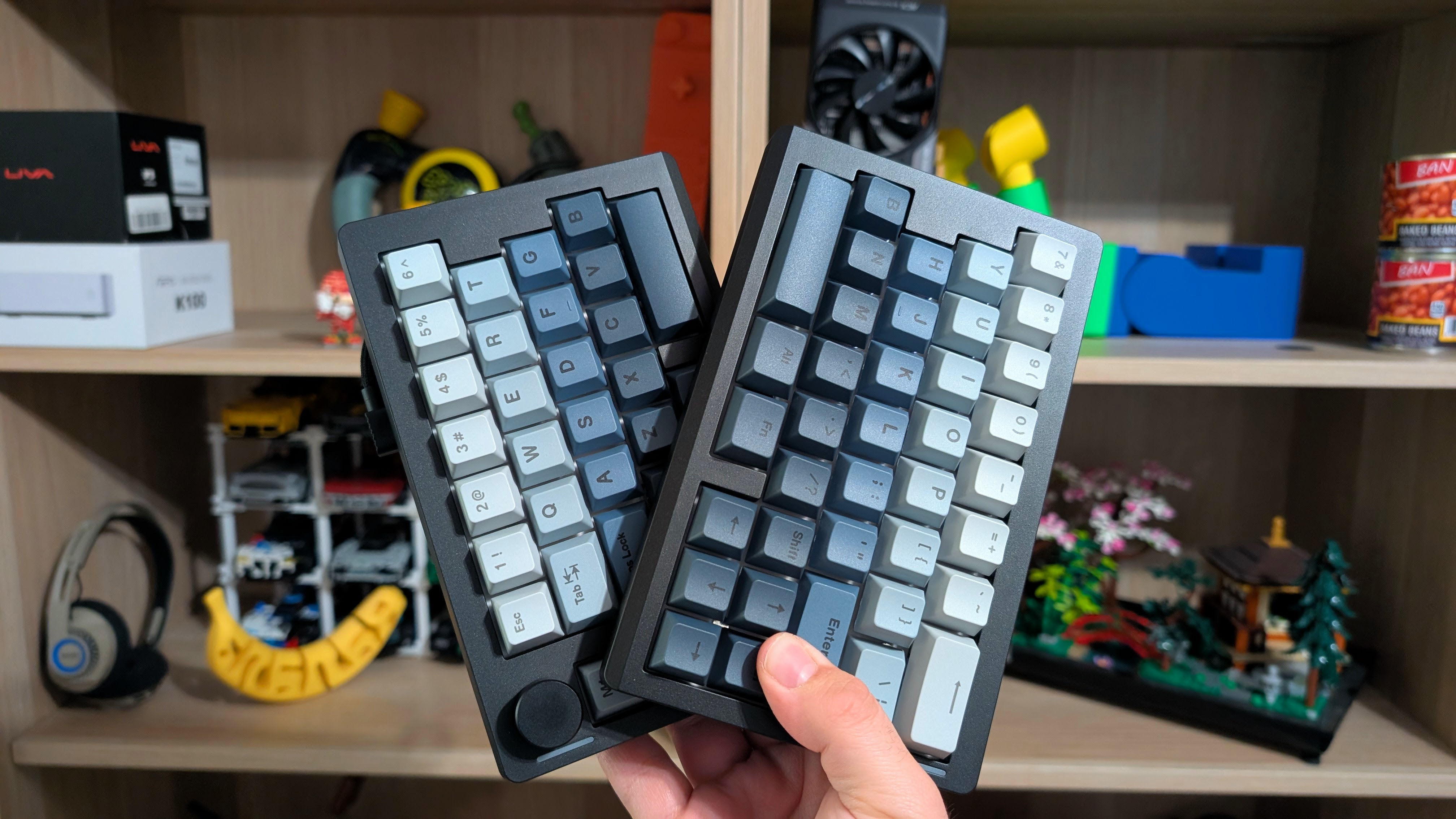
Smaller keyboards have been a big topic of discussion for a while now. Get a 40% if you don’t need to use your keyboard. A 60% is great for gaming, and a 65% is a solid middle ground if you want extra features. But what if you want those features and more space?
Or just more ergonomics in your setup. When Epomaker offered to send over their Split70 keyboard, I really wanted to take a look to see how that would affect my day-to-day life with typing, and to see if it could be worth your money, too. So let’s find out.
Disclosure:
The device reviewed was provided as a review sample by Epomaker. This had no bearing on the conclusion of the review, nor did Epomaker have the opportunity to make edits or changes to the review before publishing.
Affiliate links might be present where applicable, and we may earn a commission on product purchases using those links at no extra cost to you.
Epomaker Split70 Specs
When it comes to specs, you’re getting a pretty interesting setup when taking into account the split layout. For $116 on Epomaker’s website, it’s not the cheapest keyboard on the block, but depending on your needs, it may be just what you’re looking for.
| Hardware | |
| Switches | Epomaker Wisteria Linear Switch V2 |
|---|---|
| 62gf Bottom Out, 3.6mm Total Travel, Pre-Lubricated, 5-pin Switches | |
| Keycaps | Cherry Profile |
| Battery | |
| Capacity | 3000mAh |
| Expected Life | 11 Hours with RGB, 260 Hours with RGB Off |
| Physical | |
| Layout | 70% Split |
| Weight | 890g |
| Connectivity | |
| Options | USB-C, Bluetooth 5.0, 2.4GHz |
| Polling Rate | 1000Hz (Wired/2.4GHz) / 125Hz (Bluetooth) |
| Extra Features | |
| Extras | 3/5 pin Hotswap, VIA Software Compatibility, M1-M4 Buttons |
Build Quality and Design
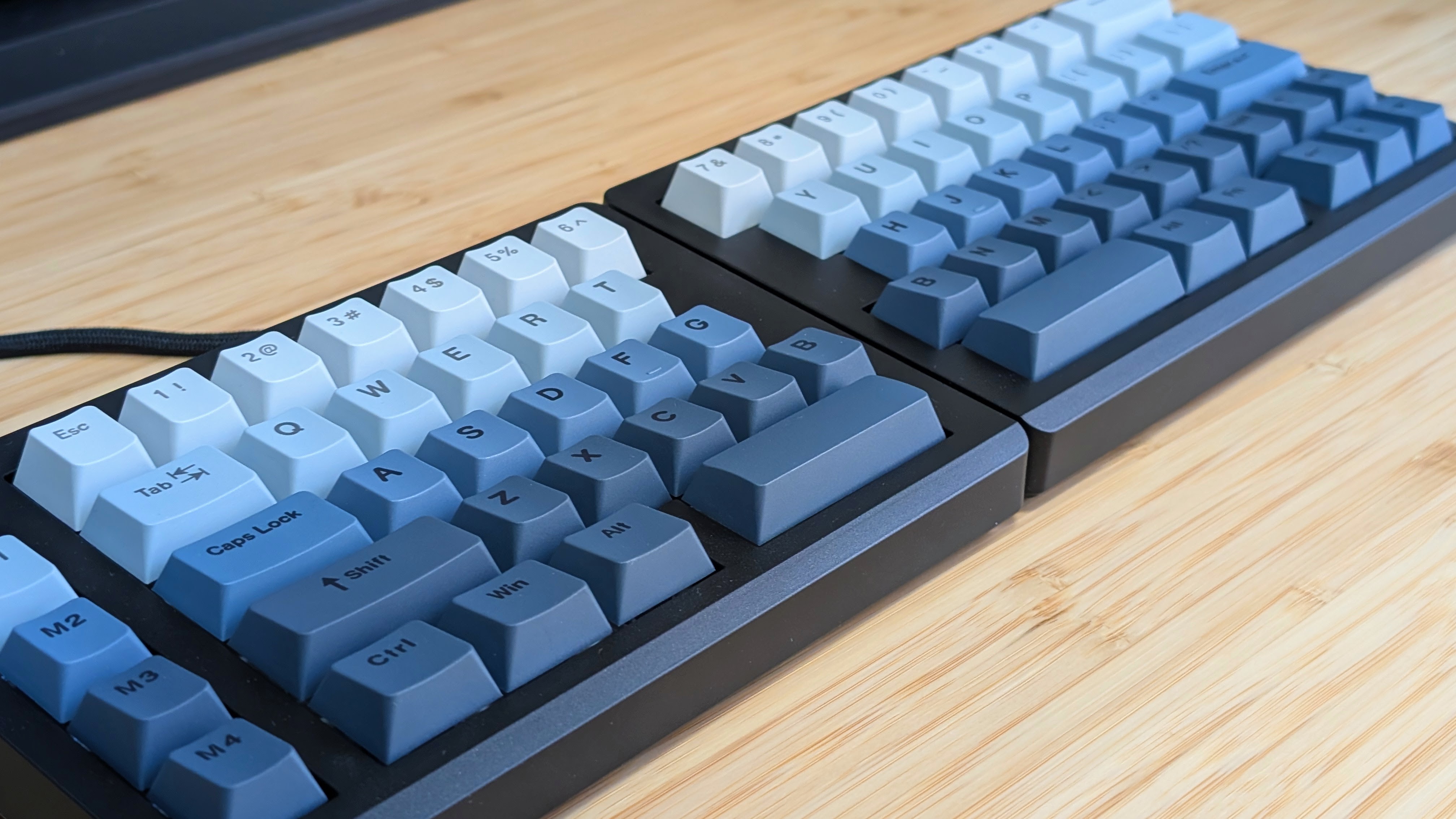
When it comes to build quality and design, you’re getting something that’s actually strikingly familiar to another keyboard I’ve reviewed recently, the Epomaker G84 HE. They’re both solid plastic slabs, though in this case, two slabs. The plastic construction is done well, and it’s weighty enough that it won’t just slide around like mad. It also features a small RGB strip and a knob that’s been placed on the left side of the keyboard.
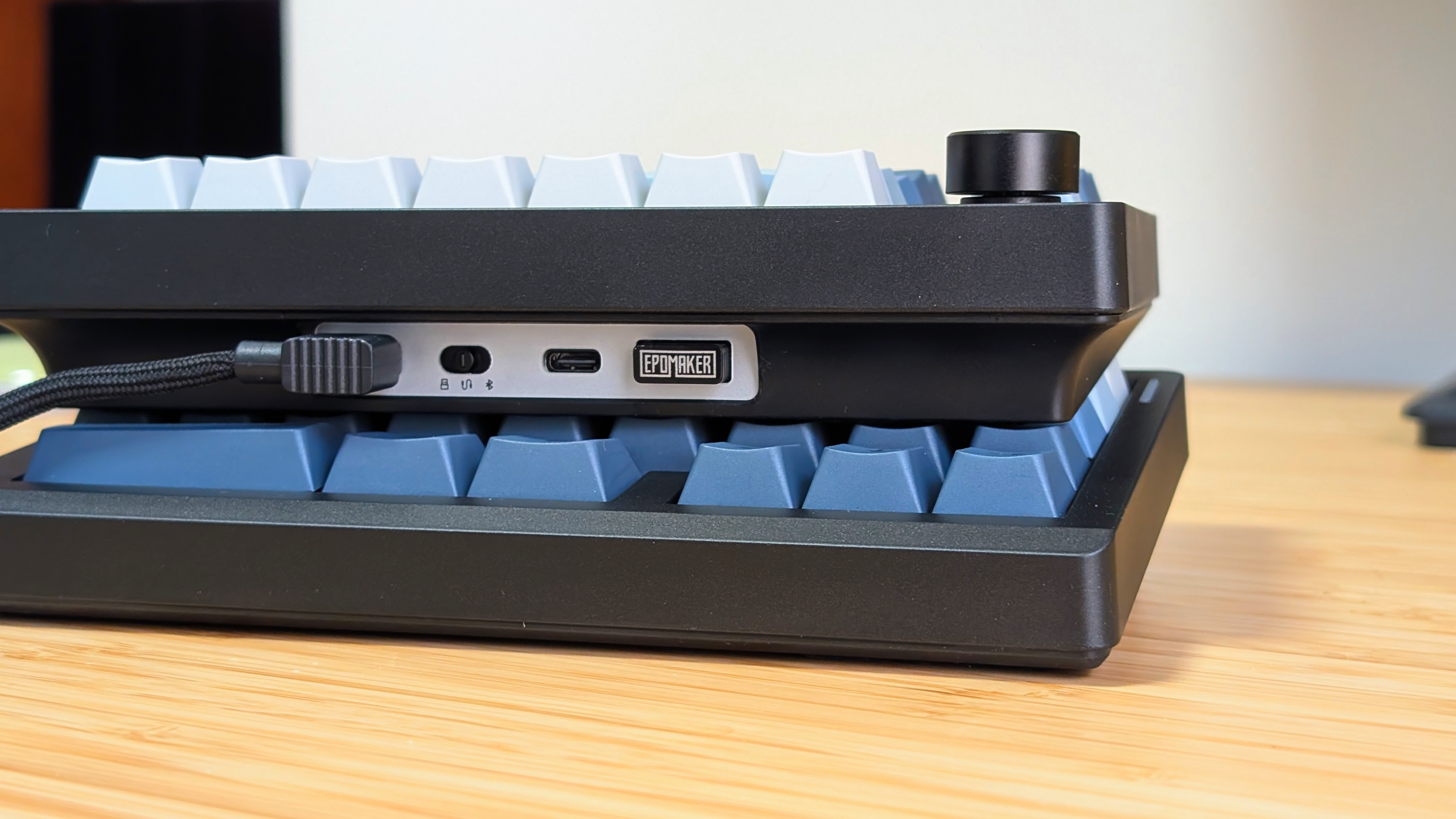
Other small notes about the design include a lack of height adjustability, which was fine for me, but for others may be the deal breaker, and a slot in the back of the board for dongle storage. Overall, the Split70 uses a well-built plastic, but nothing special.
Switches
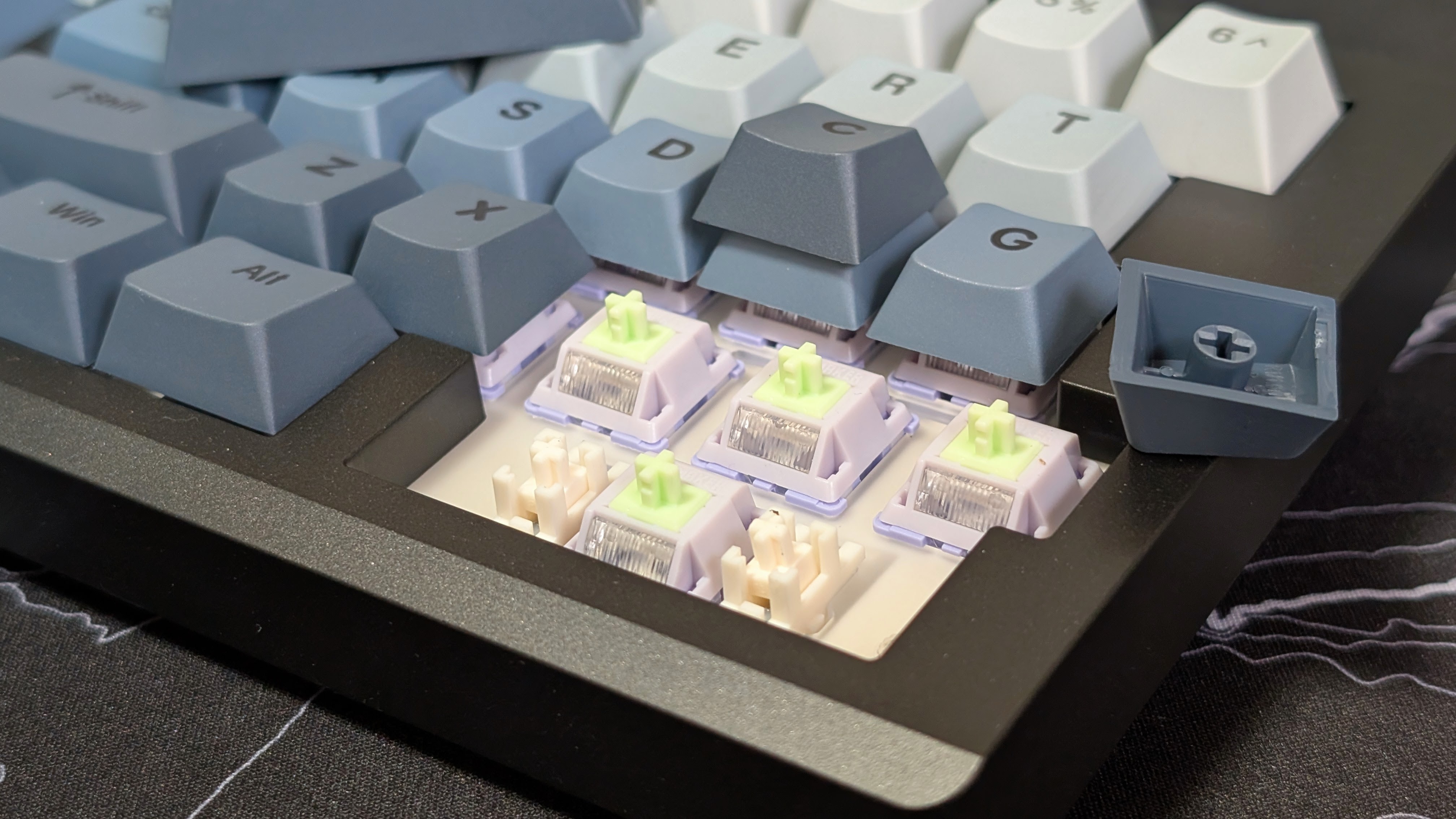
The Wisteria V2 switches in the Split70 are surprisingly nice. The big reason I’ve never been a fan of linear switches comes down to the fact that I enjoy the extra weight behind tactiles. That means when I caveman slam the keys all the way down when I type, it doesn’t feel like I’m doing it accidentally. The additional weight required to meet the Wisteria V2’s actuation force makes me feel like I’m tapping keys accidentally, and makes the overall experience better.
Plus, thanks to the pre-lubricated nature of stabilizers and switches, the lack of rattle and the soft clack of the switches end up being a nice combination when it comes to the typing experience.
Keycaps and Battery Life
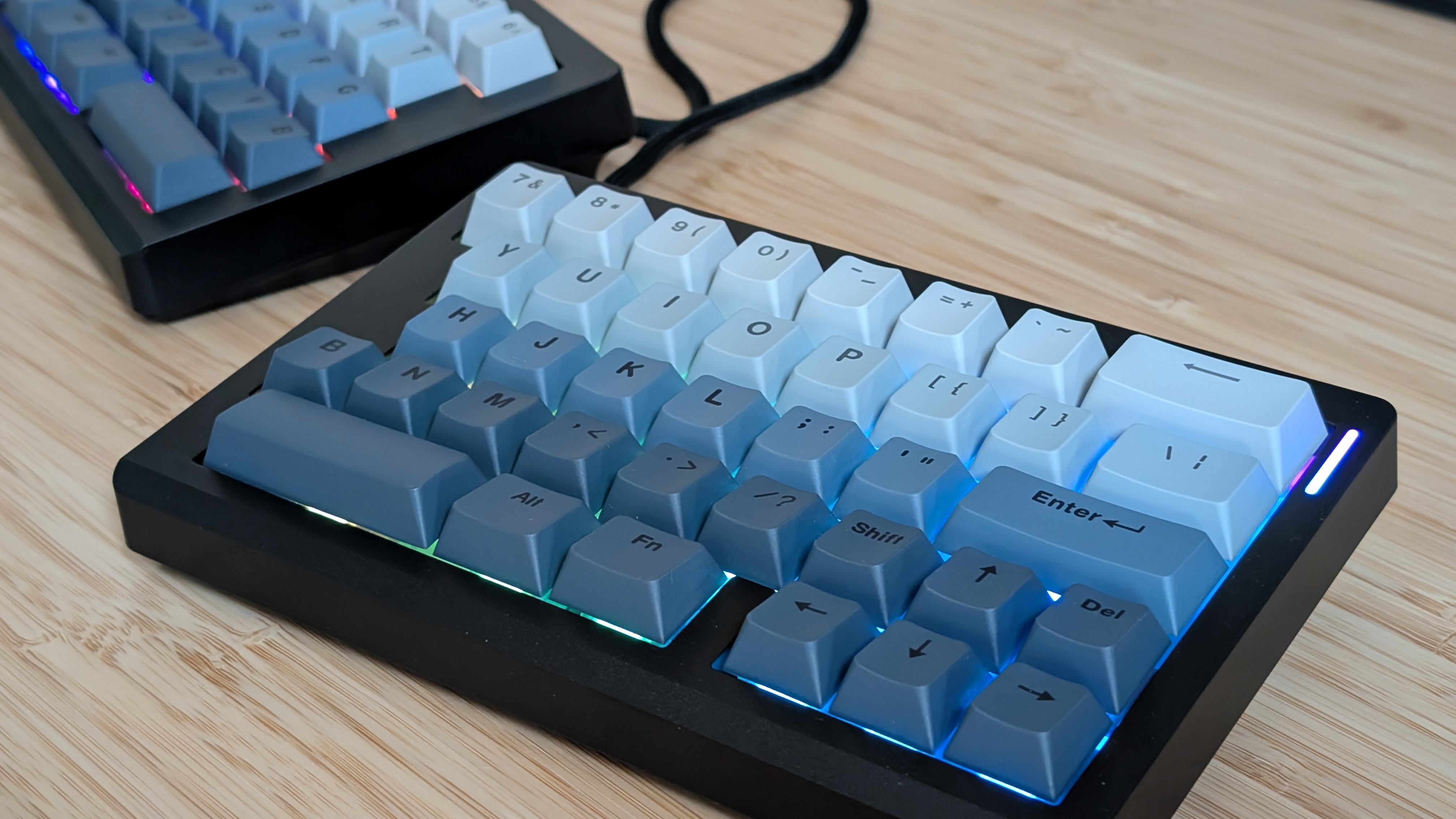
There’s genuinely not much to say here. The keycaps are remarkably similar to the previously mentioned G84 HE in terms of profile, color, and feel. They’re again nothing remarkable, but they are passable. The lighting also feels similar, but overall, it’s not as bright as I had experienced in the past. This isn’t a bad thing, as, to maintain longer battery life, I would much rather completely turn the RGB off. In the Rainy75 that I currently drive daily on my main PC, turning the RGB off means that I only have to plug it in to charge once a month at most.
Speaking of battery life, it’s about what you’d expect. Super short, two-day battery life if you want it on at full blast, but multi-week support if you prefer to go non-backlit instead. I think the balance in battery life is fine, especially since you have to support the two different halves of the board at once.
Software
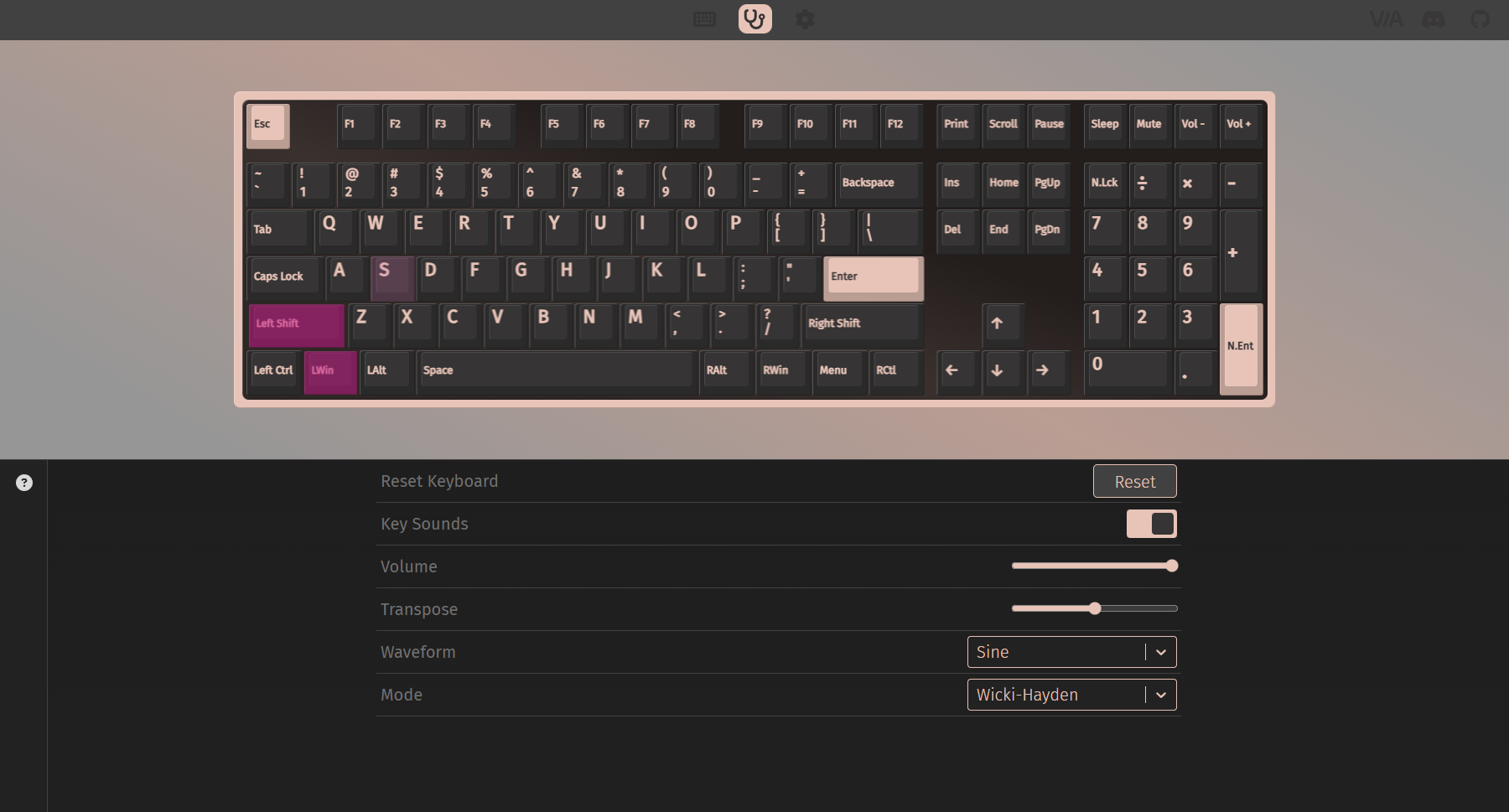
VIA! I don’t want to talk much about it, as a lot of Epomaker boards seem to be moving over to this now. But VIA is an open-source web-based UI software for customizing the layout and keys of your keyboard. It’s super simple to use, and I’ve used it back when it was standalone software for my UTEs. My UT47.2 boards. Once again, this is something I highly prefer over custom apps made by the manufacturer, especially since Epomaker provides its own JSON file on its product pages.
Suppose you want to control the keys, layouts, and your knob. VIA is the way to do it.
The Add-Ons
Layout
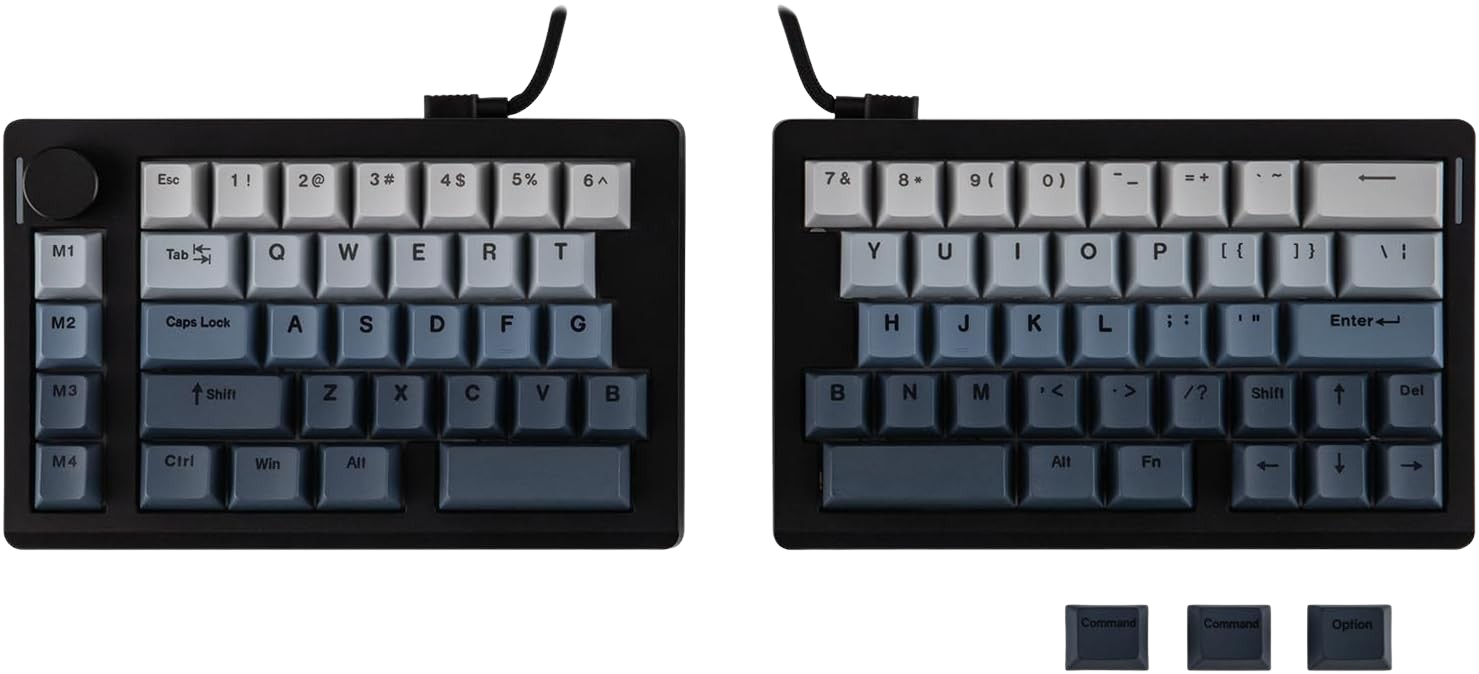
It’s good! And, not so good. It follows the traditional 65% layout that allows you to keep your arrow keys, some functions, and your number row, but also loses the F-Row in case that was more your jam. Some of the other inclusions Epomaker made for the Split70 include 4 Macro keys on the left side, and a knob for volume and media playback controls. Overall, a lot of it makes sense, but there are a few comments that made the transition for me a bit harder.
Two B keys, one for each side? That’s good, but I mostly just used the one on the right. Tilda key all the way on the right by the backspace? That’s awkward. It took some time to adjust, but I figured it out eventually. Some may take more time, and others may just prefer it on the left. Shortened right shift key? That’s bad. For me. I primarily use my right shift over my left shift, and having it squashed for the purpose of arrow keys made me mistype more than ever. This was something I mentioned in my review of the Geekbook X16 Pro, but it’s worth stating again.
Man, that’s not great for me, and likely a number of others.
Use Case
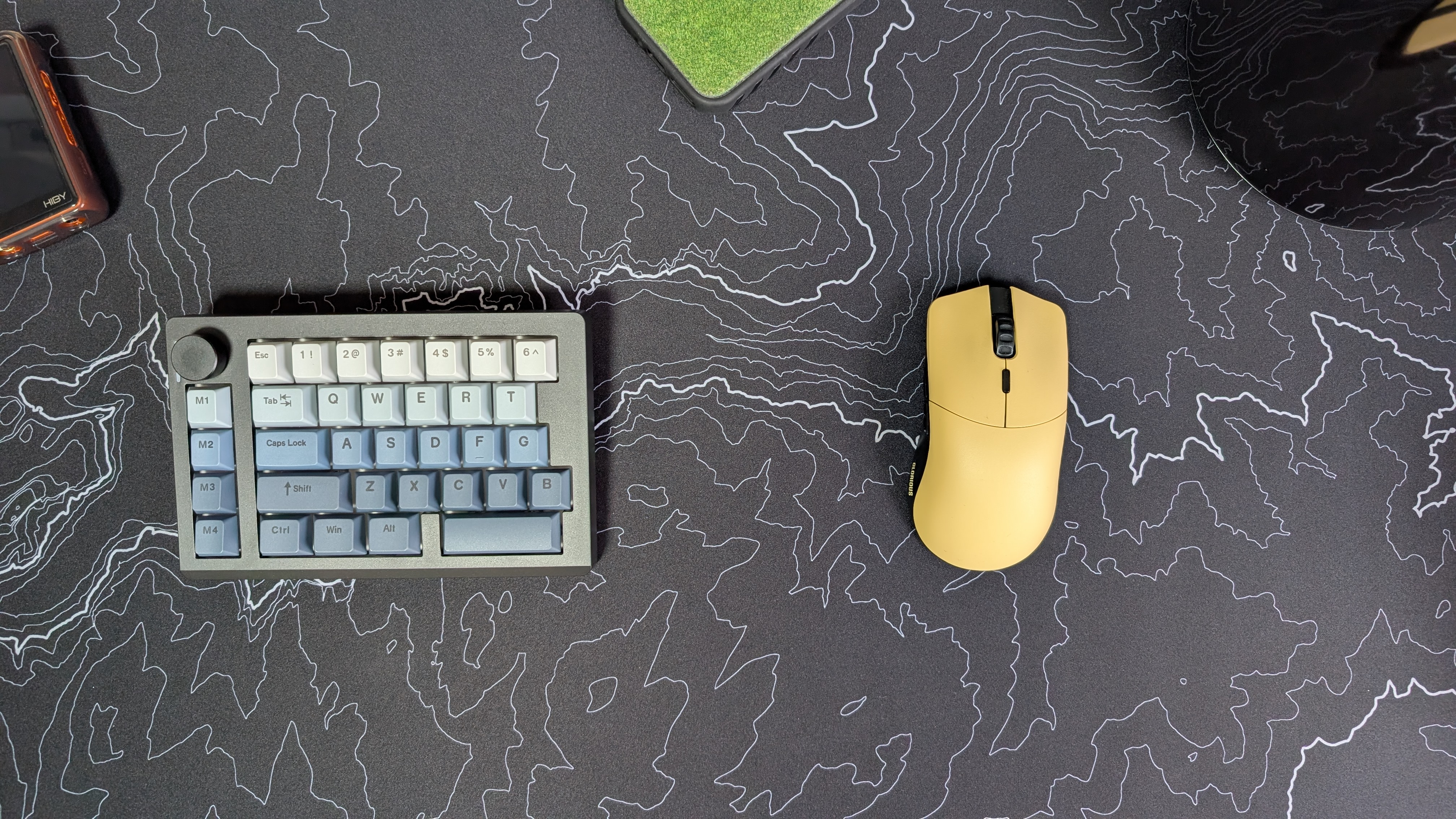
When it comes to use cases, there were two things that initially came to mind. The first was from an ergonomic standpoint. If you want to help your shoulders in the long run, splitting the two halves of the keyboard to keep your arms straight is a nice option, and for me at least, it provided some support when typing. To help me out, I started the two halves close together and slowly spread them out.
The other idea was for those who do a lot of PC gaming, where you can use only one half of the keyboard, like those one-handed boards, and have a lot of extra space for your mouse. That being said, I quickly realized I completely suck at anything FPS related, and my couple rounds of Deadlock made me remember why I don’t play this style of game. For others, this could be a great combination for productivity and performance.
Final Thoughts
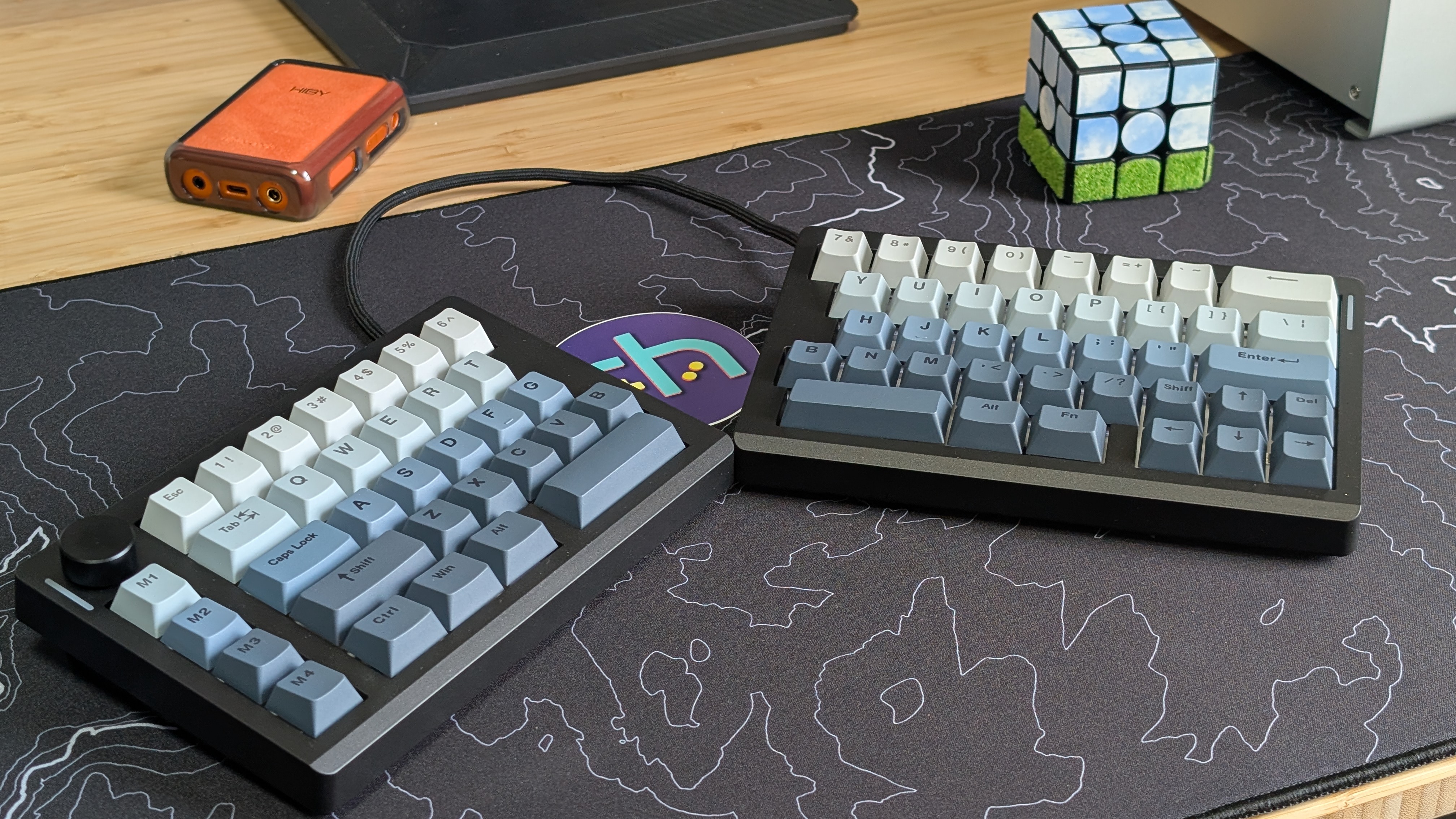
Is the Split70 a good keyboard? Yeah, it’s actually a really good board. Is it going to be the thing I continue to use in the future? Probably not. There are a few things that keep me from wanting to use it personally, but those might not be dealbreakers for you. First off, the F-Row. That’s something I use on a regular basis, and for a few games, they’re key controls that are used in conjunction with the number row. The right shift key? For me personally, that’s a dealbreaker purely based on how I’ve learned to type.
If those two things aren’t dealbreakers, and you want to learn a new layout for the purposes of ergonomics, I think the Epomaker Split70 is a great place to start. It provides a solid foundation with easy customization thanks to VIA. For me, I think I’ll be waiting for a 75% split keyboard, which gives a bit more room to the right shift key. Otherwise, this would probably be the one I keep on my desk.
