

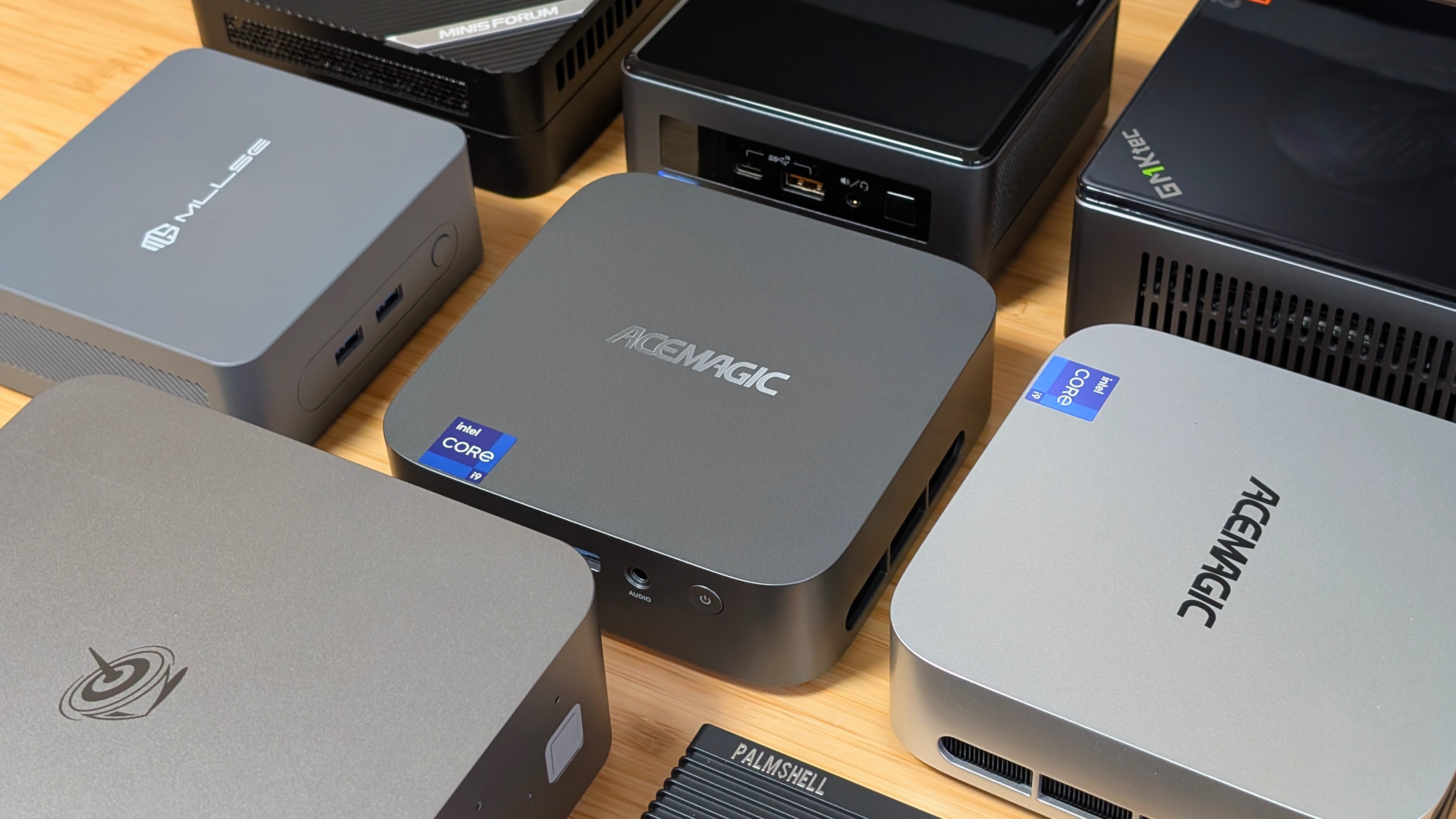
For most of the year, Mini PCs have been coming out with more RAM, more storage, and more power for your setup. However, as we’re closing in on the end of 2025, RAM shortages, SSD price increases, and GPU availability drying up for the wills of our AI Overlords means that mini PCs with more to them are becoming harder and harder to find. So when AceMagic offered to send over their newer specced M1, I wanted to take a look. Just in case you can manage to find it too.
Can the new M1 get you through the next set of shortages?
AceMagic M1 Specs
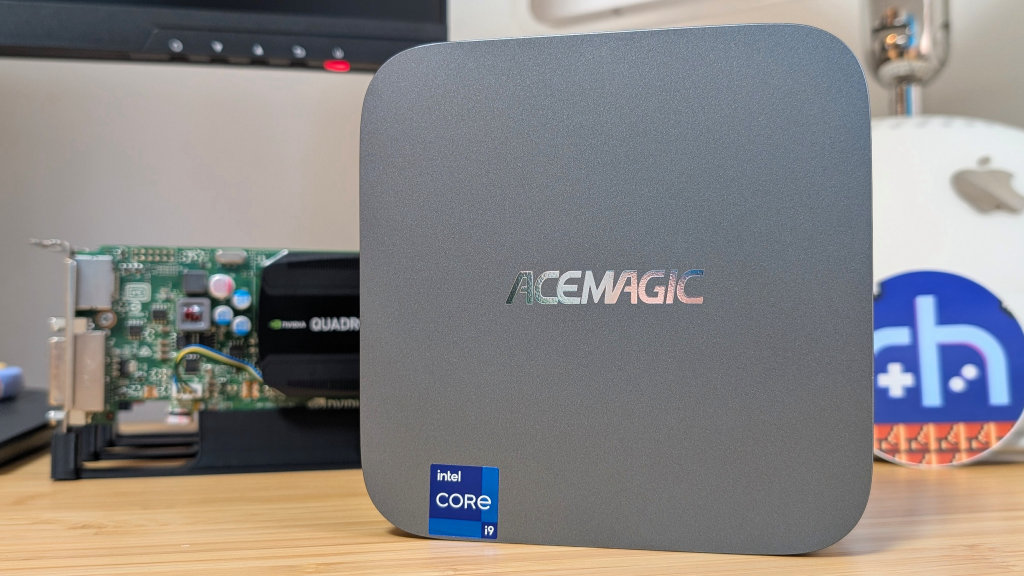
At the time of writing, the M1 starts at $329 for the barebones unit, and jumps to $599 for the fully specced out model. That being said, they’re currently out of stock, likely due to pricing, and the Barebones unit is your only option at this point. But for $329, could that be worth it?
- CPU: Intel i9-13900HK (14 cores/20 threads, 2.6GHz-5.4GHz)
- GPU: Intel Iris XE Graphics (96EUs @ 1.5ghz)
- RAM: Barebones/32GB/64GB DDR4
- Storage: Barebones/1TB/2TB NVME PCIe 4 (with 1 additional 2280 slot internally)
- I/O: 2x USB 3.2 Gen 2 Type A, 4x USB 3.2 Gen 1 Type A, 1x USB 4 Type-C, 1x 2.5gb Ethernet, 1x 3.5mm Jack, 1x HDMI 2.0, 1x Display Port 1.4
- Connectivity: Wi-Fi 6E/Bluetooth 5.2
- Dimensions: 128 x 128 x 41mm
AceMagic M1: What’s Up
Performance
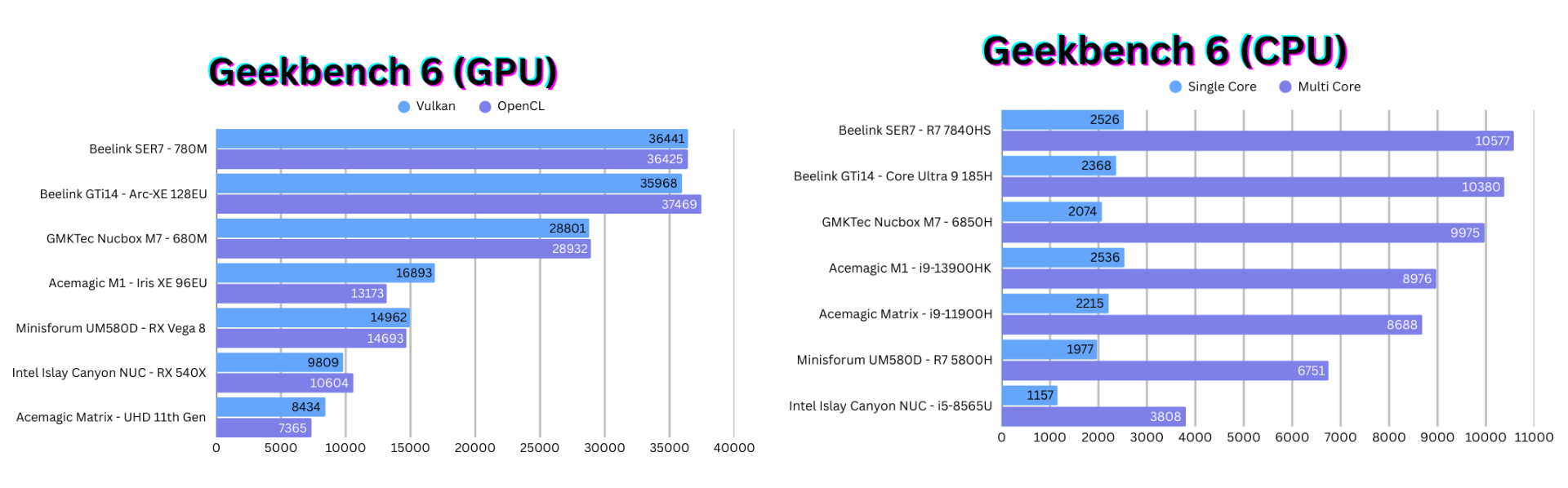
When it comes to performance, there seems to be a bit of good and bad. The CPU is practically giving the same performance as the 11900H with just slight uplifts. That’s not terrible, as that’s still really solid performance for a CPU, but it still falls around 10% shy of a 6850H in terms of performance.
What makes it bad is that checking the Geekbench website shows that other 13900HK devices are landing between 11,000 and 13,000 in multicore scores, which would almost top my charts. Despite looking into the BIOS, I can’t figure out what’s going on here, and have to leave it as is.
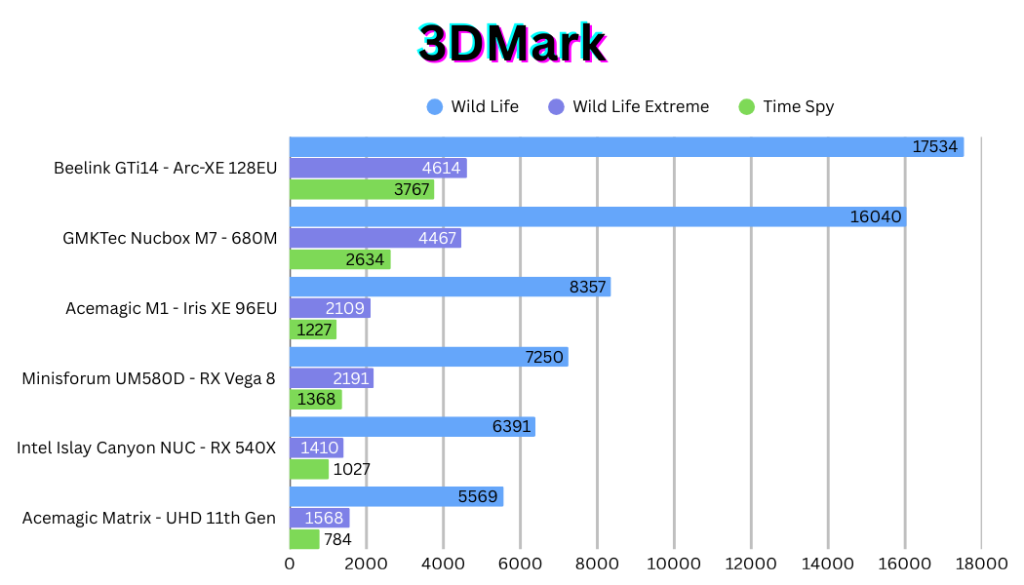
As for GPU performance, we’re getting a decent bump overall. Anywhere from 25-50% over the older UHD graphics from the Matrix M1. This puts the current model closer to something like a Vega 8 chip this time around.
Gaming/Emulation
When it comes to gaming and emulation, a lot of it remains the same as the M1. You can push it all the way to Wii U, Switch, and possibly Xbox 360, and PS3 becomes a bit more feasible as you can do a bit more tinkering to get things working. However, I would probably stop just before that if you just want things to boot up and work. Again, this would probably be a genuinely solid Batocera box, or perhaps something to run CachyOS on if you want a Steam Machine.
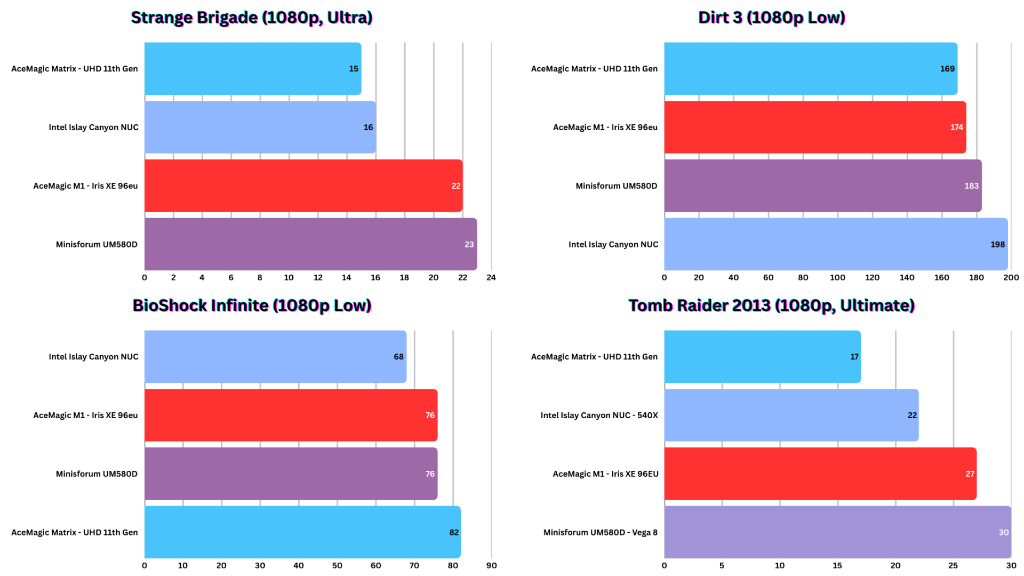
As for gaming, I’ve run a lot of my usual tests and pushed a bit into a few new ones just to see where things land. Right now, you’re looking at a simple four-way comparison in GPU performance between the Iris graphics, UHD graphics, Vega 8, and the old 540X.
In most cases, the Iris XE trades blows with the Vega 8 graphics, usually coming out ahead of UHD and 540X graphics, but there are still some odd cases to be had. Everything lost to UHD graphics in Bioshock Infinite, and somehow the Islay Canyon NUC won out in Dirt 3 with a solid 198 fps at 1080p low. Meaning you could definitely turn some settings up at this point.
AceMagic M1: What’s Off
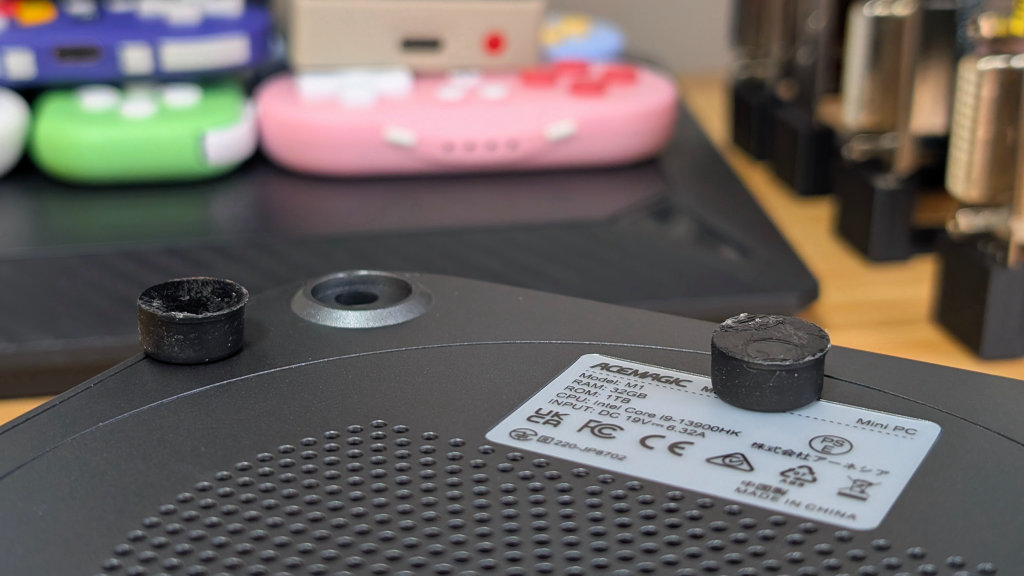
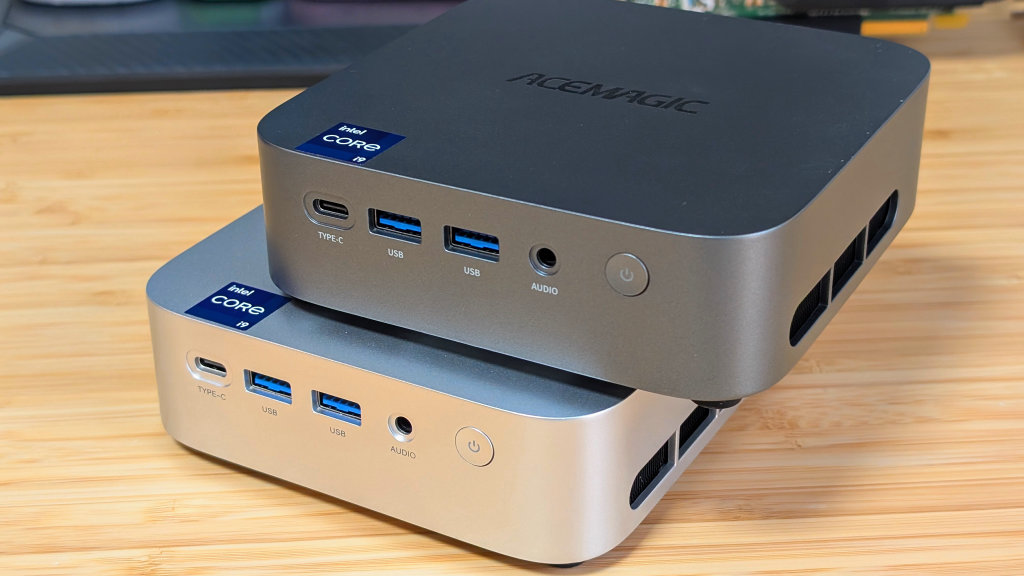
A lot of my concerns with the original Matrix M1 remain consistent here, mostly down to the fact that they’re using the same shell and likely similar cooling components. The shell of the M1 remains cheap and plasticy, which in turn makes it feel a little bit cheaper than a lot of the similarly priced competition that chooses to use metal shells or glass tops.
Alongside that, opening the thing remains the same. Deep inset screws underneath glued on rubber feet. If you can get past that, there are a lot of awkward clips that keep it sealed due to its front/back panel arrangement.
Last but definitely not least is the fan. This one doesn’t whine like the original Matrix M1; this one seems to just be a bit louder than before. Whether that’s the trade-off is up to you, but while writing this script at my work desk, I can hear it a little bit at the testing desk, which is around a wall.
AceMagic M1: Final Thoughts
If you can find this with RAM preinstalled, it’s likely a more worthwhile recommendation. That being said, you can still find older, cheaper, or used mini PC’s that will match performance in gaming, or even beat it if you’re lucky. The AceMagic M1 is a decent piece of kit that isn’t bad. It’s just not going to be for a retro gaming community.
If you need cores and lots of them, this will be a solid option. Or maybe you want to build a homelab in a single computer. This might be the best option for you. However, if you’re looking for gaming, AMD still may be the better bet.
What did you think of this article? Let us know in the comments below, and chat with us in our Discord!
This page may contain affiliate links, by purchasing something through a link, Retro Handhelds may earn a small commission on the sale at no additional cost to you.
