

Ultra portable controllers have been around for quite a while. If I’m going to age myself here, or show the age of everyone else, the 8BitDo Zero was my first experience with one of these back when I was in high school. A tiny little thing powered by Micro USB that I could connect to my iPhone 5C and play some primitive iOS games back in the day.
Since then, 8BitDo has revised its Zero, made the Micro, and a bunch of other options from Fantech, IINE and CRKD have come around too. But the Abxylute M4 takes things down a bit of a different route. Is a tiny controller that can hold your phone up with magnets a good idea? Well that’s why I picked one up; so let’s talk about it.
This product was purchased with our own money and was not sent to us by the company. Affiliate links might be present where applicable, and we may earn a commission on product purchases using those links at no extra cost to you.
Normally, that’s all that would be stated, but it’s important to mention that Abxylute has been found to be purchasing five star reviews from their community under the guise of giveaways in their Discord. You can find out more about this in the following Retro Handhelds Article right here.
That will not have any impact on my views of the device.
Abxylute M4 Specs
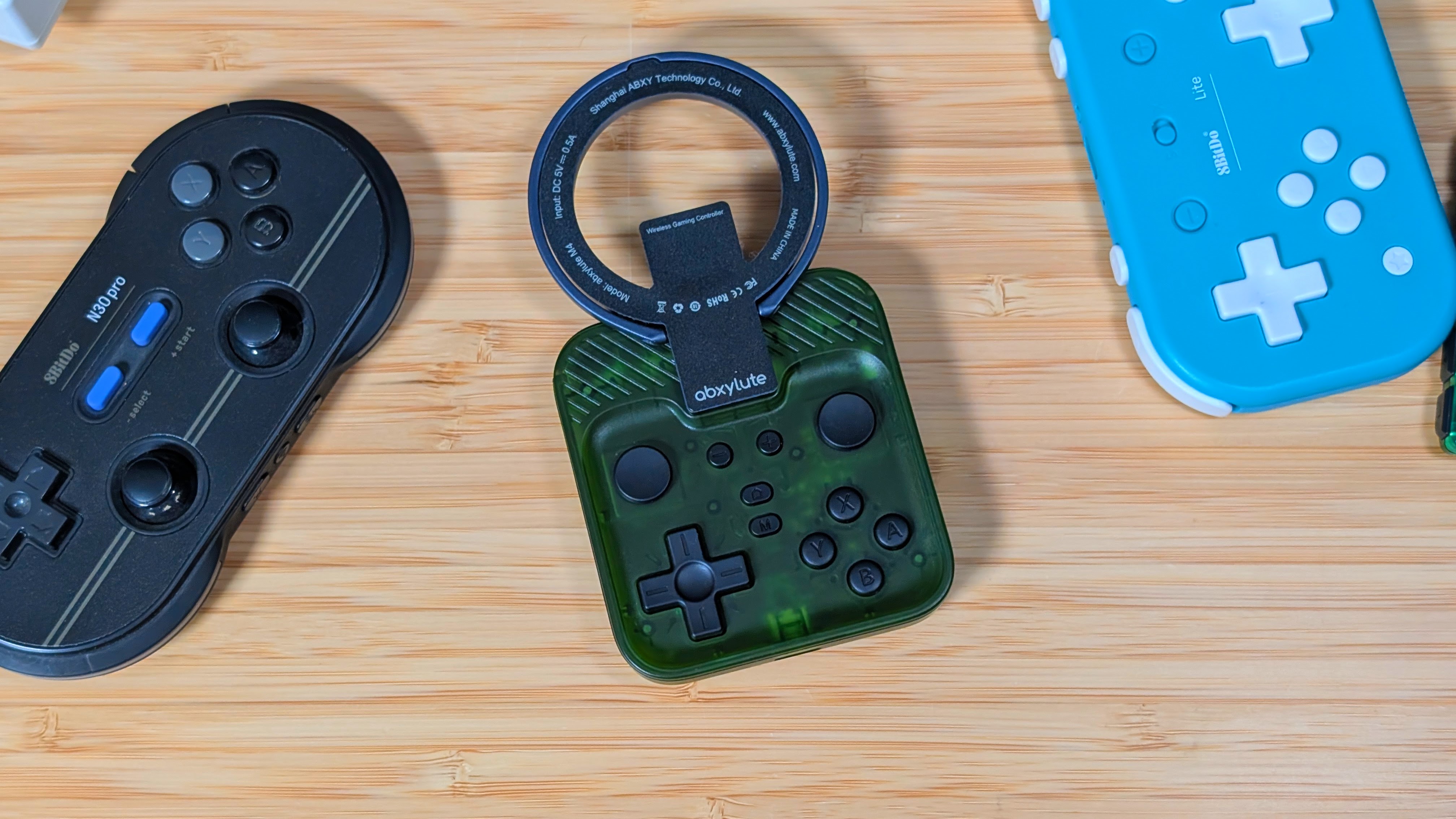
While most mobile controllers aim to be as small and as cheap as possible, it feels like Abxylute is taking things in a bit of a different direction. Retailing at $49.99 you’re spending more than the cost of a standard controller, but getting something a lot more compact. It’s possible the magnets are helping, but the $42 sale price on Amazon at the time of writing may be the better bet. But as for specs, you can decide for yourself.
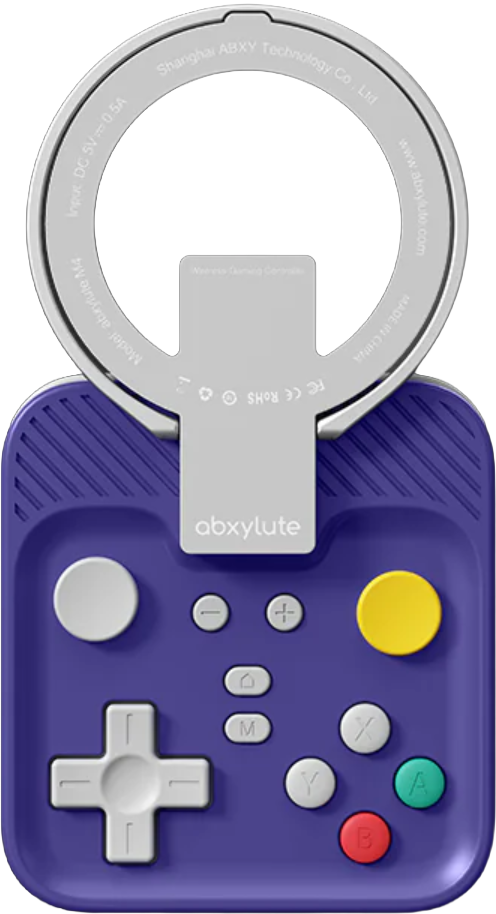
Abxylute M4
- Manufacturer
- Abxylute
- Face buttons
- ABXY (Nintendo)
- D-pad
- Membrane
- Sticks
- Slider
- Triggers
- Analog
- Connectivity
- Battery (mAh)
- 300
- Software
- abxy game
- Firmware updatable
- ✓
- Dimensions
- 74.8 x 69.5 x 15mm
- Weight
- 55.2g
- Platforms
Build Quality & Ergonomics
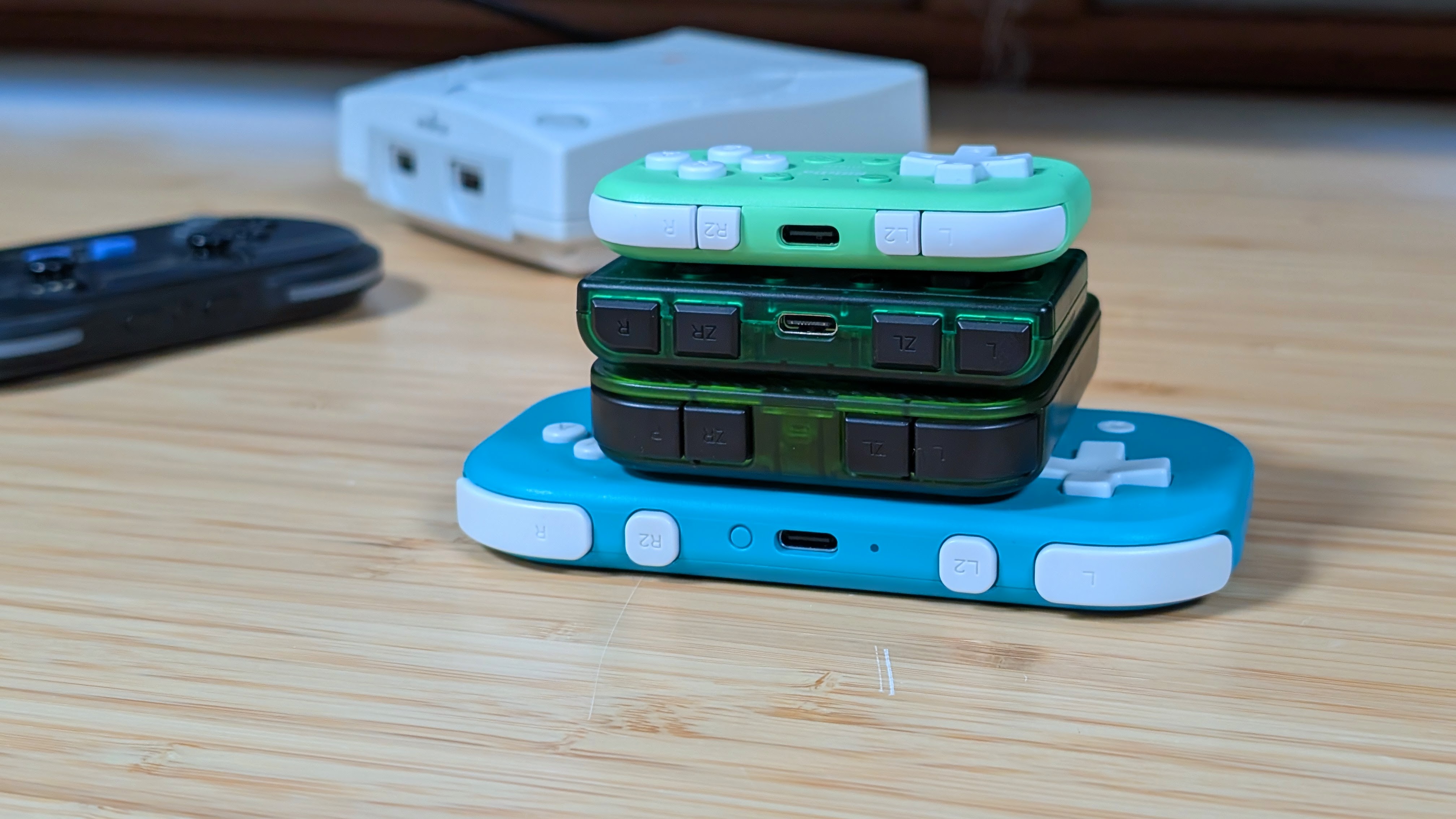
Abxylute has done incredibly well with the M4 in terms of build quality. The Magsafe attachment is super meaty and rigid, and the magnets are incredibly strong. The plastics on the controller are lightweight but remain rigid, and as a whole, while it feels lightweight, it also doesn’t feel like it’s going to crack into 1,000 pieces in your pocket. I really do think the build of this one is good.
As for ergonomics, it’s a heavy meh for me. But it’s also an ultra-portable controller. Holding it normally, my fingers hit the inline triggers, and my thumbs land on the sliders perfectly. That being said, if you want to use the D-pad or ABXY buttons, you’ll have to bend your thumbs downwards into a big ol’ claw.
This would make me use the slider moreso, but I don’t get an option with the face buttons. At a bare minimum, ergonomics could have been improved by moving the face buttons up. Overall though, the device is fine.
Controls
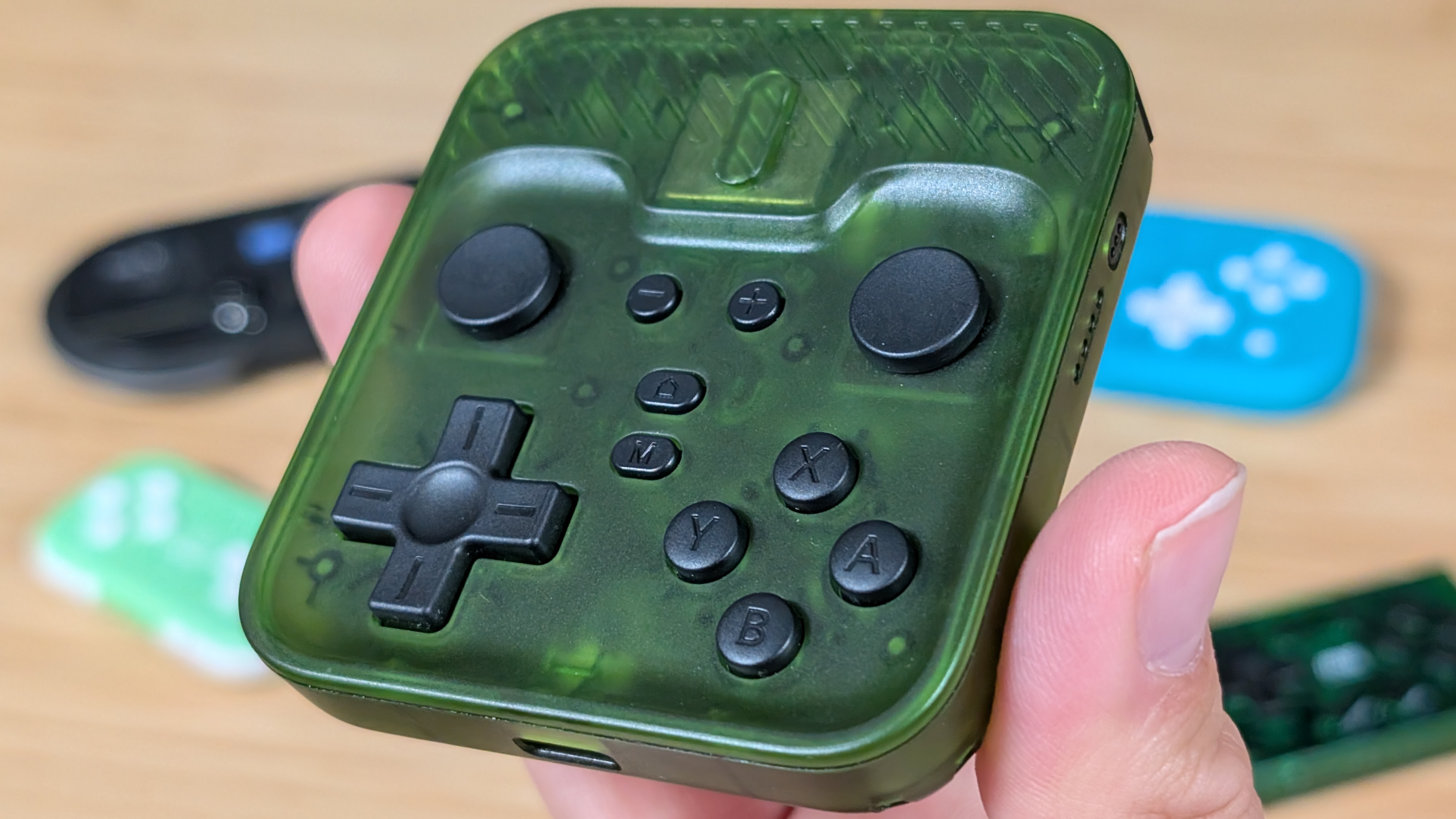
When it comes to the controls themselves, I want to say it’s mostly good, but with some obvious compromises due to the size of the device. Starting with the top of the device, the shoulders and triggers are inline, and clicky. This is kind of reminiscent of older Anbernic handhelds like the RG35XXH. They honestly don’t feel too bad and never gave me an issue during my time using the device.
After that comes the face buttons. They’re membrane, the face buttons in particular feeling quite nice, despite their diminutive size. If they didn’t have the ridge around them I’d almost say they could’ve been larger. The dpad on the other hand has a decent pivot, decent movement, and a really loud CLACK if you press down in the center. It’s passable, and far from the worst part of this controller.
The worst part of this controller goes to the sliders. They have barely any movement to them to the point I’d estimate about half an inch in any direction. You can go 0 to 100 real quick on these bad bounce. But that’s if you can manage to stay on them.
Despite having the abxylute smallest concave curve to it, the entirely smooth plastic means your thumbs are going to slip out of these things with ease, and I personally found it harder to control. Personally I’d have preferred the sticks and sliders swap spots. At least then I could permanently ignore these sliders. Especially without L3 and R3.
Software

So when it comes to software, Abxylute advertises its “abxy game” app, specifically in all lowercase by the way. This is actually one piece of software I hadn’t heard of before, and I was just happy it wasn’t that stupid Keylinker App software again. So with a bit of hesitancy I downloaded it.
What I wasn’t expecting was to be met with a full on games launcher. Whether you’re looking for Abxylute updates, controller settings, or a way to navigate your phone via controller, you could get around to any app you had added as well as get into things like XBOX Game Pass Cloud Streaming.
But be careful you only have so many hours. All in all, this software isn’t bad at all, and I certainly prefer it to the Razer Prio software. Good job Abxylute, keep this one cooking.
Extra Gubbins
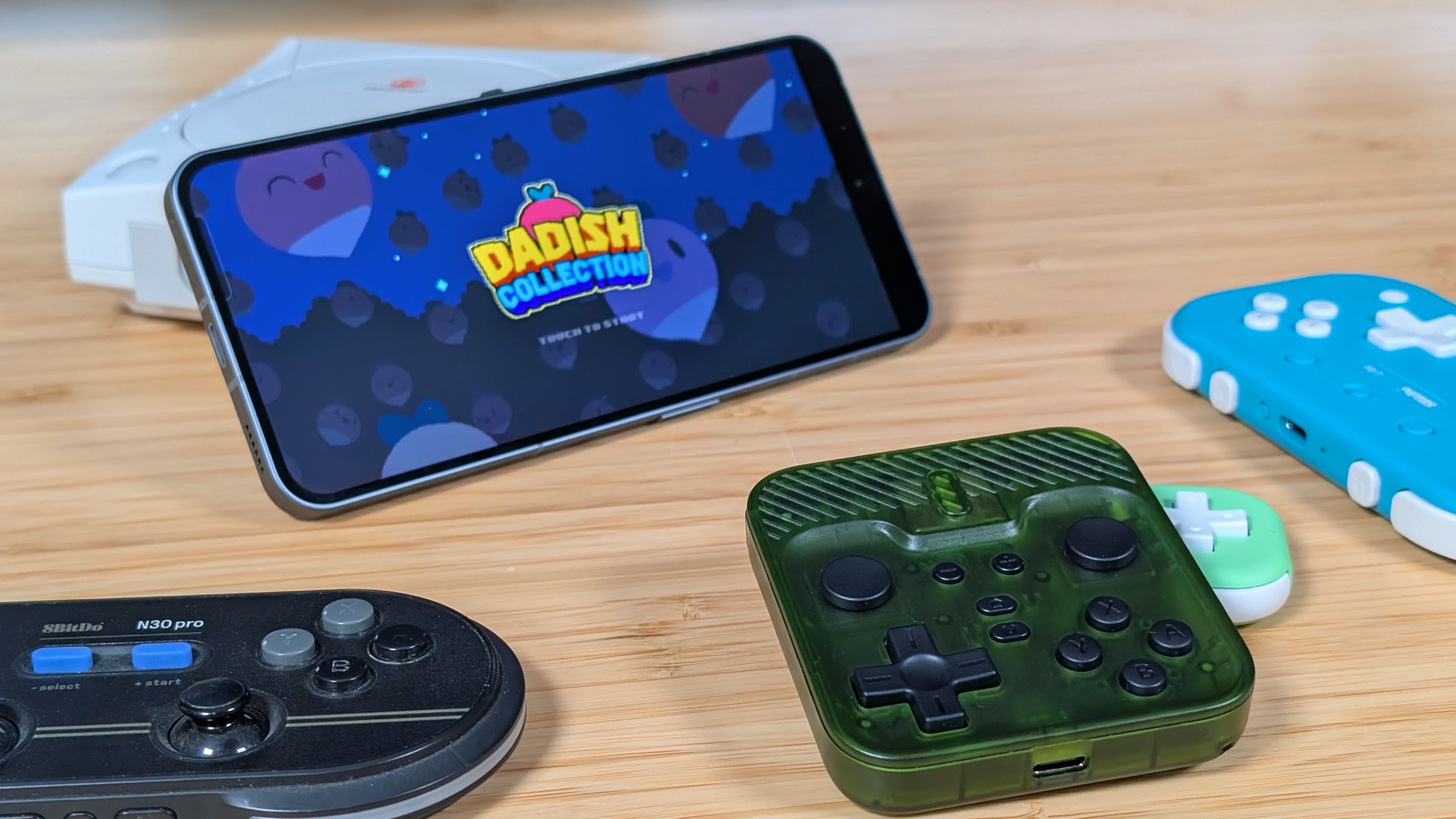
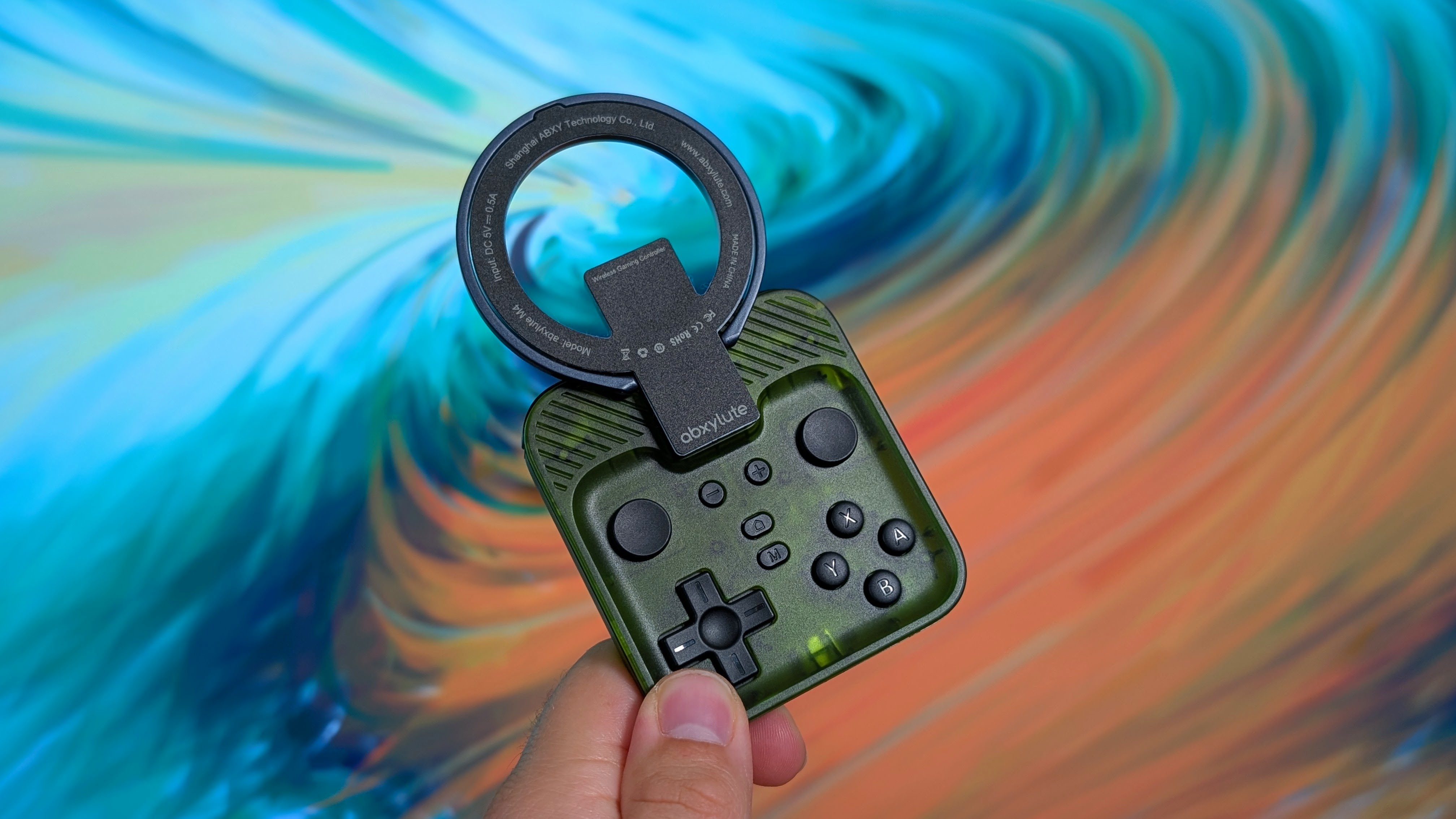
The extra bits and bobs are where I can talk about the things I’m not a fan of. And for the most part it comes down to the whole selling point of device; the Magsafe attachment. The magnets are ridiculously strong, and they held onto my Pixel 9 Pro with a dbrand case with ease.
But at the same time, it feels like it’s not ideal. Are you really going to leave this controller on the back of your device like they’ve shown in some promotional material? Probably not. Are you going to leave a random magsafe magnet there instead? Personally I wouldn’t.
It kind of defeats the whole purpose of the device if you aren’t going to leave it back there. But hey, that’s the complaint of a guy who prefers fully dedicated controllers.
The other thing I want to comment on is how it feels when the phone is above the controller. If you’re attempting to play your games like a psuedo PSP Go, you’ll find the device to be really top heave. It constantly felt like things were going to topple over, and I was never too comfortable with it.
Alongside that, in use my fingers were constantly rubbing against the back of the phone, basically threatening to push it off from behind. Again, it really feels a bit too haphazard for my liking.
Final Thoughts
So what’s the conclusion on the Abxylute M4? This is probably the most “no man’s land” controller I’ve ever seen. If you’re looking for portability, there are smaller controllers that offer just about everything this one does at a smaller size. You could even say alternatives do everything if you mention the $29.99 CRKD Atom+. If you don’t need the sticks, you can go as low as $15 for an alternative controller.
On the other hand, if you want to just spend $40-$50 on a controller regardless of size constraints, you have dozens if not hundreds of options from all over the market, even the likes of an XBOX Series controller on sale. But I know that’s not what people are looking for when they look at the Abxylute M4, so here’s what I’ll recommend.
Wait for the M5 and M6 to release. Or grab something like an 8BitDo Lite 2. Or the 8BitDo Micro. Or the IINE Retro Mini. Or any number of small controllers that can do what this one does. I personally like the Fantech EOS Mini.
