

UPDATE 6/21/26
In a recent thread on the r/SBCGaming subreddit, one of the PortMaster developers (bmdhacks) provided some more insight into Starboard and its relationship with PortMaster. It would appear that, although promising at first and despite some ports working, “Starboard has some pretty deep architectural flaws.”
You can read more over on the Reddit thread here or in the latest RH Newsletter here.
For one reason or another, I’ve been infatuated with PortMaster ever since I first learned about the project. Not only is it a way that the community has been able to preserve classic retro games, but it’s also been great for indie titles, and even a few modern games are available. However, until now, PortMaster has been available only on retro handhelds and x86 handhelds via RetroDECK.
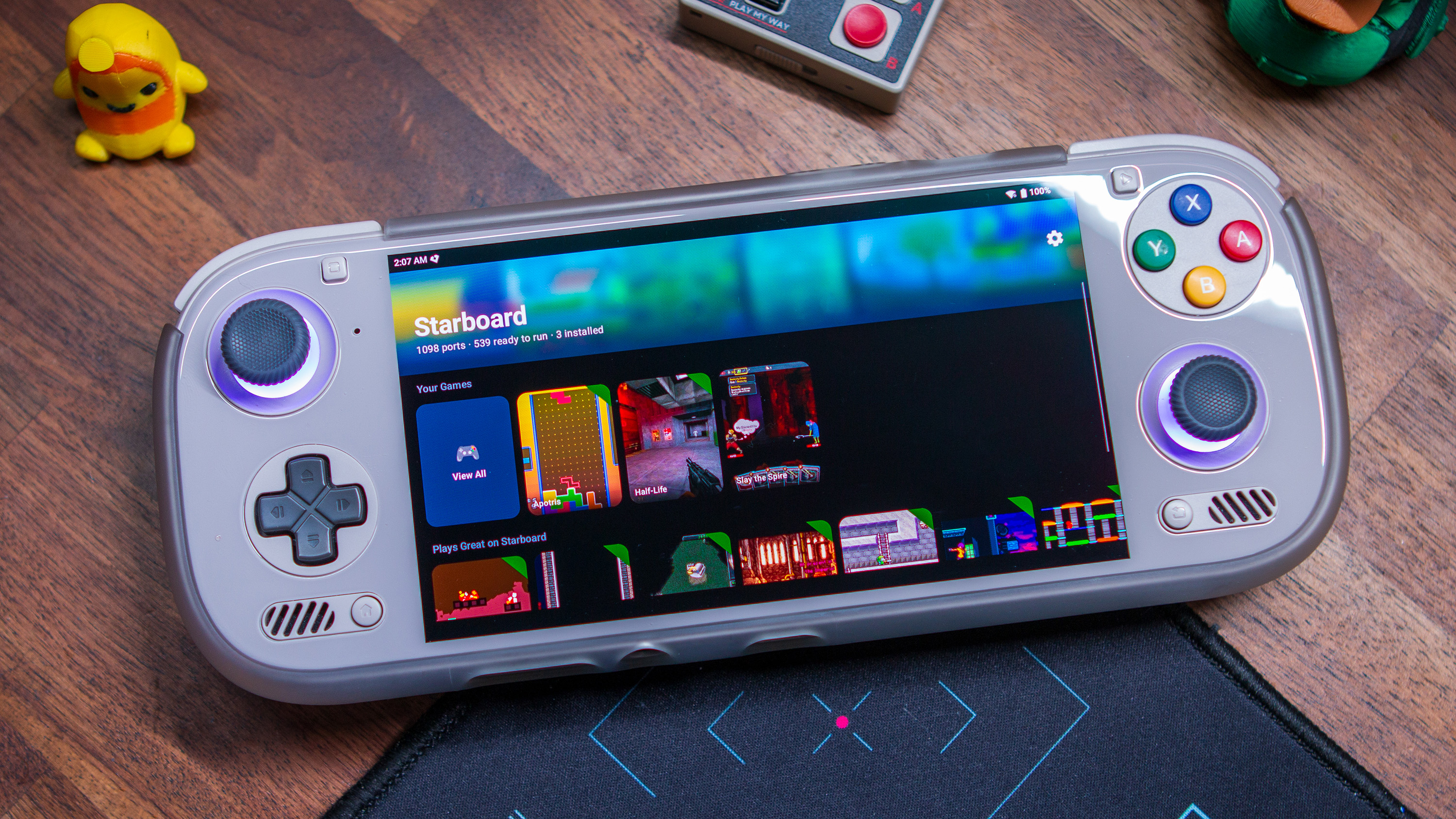
That’s no longer the case as Android handhelds can now join the parade thanks to a new app called “Starboard.” I happened to stumble across this project a couple of weeks ago, only to be told later that the release was removed. However, it was added back to the GitHub repo, and there’s also a dedicated website for the app.
In addition to bringing PortMaster games to Android, Starboard includes a few useful and surprising features:
- One-tap PortMaster catalogue – browse, search and install ports from the live catalogue, with artwork and featured picks, all in a single controller-friendly library.
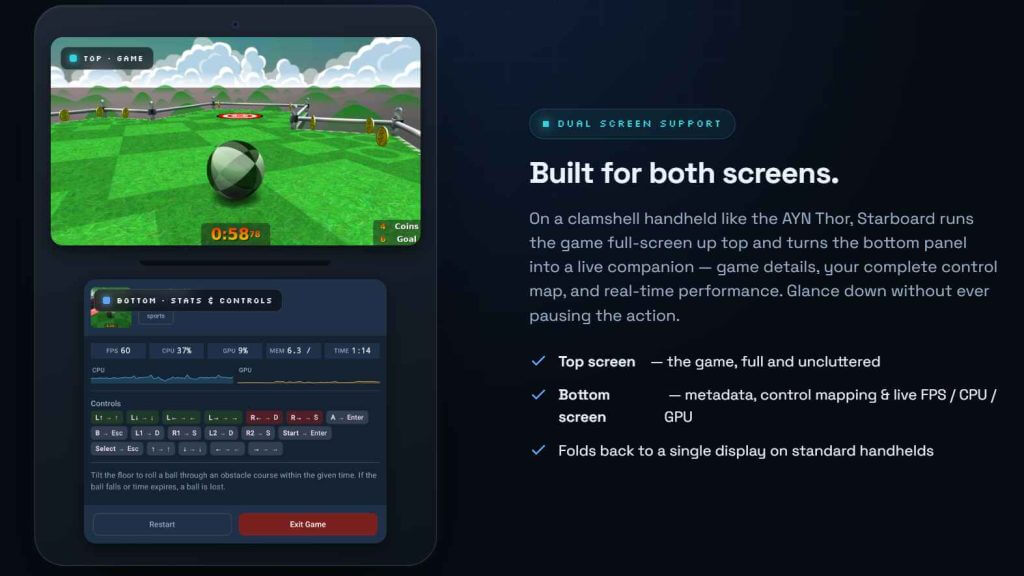
- Dual-screen support – a companion UI renders on a second screen if available, while your primary screen keeps full gamepad control.
- GPU acceleration (experimental!) – flip a per-port Run on GPU switch to route OpenGL through your device’s actual GPU (Adreno and friends) via virgl instead of software rendering.
- ES-DE integration – installed ports register themselves into EmulationStation DE if enabled, complete with cover art and descriptions.
- Runs more than you’d expect – SDL1 and SDL2, OpenGL and GLES, plus GameMaker (gmloader/YoYo runner) and Xash3D (Half-Life) ports.
- On-screen touch controls – a virtual gamepad overlay for playing without physical buttons.
- No root required
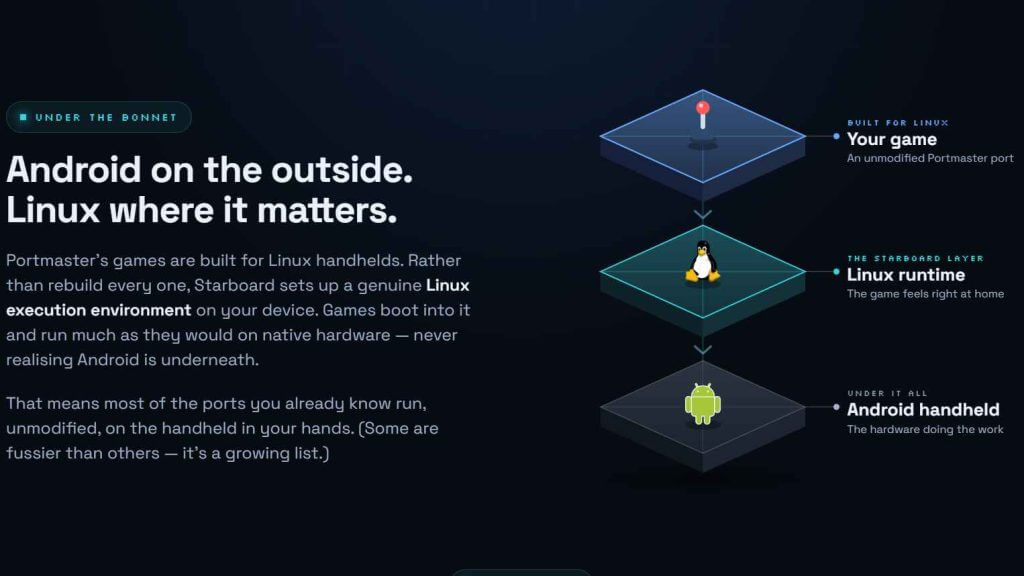
According to the website, all of this is made possible by Starboard creating a “genuine Linux execution environment on your device.” You’ll notice when you fire up Starboard for the first time that you’ll likely be prompted to download runtimes. It’s also worth noting that not every port in the PortMaster catalog is currently available to play via Starboard.
That’s because some of those titles require additional or different runtimes. So instead of trying to pick from one of the almost 1800 titles manually, a bunch of PortMaster games are actually hidden by default. The ones that include compatible runtimes can be enabled from the Settings portion of the app, under the “Catalog” section.
Starboard brings something to Android handhelds that I never thought would be possible. PortMaster is one of the main reasons why I try to install ROCKNIX or KNULLI on compatible Android handhelds as soon as it’s available. At one point, I even went so far as to turn my Retroid Pocket Flip 2 into a dedicated PortMaster device, and I know I’m not the only one.
While there’s a lot to like about Starboard already, it’s worth pointing out that there is one thing that’s different compared to many of our other favorite Android apps. At the time of this writing, Starboard is not an open-source app. There are many reasons why one might consider this to be problematic, but after an issue was opened on the project page, JeodC offered a bit of insight:
Dug around it a bit. Looks like the rootfs is PortMaster tools (7zzs, xdelta3, gmloadernext, other runtimes) wrapped in a debian container, running in proot. Couldn’t find any telemetry other than ANDROID_ID used in the user opt-in feedback system. Undisclosed, but not suspicious.
Even still, it’s something that we’ll want to pay attention to, especially as new versions of Starboard are released. If you want to check out Starboard for yourself, hit the button below to download it from GitHub, or head over to the dedicated website.
| App | Platform | Get it |
|---|---|---|
 | GitHub | Download |

2 Comments
Козырная новость! Если со временем, вся библиотека port master, будет доступна на устройствах андроид, через персональное приложение! Андроид вбирает в себя лучшее из всех миров, андроид игры, эмуляция, pc игры, стриминг, port master…
Just a heads-up. Only about half of the titles in the PortMaster catalog will be able to run in Starboard and the ones that do run will often have unplayable framerates. This project is not associated with the PortMaster project.