

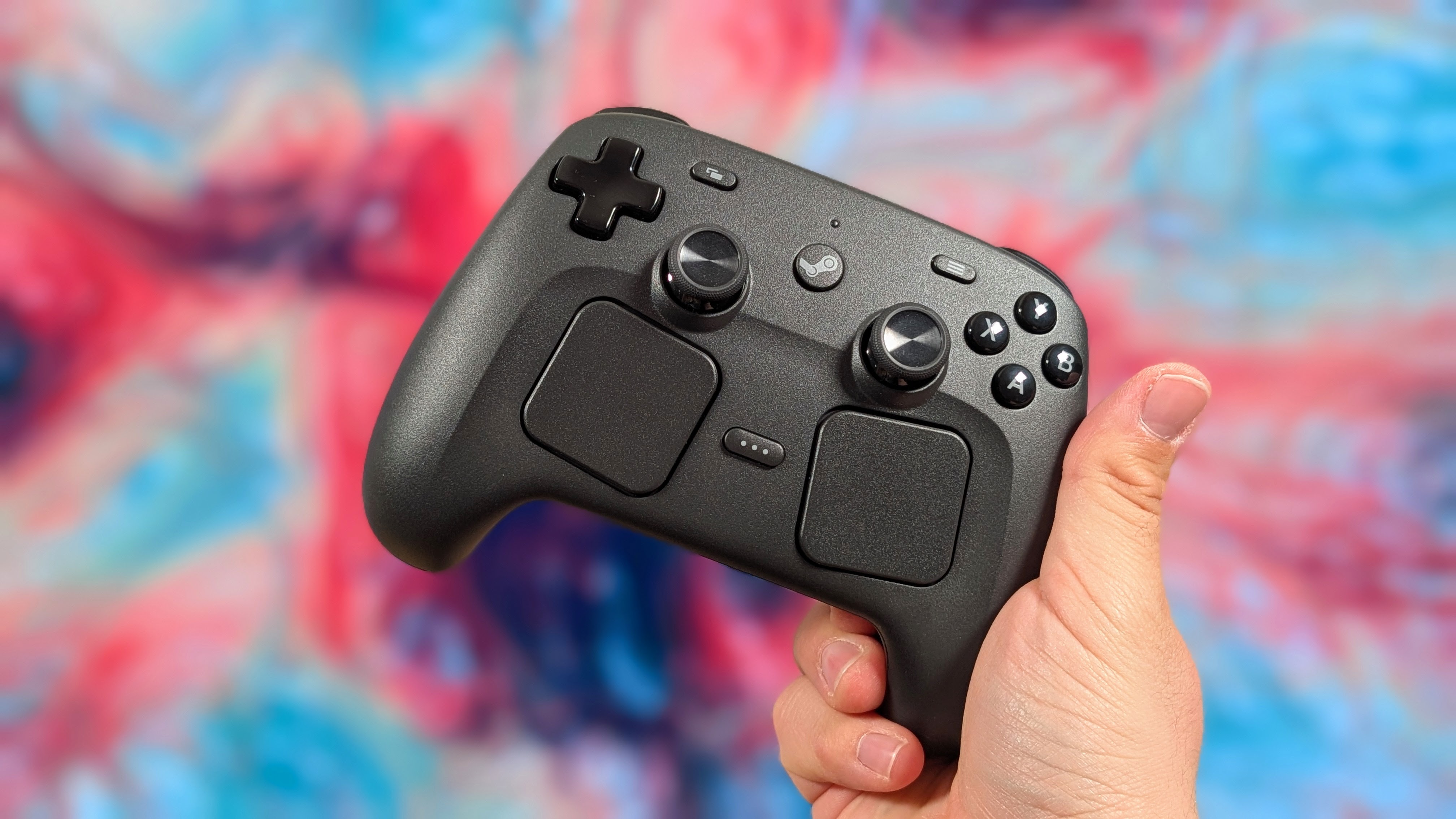
Valve. The one company that usually wins by doing nothing unless is price hikes on the Steam Deck. The company that can’t seem to count to three but wins every time it releases a new product. In the midst of constant electronics price hikes and products going out of stock because of it, Valve decided to release the Steam Controller while they held back their VR headset and Steam Machine.
Now that we’ve got this big fat batarang of a controller, I wanted to see if it’s worth the $100 asking price if you’ve reserved it, or if maybe you’re better off with something else.
This product was purchased with our own money and was not sent to us by the company. Affiliate links might be present where applicable, and we may earn a commission on product purchases using those links at no extra cost to you.
Steam Controller Specs
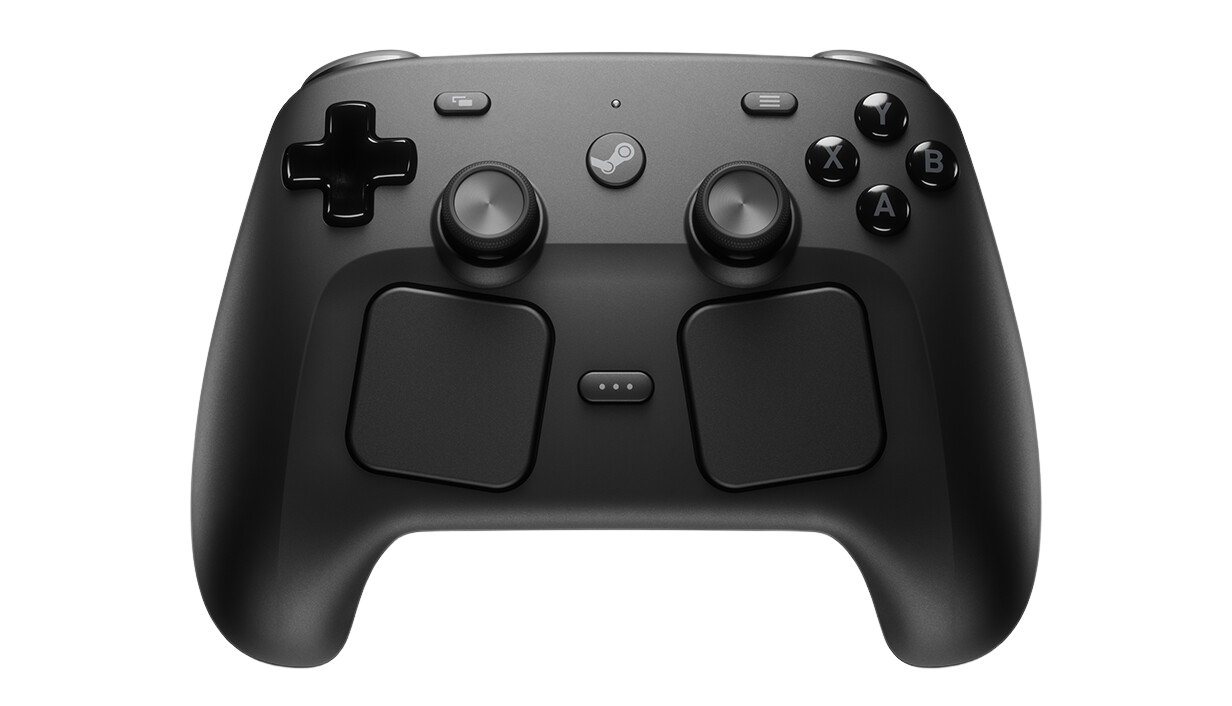
Usually, I comment on the whole “it’s this much, but do the specs tell you it’s worth it?” but at $100, it really packs a lot into it that even more expensive controllers miss. So, feature-wise, it’s likely worth the cost, but you still want to know the specs.
| Spec | |
|---|---|
| Sticks | TMR w/ Capacitive Touch |
| Face Buttons & D-pad | Membrane |
| Triggers & Shoulders | Membrane & Analog |
| Connectivity | 2.4GHz Puck (250Hz), Wired USB-C, Bluetooth 5.0 |
| Additional Controls | 4x Grip Buttons, 2x Trackpads w/ Feedback, 6-axis Gyro Control |
| Additional Features | Wakes SteamOS via Puck, Mouse Mode, Rumble, Steam Input |
| Compatibility | Steam Big Picture Mode, Android, MacOS, Windows in "Lizard Mode" |
| Battery | 8.39Wh for 35+ Hours |
| Dimensions | 159 x 111 x 57mm |
| Weight | 292g |
Build Quality and Ergonomics
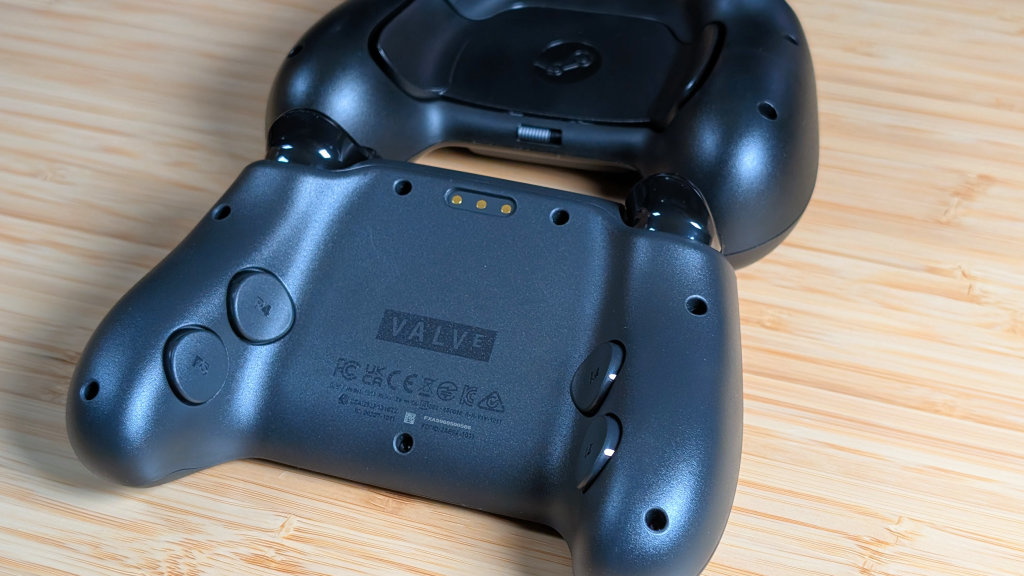
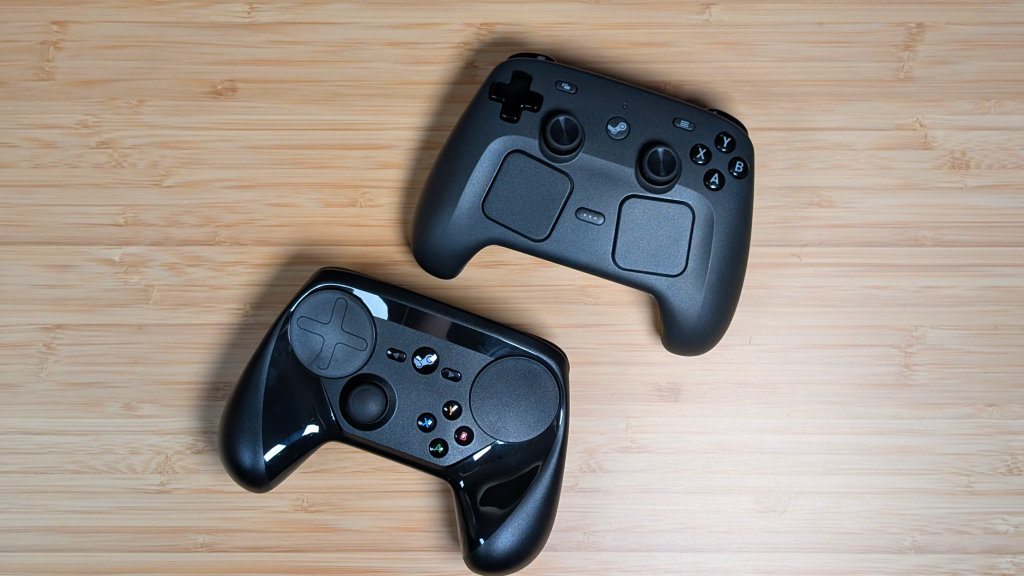
When it comes to the build of the Steam Controller, it’s built to be sturdy, and not premium. The plastics on the controller are thick with minimal, if any, give to them. It’s a controller you could drop a couple of times and not be worried until you hear it scream back at you.
That being said, I’m not entirely sure how to feel about the plastics used. It’s this gritty plastic that feels grippy but doesn’t feel too different from the plastic on the Steam Controller they built 10 years ago. Overall, it’s well built for function, and maybe not form.
And that sentiment rings true in the build for ergonomics. Unlike the Steam Deck, which I disliked for stick functionality and reach, the Steam Controller has everything in perfect reach. Rather than a tight handle on the grips for most controllers, I’ve found myself lightly gripping upwards on the sides of the Steam Controller.
Because of that, my middle and ring fingers land perfectly on the back buttons, and my thumbs can reach everything from the trackpads to the face buttons. This controller layout is truly built for those D-pad gamers, though, and for DualShock lovers, this will be pretty much the perfect transition controller. Especially if you still want the trackpads.
Controls
The Standard Bits
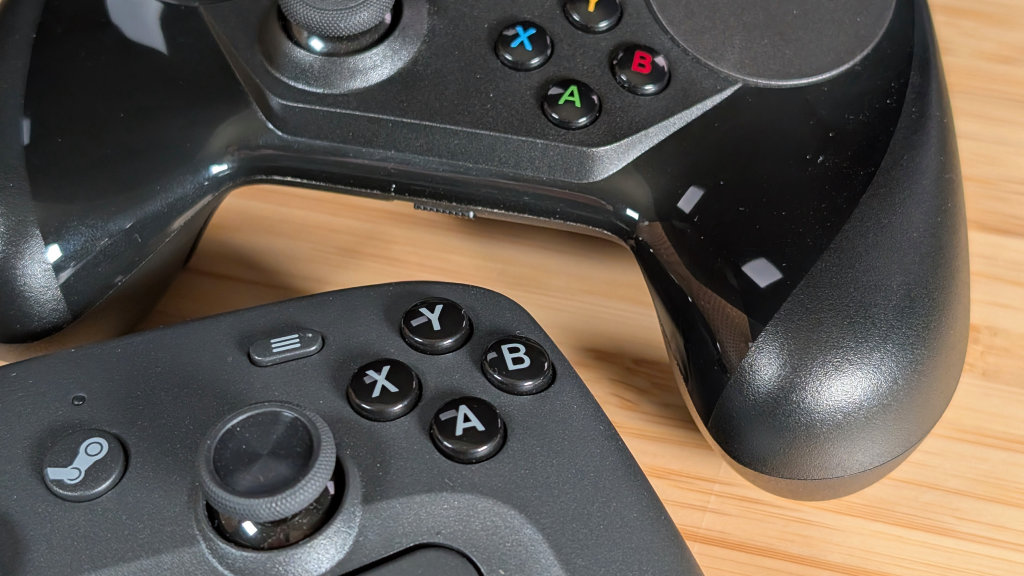
I’ve split this into two parts because I think it’s actually important to do so in case you care more about the normal parts or the new bits. The D-pad and face buttons are all membrane. They have a nice functional press and a decent tension before bottoming out. The D-pads pivot could be better, but I don’t fault Steam, considering how many things they crammed into this controller. The TMR joysticks feel great, with a bit more tension than something like an 8BitDo Ultimate, but remain completely responsive no matter what I do.
Lastly, in this section are the shoulders and triggers. They’re also membrane and unexceptional. The triggers feel a bit cheap, but are also super snappy for analog triggers. Unlike 90% of controllers on the market, the Steam Controller doesn’t have dual-stage stops. It’s all analog all the time. And personally? I prefer that to a poor implementation. Valve nailed the standards, and only minimal improvements could be made (like better triggers).
The Add-Ons
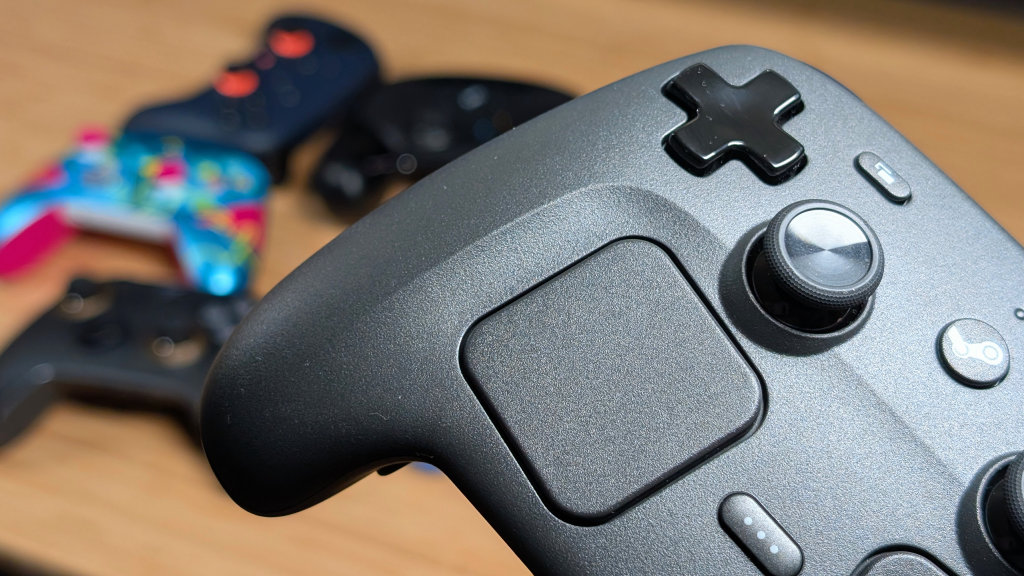
There’s quite a bit here. The trackpads are nice and in reach with a less gritty texture than the rest of the controller. My thumbs, even when bandaged, slide nicely across the trackpads and feel very responsive in normal use. All four of the back buttons are perfectly within reach, and while they’re a bit loud and clacky on press, it doesn’t usually feel like I’m going to press them by accident. And if I do worry about that, I’ll just unmap them in software.
Lastly, Gyro aiming. It’s actually pretty decent. For the most part, I only ever used Gyro aiming while playing Splatoon 2 on the Nintendo Switch. But pulling up Guns and Fishes and mapping the Gyro aim in Steam Input, I found myself doing fairly well overall with the gyroscope. It was quick, responsive, and really didn’t give me any trouble. I don’t really know if I have any true complaints about the Steam Controllers’ controls.
The…Dock?
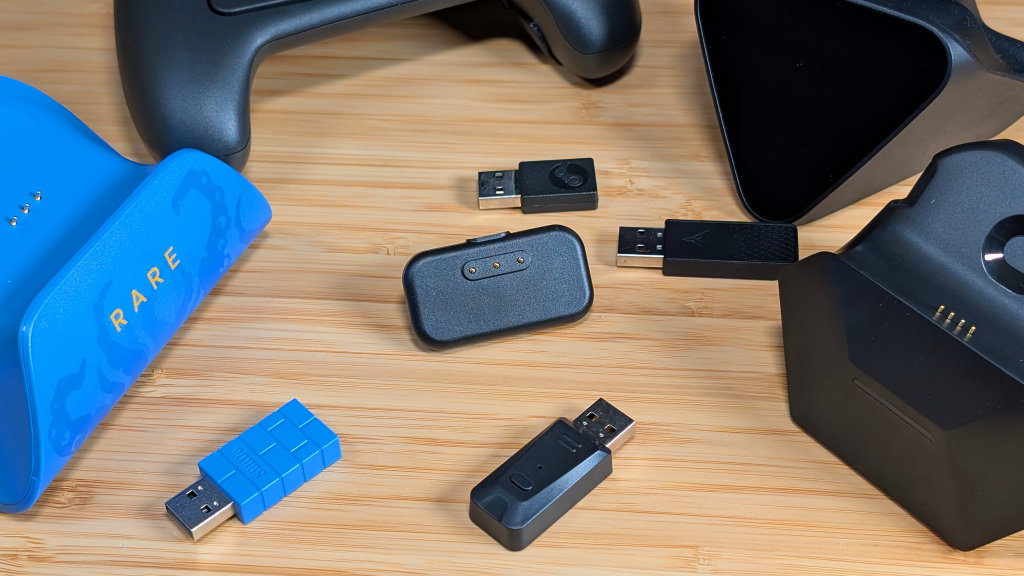
There’s not a lot that I want to say with this part of the Controller. Yes, it has a dock, but no, it’s not actually a real dock. The puck that comes included with the Steam Controller is a magnetic dock and dongle for connecting your controller to your PC via 2.4GHz at 250Hz polling. A lot of people online have already begun designing actual docks you can 3D print and place the puck into for that magnetic attachment. So, while no, it’s not truly a dock. It will be.
And as a separate note, there have been at least a couple of reports of the metal pogo pins sparking when coming in contact with another conductive metal. Steam does warn about this in their manual, but it still shouldn’t be something you have to worry about on a normal basis. Be wary of that, be careful, but I feel this is something that would be of similar concern on most pogo pin-based controller docks.
Mouse & Keyboard Mode
This gets its own section because holy cow, this really does change the game when using a controller on a PC. If you’re not in Steam Big Picture mode, the Steam Controller acts as a pseudo mouse and keyboard using a combination of controls on it. The left trackpad scrolls, the right trackpad moves the mouse cursor, with your triggers being used to left and right click what you need. The best part? You can pull up the Steam keyboard with just the press of a button and then use the D-pad for control to type whatever you need.
No, this isn’t faster than using my shitty Logitech Trackpad Keyboard, but it’s way better than having to dig it out from behind the couch to use for three button presses and a password. But once the Framework keyboard comes out, I may go digging again.
Software
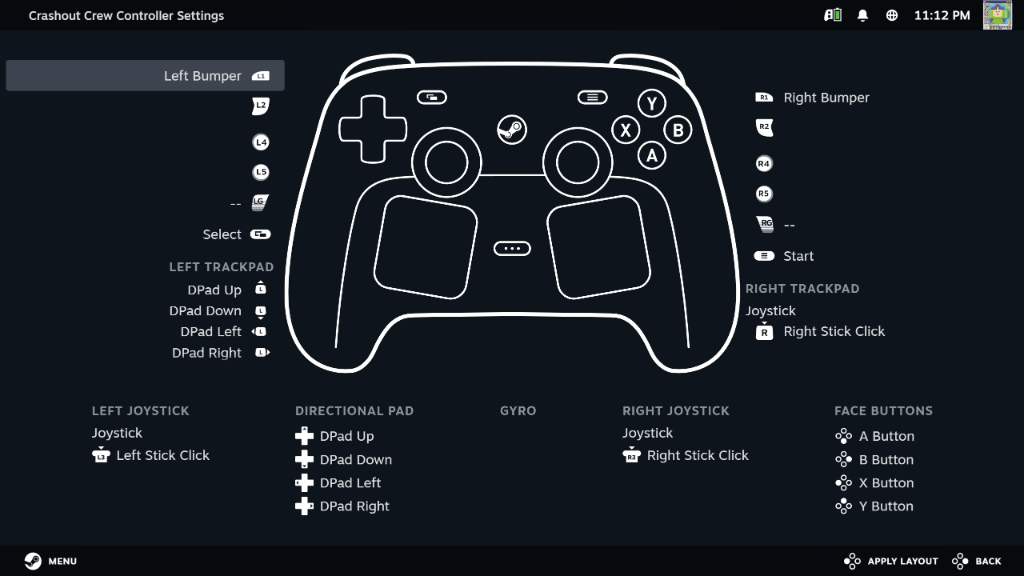
Software is straightforward. It’s using Steam Input within the Steam Big Picture mode application. What that means is you can set per-game keybinds with the Steam Controller and know that’s what it’ll be every time you boot up Mina the Hollower, Crashout Crew, or OxenFree. And if you suck at making the layouts yourself, popular games will have presets you can pick from as well.
Steam basically perfected this with the original controller.
My Use Case
How have I been using the Steam Controller? For the most part, on Bazzite. Always in big picture mode, but specifically when playing my 2D games. The membrane dpad and face buttons feel better for classic style games like Rubato, Backpack Hero, and Gravity Circuit. That being said, the moment I wanted to do any racing game at all.
The Steam Controller went down, and the Flydigi Vader 5 Pro went up. While yes, the controls are comfortable to reach, I still prefer the placement of the left stick on the Vader for racing games, and that won’t change anytime soon.
Final Thoughts
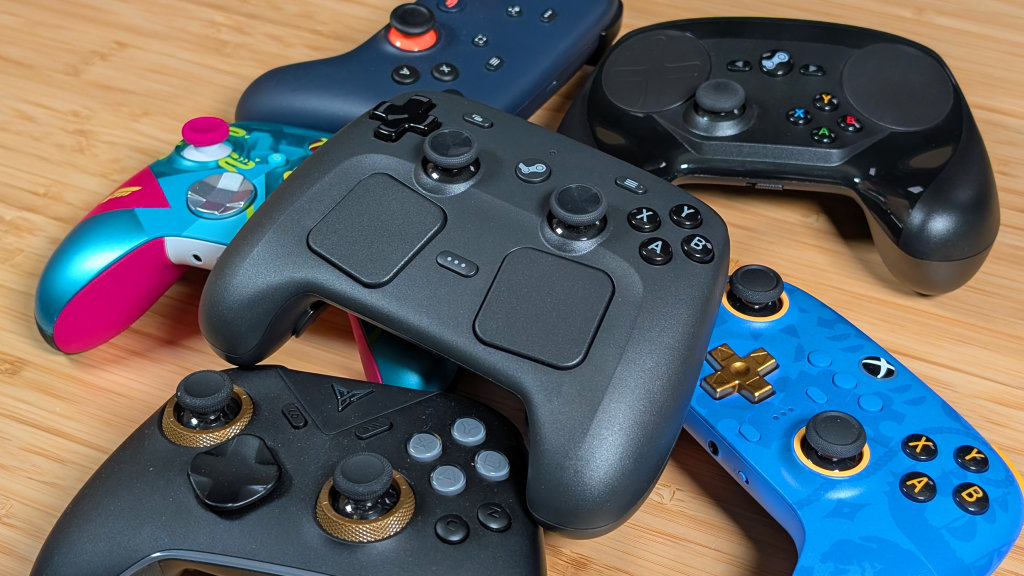
Is this going to be my daily driver controller? No. Is it going to be your daily driver controller? In some cases, yes, but in most cases, no. This controller is fully worth the $100 in my opinion. You get features that are missing on $50 and $150 controllers, like TMR joysticks and trackpads, all in a controller that’s going to be perfect for your Steam Machine. And waking it from sleep with just the controller. But I think for a lot of people, there’s only going to be a certain use case for this one.
If you are someone who: 1. Uses Steam Big Picture primarily, 2. Plays a lot of D-pad-centric games, 3. Enjoy the mass customization thanks to Steam Input, and 4. Have $100 to burn because you love Gabe and his next yacht. I think this controller is absolutely going to be for you.
It’s a solidly built, functionally sound controller that’ll only get better over time. But if you worry about ergonomics, stick placement, or just the weird puck in general. I’d see if you can go out and borrow a Steam Controller from someone else to try first.
Or you can just resell yours once you’re done. These things seem to be a hot commodity. Let’s just hope they aren’t $5 in 4 years, or else we’ll never get Half-Life 3 on that budget.
