

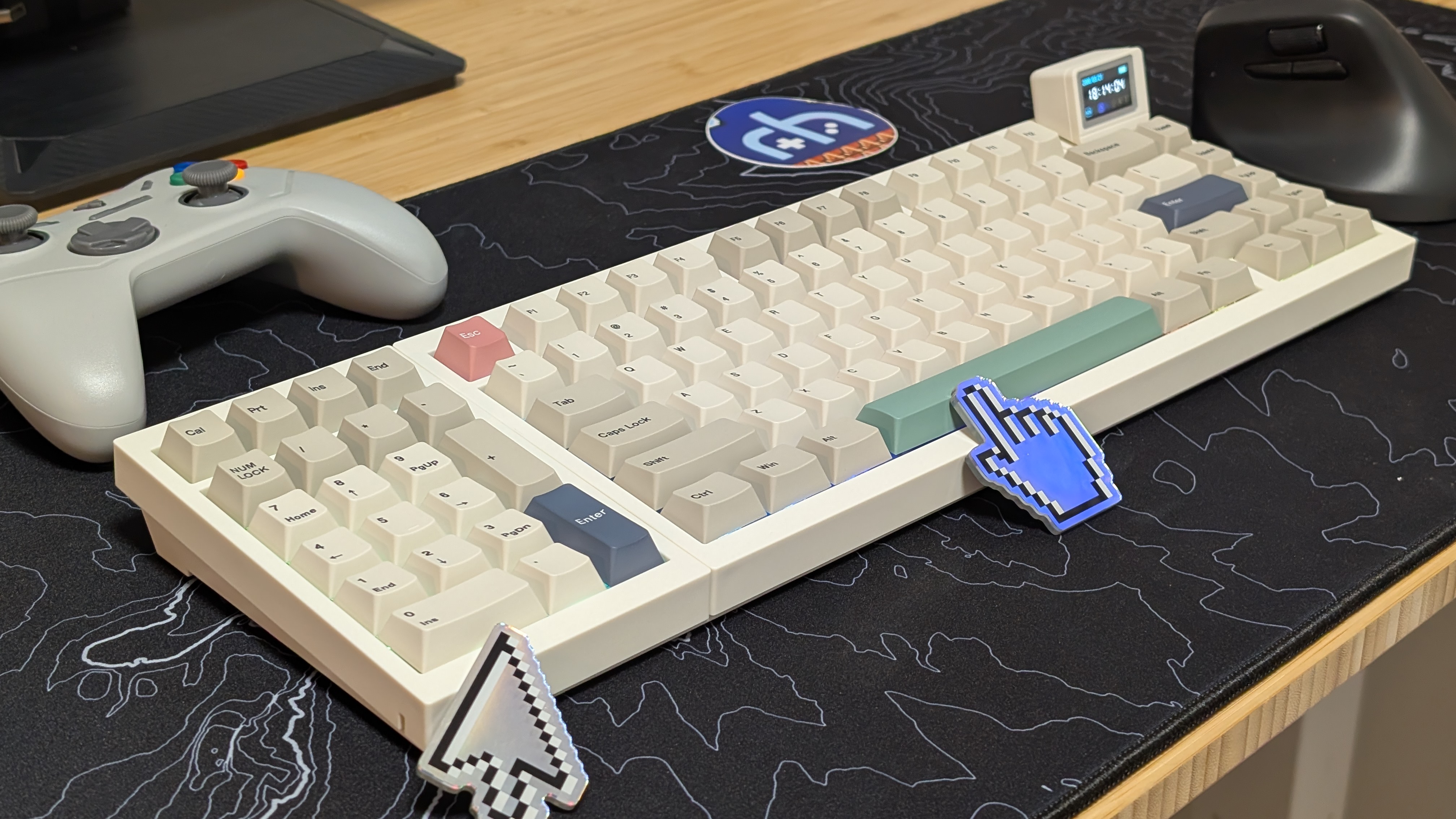
Every keyboard review I’ve written for the Retro Handhelds website has been done on the keyboard I’m reviewing. One so that I can help add more context to the review I’m giving, but second, so that I can hear and feel the board a lot more in a single go.
That being said, I think I might have to allow myself to start changing the switches in the board I’m reviewing. Just in case. Epomaker has been kind enough to send over their latest board, the RT98, for review, and I’m here to tell you if it’s worth your dough.
Epomaker RT98 Specs
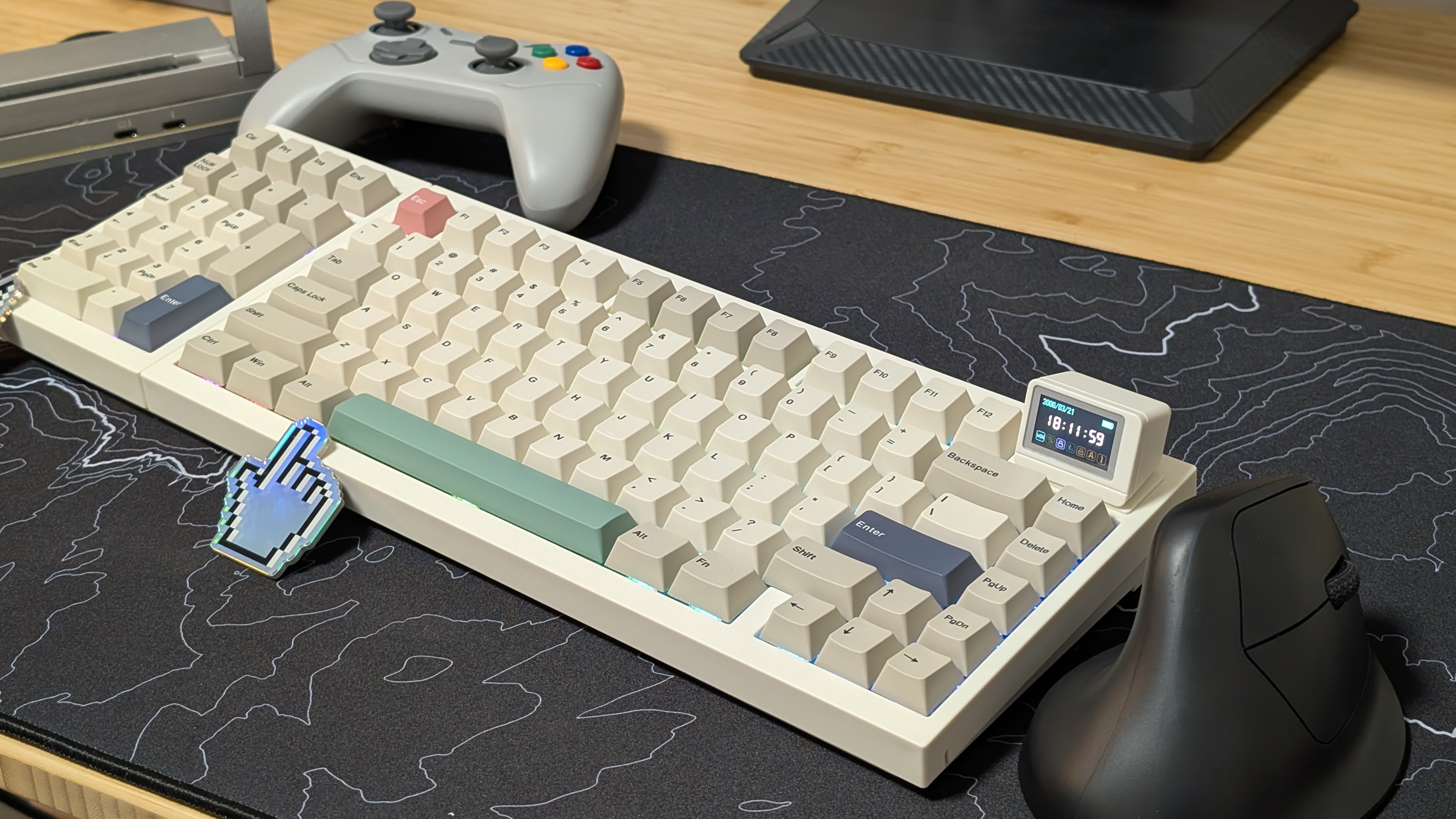
As with every campaign, I always advise caution when backing something on Kickstarter or Indiegogo. Even if it’s a big company, these platforms don’t fully require you to send anything if you can’t manage it. That being said, the Early bird price of the RT98 is going to be $89, with the retail price landing at $119. If that jives with you, see if the specs do too.
| Hardware | |
| Switches (As Tested) | EPOMAKER Sea Salt Silent Switch |
|---|---|
| Switch Features | 51gf Bottom Out, 3.5mm Travel, Yellow POM Stem, Polycarbonate Top/PA66 Bottom |
| Keycaps | Cherry Profile PBT |
| Battery | |
| Size | 8000mAh |
| Expected Life | “Up to” 300 Hours |
| Connectivity | |
| USB | USB-C |
| Wireless | Bluetooth 5.1, 2.5GHz |
| Extra Features | |
| Add'tl Features | 3/5pin Hotswap, 1.19” Detachable Screen, |
| Physical | |
| Dimensions | 390 x 150 x 45mm |
| Weight | 1.2kg |
Build Quality & Connectivity
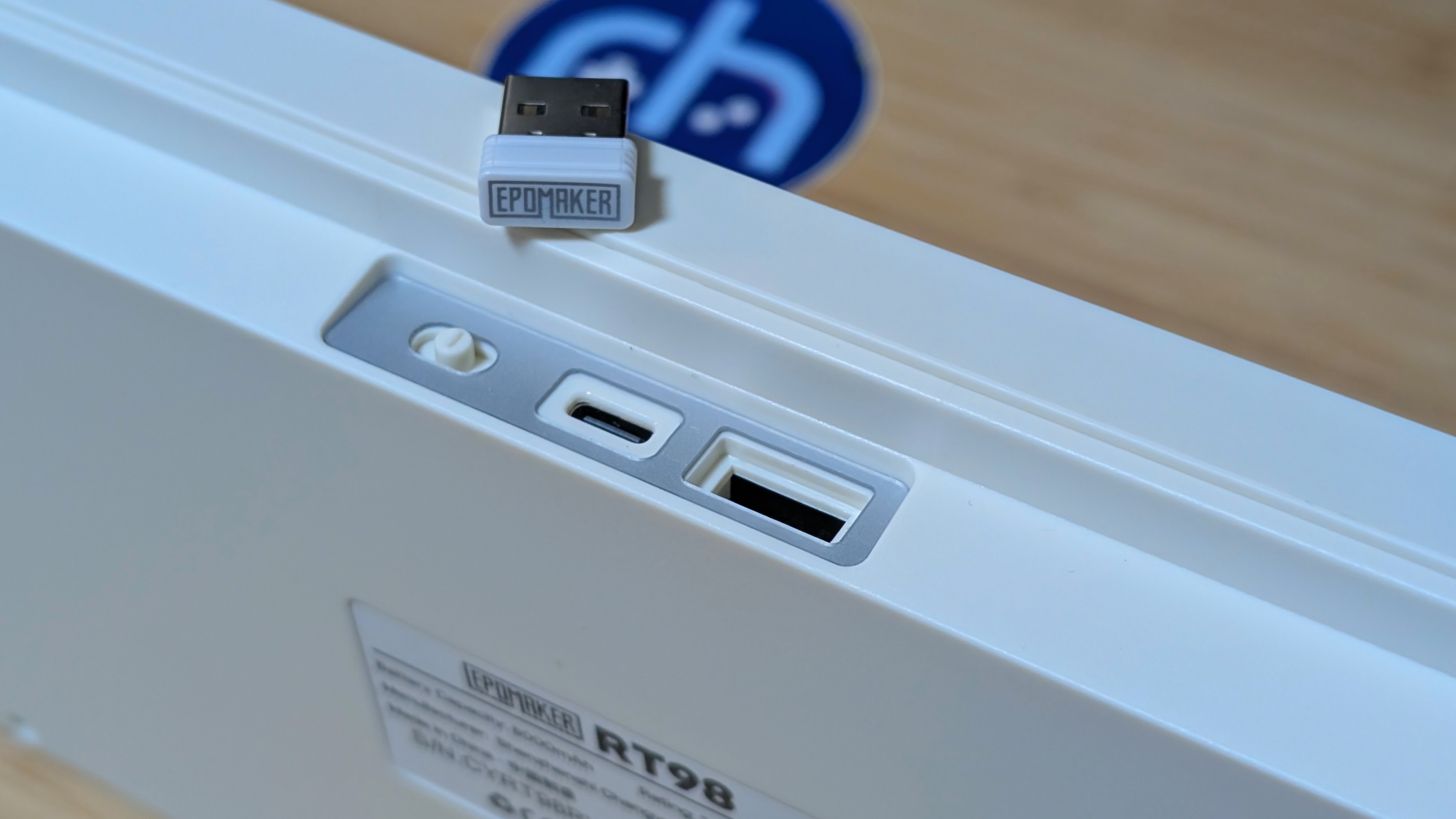
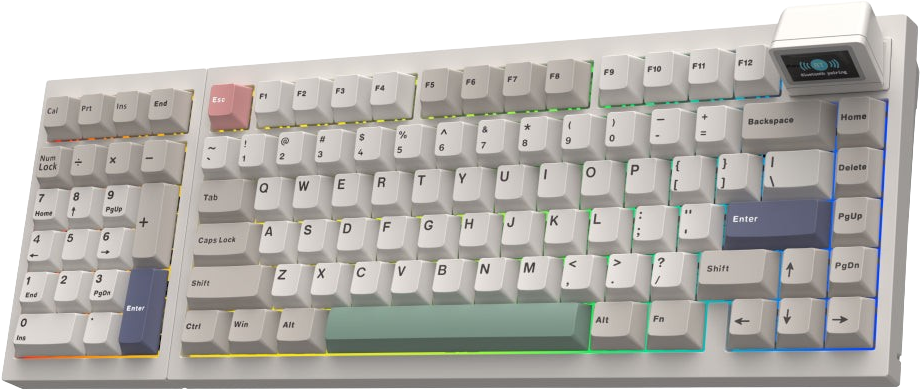
Let’s start at the highest point, with both the build quality and connectivity. Throughout the time I’ve had to test the keyboard, it hooked right up over 2.4ghz with no problem. This test was done over laptops, desktops, and even a USB-C adapter into my Google Pixel 9 Pro (don’t ask). But every time, it managed just fine with no drops. The same could be said for Bluetooth as well. Once you get into the menu, it’s as easy as click and play.
As for the build quality, this follows up pretty closely to the RT82 I reviewed back in January. It’s solid, well-built, and doesn’t have a creaking, groaning feel to it if you pick it up by one end. Something that’s even nicer to know when the board is as long as it is. As a whole, if you’re looking for a somewhat cheaper option that’s full-sized and put together really well, I’d say the RT98 is going to handle your needs pretty well.
Layout
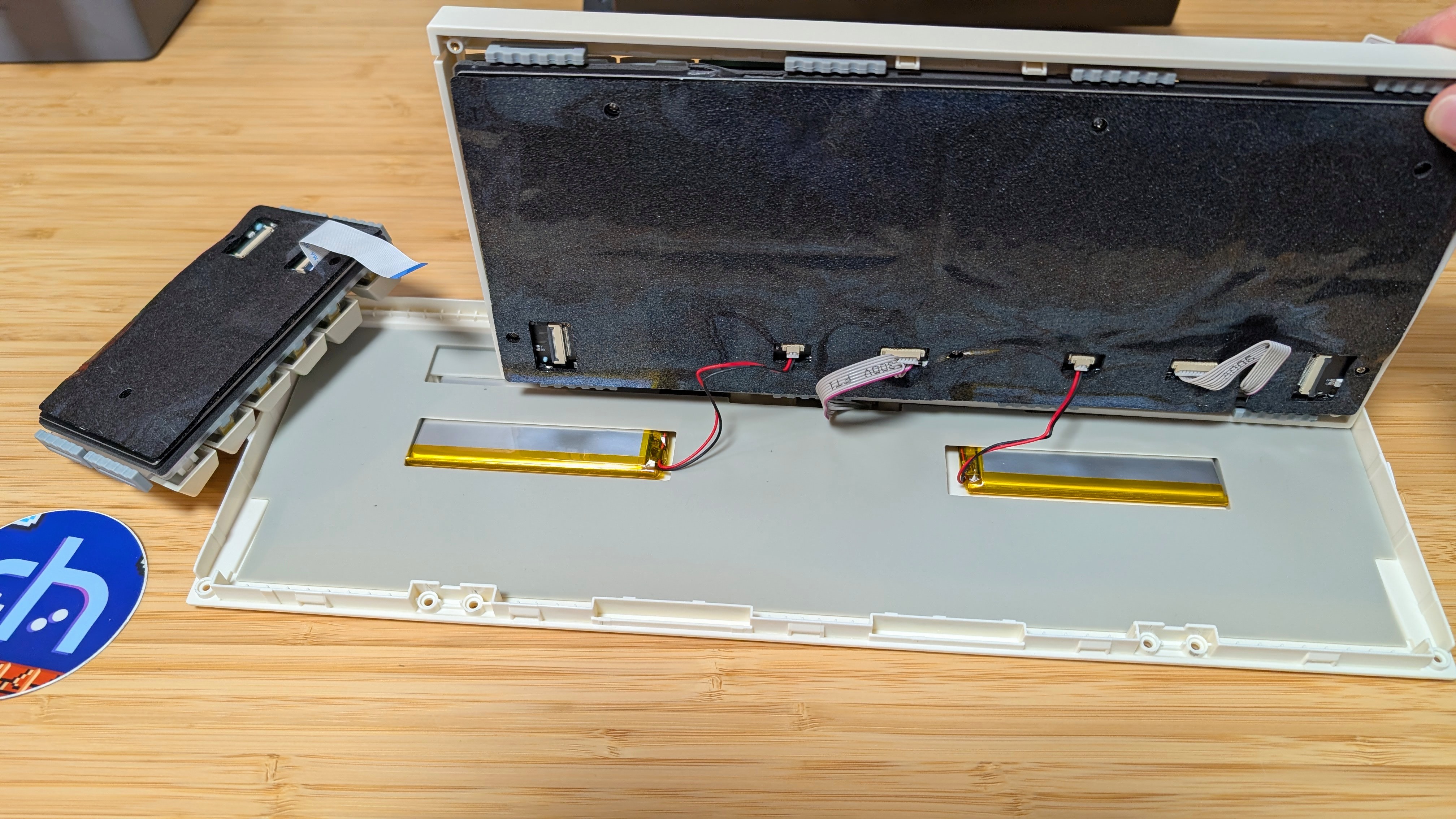
Here’s where things start to move downwards. As a standard 96% keyboard, I think it’s fine. While not personally my layout of choice, I think it’s great for everyone who needs a numpad. What really had my interest was the “modular” tag on their website. The graphic made it look like you could pull the numpad out and swap it over to the other side. That is not the case.
To put the numpad in the southpaw position, aka. The left side. You need to remove the 8 screws on the back and the 2 rubber gaskets. From there, you flip the board back over and undo the clips around the board portion and numpad portion of the board. Finally, you need to carefully lift both sides up as ribbon cables connect them to the bottom of the board, and you need to undo the ribbon cable connected to the numpad. Now you swap what side they’re on, reconnect the ribbon cables, squish the gaskets into place, and reassemble the board. Make sure to screw all 8 screws back in. I did not replace the gaskets on the outside.
Yes, it’s a swappable numpad. But I do not think I’d call it truly “modular” as most people would consider that to be easily swappable. In fact, the materials I was provided would be a better description of this, as it was described originally as “repositionable”. Something that seems much more reasonable given the screw and clip structure needed to get at it.
Switches
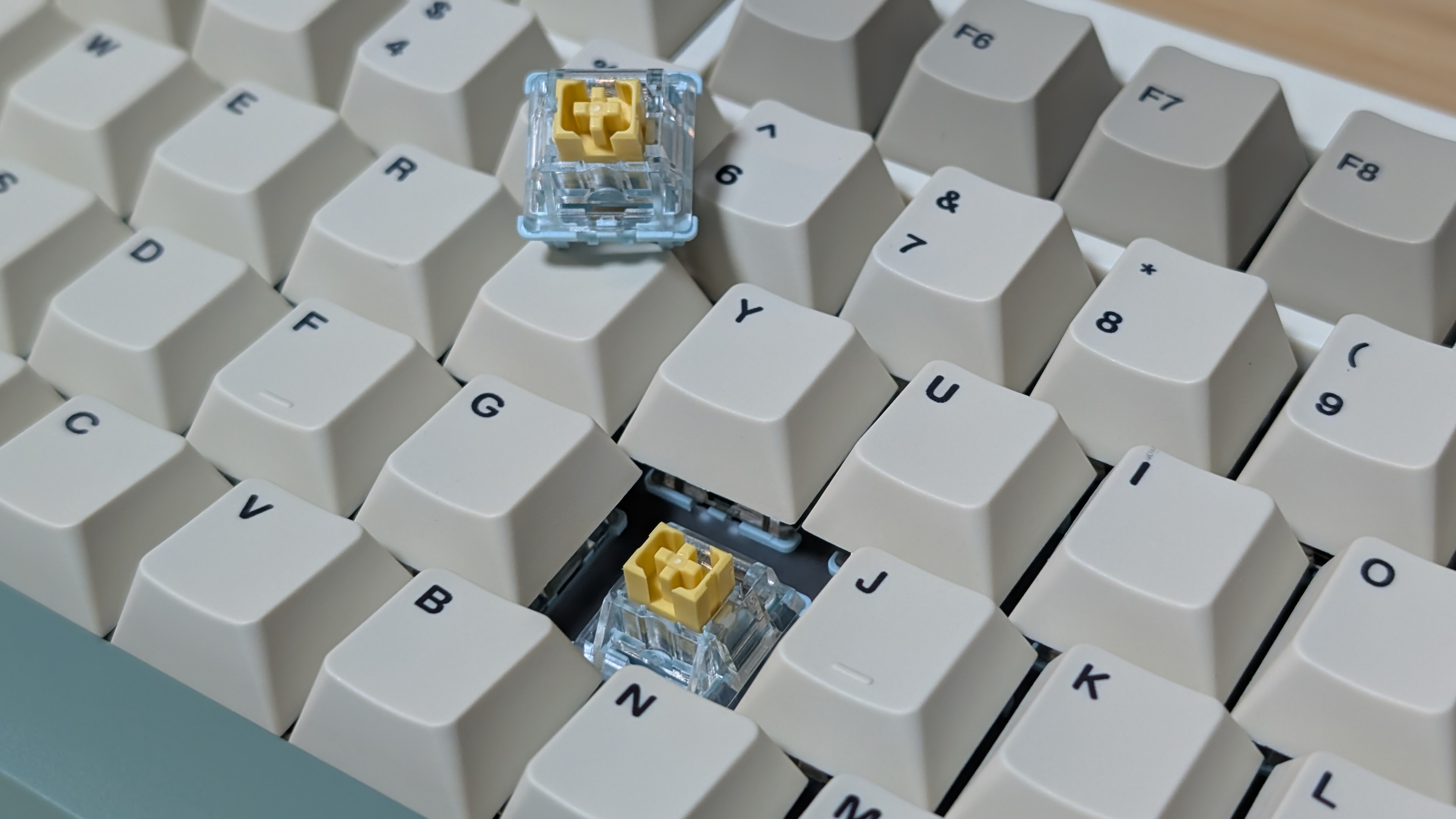
I’m not sure where to begin here. When I reviewed Epomaker’s RT82, I found the creamy jade switches to be quite good. So this time around, I received the Silent Sea Salt Switches instead, and it’s just not great. If there’s one thing these switches do right, it’s that they’re properly silent. Silent mechanical switches are often damped at the bottom, but usually ruin the feel and make the switches scratchier. Epomaker does right by keeping the silent switches lubed, but the bottom-out feeling is not right. Whether by accident or purpose, my initial thought when typing on the board was to check the box to see if the RT98 was membrane. Luckily, it’s not, and it’s hotswap instead.
My usual typing test landed me lower than most normal keyboards, which just solidified the fact that silent switches aren’t for me. This isn’t a knock against Epomaker, but a knock against anyone who wants this kind of switch. It’s not great, I’d rather a high-quality membrane. Their Creamy Jade Switches are still incredibly delightful, though.
Software & Screen
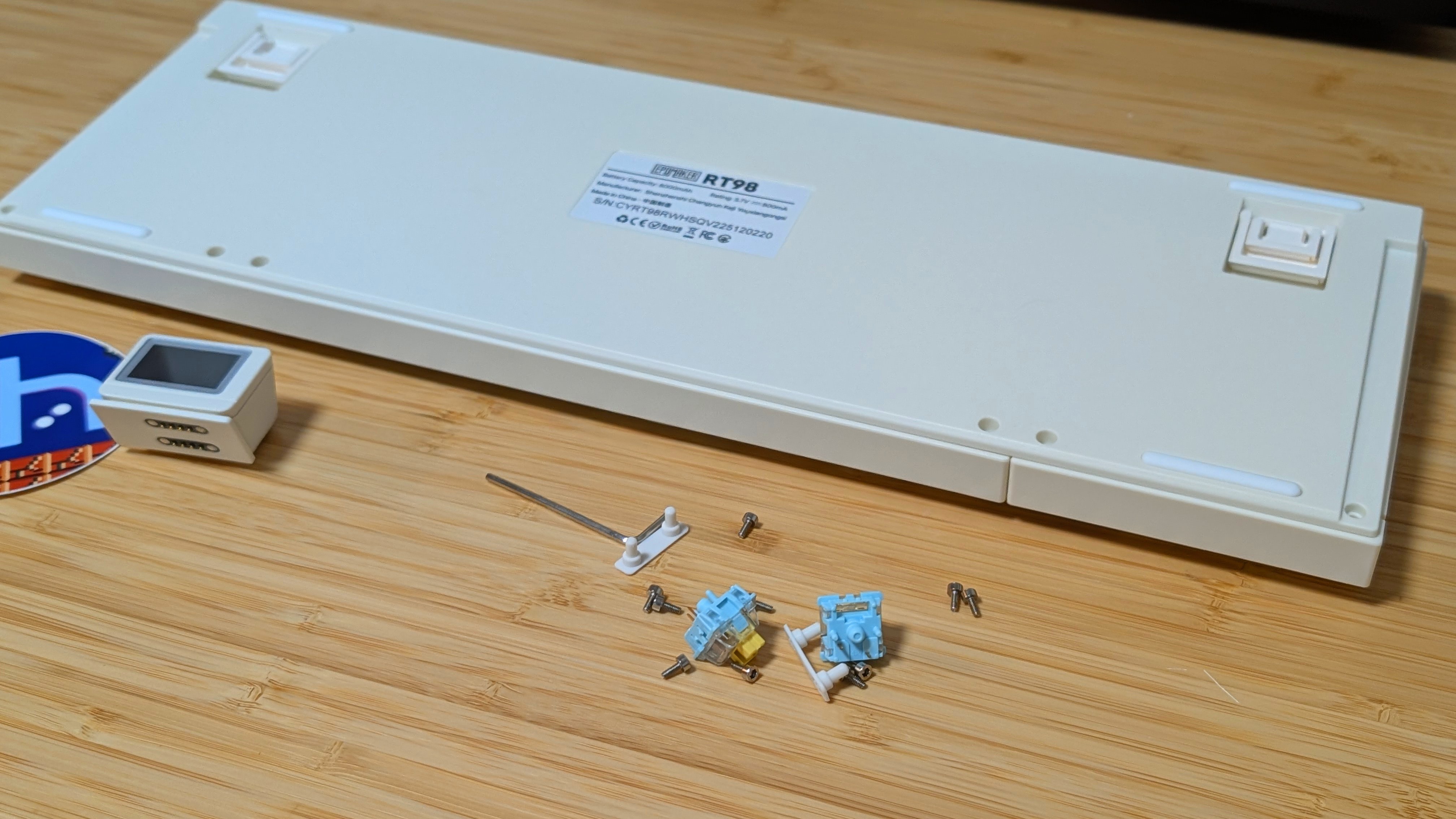
Here’s a little bit of an awkward point for the review. Due to this being an early unit sent out before the Kickstarter has even begun, I can’t really get into testing the software at the moment. At the time of writing this in mid-March, the RT98 does not connect to Epomaker’s Image software. However, their website does link me to the same page the RT82 uses, so I imagine it is something that will be used in the future.
That being said, I can assume that the RT98 will utilize both the web software and VIA just as the RT82 had, which is both janky and good in that order. For now, my feelings on the screen remain the same as before. Don’t accidentally knock the screen off, or you’ll have to reset the keyboard to keep it on again.
The Add-Ons
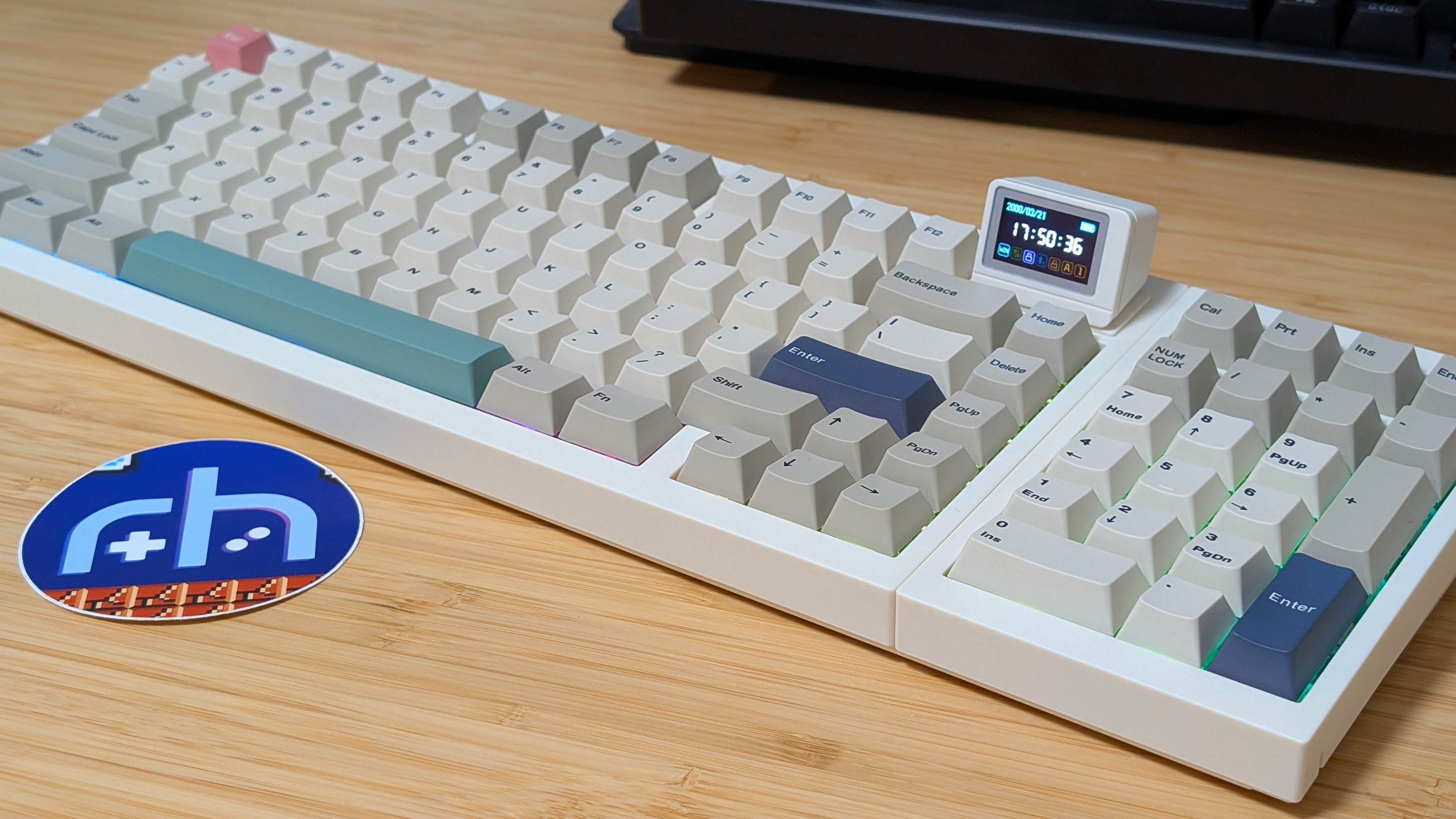
As a couple of last-minute additions, the battery life on the RT98 never died during my duration of testing with it. And I assume if you keep the lights and TV screen off, you’ll likely see similar great results. Aside from the battery life, the RGB lights themselves are nice and bright, but because the keyboard doesn’t have transparent keycaps, you’ll only be able to see the lights around the edges of each key. Not a deal breaker to me, but it’s whatever.
Lastly, the feet on the keyboard remain the same. Dual-stage flip-up feet that give you variable heights in use with the keyboard. I personally left it flat and used my wooden wristrest on it instead.
Final Thoughts
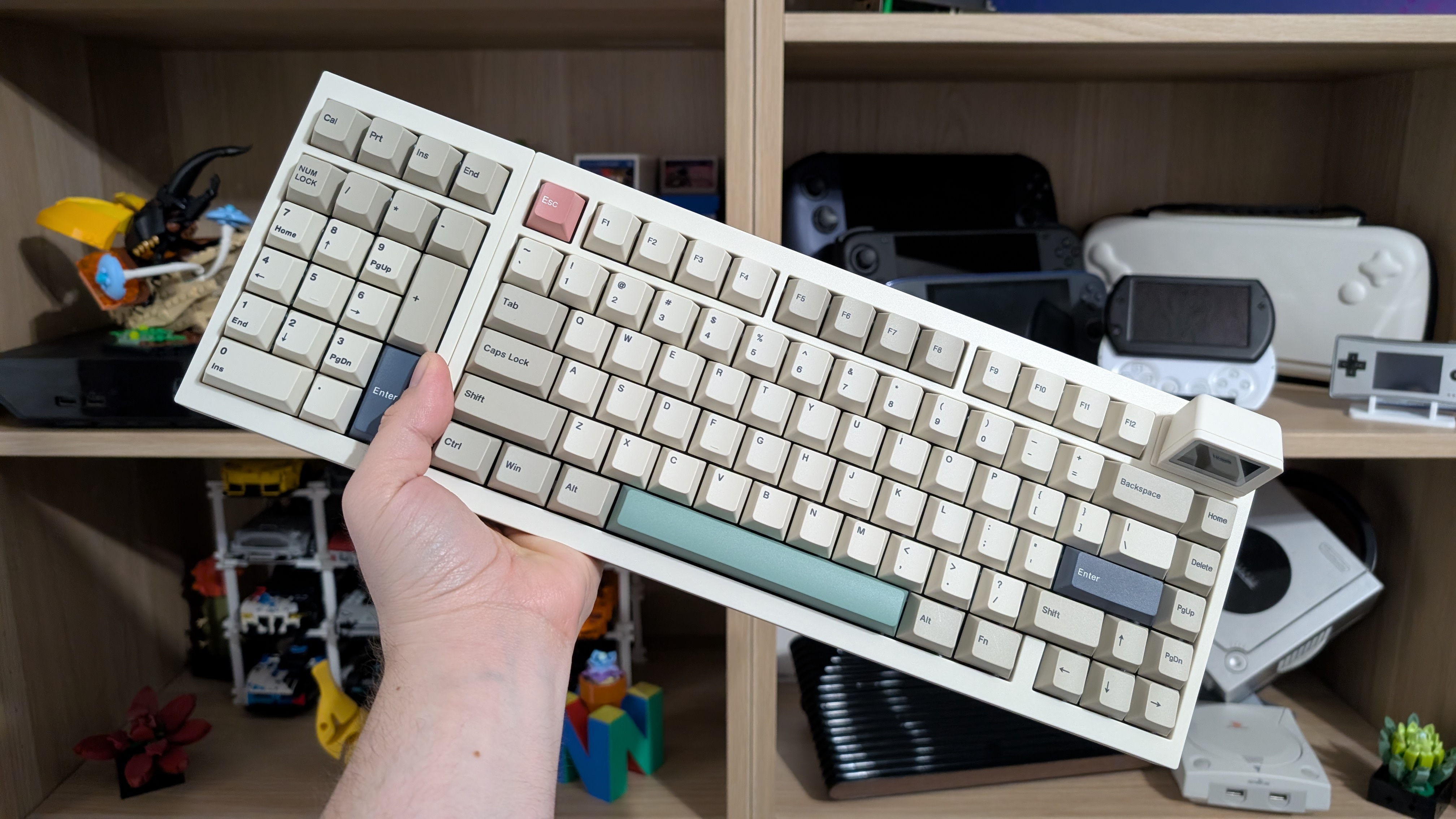
Should you back or buy the Epomaker RT98? That depends. Do you need a full-sized hotswap keyboard? Do you need it to be southpaw? Do you need silent switches? If those are all the cases, at $89-$119, depending, the RT98 is looking like a really attractive offer. However, if it were my choice. I’d wait and see if the keyboard offers the Creamy Jade Switches as an option before buying, just to avoid the sea salt switches.
When it comes to the modularity of the RT98, I think I prefer the method used by be quiet! On their Darkmount, or the older Mountain Everest Max. Both of which simply used a USB-C port to mount the numpad to a different position. The RT98 is a much more permanent solution that I wouldn’t recommend changing more than once or twice.
Not a bad keyboard in the slightest, but the switches and “modularity” bring it down a peg at the moment. I’ll likely go back to my 75% and a separate numpad.

1 Comment
A long, long time ago in a galaxy–I mean planet–no, no, office far, far away I had to learn the 10-key on the right even though I’m a southpaw. No real choices in those days. But, I did not like the reach to the mouse.
So, I learned to use the mouse with my left hand which had an additional benefit: the main part of the keyboard was directly in front of me centered by the keypad and mouse.