

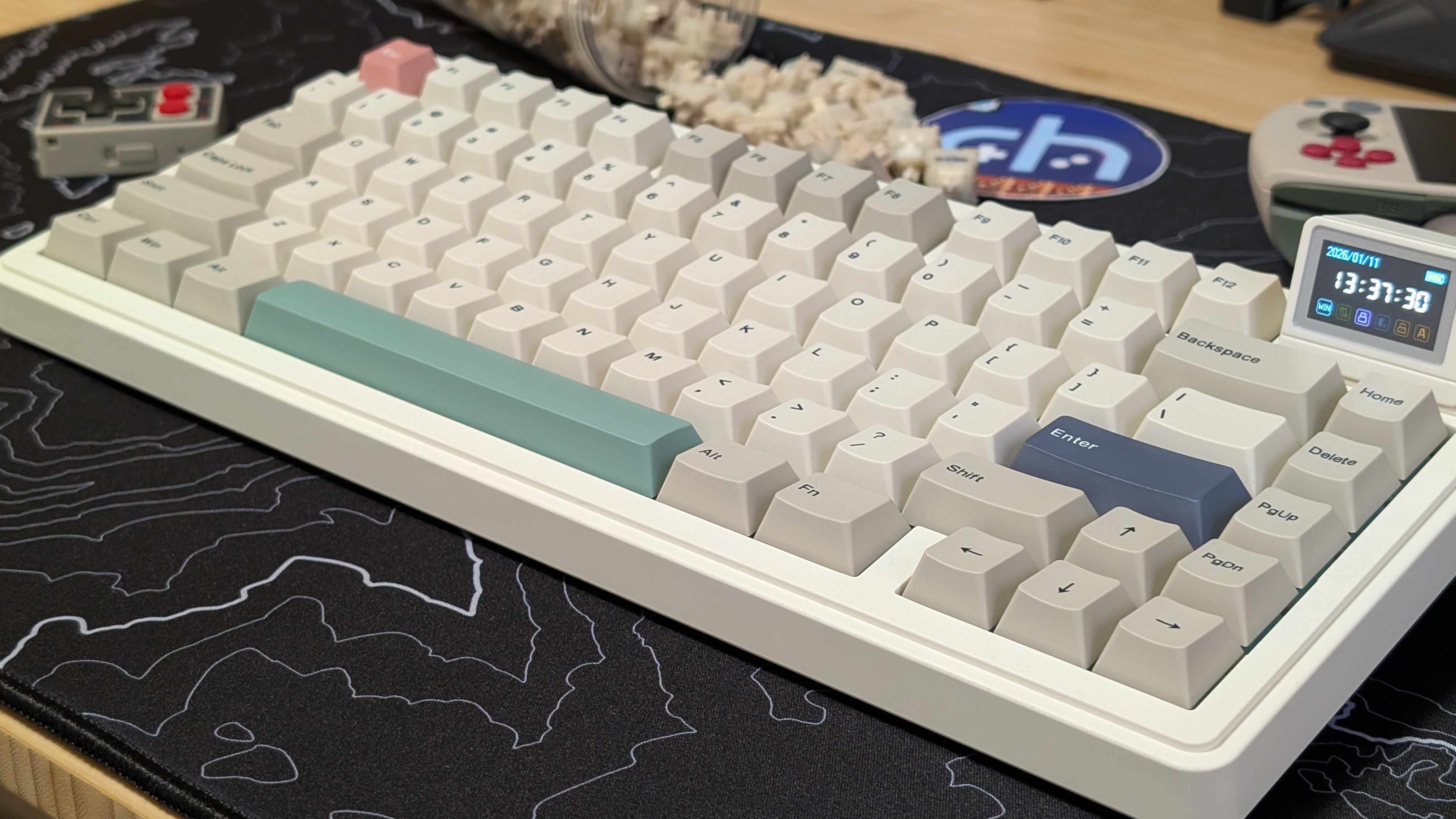
When it comes to the handheld community, one of the things we’re looking at is that retro aesthetic. Whether that’s retro games or the retro DMG styling on handhelds. So what if we want to extend that over to the other peripherals in our lives? In that case, the first thing that comes to mind is controllers, but following that is actually keyboards. Old buckling spring keyboards, big beige bricks of keyboards are exactly what come to mind.
Bring in Epomaker and the RT82, and you’ve got a retro-styled keyboard, with modern features from lubricated switches to a magnetic and detachable screen that you can put anything on. All for under $100 as a whole. But is it going to be worth it for you and your nostalgic itch? That’s what we’re here to find out.
Epomaker RT82 Specs
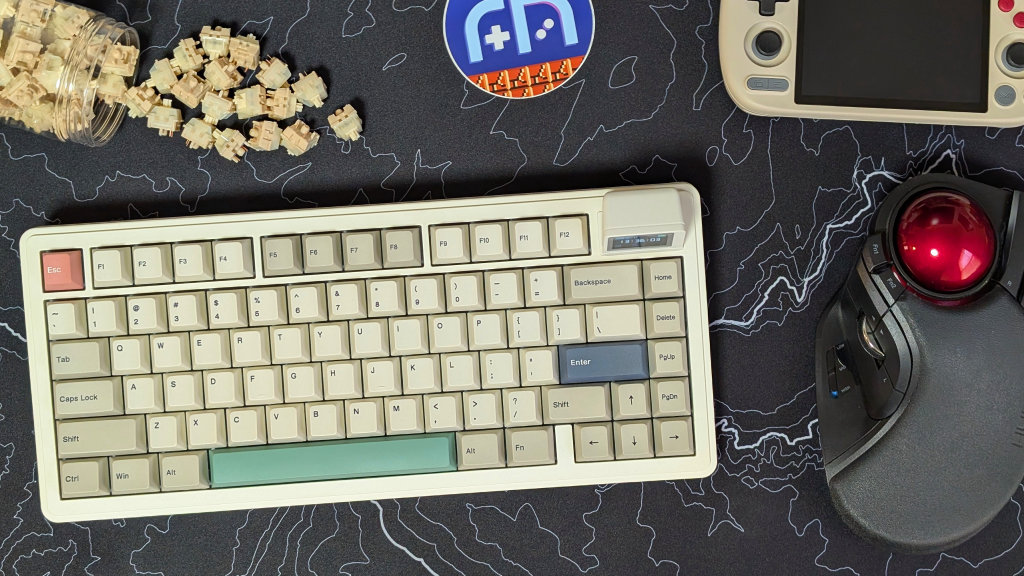
Over on the Epomaker website, you can grab the RT82 for either $86 or $90, depending on the switches you pick. For a tri-mode wireless keyboard, that’s not a terrible value, but the specs tell the whole story.
- Switches
- EPOMAKER Creamy Jade Switches (Tested): Pre-Lubed Linear, 50g Bottom Out Force, 3.6mm travel
- EPOMAKER Sea Salt Silent Switches (Not-Tested): Pre-Lubed Linear, 51g Bottom Out Force, 3.5mm Travel
- Size: 75% with 80 keys
- Battery: 4,000mAh
- Battery Life: 14 hours RGB & Screen, 17 hours RGB & No Screen, 45 hours no RGB & Screen, 115 hours no RGB & no Screen
- Connectivity: Bluetooth, USB-C, 2.4ghz
- Polling Rate: 125hz BT, 1000hz USB-C and 2.4ghz
- Features: 1.14” Display, 3 and 5 Pin Hotswap, Cherry PBT Keycaps, 2-Stage Height Adjustment Feet, VIA Compatibility
- Dimensions: 326 x 143 x 40mm
- Weight: 1kg
What I Like
The Experience
As a whole, the RT82 is a solid keyboard. The 75% size is nice for saving space on your desk, and the trimode experience lets you hook up to 3 different devices all at once and swap all between them with just one switch.
When it comes to the actual keys themselves, the stabilizers aren’t rattly, and the switches are nice and thocky. In terms of full typing experience, just by using Monkeytype to test, I can manage a similar speed to most other keyboards, though with slightly elevated errors. That being said, it’s more likely because of my day-to-day keyboards having heavier tactile switches.
Battery Life
If you’re going to turn everything off, I think 115 hours is completely acceptable. If you’re using your keyboard for 8 hours a day, it’ll get you through about two weeks at a time. That being said, if you’re going all out on RGB lighting and the screen, 14 hours is just a bit weak for my preferences. If I’m buying a wireless keyboard, I’d prefer to have to charge as little as possible.
In my week of testing, specifically with the screen on but no RGB, I haven’t yet run out of battery. And in my opinion, if you’re going to have any configuration of lights and screen, that’s the setup I’d recommend to maximize your retro aesthetic.
Software
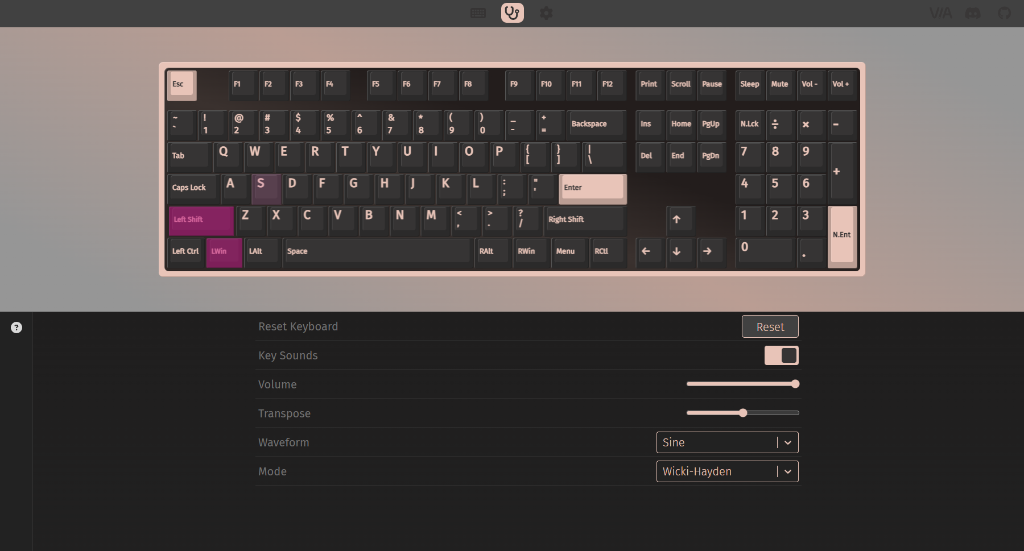
My favorite little add-on for the RT82 is that all of the software is now web-based rather than a downloaded piece of software. The screen software is a bit cludgy, but it’s simple to use. Click sync for your time, or just click and drag a GIF just to upload it onto your tiny 1.14-inch screen.
In better news, VIA. VIA is an open source, now web-based piece of software that lets you customize the input of every key on your keyboard. As a fan of VIA from my days using 40% keyboards like the UT47.2, I’m glad to see more mainstream companies embracing already-made, good software, especially when it can work on dozens of keyboards already, as long as you have your JSON file. This is compared to them just making it themselves and having something awful.
What I Don’t
The Switches (Subjective)
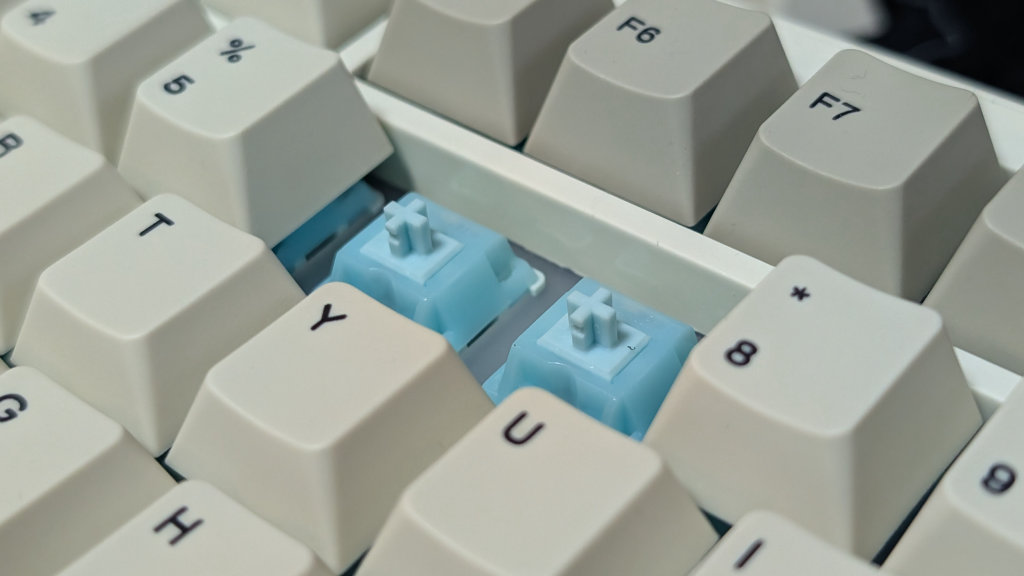
This is entirely subjective, but the switches in the RT82 were not quite for me. In the positives, they’re super light, smooth switches that have been pre-lubricated for the smoothest travel you can get out of a switch. That being said, they’re just a bit too light for me. The travel is consistent, which is to be expected of a linear switch, and they activate pretty quickly. I found myself making a few more mistakes than normal. However, I know that most people would be more than happy with switches like these.
The Height
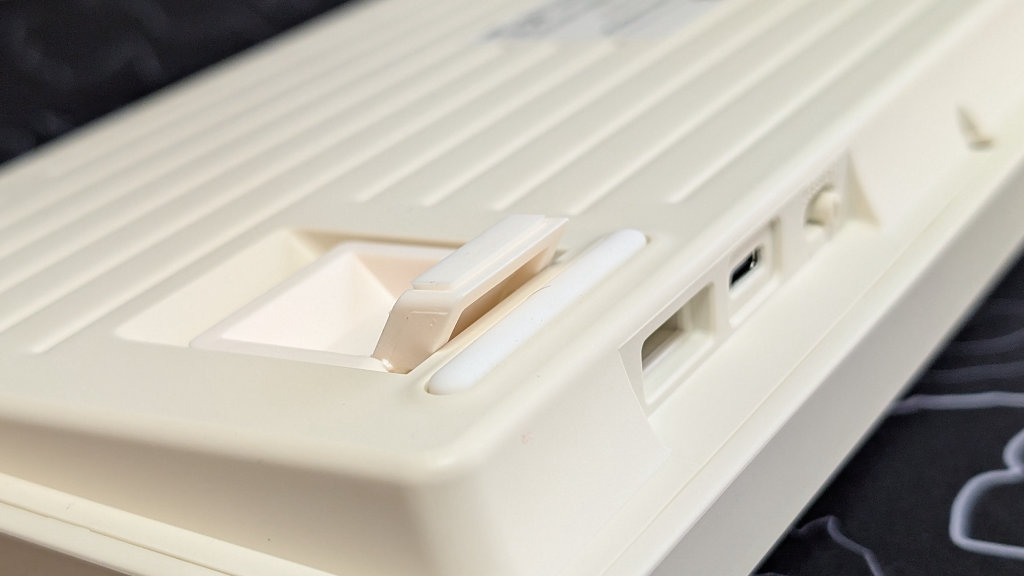
Another subjective item, but the height of the keyboard is just a bit too much for me personally. While the two-stage feet are useful as well, they pull the angle of the RT82 just a bit too high. As a whole, if you’re one of those people who can float your hands above the keyboard, like a normal person, you may find this all to be just fine. But for me, I am a neanderthal that ended up needing to pull out my wrist rest to get proper use of my RT82 unit.
The Screen
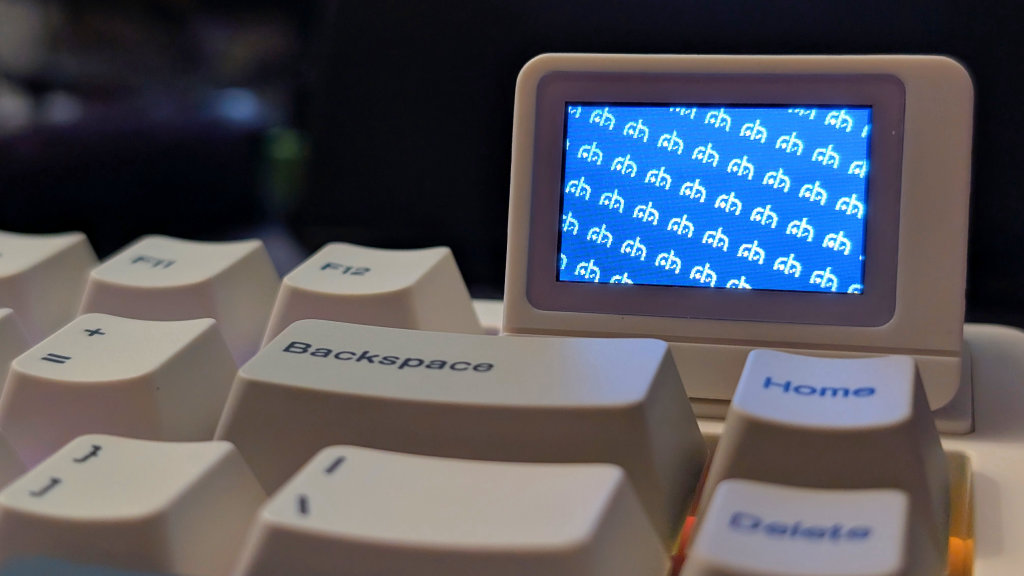
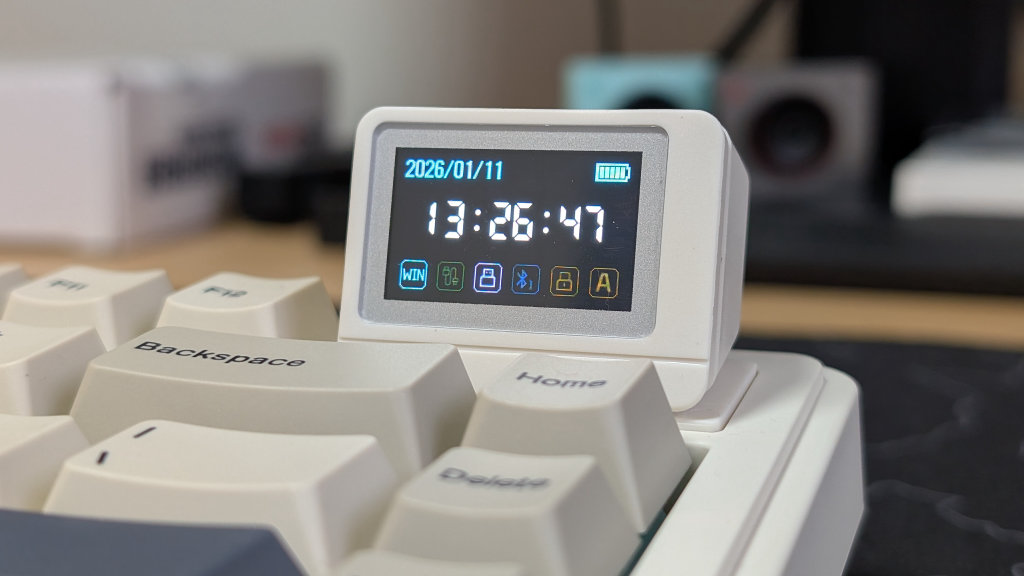
Here’s a bit of a hit or miss in just a single feature. The screen is a great little inclusion to the aesthetic of the keyboard. It really meshes well and brings the design of the board together. The functionality is mostly there as well. A clock with date, connectivity, and battery indicator, a Typing Mode to say what key you’ve pressed last, and the capability to display GIFs.
That being said, the downsides bug me just a bit more. The Pogo pins are left exposed when you don’t have the screen connected. If you’re not careful and knock the screen off enough, you’ll end up having to turn the keyboard off and on just to get the screen running again. And unless you value your battery life, you’ve bought the keyboard for the screen. Which, speaking of battery life, the screen on its own cuts the battery life of the keyboard more than just in half. The novelty of the screen is great, but the downsides are not.
Final Thoughts
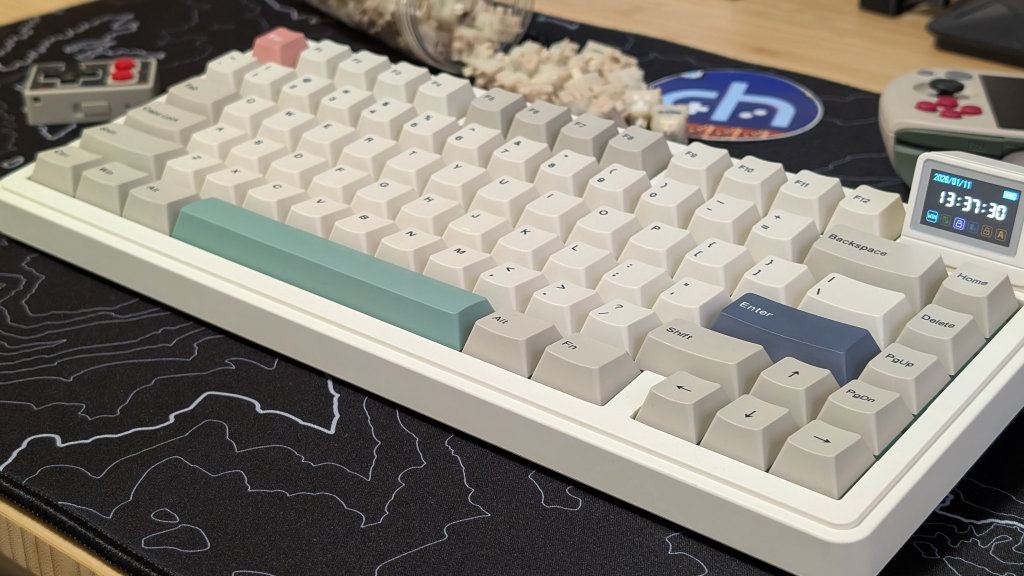
The keyboard market, especially under $100, is a packed market. Any need you have, and any size to have it in, you can find it. What the RT82 does is fill your retro-styled needs while giving you a solid keyboard experience at a good price. While the battery life isn’t ideal, the features given to you do more than fill the $85-$90 price point.
If you’re looking for alternatives, the Womier SK75 is a little more, but features that retro colorway at the same 75% size. If you can find it on a deal, 8BitDo offers a TKL Retro keyboard that comes with a pair of giant buttons to boot. That being said, you do need to be okay with the clicky switches they include, unless you want to swap them out. That being said, you really can’t go wrong with any retro board on the market today. The RT82 just so happens to be the only one with a screen.
And I love the non-descript gaming gifs I can put on it.
What did you think of this article? Let us know in the comments below, and chat with us in our Discord!
This page may contain affiliate links, by purchasing something through a link, Retro Handhelds may earn a small commission on the sale at no additional cost to you.
