

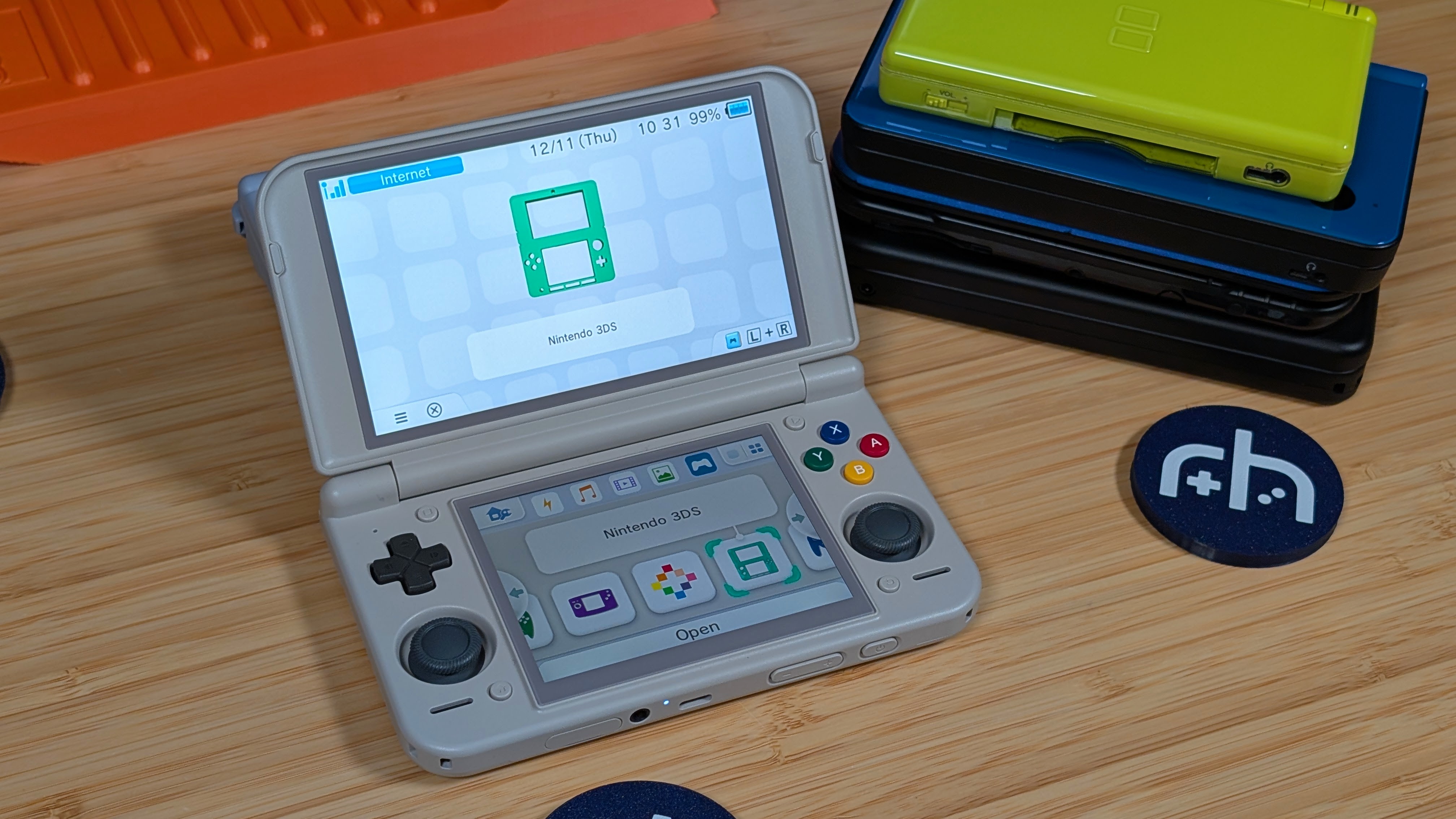
In case you haven’t been keeping up the Retroid Pocket Duo Lite has been a pretty eye catching device recently. Its really nice screen setup has been mixed with a pretty low powered CPU, and as a whole has resulted in some mixed opinions on the handheld. What has been pretty agreed on though by most reviewers out there that have tried it is that you should put GammaOS on your Duo Lite. The unfortunate part? All of those reviews didn’t have a place to link to GammaOS, because it wasn’t quite ready for prime time. Well now it is, and if you’re a Patreon member, you can grab GammaOS for your Retroid Pocket Duo Lite.
As always, before getting into the updates, I like to tell you where to go for more information, and this time around there’s plenty more options. You can check out his Patreon for the full rundown, or to support him in the future. You can check out his Discord, or you can go to what seems to be a newly setup website to make downloading GammaOS just that much easier. Or of course the Wiki if you’d like some assistance.
V1.5.0 Updates
Rather than dump the list on you, I think it’s worth talking about those updates here instead. The first of which are the emulators that are practically built into GammaOS 1.5.0 itself; Azahar-Nano, MelonDS-Nano, and RetroArch Nano. All three offer higher performance in game, with in game settings, and mappings that can all be set per game. My favorite feature comes from a line in the Melonds-nano update “…the lid passed through to the game, so the games that use it work like on a real DS.” This small little detail can have a huge impact on those looking for more DS games to play.
Next up are the themes all of the themes are really built to utilize both screens in the best way possible. An example of that being the music controls on the bottom screen if you’re gonna use this thing for your MP3. Outside of that, you can find XMB Wave, ES-DE, Minima, DSi, and the brand new 3DS Theme on your Duo Lite. So now if you really want to bring that Nintendo Flair, it’s just a setting away.
Some smaller, but still important updates include:
- Screen Calibration is available for both screens, on any device, with test patterns included
- Individual components can be updated on their own without a full system update (ie. a new update for the emulators was just dropped yesterday)
- Settings > System Update > Update Components
- Full support for the Retroid Pocket Duo Lite
- More Accessibility Options
- High Resolution and Original Resolution art options in the DSi Menu
- Improved Startup Times
- Fan and Shader tiles for improved controls
- New on-screen keyboard sits on the touch screen of dual screen devices
- LiveDisplay, Screen Calibration and the global shader now reach home and emulators
- IPTV plays encrypted (AES-128) streams
- DraStic Nano now has per screen scale and shader on dual screen devices, a microphone noise gate, a Fan row, and steadier frame pacing
- Home Theme is now the first row
- Theme and other downloads work even when the console’s clock is behind, the clock is set from the network
As always, it’s awesome to see what Gamma is cooking up, and if you’re interested in learning more, I highly recommend checking out his Patreon and Website for more information on what to expect now and in the future. And hey; if you’re curious about GammaOS Pico; V1.20 recently released as well. It’s got Wifi, improved settings, and compared to V1.0, it now has NES too.
