

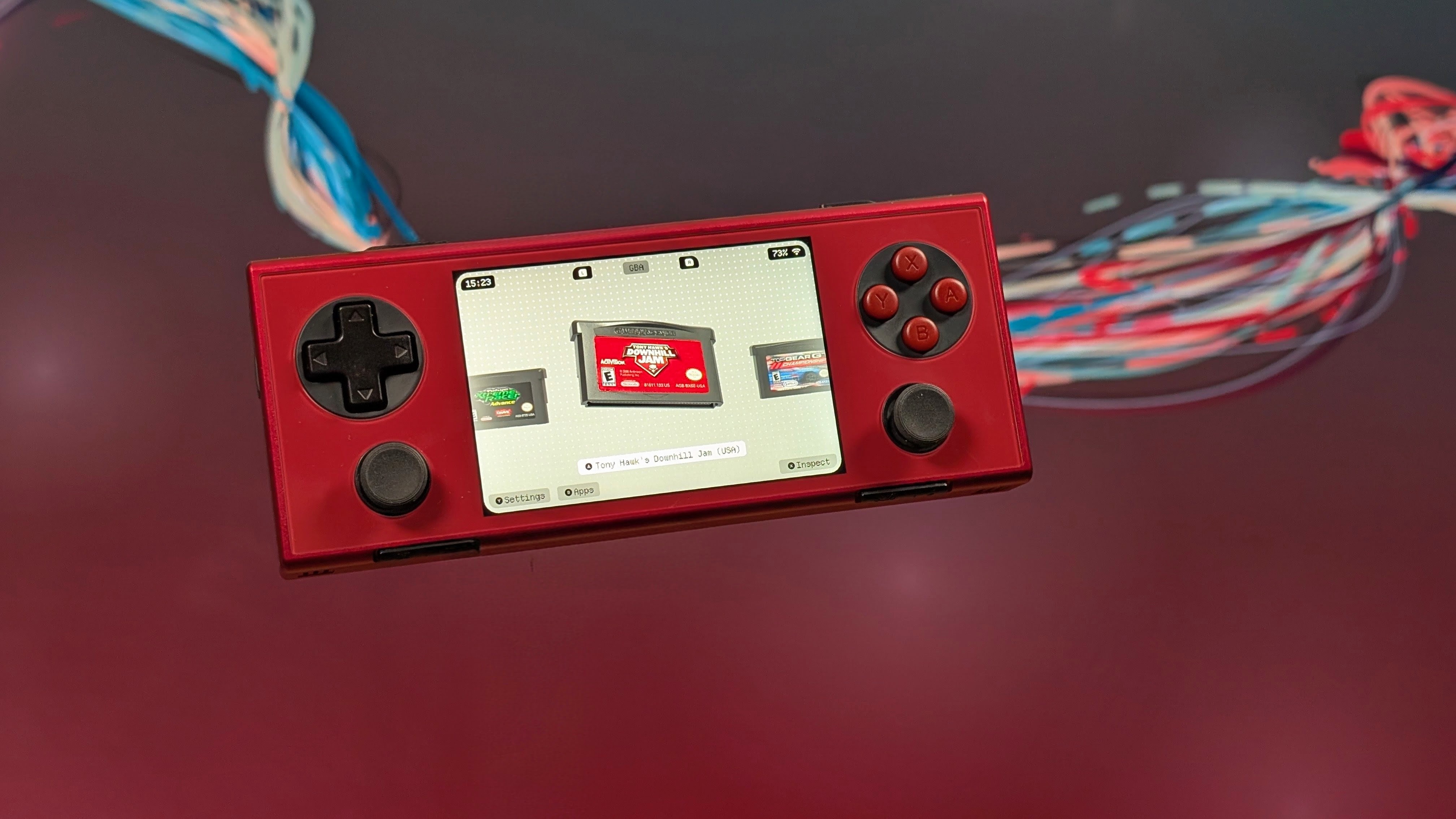
The amount of frontends have been climbing over the last year alone. From dual-screen delights to full on XMB menus for all. If you were looking for a certain look, there’s been a front end to help fill your needs. And if you’ve been looking for something simple, aesthetic, and perfect for an easier to curate menu, Socket has been one of the big ones up and coming this year, and I’ve been happily following along its development for a while now. Well today marks their V0.10.0 update, and there’s a lot under the hood.
If you’re interested in learning more there’s a few ways you can learn more. Whether that’s on Patreon where you can support the developer and grab the latest builds of Socket, or through their Discord if you want to talk to the community. Depmot’s own website features the older V0.3.2 update if you want to try it for free. As for major updates you can find those below.
Added:
- Dark Mode!
- “Rescan and Scrape All Platforms” under Settings
- A Game’s Edit Panel now has “Re-Scrape”, “Restore Original” and “Report Missing Art” for Scraping
- When Scraping finishes, Socket will say how many games are missing art.
- Background Music Playlists
- “Mute All Sounds” options
- “Keep Screen On” Toggle
- Native Android Games Can sit on a Console’s Shelf
- RomM Colections
- RomM Game Lists let you download a single game
- Settings for “Back Up Setup” and “Restore Setup”
- A Loading screen on Launch
Platforms:
- Steam Games (GameNative, GameHub, BannerHub)
- Windows (Winlator)
- Sega Saturn
- PokeDaisy is now a choice for Game Boy, Game Boy Color, Game Boy Advance, and DS
Changes:
- App names in the app drawer follow the theme
- Holding up or down on a controller now keeps scrolling through lists, options, and settings
- Icon only buttons in settings show their name in a bubble when hovered, selected, or long-pressed
- RomM Pairing and library loading now show in a dialog with a spinner, and can be cancelled
- Long Option Lists open instantly and scroll smoothly
- Foil labels are done after real trading card holos:
- Holo Foil
- Cosmos Holo
- Golden Ticket
- Radiant
- Rainbow Rare
- On screen keyboard fills the screen with bigger keys. Up and down always go to the key right above or below while left and right wrap around each row
Fixes:
- Scraping without a connection now stops with a “Couldn’t Reach the Scraping Server” message
- Holding Left or Right on a slider no longer jumps to the tab bar once it reaches the end
- A cartridge color picked in customize was ignored on some platforms
- Selection Outline could disappear with a controller after a list was rebuilt or menu was closed
- On dual screen devices, a second screen that was off when Socket launches is now picked up when you return to the app.
As always, I highly recommend giving the full changelog a read over, and if you want to give Socket a try, it’s more than worth the go around for it. If you’re wanting to look into it more, their Patreon, Discord, and Website are where I’ll recommend checking out most, and I just can’t wait to see what’s next in the pipeline.
